








Contents
- 1 Best AI Meeting Assistants That Automatically Summarize and Organize Work
- 2 What an AI Meeting Assistant Should Actually Do
- 3 Why AI Meeting Assistants Matter More for Remote and Hybrid Teams
- 4 Best AI Meeting Assistants Compared
- 5 How to Choose the Right AI Productivity Software for Meetings
- 6 Best Use Cases by Team Type
- 7 What Makes the Best AI Meeting Assistants Stand Out Now
- 8 Practical Recommendation
- 9 FAQ
Best AI Meeting Assistants That Automatically Summarize and Organize Work
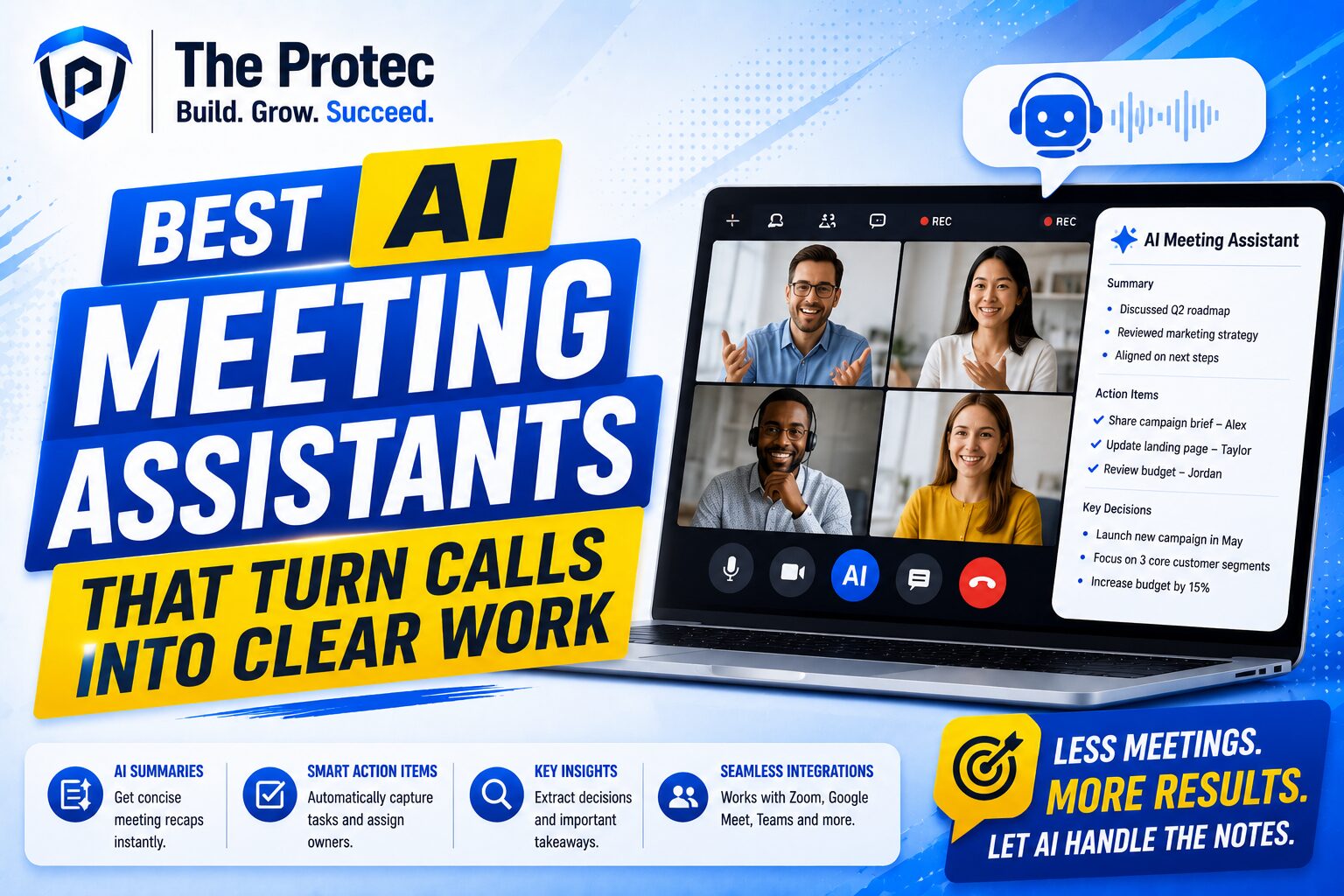
Meetings are still where a lot of work gets decided, but they are also where momentum can disappear. Notes get lost, action items are forgotten, and remote teams often leave calls with different understandings of what happened next. That is why AI meeting assistant tools have become essential for modern businesses. The best platforms do more than record a conversation. They transcribe discussions, summarize key points, identify follow-ups, and organize outputs into workflows teams can actually use.
As AI productivity software matures, the category has moved well beyond basic dictation. Today’s strongest tools combine meeting transcription AI with smart search, action-item extraction, CRM updates, task creation, and integrations that fit the way hybrid and remote teams work. For leaders comparing options, the challenge is no longer whether to adopt one. It is choosing the right assistant for your meeting style, collaboration habits, and privacy needs.
In this guide, we compare the best AI meeting assistants that automatically summarize and organize work, with a practical focus on businesses, team collaboration, and remote workers. We will look at what each tool does well, where it fits best, and what to consider before making a decision.
What an AI Meeting Assistant Should Actually Do
An effective AI meeting assistant should reduce follow-up work, not create more of it. At a minimum, it should capture conversations accurately, summarize the main decisions, and help teams turn discussion into action. The best tools now offer a much broader set of capabilities.
- Accurate transcription: Converts spoken conversation into searchable text, often with speaker identification and timestamps.
- Smart summaries: Condenses long calls into concise overviews, decisions, objections, and next steps.
- Action-item detection: Pulls out commitments, deadlines, and owners automatically.
- Workflow organization: Sends notes into project management tools, CRMs, or team channels.
- Search and retrieval: Makes it easy to find a specific statement, decision, or client detail later.
- Compliance and privacy controls: Offers permissions, retention settings, and enterprise-grade protections.
When these elements work together, meeting transcription AI becomes more than a convenience. It becomes a system for keeping work organized across departments, time zones, and client conversations.
Why AI Meeting Assistants Matter More for Remote and Hybrid Teams
Remote and hybrid work has changed the cost of poor meeting hygiene. In a shared office, people can clarify a decision at the desk next door. In a distributed team, that same gap can turn into duplicated work, missed deadlines, or conflicting deliverables. AI productivity software helps reduce that friction by creating a reliable record of each meeting and distributing it where people need it.
For managers, an AI meeting assistant can standardize note-taking across the team. For sales, it can capture customer concerns and next steps. For product teams, it can preserve feedback from planning sessions. For operations, it can keep cross-functional discussions from disappearing into chat threads. The result is less context switching and more execution.
Another reason demand is growing is the shift toward multimodal AI and more natural voice interfaces. The newest assistants are better at understanding who said what, what matters most, and how a conversation should map into tasks. That makes them increasingly useful not just for note-taking, but for operational follow-through.
Best AI Meeting Assistants Compared
1. Otter.ai
Otter.ai remains one of the most recognizable meeting transcription AI tools, especially for teams that want a straightforward way to record, transcribe, and summarize meetings. It is widely used for internal team calls, interviews, and recurring check-ins because it is easy to adopt and fast to set up.
Best for: Teams that want reliable transcription and quick summaries with minimal setup.
Strengths:
- Real-time transcription and speaker detection
- Automatic summaries and highlighted action items
- Searchable meeting history
- Useful for recurring meetings and note sharing
Considerations: Otter is strong for core meeting capture, but teams with complex workflows may still need more advanced automation or deeper integrations to organize work end-to-end.
2. Fireflies.ai
Fireflies.ai is a popular AI meeting assistant for teams that want more than transcripts. It can join meetings, create summaries, extract action items, and push notes into tools like CRMs and task managers. That makes it especially useful for sales, customer success, and operations teams.
Best for: Teams that want transcription plus workflow automation.
Strengths:
- Strong integrations with business tools
- Meeting search across recorded calls
- Conversation intelligence for sales and customer-facing teams
- Action-item and topic extraction
Considerations: Fireflies shines when meetings connect to downstream systems. If your team mainly wants a simple note-taking tool, some of its capabilities may be more than you need.
3. Zoom AI Companion
Zoom AI Companion is a natural fit for organizations already standardized on Zoom. Rather than adding a separate workflow, it extends the meeting platform with summaries, next steps, and help drafting follow-up content. For teams that live inside Zoom, that simplicity matters.
Best for: Organizations already using Zoom for most meetings.
Strengths:
- Built directly into the meeting experience
- Useful summaries and meeting takeaways
- Strong convenience for existing Zoom users
- Lower friction than a separate note-taking app
Considerations: It works best inside the Zoom ecosystem. Teams that need broader cross-platform coverage may prefer a dedicated AI meeting assistant.
4. Microsoft Teams Intelligent Recap
For companies centered on Microsoft 365, Teams Intelligent Recap is one of the most practical options available. It automatically creates structured recaps, helps users catch up on missed meetings, and supports enterprise collaboration in a familiar environment.
Best for: Enterprises and business teams already using Microsoft tools.
Strengths:
- Seamless with Teams and Microsoft 365 workflows
- Recaps that help people review meetings quickly
- Good fit for enterprise governance and admin controls
- Natural choice for cross-functional corporate teams
Considerations: Its strongest value appears inside the Microsoft stack. If your organization works across many platforms, a more vendor-neutral assistant may offer better flexibility.
5. Notion AI Meeting Notes
Notion AI is best known as a knowledge workspace, but its meeting note capabilities make it a strong option for teams that want notes, decisions, and documentation in one place. It is particularly useful for teams already using Notion as a shared operating system for projects and internal knowledge.
Best for: Product teams, startups, and documentation-heavy organizations.
Strengths:
- Notes live alongside project documentation
- Good for building meeting records into team knowledge bases
- Useful for follow-up documentation and context
- Works well for asynchronous collaboration
Considerations: Notion is less of a pure meeting transcription AI and more of a broader workspace. Teams wanting advanced call capture across many conferencing tools may need a more specialized assistant.
6. Avoma
Avoma is one of the strongest options for teams that want meeting intelligence plus sales and customer success workflows. It is designed not only to summarize meetings, but also to help teams analyze conversations, coach reps, and standardize follow-up.
Best for: Revenue teams, customer-facing organizations, and managers who need conversation insights.
Strengths:
- Meeting summaries and structured notes
- Conversation intelligence for sales teams
- Helpful for coaching and pipeline visibility
- Workflow support for post-meeting follow-up
Considerations: Avoma is a strong business tool, but teams outside revenue operations may not need its full depth of analytics.
7. Granola
Granola has gained attention for its lightweight, user-friendly approach to meeting notes. Rather than overwhelming users with enterprise complexity, it focuses on helping individuals and small teams capture and clean up meeting content quickly.
Best for: Founders, consultants, and small teams that want fast, clean notes.
Strengths:
- Simple and fast note-taking experience
- Good for personal productivity
- Useful for users who attend many short meetings
- Minimal setup friction
Considerations: Granola is appealing for individual productivity, but larger teams may need more structured organization and broader admin controls.
8. Fellow
Fellow is best known for meeting agendas and collaborative meeting management, but it also fits into the AI meeting assistant conversation because it helps teams run meetings with more structure. It is especially useful for recurring team meetings, one-on-ones, and manager workflows where preparation matters as much as recap.
Best for: Teams that want better meeting habits, not just better notes.
Strengths:
- Agenda planning and shared notes
- Action items and follow-up tracking
- Useful for managers and recurring meetings
- Supports more intentional meeting culture
Considerations: Fellow is strongest for structured meeting management. If your top priority is deep transcription AI, another tool may fit better.
How to Choose the Right AI Productivity Software for Meetings
Choosing the best AI meeting assistant depends on how your team works. A sales organization needs different outputs than a product team. A founder working alone has different priorities than an enterprise operations leader. To make the right decision, evaluate the following areas carefully.
1. Accuracy and speaker recognition
If the transcript is unreliable, summaries become less trustworthy. Look for tools that handle accents, overlapping speech, and noisy environments well. Speaker identification is especially important for teams with many participants.
2. Summary quality
The best summaries do not just repeat the meeting. They capture decisions, risks, action items, and unresolved issues. Ask whether the assistant gives you different summary formats for executive updates, follow-ups, or team notes.
3. Workflow integrations
Meeting notes become more valuable when they connect to the tools your team already uses. Check whether the assistant can send outputs to Slack, Teams, Notion, HubSpot, Salesforce, Asana, Jira, or your project management platform of choice.
4. Privacy and permissions
Not every meeting should be recorded by default. Look for granular controls around recording, sharing, retention, and admin permissions. This matters even more for businesses handling client data or sensitive internal discussions.
5. Ease of adoption
A great AI productivity software platform should fit into existing habits. If users need too many steps to start a recording or find a summary, adoption will suffer. Simplicity matters, especially for busy teams.
6. Team vs. individual use
Some tools are better for solo users who want personal productivity. Others are built for team coordination, reporting, and governance. Decide whether you need a personal assistant or a shared system of record.
Best Use Cases by Team Type
Different teams will get different value from the same AI meeting assistant. Matching the tool to the use case is often more important than picking the most feature-rich platform.
- Sales teams: Fireflies.ai and Avoma are strong options for capturing client calls, extracting objections, and supporting follow-up.
- Operations teams: Otter.ai and Teams Intelligent Recap are helpful for consistent meeting documentation and internal coordination.
- Product and engineering teams: Notion AI can help turn meeting outcomes into living documentation and project context.
- Managers and team leads: Fellow supports agenda discipline, action items, and recurring meeting structure.
- Founders and consultants: Granola is appealing for quick, low-friction note capture across many meetings.
- Enterprise organizations: Microsoft Teams Intelligent Recap and Zoom AI Companion are strong where platform standardization matters.
What Makes the Best AI Meeting Assistants Stand Out Now
The category is evolving quickly. The strongest tools are no longer judged only by transcription quality. They are increasingly evaluated by how well they reduce meeting overhead across the full work cycle. That means better summaries, more contextual search, smarter action extraction, and tighter integration with business systems.
Another major trend is the move toward embedded AI inside core collaboration platforms. Instead of forcing teams to adopt a separate app for every meeting, vendors are building AI directly into video conferencing, documentation, and workspace tools. This is convenient, but it also raises an important question: do you want convenience inside one platform, or flexibility across many?
For many businesses, the right answer is a balance. Teams want an assistant that automatically summarizes meetings and helps organize work, but they also need reliable sharing, clear permissions, and the ability to connect meeting insights to the tools that actually move projects forward.
Practical Recommendation
If your priority is simple transcription and summaries, Otter.ai is a dependable place to start. If you want automation and downstream workflow support, Fireflies.ai is one of the strongest all-around choices. If your team already lives in Zoom or Microsoft 365, the native AI features there may offer the best adoption path. For knowledge-heavy teams, Notion AI can turn meetings into durable documentation. For sales and customer-facing teams, Avoma stands out for conversation intelligence.
The most effective AI meeting assistant is not the one with the longest feature list. It is the one that turns conversations into organized work with the least friction. That is the real value of modern meeting transcription AI: not just capturing what was said, but helping your team move faster after the call ends.
FAQ
What is an AI meeting assistant?
An AI meeting assistant is software that records or listens to meetings, transcribes the conversation, and automatically generates summaries, action items, and searchable notes. Many tools also connect meeting outputs to team workflows.
How is meeting transcription AI different from regular note-taking?
Meeting transcription AI captures spoken conversation in real time and uses language models to organize the content into summaries, decisions, and tasks. Regular note-taking depends on a person manually writing everything down.
Which AI productivity software is best for remote teams?
Remote teams usually benefit most from tools with strong transcription, sharing, and integrations. Fireflies.ai, Otter.ai, and Microsoft Teams Intelligent Recap are often strong choices depending on the platform the team already uses.
Are AI meeting assistants secure enough for business use?
Many are, but security varies by vendor. Businesses should review access controls, retention policies, encryption, admin settings, and compliance documentation before rolling out any meeting assistant.
Do AI meeting assistants replace human note-takers?
They reduce the need for manual note-taking, but they do not fully replace human judgment. For high-stakes meetings, many teams still review AI summaries before sharing them widely.