








Contents
Introduction
Choosing the right laptop display is crucial for users seeking the best visual experience and overall device performance. Among the latest advancements in screen technology, OLED and Mini-LED have emerged as frontrunners, each promising distinct advantages and trade-offs. As manufacturers continually integrate these technologies into new laptops, the question becomes: which technology is better for your next device? This article dives deep into the OLED vs Mini-LED debate, focusing on key factors such as brightness, battery impact, burn-in risk, and real-world usage to help you make an informed decision.
Understanding OLED and Mini-LED Technologies
Before comparing, it’s important to understand the fundamental differences between OLED and Mini-LED displays.
OLED Displays
OLED stands for Organic Light Emitting Diodes. Each pixel in an OLED screen emits its own light independently without requiring a backlight. This ability allows for incredible levels of contrast and true blacks because pixels can turn off completely. OLEDs are revered for their vibrant colors, infinite contrast ratio, and superior viewing angles.
Mini-LED Displays
Mini-LED technology enhances traditional LCD panels by using thousands of tiny LEDs as a backlight instead of a few larger ones. This design offers more precise control over local dimming zones, increasing brightness and contrast significantly compared to standard LCDs. Mini-LED does not emit light individually per pixel like OLED but provides improved brightness and HDR capabilities compared to older LCD technology.
Comparing Brightness: Who Wins?
Brightness is a key metric, especially for users often working outdoors or in brightly lit environments.
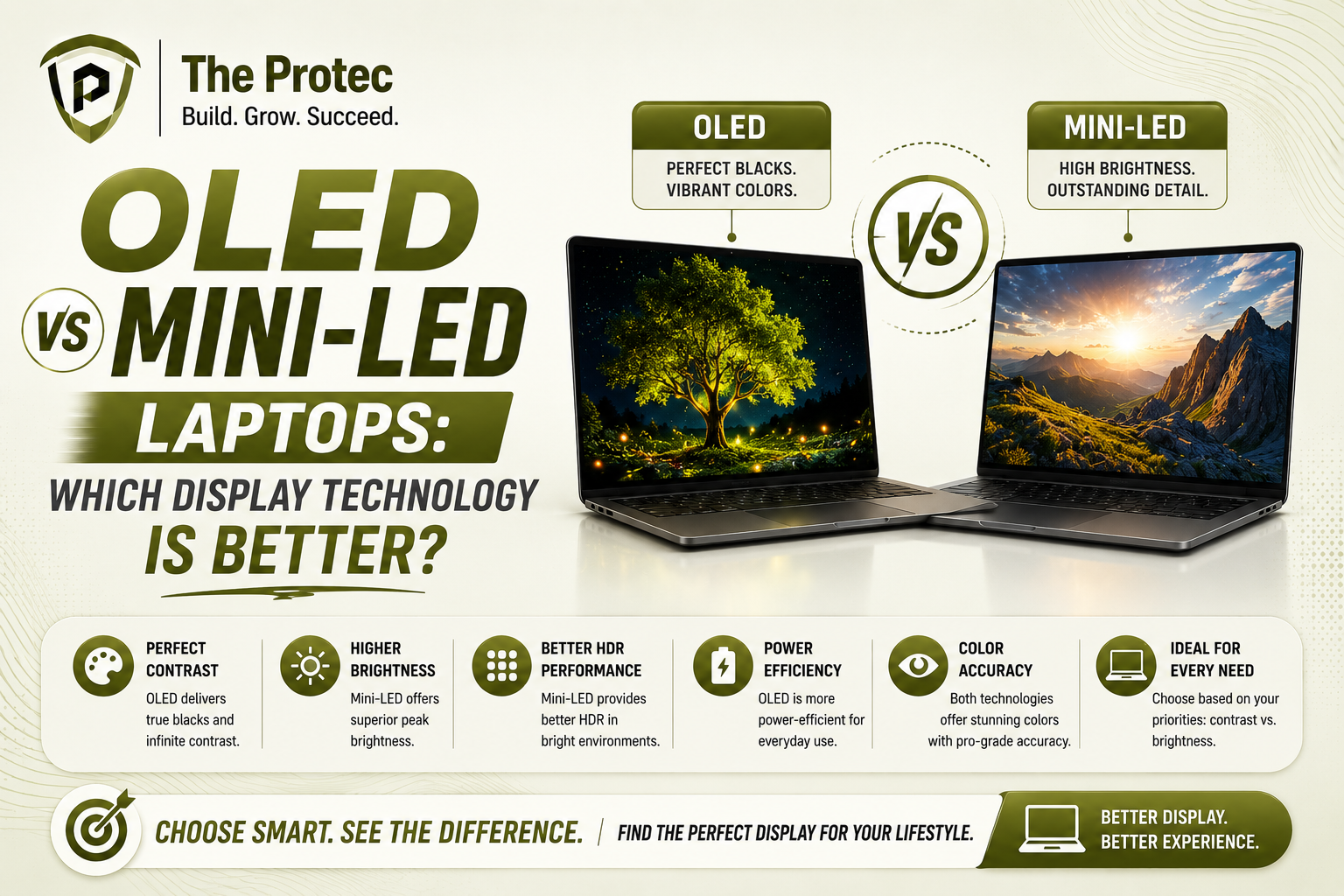
- OLED Brightness: OLED panels typically peak at around 400-600 nits in laptops, sufficient for indoor use and moderately lit areas. The organic materials limit maximum brightness to avoid damaging the pixels over time.
- Mini-LED Brightness: Mini-LED laptops can achieve peak brightness levels exceeding 1000 nits under HDR conditions and around 600-800 nits for typical usage scenarios, making them superior in well-lit environments.
In terms of raw brightness, Mini-LED currently has the edge. Its ability to deliver vibrant HDR highlights with intense brightness makes it ideal for outdoor usability and professional work requiring high luminance.
Battery Impact: Power Efficiency in Focus
Laptop users naturally prioritize battery life alongside display quality, so understanding the power consumption differences between OLED and Mini-LED is vital.
- OLED Power Usage: Due to self-emitting pixels, OLEDs are highly power efficient when displaying dark or black content the pixels consume no power in black areas. However, power consumption spikes with bright scenes, reducing battery life during daytime use or when working with predominantly white backgrounds.
- Mini-LED Power Usage: Mini-LEDs require a constant backlight, leading to generally higher power consumption than OLED pixels on dark content. However, newer Mini-LED laptops use advanced dimming algorithms allowing the backlight to reduce in dark areas, partly mitigating this drawback.
In real-world scenarios, OLEDs tend to offer better battery life during media consumption involving darker interfaces (movies, gaming), while Mini-LED delivers more consistent battery performance during office tasks or web browsing where white backgrounds prevail. Your usage patterns will heavily influence which is more advantageous.
Burn-in Risk: Longevity of the Display
One of the most talked-about concerns with OLED laptops is screen burn-in, the permanent retention of static images that damages pixels over time.
- OLED Burn-in: OLED technology is inherently vulnerable to burn-in because organic pixels degrade with usage at different rates. While modern OLED laptops implement mitigation techniques like pixel shifting and screen savers, static elements like taskbars or UI icons can still cause burn-in if displayed continuously.
- Mini-LED Burn-in: Mini-LED utilizes LCD panels with LED backlighting, which are not susceptible to burn-in. Instead, panel issues such as backlight bleeding or blooming could occur but do not cause permanent image retention.
If your workflow involves long hours of static screen content, Mini-LED laptops provide a more durable solution without the worry of burn-in. Conversely, OLED screens require some user diligence to minimize static elements but offer unmatched image quality in return.
Real-World Usage: Which Display Excels in Practice?
Beyond specs and theory, the practical impact of OLED vs Mini-LED becomes apparent based on what you value most.
For Creatives and Media Consumers
OLED’s infinite contrast ratio and perfect blacks deliver stunning color accuracy and immersive viewing. Photographers, videographers, and cinephiles often prefer OLED for its ability to showcase nuanced color detail and rich shadow depth. The deep blacks make HDR content truly pop.
For Business and Productivity
Mini-LED screens excel in bright environments, reducing eye strain due to superior luminance. Professionals spending hours on spreadsheets, coding, or document editing with static UI elements may find Mini-LED’s burn-in resilience more practical. Its consistent brightness aids visibility in various lighting conditions.
For Gamers
Both technologies cater well to gamers but with different strengths. OLED’s rapid pixel response times and vibrant colors provide an immersive experience, while Mini-LED offers high brightness and excellent HDR, essential for competitive gaming in varied lighting. Mini-LED also avoids potential burn-in from static HUDs common in games.
Summary of Strengths and Weaknesses
| Factor | OLED | Mini-LED |
|---|---|---|
| Brightness | Excellent contrast; moderate peak brightness (400-600 nits) | Very high brightness (up to 1000+ nits) |
| Battery Life | Efficient with dark content; higher power use with bright displays | More consistent power consumption; less efficient on dark content |
| Risk of Burn-in | Potential risk, mitigated with software but still present | Minimal; no permanent image retention issues |
| Color and Contrast | Superior color vibrancy and infinite contrast | Great color and contrast, not quite OLED level |
| Durability and Longevity | Pixels degrade over time; careful usage required | Highly durable with longer lifespan |
FAQ
Is OLED or Mini-LED better for eye comfort?
Both technologies offer benefits for eye comfort. OLED’s ability to dim individual pixels reduces blue light and flicker, potentially easing eye strain in dark mode. Mini-LED’s higher brightness and consistent backlighting help visibility in bright conditions. Using adaptive brightness and blue light filters enhances comfort on either display.
Can Mini-LED screens match OLED’s black levels?
Mini-LED dramatically improves black levels over traditional LCDs by leveraging thousands of local dimming zones. However, it cannot fully match the perfect black where pixels emit zero light on OLED screens, so OLED maintains an edge for true blacks and infinite contrast.
Are newer OLED laptops less prone to burn-in?
Yes, recent generations incorporate sophisticated pixel-shifting, automatic brightness limiting, and screen savers to reduce burn-in risk substantially. Though the risk isn’t eliminated, careful usage and software improvements make it much less likely to affect modern OLED laptops.
Conclusion
Choosing between OLED vs Mini-LED laptops hinges on your priorities and usage patterns. If you value stunning contrast, vibrant colors, and primarily consume media or creative work in controlled lighting, OLED remains the top choice. If higher peak brightness, better performance in bright environments, and worry-free longevity matter more, Mini-LED offers compelling advantages.
As display technology advances, the gap between these two continues to narrow, but understanding their strengths ensures you pick the best laptop display for your needs. For more insights on choosing the perfect laptop, consider visiting DisplayMate, a trusted source for in-depth display technology analysis.