







Contents
Introduction
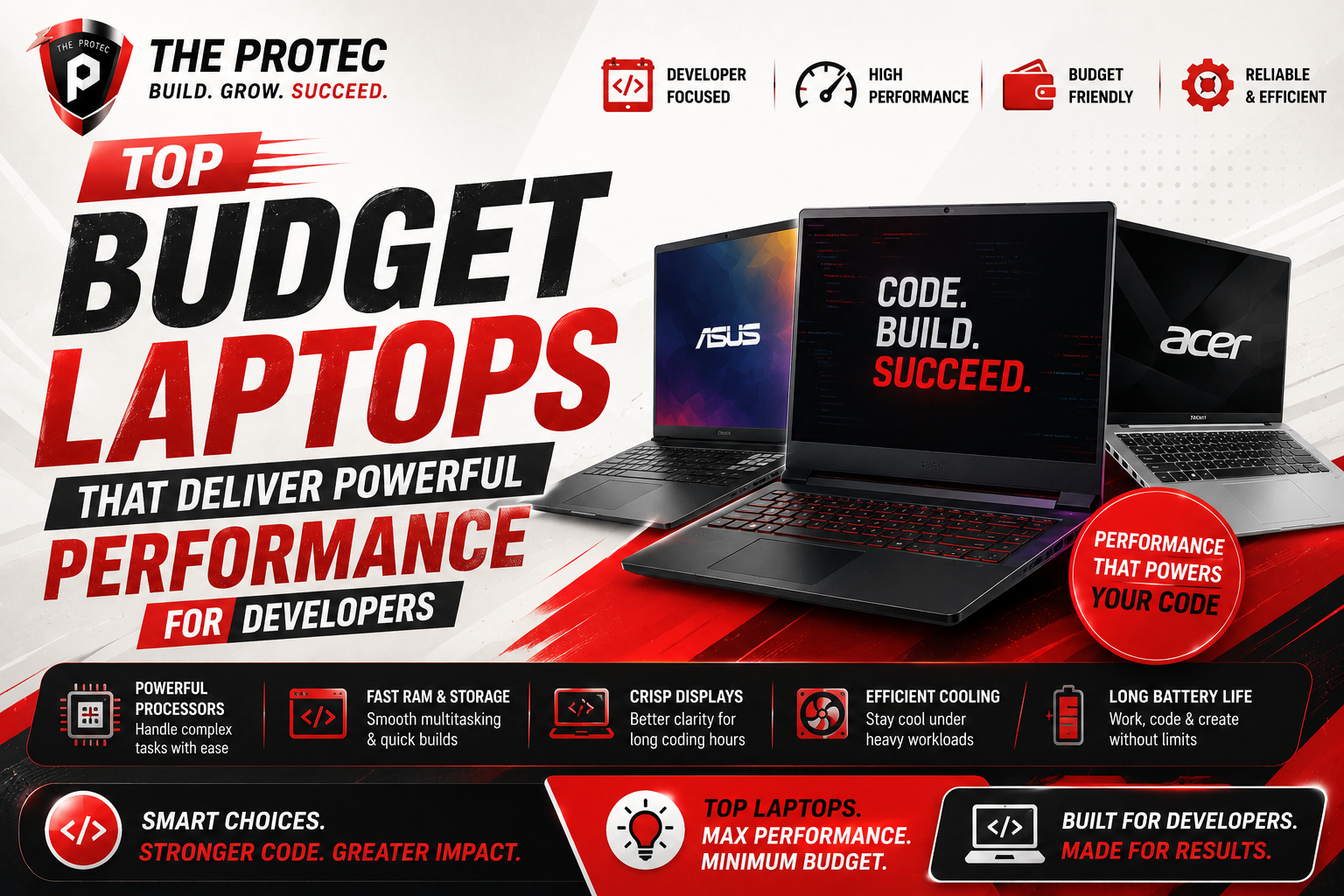
For developers and programmers, choosing the right laptop is crucial not only for productivity but also for comfort during those long coding sessions. While flagship machines often steal the spotlight, not everyone can or needs to splurge on top-tier pricing. Fortunately, there are plenty of budget coding laptops that merge performance and affordability, making them ideal for software development tasks ranging from web apps to complex algorithms. This guide dives into selecting the best laptops for developers that balance specs, build quality, and price, tailored to current tech trends and developer needs.
Key Considerations When Buying a Laptop for Programming
Before diving into specific models, it’s important to understand what makes a laptop ideal for programming:
- Processor Power: Modern development environments and compilers demand fast, multi-core processors like Intel’s latest 13th Gen Core or AMD Ryzen 7000 series chips.
- Memory (RAM): At least 16GB is recommended to smoothly handle multi-tasking, running virtual machines, containers, and IDEs simultaneously.
- Storage Type and Capacity: SSDs (NVMe preferred) dramatically improve boot and load times. A minimum of 512GB ensures ample space for tools and projects.
- Display Quality and Size: A 14 to 15.6-inch screen with Full HD (1920×1080) or better resolution supports extended coding sessions by reducing eye strain. Matte finishes and IPS panels enhance visibility.
- Keyboard Comfort and Layout: An ergonomic keyboard with good travel, key spacing, and preferably backlighting assists developers working in low-light environments.
- Battery Life and Portability: Long battery endurance and lightweight designs enable coding on the go without frequent charging.
- Connectivity: USB-C, Thunderbolt support, and multiple ports aid connecting peripherals and debugging devices.
Top Budget Coding Laptops Offering Great Value
Here we explore several models that meet the above criteria and offer solid coding performance without breaking the bank.
1. Lenovo IdeaPad 5 Pro
Lenovo’s IdeaPad 5 Pro is an alluring choice for developers seeking a premium feel on a budget. It pairs AMD Ryzen 7 7840U processors with up to 16GB RAM and a vibrant 14-inch 2.8K IPS display. The laptop boasts excellent thermal performance ensuring sustained workloads are handled efficiently. With PCIe 4.0 SSD options, file operations and project compilations are fast.
The keyboard is comfortable and includes backlighting, ideal for all-day coding. Lenovo’s build quality and robust port selection (including USB-C and HDMI) add further value. Battery life remains respectable for typical workloads.
2. ASUS VivoBook 15 OLED
For programmers craving excellent screen quality, the ASUS VivoBook 15 OLED deserves attention. Featuring a crisp 15.6-inch OLED panel with true-to-life color accuracy, this laptop is perfect for developers dabbling in UI/UX or graphics-related projects.
Under the hood, it runs on Intel’s 13th Gen Core i5/i7 processors with up to 16GB RAM and NVMe SSD storage. The keyboard is spacious and backlit, while the lightweight chassis makes it portable. Overall, it strikes a solid balance between display excellence and coding efficiency.
3. Acer Swift 3
Acer’s Swift 3 series is a time-tested favorite for developers on a strict budget. Latest models now feature Ryzen 7 7735U or Intel Core i5 H35 processors ensuring fast compile times and smooth multitasking. The 14-inch Full HD IPS display delivers clear visuals, and the laptop weighs under 3 pounds for easy transport.
Its backlit keyboard and precision touchpad aid long programming sessions. The battery life can last up to 10 hours, and fast-charging support gets you back online quicker. Connectivity options including USB-C with DisplayPort make external monitor setups easy.
4. HP Pavilion 14
The HP Pavilion 14 blends sleek aesthetics with strong internals. It comes with Intel Core i5 or Ryzen 5 processors with 8 to 16GB RAM and fast SSD storage options. Its 14-inch Full HD IPS display provides sharp visuals with wide viewing angles, reducing eye strain.
The keyboard is comfortable, with good key travel. Plus, HP’s fast-charge technology is handy for on-the-go workflows. This laptop is ideal for junior developers or students seeking a well-rounded machine.
5. Dell Inspiron 14 5000
Dell’s Inspiron 14 5000 lineup offers a reliable budget coding laptop that doesn’t sacrifice performance. Models equipped with 12th Gen Intel processors and 16GB RAM handle programming tasks with ease. The 14-inch Full HD anti-glare display keeps visuals crisp in different lighting conditions.
A backlit keyboard and solid build quality complement the developer-centric features. Dell’s customer support and service add peace of mind for long-term use.
Emerging Features to Consider in Programming Laptops
With rapid advancements, certain new features have become more relevant for developers shopping on a budget:
- AI-Accelerated CPUs and GPUs: Many processors now include AI instruction sets that speed up machine learning tasks directly on the device.
- High Refresh Rate Displays: Though more common in gaming laptops, higher refresh rates can reduce eye strain and improve fluidity when scrolling through code.
- Improved Thermal Solutions: Efficient cooling systems prevent throttling during heavy compile loads.
- Modular Upgradability: Some models offer easy RAM and SSD upgrades extending laptop lifespan.
Tips for Maximizing Your Budget Coding Laptop
Once you’ve chosen your laptop, keep these tips in mind to squeeze the best performance and longevity out of your investment:
- Optimize Your Development Environment: Use lightweight IDEs or editors and containerization to manage resources efficiently.
- Regular Maintenance: Keep your system updated, clean unnecessary files, and monitor resource usage to stay efficient.
- Invest in Accessories: A good external monitor, mechanical keyboard, or ergonomic mouse can complement your laptop and enhance comfort.
- Enable Power Settings for Performance: Tweaking system settings for prioritized CPU usage can improve compile times.
Frequently Asked Questions
What is the minimum RAM required for programming laptops?
While 8GB RAM can suffice for simple coding tasks, 16GB is ideal for modern development workflows that involve virtual machines, Docker containers, and simultaneous applications.
Are integrated graphics sufficient for programming laptops?
For most coding tasks, integrated graphics such as Intel Iris Xe or AMD Radeon integrated GPUs are sufficient. However, for GPU-accelerated workloads like machine learning or game development, a dedicated graphics card may be beneficial.
How important is keyboard quality for developers?
Very important. A tactile and well-spaced keyboard with good travel reduces finger fatigue and errors. Backlighting also helps when coding in dim environments.
Conclusion
Finding the best laptops for developers that deliver both performance and affordability is no small feat. However, with powerful mid-range processors, ample memory, fast SSD storage, and quality displays becoming more common in budget laptops, today’s options are better than ever. Whether you prefer the vibrant OLED of the ASUS VivoBook, the balanced performance of the Lenovo IdeaPad, or the reliable simplicity of the Acer Swift 3, there is a budget coding laptop to match your needs. Prioritize the specs that matter most to your programming style, and you’ll find a machine that lasts well beyond your coding projects.
For more detailed specs and current pricing, check manufacturer websites and trusted tech review sources such as Tom’s Hardware to make an informed purchase.