









Contents
- 1 Windows 12 Rumors and AI Features: What Microsoft May Add Next
- 2 Why Windows 12 Matters More Than a Typical Upgrade
- 3 The Most Persistent Windows 12 Rumors
- 4 What Windows AI Features Are Most Likely to Arrive
- 5 Hardware Requirements: What Your PC May Need
- 6 Will Current Windows Users Need to Upgrade?
- 7 How Microsoft Could Roll Out the Next Windows Operating System
- 8 What Users Should Do Before Upgrading
- 9 External Resources Worth Following
- 10 FAQ: Windows 12 Rumors and AI Features
- 11 Final Thoughts
Windows 12 Rumors and AI Features: What Microsoft May Add Next
Windows is changing faster than it has in years. Between Copilot, cloud-connected services, on-device AI, and new hardware optimized for neural processing, the next version of Microsoft’s desktop platform is expected to look and behave very differently from the Windows people have known for decades. That is why interest in Windows 12 rumors keeps growing. Users want to know whether Microsoft is building a smarter, more adaptive future Windows operating system, or simply adding another layer of features to the current Windows experience.
What is clear is that Windows AI features are no longer optional extras. They are becoming central to how Microsoft wants people to search, create, organize, and interact with their PCs. From system-wide assistants to intelligent settings and enhanced productivity tools, the next major Windows release is widely expected to lean heavily into AI. The biggest questions are how far Microsoft will go, what hardware will be required, and whether current PCs will be left behind.
This article breaks down the latest Windows 12 rumors, the most likely AI integrations, the hardware trends shaping the platform, and the upgrade considerations users and businesses should keep in mind.
Why Windows 12 Matters More Than a Typical Upgrade
For years, major Windows releases were mostly about visual refreshes, incremental performance improvements, and compatibility updates. That pattern is now changing. Microsoft has been steadily repositioning Windows as an AI-first ecosystem rather than just an operating system. The company’s work around Copilot, local AI processing, and new Windows experiences suggests that the next release could be less about a new number and more about a new computing model.
That matters because an AI-focused OS affects everything from hardware purchases to security policies. If Microsoft builds Windows 12 around neural processing units, cloud-assisted workflows, and context-aware system actions, then older PCs may not deliver the same experience. For consumers, that could mean better productivity and simpler workflows. For businesses, it could mean a new cycle of planning, testing, and device refresh decisions.
The shift also reflects a broader trend in personal computing. Users want their devices to do more with less effort: summarize documents, extract actions from emails, generate content, search using natural language, and automate repetitive tasks. Windows 12 rumors suggest Microsoft is trying to make those behaviors native to the OS rather than dependent on third-party apps.
The Most Persistent Windows 12 Rumors
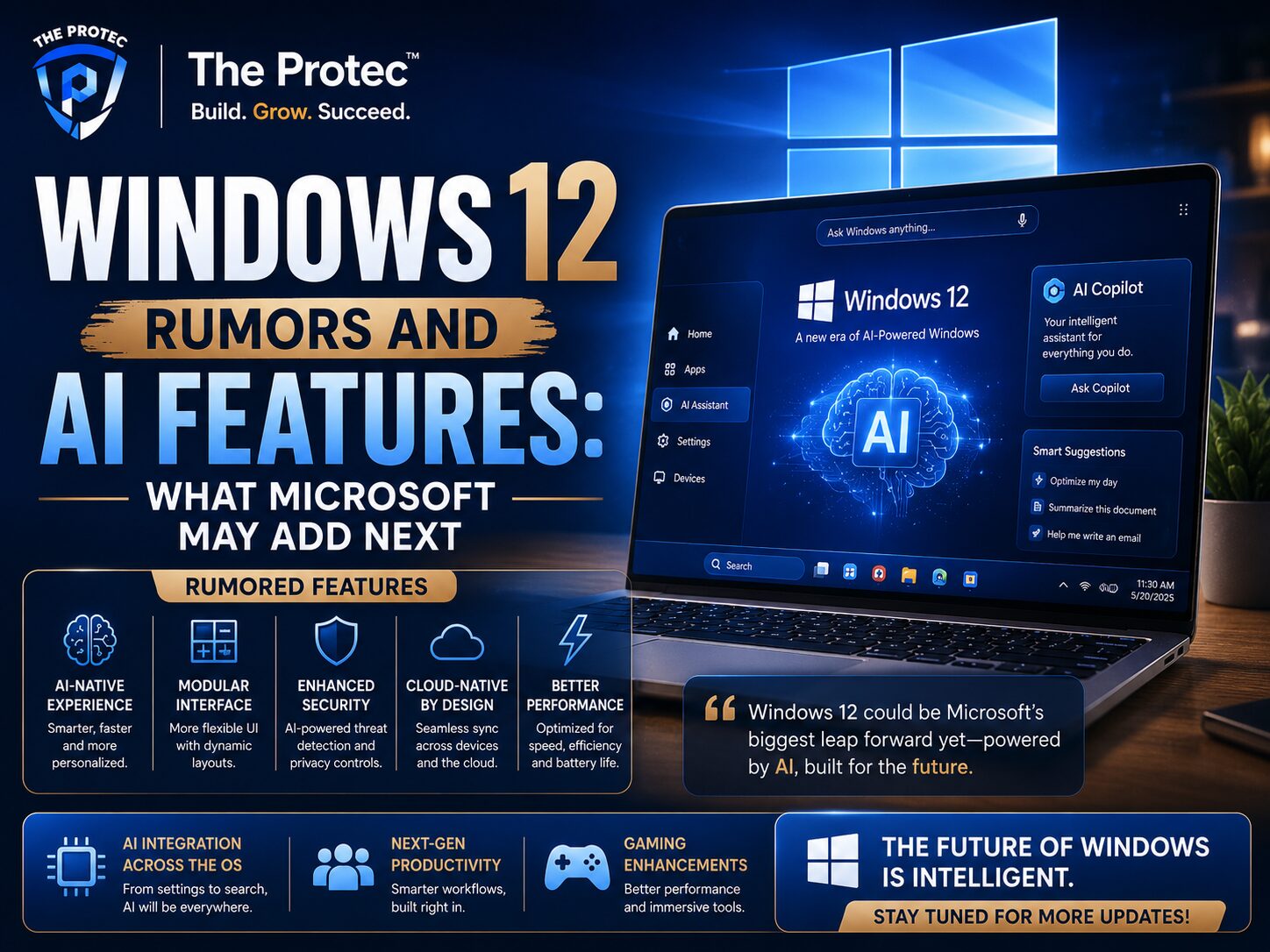
Although Microsoft has not officially detailed a new Windows version, several ideas continue to appear across credible reporting, partner discussions, and industry analysis. The most consistent Windows 12 rumors center on a redesigned experience, deeper AI integration, and a more modular platform.
1. A More Modular Windows Core
One of the most repeated ideas is that Microsoft may continue moving toward a more modular OS architecture. That could mean a leaner base system with features layered in depending on device class and hardware capability. A modular approach would help Microsoft support notebooks, desktops, tablets, foldables, and AI PCs more efficiently.
For users, this could translate into faster updates, smaller system footprints, and fewer unnecessary background components. For Microsoft, it could make Windows easier to evolve without breaking compatibility on every device type at once.
2. A Bigger Role for Copilot and AI Agents
The most visible direction is Copilot and its evolution into more context-aware AI assistance. Instead of being just a chatbot in the sidebar, Windows AI features may become embedded throughout the interface. That could include intelligent file actions, settings recommendations, writing help, and workflow automation that understands what is on screen.
Industry reporting and Microsoft’s recent product direction strongly suggest that future Windows experiences will rely on AI agents that can help with tasks rather than simply answer questions. If that becomes a core part of Windows 12, users may see AI integrated into search, File Explorer, system settings, and Microsoft 365 workflows.
3. A Cleaner, More Modern Interface
Another recurring rumor is that Windows 12 may introduce a refreshed interface with a lighter design language and more adaptive elements. Microsoft has already experimented with rounded surfaces, centered taskbar layouts, and floating UI components. A next-generation release could push this further with improved touch support, better scaling on high-resolution displays, and interface elements that change based on device size or user behavior.
A cleaner interface would also help AI-driven features feel less intrusive. If AI is going to be everywhere in the OS, the experience needs to feel integrated rather than bolted on.
4. Stronger Security by Default
Security is likely to remain a major pillar of the future Windows operating system. As AI features become more powerful, the attack surface also grows. That means Microsoft will likely emphasize secure boot, hardware-backed identity, stronger sandboxing, and stricter app permission models. These protections matter even more if Windows 12 includes on-device AI that can access documents, messages, or local system data.
What Windows AI Features Are Most Likely to Arrive
Microsoft’s AI strategy already gives us a strong clue about the next OS. Windows AI features are expected to become more deeply embedded, more useful, and more personal. The goal is not just to add AI buttons everywhere, but to make the operating system more responsive to user intent.
System-Wide AI Assistance
One of the most likely additions is a more capable system assistant that can act across Windows apps and settings. Instead of opening multiple menus, users may be able to ask the OS to change a setting, find a file, summarize a conversation, or create a quick action based on what is currently on screen.
This would be a major step beyond today’s basic assistant experiences. It would make Windows feel more conversational and less dependent on manual navigation.
On-Device AI for Privacy and Speed
Another major trend is local AI processing. On-device AI is faster for some tasks, does not always require a cloud round trip, and can improve privacy. That matters for enterprise users and privacy-conscious consumers. If Windows 12 emphasizes local AI, Microsoft will likely promote NPUs and AI-ready chips as a requirement for the best experience.
On-device AI could power features such as intelligent search, image understanding, live transcription, background noise removal, and contextual suggestions. Some of these capabilities already exist in limited form, but a future Windows operating system could make them standard.
Smarter Search Across Files, Settings, and Apps
Search has long been one of Windows’ weak spots. AI gives Microsoft an opportunity to fix that. A smarter search layer could understand natural language requests like “find the presentation I edited last week” or “show me the photo from the client meeting.” It could also search content inside documents, emails, and local app data more intelligently.
If implemented well, this could become one of the most valuable Windows AI features because it addresses a problem nearly every user has experienced.
Context-Aware Productivity Tools
Expect tools that can summarize content, rewrite text, generate notes from meetings, and extract action items from chats or documents. Microsoft has already shown interest in weaving AI into productivity workflows, and the next Windows release may extend those capabilities beyond Microsoft 365 into the OS itself.
That could include AI actions from the clipboard, instant summaries of open windows, or smart suggestions based on your current task. A future Windows operating system built around context could reduce repetitive clicks and make everyday work more efficient.
Image, Voice, and Accessibility Enhancements
AI-driven accessibility is likely to improve as well. Better live captions, voice command recognition, screen reading support, and image description tools could make the platform more inclusive. Microsoft has a strong incentive to make these features more accurate and more useful because accessibility improvements often benefit all users, not just those with specific needs.
Hardware Requirements: What Your PC May Need
The biggest practical question around Windows 12 is hardware. If the next release is truly built for AI-first computing, then the requirements may be stricter than many users expect. This is where the conversation around Windows 12 rumors becomes especially important.
The Growing Importance of NPUs
Modern AI PCs often include a neural processing unit, or NPU, designed to handle AI tasks efficiently. These chips can offload work from the CPU and GPU, improving battery life and performance. Many of the latest Copilot+ PC features are already optimized for NPU-equipped devices, which suggests Microsoft sees them as the baseline for future experiences.
If Windows 12 expands on this model, an NPU could become a major factor in which devices get the full feature set. Older systems without an NPU may still run the OS, but they could miss out on the most advanced Windows AI features.
CPU, RAM, and Storage Expectations
Even if Microsoft keeps broad compatibility, a future Windows operating system will almost certainly favor newer CPUs with better AI acceleration, security support, and power efficiency. Memory requirements may also rise, especially if more AI processing and multitasking happen in the background. Faster SSD storage will continue to be important for responsiveness and update performance.
For many users, this means that a device that is technically compatible with current Windows versions may not be ideal for the next generation of features. That gap is already visible in the AI PC market today.
Display, Connectivity, and Battery Considerations
Because Microsoft is targeting more adaptive and cloud-connected workflows, display quality and connectivity may matter more too. High-resolution screens, webcams, microphones, Wi-Fi 7 support, and better power management could become more important for users who want to take full advantage of AI-enhanced experiences.
Laptops especially may benefit from improved battery life if local AI offloads work effectively. That could become a selling point for the new platform.
Will Current Windows Users Need to Upgrade?
This is the question most people care about. The answer depends on how Microsoft defines support and feature availability. Historically, Microsoft has tried to balance broad compatibility with the need to move the platform forward. With AI, that balance becomes harder.
It is likely that many existing Windows 11 devices will continue to receive security updates and some feature improvements. However, the most advanced Windows AI features may be reserved for newer hardware. That means users could keep their current PCs and still be supported, but not necessarily get the full Windows 12 experience.
Businesses should pay particular attention to this. Device fleets that are only a few years old may still be operational, but if Microsoft introduces AI-first features tied to NPU requirements, IT teams may need to prioritize refresh cycles sooner than planned. The decision will depend on workload, security needs, and how much value AI features add to daily operations.
How Microsoft Could Roll Out the Next Windows Operating System
Microsoft may not launch a dramatic one-time transition. A more likely scenario is a staged rollout where core AI features arrive gradually through updates, followed by a broader version upgrade once the ecosystem is ready. That would let Microsoft test compatibility, refine performance, and encourage hardware adoption before making the new experience mainstream.
Such a rollout strategy would also reduce risk. Windows is used on hundreds of millions of devices, and even small compatibility issues can create major problems. A slower approach gives Microsoft time to ensure that AI features work reliably across consumer, education, and enterprise environments.
At the same time, Microsoft may use partner devices and premium AI PCs to showcase the next generation of Windows first. That would create a clear market message: the best AI experience requires modern hardware.
What Users Should Do Before Upgrading
If you are considering the future Windows operating system, the best approach is preparation. Even before an official release, there are practical steps that can reduce surprises later.
- Check whether your current PC includes an NPU or modern AI-capable processor.
- Review your CPU generation, RAM, and SSD capacity to see if your device is already near its limits.
- Back up important data regularly so you can test upgrades safely.
- Watch for Microsoft announcements about feature availability and supported hardware.
- For businesses, begin evaluating which users actually need AI-specific workflows and which do not.
These steps will help you make a smarter purchase or upgrade decision when Microsoft finalizes its direction.
External Resources Worth Following
For official updates, Microsoft’s Windows blog is the best place to monitor new platform announcements and AI feature rollouts: blogs.windows.com.
You can also track Microsoft’s broader AI direction through its official Copilot updates: microsoft.com/en-us/microsoft-copilot.
FAQ: Windows 12 Rumors and AI Features
Is Windows 12 officially confirmed?
Microsoft has not fully detailed a Windows 12 release in public product terms, but the company’s recent platform direction strongly suggests that the next major Windows evolution will be centered on AI, modularity, and newer hardware capabilities.
Will Windows 12 require a neural processing unit?
It may not be mandatory for basic installation, but an NPU is likely to be important for the best Windows AI features. Devices without one may still run the OS but could miss advanced on-device AI capabilities.
What are the most likely Windows AI features?
Likely features include smarter search, system-wide AI assistance, on-device productivity tools, better accessibility support, and context-aware actions that work across apps and settings.
Should I upgrade my PC now or wait?
If your current device is performing well, waiting for official hardware guidance may be the safest choice. If you want the strongest AI experience, a modern AI PC with an NPU and recent CPU is the better long-term bet.
Will older PCs stop working?
Not necessarily. Older systems may still be supported for a period of time, but they may not receive the full range of AI-first features that Microsoft builds into the next Windows operating system.
Final Thoughts
Windows 12 rumors matter because they point to a major shift in how people will use PCs. The next version of Windows is likely to be shaped by AI-first design, smarter system interactions, and hardware that can handle local intelligence efficiently. That could make the operating system more helpful, more personal, and more productive than previous releases.
At the same time, the shift raises real upgrade questions. If Microsoft ties the most valuable Windows AI features to newer chips and NPUs, users will need to think carefully about whether their current devices are ready for the future. The most likely outcome is a split experience: broad compatibility for many users, but premium AI capabilities reserved for modern hardware.
For now, the smartest move is to stay informed, evaluate your device’s capabilities, and watch how Microsoft continues to shape the future Windows operating system. The next release is unlikely to be just another version number. It may be the start of a very different Windows era.