









Contents
- 1 Why AI prompts now belong in every security team’s workflow
- 2 How to get better results from AI prompts cybersecurity teams rely on
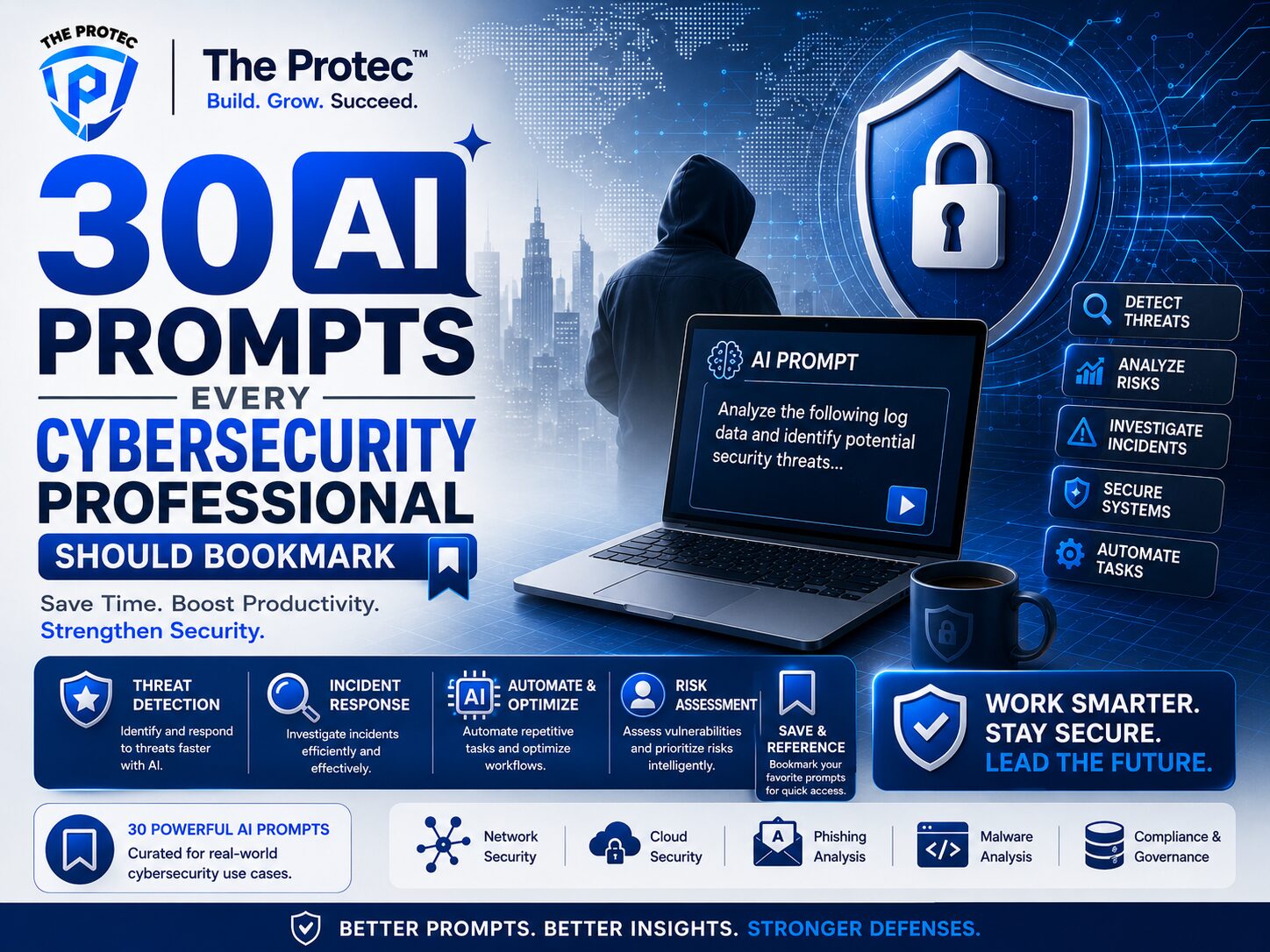
- 3 30 AI prompts every cybersecurity professional should bookmark
- 3.1 1. Triage a noisy alert
- 3.2 2. Summarize an incident in plain language
- 3.3 3. Turn logs into investigation questions
- 3.4 4. Build a phishing analysis workflow
- 3.5 5. Draft user-facing phishing awareness guidance
- 3.6 6. Extract indicators from threat reporting
- 3.7 7. Map activity to MITRE ATT&CK
- 3.8 8. Generate a hypothesis for lateral movement
- 3.9 9. Write a detection rule idea
- 3.10 10. Improve a detection use case
- 3.11 11. Explain an alert to a junior analyst
- 3.12 12. Create a threat hunting plan
- 3.13 13. Turn an intrusion into a timeline
- 3.14 14. Draft an executive incident summary
- 3.15 15. Brainstorm containment options
- 3.16 16. Review identity anomalies
- 3.17 17. Investigate cloud access abuse
- 3.18 18. Compare two suspicious files
- 3.19 19. Summarize malware behavior from notes
- 3.20 20. Build a ransomware readiness checklist
- 3.21 21. Identify likely false positives
- 3.22 22. Prepare questions for a vendor security review
- 3.23 23. Convert a threat report into action items
- 3.24 24. Draft a compromise assessment plan
- 3.25 25. Generate questions for open-source research
- 3.26 26. Summarize a research article for analysts
- 3.27 27. Create an analyst shift handoff note
- 3.28 28. Draft a tabletop exercise scenario
- 3.29 29. Build a security awareness quiz
- 3.30 30. Ask Grok for live threat context carefully
- 4 Why Grok security prompts deserve a place in your toolkit
- 5 Best practices for using AI in security work
- 6 How to customize these prompts for your environment
- 7 FAQ
- 8 Final takeaways
Why AI prompts now belong in every security team’s workflow
AI has moved from experimental side tool to everyday force multiplier for security teams. The best defenders are not using large language models to replace judgment; they are using them to speed up research, sharpen analysis, and reduce repetitive work. That is especially true for analysts dealing with alert overload, fast-moving threat campaigns, and an expanding attack surface across cloud, identity, endpoints, and SaaS.
The right AI prompts cybersecurity teams use can turn a vague question into a structured investigation, a noisy incident into a clear summary, or a raw threat feed into something actionable. In practical terms, the value comes from better prompting: giving the model a role, context, constraints, and an output format that matches how analysts actually work.
This guide gives you 30 bookmark-worthy prompts built for security awareness, investigations, and research. You will find prompts for triage, detection engineering, phishing analysis, identity security, cloud review, and executive communication. These are written to be adaptable, so you can paste them into your preferred AI assistant and tailor them to your environment.
One note before we begin: AI can accelerate analysis, but it can also hallucinate details or overstate certainty. Treat it as a copilot. Validate outputs against telemetry, logs, and trusted sources. For threat intelligence and model behavior guidance, it is also worth following current security recommendations from sources like OWASP’s Top 10 for LLM Applications and the NIST AI Risk Management Framework.
How to get better results from AI prompts cybersecurity teams rely on
Before the prompt library, it helps to know why some prompts work and others fail. The strongest prompts are specific, scoped, and outcome-driven. They tell the model exactly what role to assume, what evidence to use, what format to return, and what not to do.
- Assign a role: “Act as a SOC analyst,” “Act as a threat intel researcher,” or “Act as an incident commander.”
- Provide context: Include the asset, user, alert type, timeframe, and business impact.
- Define the output: Ask for a table, checklist, hypothesis list, executive summary, or investigation plan.
- Set boundaries: Request no speculation, no unsupported claims, and clear confidence levels.
- Iterate: Use the first answer to refine the next prompt.
That same structure is what makes these security analyst prompts useful in real workflows. They are not just creative writing exercises. They are templates you can adapt for incident response, awareness campaigns, detection tuning, and open-source research.
30 AI prompts every cybersecurity professional should bookmark
1. Triage a noisy alert
Prompt: Act as a SOC analyst. Review this alert summary: [paste alert]. Tell me whether it is likely benign, suspicious, or high priority. Explain the likely attack scenario, the top three validation steps, and the data sources I should check first. Return the answer as a triage checklist.
2. Summarize an incident in plain language
Prompt: Act as an incident responder. Summarize this event timeline for a non-technical stakeholder. Explain what happened, what systems were affected, what we know, what we do not know yet, and the business impact. Keep it concise and factual.
3. Turn logs into investigation questions
Prompt: Given these logs: [paste logs], generate the 10 best investigation questions a security analyst should ask next. Group them by authentication, process activity, network behavior, and persistence.
4. Build a phishing analysis workflow
Prompt: Act as a phishing investigator. Analyze this email text, sender info, and headers: [paste details]. Identify red flags, likely lure type, brand impersonation clues, and the safest next steps for verification. Return a step-by-step analysis workflow.
5. Draft user-facing phishing awareness guidance
Prompt: Create a short phishing awareness message for employees based on this campaign: [describe campaign]. Make it practical, calm, and action-oriented. Include three warning signs and one reporting instruction.
6. Extract indicators from threat reporting
Prompt: Read this threat report excerpt: [paste text]. Extract all possible indicators of compromise, tactics, techniques, malware references, and infrastructure details. Present them in a table with confidence notes.
7. Map activity to MITRE ATT&CK
Prompt: Act as a threat analyst. Map this activity description to likely MITRE ATT&CK tactics and techniques. For each mapping, explain the evidence and any uncertainty. Do not invent mappings without support.
8. Generate a hypothesis for lateral movement
Prompt: Based on these events: [paste events], propose three plausible lateral movement hypotheses. For each, list the supporting evidence, the missing evidence, and the queries needed to confirm or reject it.
9. Write a detection rule idea
Prompt: Act as a detection engineer. Using this suspicious behavior: [describe behavior], propose a detection logic concept for endpoint or SIEM telemetry. Include the expected false positives, tuning ideas, and the telemetry fields that matter most.
10. Improve a detection use case
Prompt: Review this current alert rule: [paste rule]. Identify weaknesses, missed edge cases, likely false positives, and opportunities to improve precision without losing coverage.
11. Explain an alert to a junior analyst
Prompt: Explain this alert [paste alert] as if you are mentoring a junior SOC analyst. Define the key terms, the likely attacker goal, and the reasoning process step by step.
12. Create a threat hunting plan
Prompt: Build a threat hunting plan for [environment or threat]. Include the hunt objective, data sources, search logic ideas, likely pivot points, and success criteria. Make it suitable for a one-day hunt.
13. Turn an intrusion into a timeline
Prompt: Here are multiple artifact snippets: [paste notes]. Reconstruct a likely incident timeline with timestamps, event categories, confidence levels, and open questions. Flag any gaps that need follow-up.
14. Draft an executive incident summary
Prompt: Write an executive summary of this security incident: [paste details]. Use business language, state impact clearly, avoid jargon, and include current status, containment actions, and next steps.
15. Brainstorm containment options
Prompt: Act as the incident commander. For this situation: [describe situation], list immediate containment options, the tradeoffs for each, and which option you would prioritize first if business continuity is critical.
16. Review identity anomalies
Prompt: Analyze these identity events: [paste sign-in logs, MFA events, device info]. Identify suspicious patterns such as impossible travel, MFA fatigue, token abuse, session hijacking, or privilege escalation. Prioritize the findings.
17. Investigate cloud access abuse
Prompt: Act as a cloud security analyst. Review these cloud audit events: [paste events]. Determine whether the pattern suggests misconfiguration, overprivileged access, credential abuse, or suspicious automation. List the next best checks.
18. Compare two suspicious files
Prompt: Compare these two file descriptions or hashes: [paste details]. Explain whether they appear related, what behavioral overlap exists, and what further static or dynamic analysis would be most useful.
19. Summarize malware behavior from notes
Prompt: Based on this malware analysis note: [paste note], produce a concise behavior summary covering execution, persistence, defense evasion, credential access, communication, and impact. Do not speculate beyond the note.
20. Build a ransomware readiness checklist
Prompt: Create a ransomware readiness checklist for a mid-sized organization. Include identity hardening, backup validation, endpoint controls, segmentation, logging, and response coordination. Prioritize the top ten actions.
21. Identify likely false positives
Prompt: Review this alert pattern: [paste pattern]. List the most likely benign explanations, how to distinguish them from malicious behavior, and what additional telemetry would reduce false positives.
22. Prepare questions for a vendor security review
Prompt: Act as a third-party risk analyst. Generate the 15 most important security questions to ask a software vendor about identity, logging, encryption, incident response, sub-processors, and data retention.
23. Convert a threat report into action items
Prompt: Turn this threat intelligence report into a prioritized action list for a security team. Separate immediate actions, short-term improvements, and monitoring ideas. Include owners and urgency levels.
24. Draft a compromise assessment plan
Prompt: Create a compromise assessment plan for an enterprise environment after a suspected intrusion. Include scoping, artifact collection, log sources, endpoint review, identity review, and success criteria.
25. Generate questions for open-source research
Prompt: Act as a threat intelligence researcher. For this actor, malware family, or campaign: [topic], generate the best open-source research questions to guide investigation. Focus on infrastructure, TTPs, targeting, and evolving tradecraft.
26. Summarize a research article for analysts
Prompt: Summarize this security article or report [paste link or text] for a blue team audience. Highlight the key techniques, defensive takeaways, and any assumptions or gaps in the research.
27. Create an analyst shift handoff note
Prompt: Write a shift handoff note for the SOC based on these open cases: [paste case details]. Include current status, priority, key evidence, blockers, and the next actions for the incoming analyst.
28. Draft a tabletop exercise scenario
Prompt: Create a tabletop exercise scenario for [threat type]. Include the initial inject, escalation path, decision points, stakeholder roles, and lessons learned objectives. Keep it realistic and operational.
29. Build a security awareness quiz
Prompt: Create a five-question quiz for employees based on [topic such as phishing, MFA, password reuse, or data handling]. Provide the correct answers and a one-sentence explanation for each.
30. Ask Grok for live threat context carefully
Prompt: Using public information only, act as a real-time threat researcher and summarize the latest discussion, indicators, and defensive takeaways related to [topic]. Cite uncertainty, separate verified facts from social chatter, and provide a short list of follow-up queries for deeper research.
Why Grok security prompts deserve a place in your toolkit
Among the many AI tools security teams use, Grok is often valued for fast reactions to current discussions and public posts. That makes Grok security prompts especially useful for live awareness of emerging campaigns, exploit chatter, and defender sentiment. The key is to keep the prompt disciplined: ask for public sources only, require confidence labels, and separate verified reporting from speculation.
Use Grok when you want quick context around a breaking event, an active vulnerability discussion, or shifting attacker tradecraft. Use other trusted sources to validate the details before taking action. In practice, that means Grok can help you discover the question faster, but not replace the evidence you need for a final call.
Best practices for using AI in security work
AI is powerful when it is treated like a structured assistant. A few habits make the biggest difference:
- Protect sensitive data: Do not paste secrets, credentials, customer data, or restricted logs into a tool that is not approved for that use.
- Ask for uncertainty: Require the model to state confidence and identify missing evidence.
- Use repeatable formats: Tables, checklists, and bullet hierarchies reduce ambiguity.
- Cross-check with telemetry: Every useful AI answer should point you back to logs, EDR data, cloud audit trails, or ticket history.
- Document prompt patterns: The best teams create shared prompt libraries so analysts do not have to reinvent workflows under pressure.
These habits matter even more as AI-assisted security workflows become common across detection, triage, and response. Good prompts improve speed. Good process improves outcomes.
How to customize these prompts for your environment
To get the most from these prompts, add organization-specific context. Replace generic placeholders with your SIEM fields, EDR platform, cloud provider, user naming conventions, and incident severity model. If your team has a standard investigation framework, ask the model to follow it. If you use a specific output format, say so explicitly.
For example, a prompt can become more valuable if you add:
- the asset class, such as domain controller, finance laptop, or production Kubernetes cluster
- the telemetry source, such as Microsoft Defender, CrowdStrike, Splunk, Sentinel, or cloud audit logs
- the business function, such as payroll, customer support, or engineering
- the desired deliverable, such as a triage note, hunt hypothesis, or leadership brief
That is how broad security analyst prompts turn into practical, daily-use templates.
FAQ
Are AI prompts useful for cybersecurity professionals who already have strong tools?
Yes. Strong tools still generate large volumes of data, and AI prompts help teams reduce analysis time, structure investigations, and improve communication. They are most valuable when paired with real telemetry and clear analyst judgment.
Can I use AI prompts for incident response?
Absolutely. AI is especially helpful for summarizing timelines, drafting executive updates, generating containment options, and organizing follow-up questions. Just make sure the output is verified before it is used in decision-making.
What makes a prompt good for security analysis?
A good prompt has a clear role, enough context, a defined output, and a limit on speculation. The best prompts ask for evidence, confidence levels, and next steps instead of generic explanations.
Yes. Shared prompt libraries help standardize investigations, reduce duplicated effort, and preserve analyst knowledge. They are especially useful for onboarding and for handling repeat incidents consistently.
Final takeaways
The real advantage of AI in cybersecurity is not novelty. It is speed, structure, and consistency. The 30 prompts above are designed to help security teams move faster without losing rigor. Whether you are triaging alerts, investigating suspicious activity, building awareness content, or researching an emerging threat, the right prompt can save time and improve the quality of your thinking.
Bookmark the prompts that fit your role, adapt them to your environment, and build a small library your team can reuse. When used carefully, AI prompts cybersecurity professionals rely on can become one of the most practical parts of the modern defense workflow.