









Contents
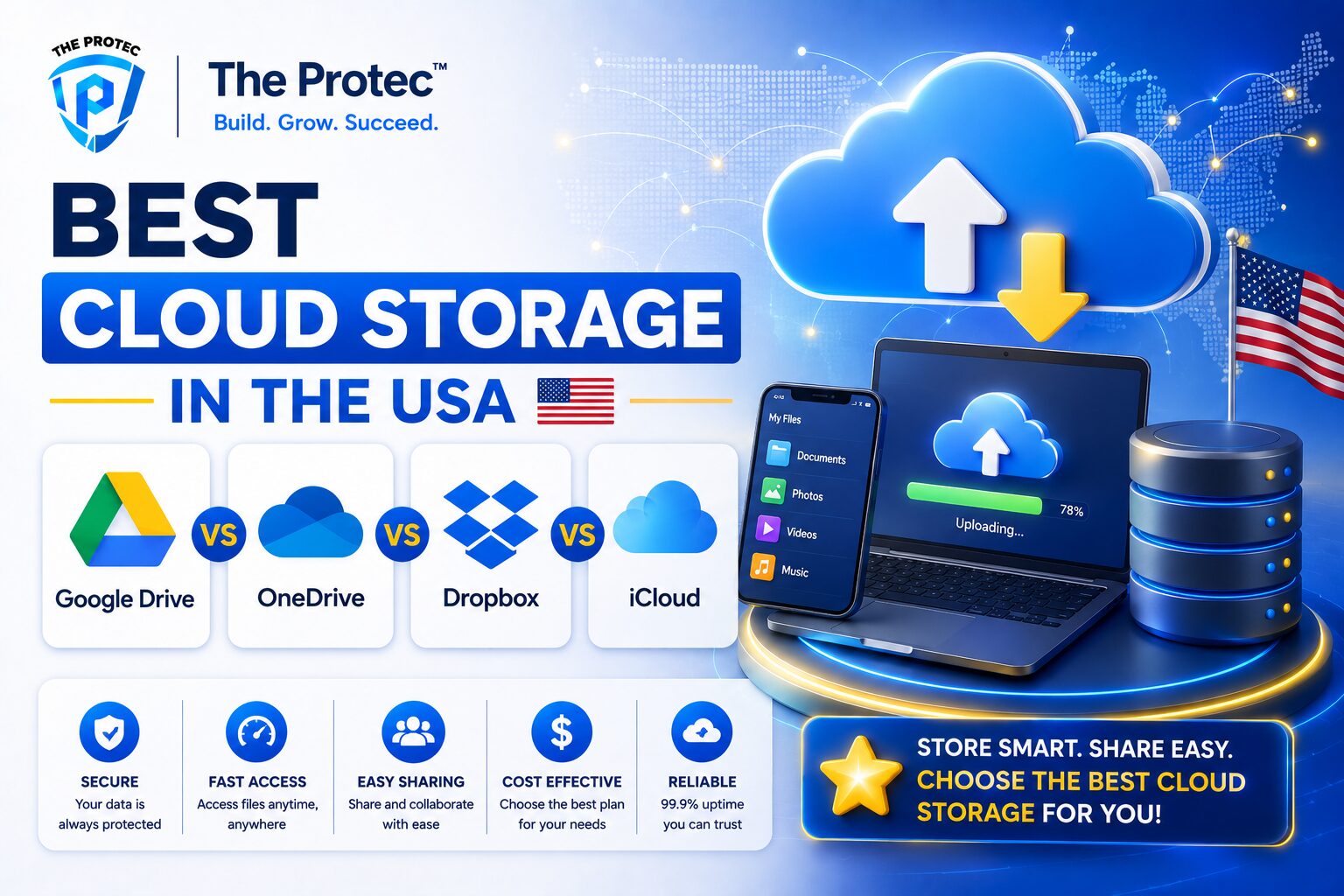
- 1 Best Cloud Storage in the USA: Google Drive vs OneDrive vs Dropbox vs iCloud
- 2 Quick Verdict: Which Service Wins for Most Users?
- 3 Cloud Storage Comparison at a Glance
- 4 Google Drive vs OneDrive: The Most Important Head-to-Head
- 5 Pricing: Which Cloud Storage Service Gives the Best Value?
- 6 Security and Privacy: Which Service Is Strongest?
- 7 Business Features: Collaboration, Admin Tools, and Workflow
- 8 Personal Use Cases: Which Service Fits Your Life?
- 9 Performance, Syncing, and File Sharing
- 10 Which Cloud Storage Is Best for Different Buyers?
- 11 Final Verdict: The Best Cloud Storage USA Users Should Consider
- 12 FAQ
Best Cloud Storage in the USA: Google Drive vs OneDrive vs Dropbox vs iCloud
Choosing the best cloud storage USA users can rely on is no longer just about getting extra space for photos and files. In today’s market, cloud storage is part backup solution, part collaboration hub, part security layer, and part productivity platform. Whether you are a freelancer, a growing business, a student, or a family trying to keep devices in sync, the right service can save time, reduce risk, and simplify daily work.
In this cloud storage comparison, we break down four of the most popular services in the United States: Google Drive, OneDrive, Dropbox, and iCloud. Each has a clear audience, different strengths, and different pricing logic. Some are better for business teams and document collaboration. Others are better for Apple users, Windows users, or anyone who wants simple file syncing across devices.
Because the cloud storage market keeps evolving, the smartest choice is not always the cheapest or the one with the most storage. The best option depends on how you work, what devices you use, and how much security, sharing, or integration you need. Below, we compare pricing, security, business features, personal use cases, and ecosystem fit so you can make a confident choice.
Quick Verdict: Which Service Wins for Most Users?
If you want the shortest answer, here it is:
- Google Drive is the best all-around choice for collaboration, cross-platform access, and document sharing.
- OneDrive is the best value for Microsoft 365 users and a strong choice for business productivity.
- Dropbox is the best for fast syncing, file workflows, and teams that move large files often.
- iCloud is the best for Apple-first households and users deeply invested in the Apple ecosystem.
That said, the right answer changes based on your needs. A solo creator editing across a Mac and iPhone may prefer iCloud or Dropbox. A remote team using spreadsheets, docs, and meetings may get more value from Google Drive or OneDrive. A Windows-heavy office with Microsoft apps may find OneDrive hard to beat on cost and convenience.
Cloud Storage Comparison at a Glance
Before diving into details, here is the practical comparison most buyers want.
- Google Drive: Best for collaboration, AI-assisted productivity, and broad compatibility.
- OneDrive: Best for Microsoft ecosystem users, Office integration, and business plans.
- Dropbox: Best for sync performance, sharing workflows, and professional file management.
- iCloud: Best for Apple users, device backup, and seamless photo/file syncing.
All four services are mainstream, secure, and widely supported in the USA. But they differ sharply in storage structure, file collaboration, identity management, and ecosystem lock-in. That difference matters more than raw storage size.
Google Drive vs OneDrive: The Most Important Head-to-Head
When people search for Google Drive vs OneDrive, they are usually comparing two of the strongest productivity platforms in the market. Both offer cloud storage, file sharing, real-time collaboration, and deep app ecosystems. Both are also strong options for business users. The real difference is where they fit best.
Google Drive
Google Drive is a natural fit for users who rely on Google Docs, Sheets, Slides, Gmail, and Meet. It excels at browser-based collaboration. Multiple people can edit the same document in real time with very low friction, which makes it a favorite for distributed teams, agencies, and education users.
Google Drive also benefits from strong cross-platform accessibility. You can use it on Windows, macOS, iPhone, Android, and any modern browser. For many users, the biggest advantage is speed of sharing. A link, a permission choice, and a live document are often enough to get work moving immediately.
OneDrive
OneDrive is especially appealing if you use Microsoft 365. It integrates tightly with Word, Excel, PowerPoint, Outlook, Teams, and Windows. For businesses, this is a major advantage. Files saved in OneDrive can flow directly into Microsoft apps, version history is robust, and collaboration inside Office documents feels natural.
OneDrive also tends to be a smarter subscription value when bundled with Microsoft 365. Many users do not buy OneDrive as a standalone product; they get it as part of a broader productivity suite. That makes it one of the best cloud storage USA options for households or companies already paying for Microsoft software.
Which is better?
- Choose Google Drive if collaboration in the browser matters most.
- Choose OneDrive if your team runs on Microsoft 365 and Windows.
- Choose Google Drive if you want a platform that feels simpler for external sharing.
- Choose OneDrive if you want tighter corporate controls and Office-native workflows.
Pricing: Which Cloud Storage Service Gives the Best Value?
Pricing matters, but cloud storage is rarely apples-to-apples. Some services sell storage alone. Others bundle storage with premium apps, desktop software, or security features. That means the best value depends on whether you need only files or an entire productivity suite.
Google Drive pricing
Google Drive storage is sold through Google One for consumers and through Google Workspace for businesses. Consumer plans are straightforward and easy to understand, with tiers that scale from modest storage to large family or power-user plans. Business pricing is more flexible and includes admin tools, team collaboration, and workspace apps.
For many users, Google Drive provides strong value because the paid plan expands storage across Gmail, Drive, and Google Photos in the consumer ecosystem. That shared bucket can be very convenient for families and heavy Gmail users.
OneDrive pricing
OneDrive pricing is often the best deal for users already paying for Microsoft 365. If you need Word, Excel, PowerPoint, Outlook, and cloud storage, the bundle can be difficult to beat. Standalone OneDrive storage exists, but the real value usually appears in the Microsoft 365 subscription model.
For businesses, OneDrive is often priced as part of Microsoft 365 Business plans, which can add security, compliance, and device management. That makes it appealing to organizations that want one vendor for software and storage.
Dropbox pricing
Dropbox is usually more expensive per gigabyte than Google Drive or OneDrive, especially if you compare simple storage-only needs. But Dropbox is not trying to win on cheap storage. It wins on workflow, sync quality, file transfer speed, and collaboration around large files.
If your team values efficiency over raw storage volume, the premium can be justified. Creatives, consultants, and agencies often see Dropbox as a business tool rather than a commodity storage product.
iCloud pricing
iCloud pricing is competitive for Apple users, especially those who want a small-to-medium storage plan for device backups, photo storage, and file syncing. The service becomes particularly practical when used across iPhone, iPad, and Mac devices. Apple also offers family sharing on certain plans, which increases the value for households.
However, iCloud is less attractive if you work heavily on non-Apple devices or need advanced business collaboration features. In those cases, the price may look good on paper but less compelling in practice.
Security and Privacy: Which Service Is Strongest?
Security is one of the biggest reasons people switch cloud providers. The good news is that all four services provide encryption in transit and at rest, plus account-level protections such as two-factor authentication. The differences show up in admin controls, compliance, privacy stance, and how much control the user has over the ecosystem.
Google Drive security
Google offers strong account security, advanced threat detection, and enterprise-grade controls in Workspace. Business users can manage sharing permissions, audit activity, and protect data with layered policies. Google has also expanded AI-powered security and productivity tooling across its ecosystem, which can improve detection and workflow efficiency.
OneDrive security
OneDrive benefits from Microsoft’s broader security and compliance stack. For businesses, this is a major selling point. Microsoft 365 plans can include identity protection, conditional access, device policies, eDiscovery, retention controls, and more. Organizations that need governance often prefer OneDrive because it fits cleanly into a larger security framework.
Dropbox security
Dropbox has strong file sync protections and business-focused controls, including sharing management and team administration. It is especially respected for secure file workflows in professional settings. Dropbox also offers features that help protect against accidental file loss and support version recovery.
iCloud security
iCloud is tightly integrated with Apple’s privacy-first positioning. Apple places a heavy emphasis on device security, account protection, and ecosystem-level privacy controls. For Apple users, this can be reassuring. Features like two-factor authentication and secure device linking make iCloud a solid choice for personal data, backups, and photos.
For users asking which service is most secure, the better question is often: secure for what purpose? For business governance, OneDrive and Google Drive usually offer more admin depth. For personal privacy and Apple-device protection, iCloud is highly appealing. For secure sharing and controlled file workflows, Dropbox remains excellent.
Business Features: Collaboration, Admin Tools, and Workflow
For commercial users, storage is only one part of the equation. Business teams need permissions, version history, audit logs, shared drives, admin controls, e-signature or document workflow integrations, and a way to scale without chaos.
Google Drive for business
Google Drive works extremely well for dynamic teams that collaborate in documents all day. Shared drives, granular permissions, comments, suggestions, and live editing make it ideal for teams that move quickly. Google Workspace also includes email, calendar, meetings, and AI-enhanced productivity tools, which gives it a strong all-in-one appeal.
OneDrive for business
OneDrive is one of the strongest options for structured business environments. It integrates with Microsoft Teams, SharePoint, and the broader Microsoft 365 suite, creating a powerful content management system. If your organization already uses Microsoft software, OneDrive reduces friction and helps standardize file management.
Dropbox for business
Dropbox shines when file movement is the main workflow. Creative teams, production teams, and external client collaboration workflows often love Dropbox because it keeps sharing simple and file sync dependable. It also supports workflows around large media files and project handoff more elegantly than many general-purpose storage tools.
iCloud for business
iCloud is not the first choice for most business deployments. It works well for personal productivity and Apple-centric solo operations, but it lacks the depth of admin and collaboration tools that larger organizations usually require. For a business, iCloud is usually a secondary storage layer rather than the primary file platform.
Personal Use Cases: Which Service Fits Your Life?
Not every buyer needs enterprise software. Many people simply want a reliable place for photos, documents, device backups, and family sharing. Here is how the services compare for personal use.
- Google Drive: Best for people who use Android, Gmail, Chrome, or Google Docs regularly.
- OneDrive: Best for Windows users and anyone who wants Office apps included.
- Dropbox: Best for freelancers, creators, and people who want clean file sync across devices.
- iCloud: Best for iPhone, iPad, and Mac users who want automatic syncing and backup.
If your life is split across devices and operating systems, Google Drive and Dropbox are usually the most flexible. If you are deeply tied to Apple, iCloud is unmatched for convenience. If you are a Windows and Office user, OneDrive often feels like the most natural choice.
Performance, Syncing, and File Sharing
Performance can be overlooked until a service slows you down. Sync speed, upload reliability, and sharing simplicity affect daily productivity more than many users realize.
Dropbox has long been known for excellent sync performance. It remains a favorite among users who constantly move files between devices or collaborators. Google Drive and OneDrive are both strong, but their performance depends more on how you use the surrounding ecosystem. Google Drive is excellent in the browser. OneDrive performs best when paired with Microsoft apps and Windows.
iCloud is very smooth inside Apple devices, but it can feel less flexible outside that environment. If you regularly collaborate with people on mixed devices, Google Drive and Dropbox usually create fewer headaches.
Which Cloud Storage Is Best for Different Buyers?
Here is the practical recommendation based on user type:
- Best for students: Google Drive, because of easy sharing and collaboration.
- Best for remote teams: Google Drive or OneDrive, depending on whether the team uses Google Workspace or Microsoft 365.
- Best for small businesses: OneDrive for Microsoft-centric firms, Google Drive for browser-first collaboration.
- Best for creative professionals: Dropbox, especially for large-file workflows.
- Best for Apple households: iCloud.
- Best for mixed-device families: Google Drive or Dropbox.
The biggest mistake buyers make is choosing based only on storage size. Storage is important, but the ecosystem matters more. If your workflow depends on a specific suite of apps, the right cloud service often becomes obvious.
Final Verdict: The Best Cloud Storage USA Users Should Consider
So which service deserves the title of best cloud storage USA users can buy? The answer depends on what you want most.
Google Drive is the best overall option for collaboration and cross-platform ease. OneDrive is the strongest value for Microsoft 365 users and business teams. Dropbox remains the premium choice for fast syncing and file-centric workflows. iCloud is unbeatable for Apple users who want seamless device integration.
If you are choosing one service for a team, start with the ecosystem you already use. If your company lives in Microsoft 365, OneDrive is the most logical fit. If your team works in Google Docs and browser-based tools, Google Drive is usually the better choice. If you need dependable file movement and professional sharing, Dropbox earns its premium. And if you are building around iPhone, Mac, and iPad, iCloud may be the easiest cloud storage experience available.
The best cloud storage is not just the one with the most space. It is the one that fits your devices, protects your files, supports your workflow, and scales with your needs.
FAQ
Which cloud storage service is cheapest in the USA?
For basic personal storage, Google Drive and OneDrive usually offer strong value, especially when bundled with Google One or Microsoft 365. iCloud can also be affordable for Apple users. Dropbox is typically the premium-priced option.
Is Google Drive better than OneDrive?
It depends on your workflow. Google Drive is better for browser-based collaboration and easy sharing. OneDrive is better if you use Microsoft 365, Windows, or need deeper business controls. This is the core Google Drive vs OneDrive decision for many buyers.
Which cloud storage is best for business use?
For most businesses, Google Drive and OneDrive are the strongest general-purpose choices. OneDrive is often best for Microsoft-centric organizations, while Google Drive is excellent for teams that collaborate heavily in documents and spreadsheets. Dropbox is also strong for file-centric creative teams.
Is iCloud good enough for non-Apple users?
iCloud is designed primarily for Apple users. While some features work on the web, it is usually not the best choice for people who work across Windows, Android, and Apple devices. Google Drive or Dropbox is typically more flexible in mixed-device environments.
Which service is best for sharing large files?
Dropbox is often the most reliable choice for large-file workflows and professional sharing. Google Drive is also strong for sharing, especially when collaboration matters more than file transfer speed.
For official product details, see Google One at one.google.com and Microsoft OneDrive at microsoft.com.