








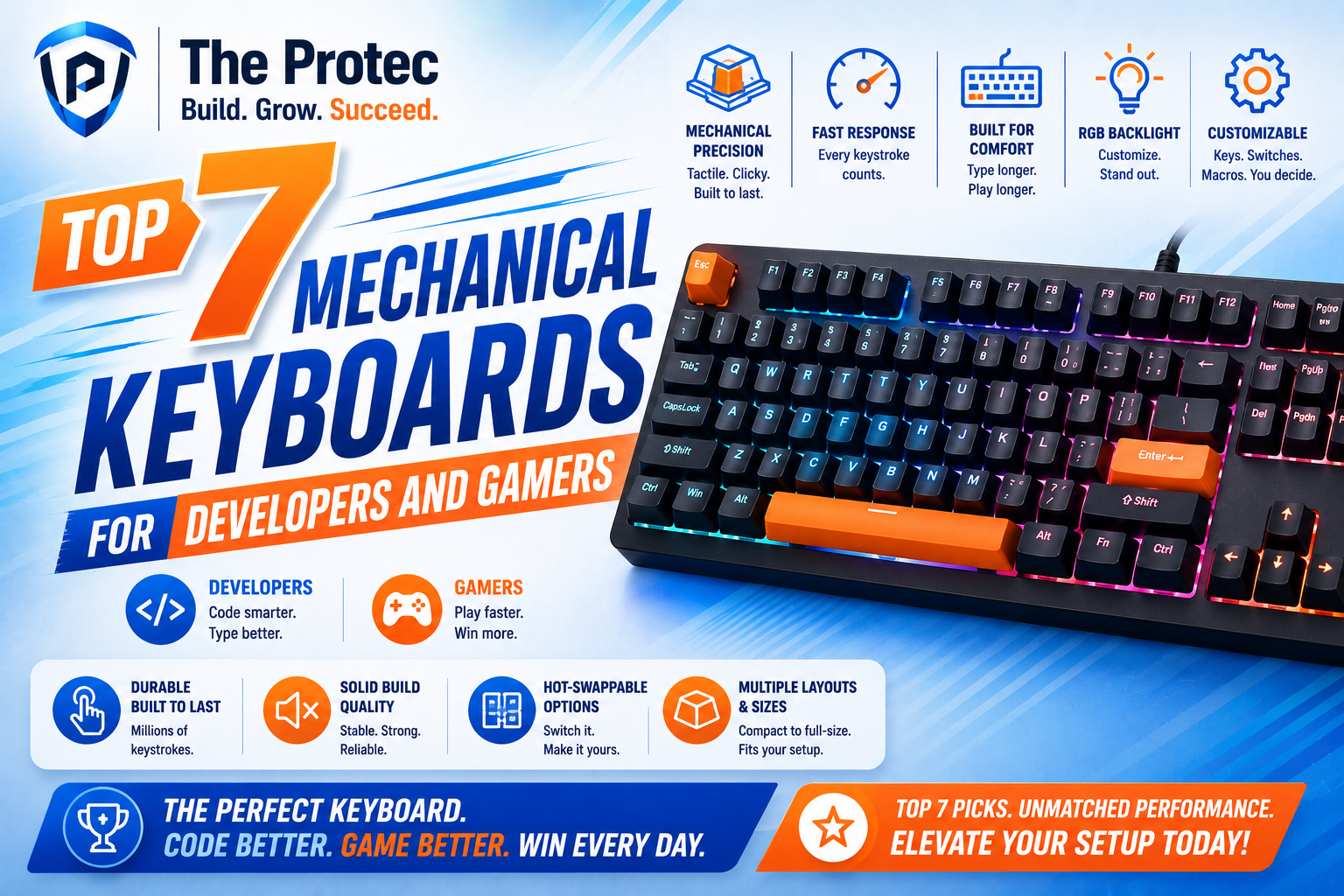
Top 7 Mechanical Keyboards for Developers and Gamers
Finding the best mechanical keyboard is no longer just about loud switches and flashy RGB. Developers want a fast, comfortable developer keyboard that reduces fatigue during long coding sessions, while gamers want a responsive gaming keyboard that keeps up with rapid inputs and competitive play. The best boards in 2026 balance both worlds: premium typing feel, modern connectivity, strong battery life, hot-swappable switches, and smart software that does not get in the way.
That shift matters because today’s keyboards are more customizable than ever. Hall effect switches, rapid trigger features, gasket mounts, sound-dampening foam, and programmable layers are now common in premium models. At the same time, slimmer layouts and wireless performance have improved enough that you no longer need to choose between a desk-friendly typing tool and a high-performance gaming peripheral.
In this guide, we review seven standout keyboards based on comfort, switches, and productivity. Whether you write code all day, play at night, or need one board that can do both, these are the options worth your attention.
What to look for in the best mechanical keyboard
Before jumping into the list, it helps to know what actually separates a great keyboard from a decent one. For developers and gamers, the most important factors are not just aesthetics. They are typing feel, switch behavior, layout efficiency, and how well the board supports long-term use.
- Comfort: A good keyboard should reduce strain over long sessions. Look for a stable chassis, good keycap profile, and either a gentle typing angle or adjustable feet.
- Switches: Linear switches are often preferred for gaming, while tactile switches can help developers feel each keypress more clearly. Hall effect switches are increasingly popular because they offer adjustable actuation and rapid trigger support.
- Productivity features: Hot-swap sockets, remapping software, layers, macro support, and compact layouts can dramatically improve workflow.
- Connectivity: Wired remains the safest choice for competitive gaming, but modern low-latency wireless is excellent for many users.
- Build quality: Aluminum frames, sound treatment, and solid stabilizers help a keyboard feel premium and last longer.
If you want a deeper technical overview of current mechanical keyboard design trends, resources from RTINGS and Tom’s Hardware are useful starting points.
1. Keychron Q1 Max
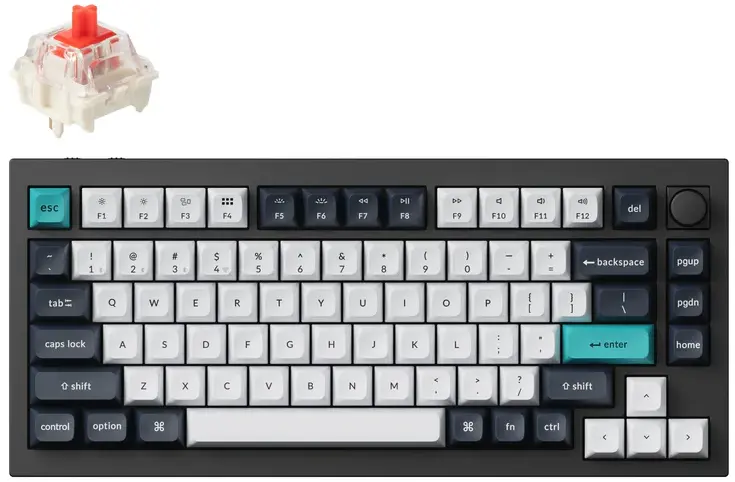
The Keychron Q1 Max is one of the strongest all-around choices for people who want a premium developer keyboard with enough gaming power to satisfy most players. It combines a 75% layout, excellent acoustics, and modern wireless features in a package that feels thoughtfully designed for desk use.
Why it stands out: the Q1 Max offers a dense aluminum build, hot-swappable switch support, and Keychron’s wireless performance improvements that make it practical for both coding and casual-to-serious gaming. The 75% layout keeps arrow keys and function-row access while saving space compared with a full-size board, which is ideal for developers juggling mouse movement and keyboard shortcuts.
Comfort is excellent thanks to the board’s gasket-mounted feel and refined typing acoustics. With the right switches, it can be both quiet enough for shared workspaces and satisfying enough for late-night typing sessions. If you want a keyboard that feels refined without requiring a custom-build project, this is one of the easiest recommendations.
- Best for: Developers who want premium build quality and a balanced layout
- Strengths: Great acoustics, hot-swap support, strong wireless performance
- Trade-off: Not the most competitive gaming board for latency-focused players
2. Wooting 80HE
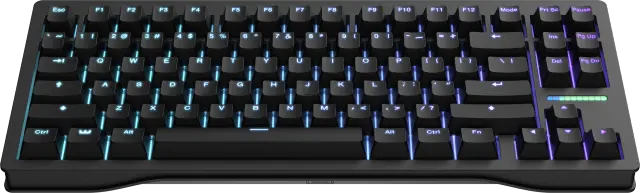
If your priority is gaming performance with real productivity upside, the Wooting 80HE is one of the most advanced options available. Its analog hall effect switches and rapid trigger features make it a standout gaming keyboard, but it is also increasingly popular among developers who appreciate the precision and customization.
What makes it special is the adjustable actuation. You can tune key response to be hair-trigger fast for gaming or more deliberate for typing. That flexibility is a serious advantage if you switch between coding and competitive play throughout the day. The 80% layout is also practical: it preserves important navigation keys while avoiding the bulk of a full-size board.
Comfort is strong, though this keyboard is less about plush sound and more about performance. It is not the softest typing experience in this roundup, but it is one of the most technically impressive. If your definition of the best mechanical keyboard includes responsiveness, analog control, and top-tier gaming features, the Wooting 80HE belongs near the top.
- Best for: Competitive gamers who also code
- Strengths: Hall effect switches, rapid trigger, highly tunable actuation
- Trade-off: Less traditional typing feel than premium tactile mechanical boards
3. Logitech G Pro X TKL Lightspeed
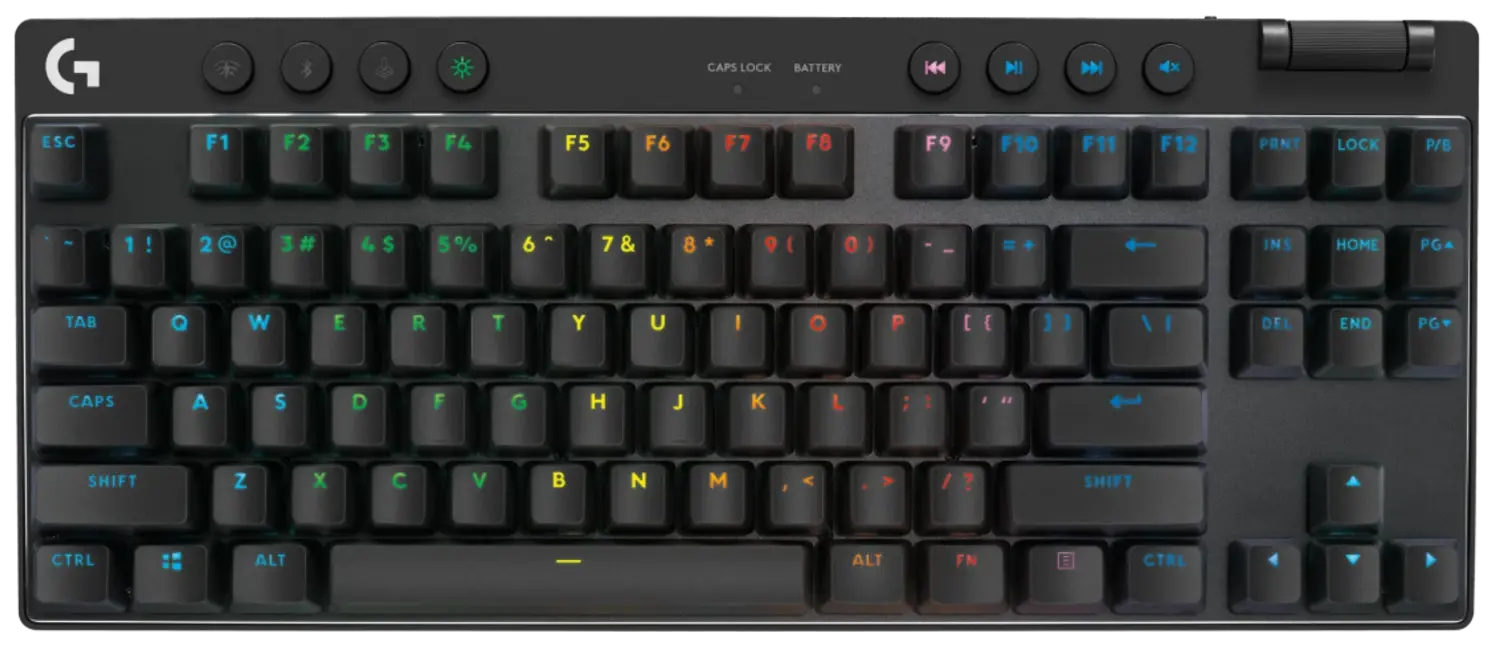
The Logitech G Pro X TKL Lightspeed is a smart pick for developers and gamers who want a clean, portable board with reliable wireless performance. The tenkeyless layout remains one of the most practical formats for hybrid use because it saves desk space while retaining the essential keys many users still need.
For gaming, Logitech’s Lightspeed wireless remains a major selling point. It is designed for low latency and dependable stability, making it easy to trust in competitive scenarios. For developers, the board’s compact footprint and detachable cable make it a solid travel companion for office, home, and event use.
In terms of comfort, this keyboard is straightforward rather than luxurious. It does not have the deep custom feel of a high-end gasket-mounted board, but it delivers consistent keypresses and good portability. The hot-swappable switch support on some versions adds flexibility for users who want to tailor the typing feel without buying a different keyboard entirely.
- Best for: Users who want a reliable, portable, wireless keyboard
- Strengths: Trusted wireless performance, compact layout, esports-friendly design
- Trade-off: Typing feel is good, but not as refined as premium enthusiast boards
4. NuPhy Halo75 V2
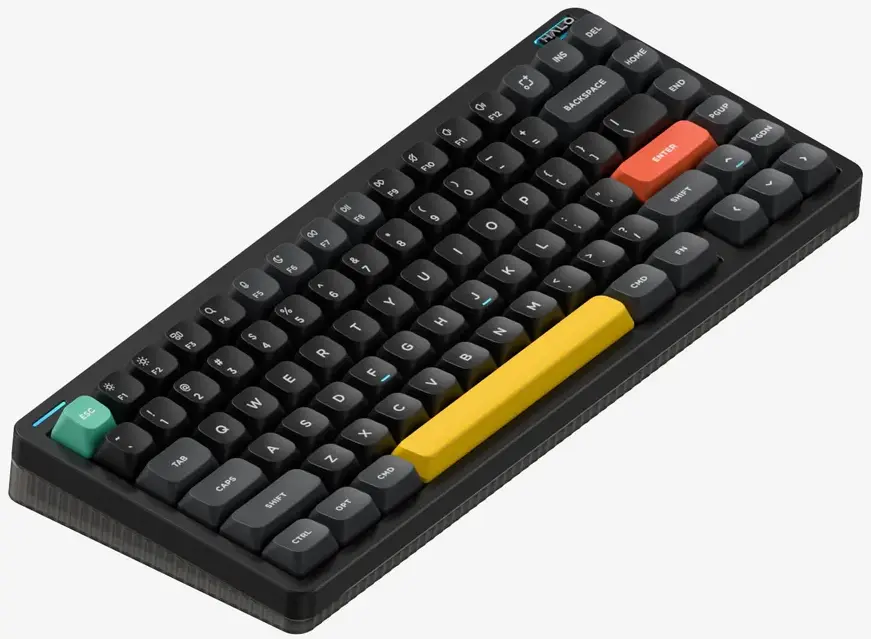
QMK/VIA Wireless Mechanical Keyboard
The NuPhy Halo75 V2 is one of the most appealing choices for people who want a keyboard that looks modern, sounds good, and feels comfortable enough for all-day use. It sits at a sweet spot between enthusiast appeal and practical everyday performance, which makes it especially attractive for developers who care about both aesthetics and workflow.
The 75% layout is a strong productivity choice. It keeps the function row and arrow cluster while trimming unused bulk, and the board’s programming flexibility makes it easy to create custom layers for IDE shortcuts, media controls, and macro commands. That means less hand movement and a smoother coding workflow.
Typing comfort is a major strength. The Halo75 V2 has a pleasant, cushioned feel and good acoustics, especially when paired with linear or light tactile switches. Gamers will appreciate that it remains responsive enough for fast-paced play, while typists will enjoy the more polished sound signature than many mainstream gaming boards offer.
- Best for: Developers who want an attractive, productive, and comfortable board
- Strengths: Excellent layout balance, strong typing feel, easy customization
- Trade-off: Not as aggressively performance-focused as hall effect gaming boards
5. Corsair K70 Max
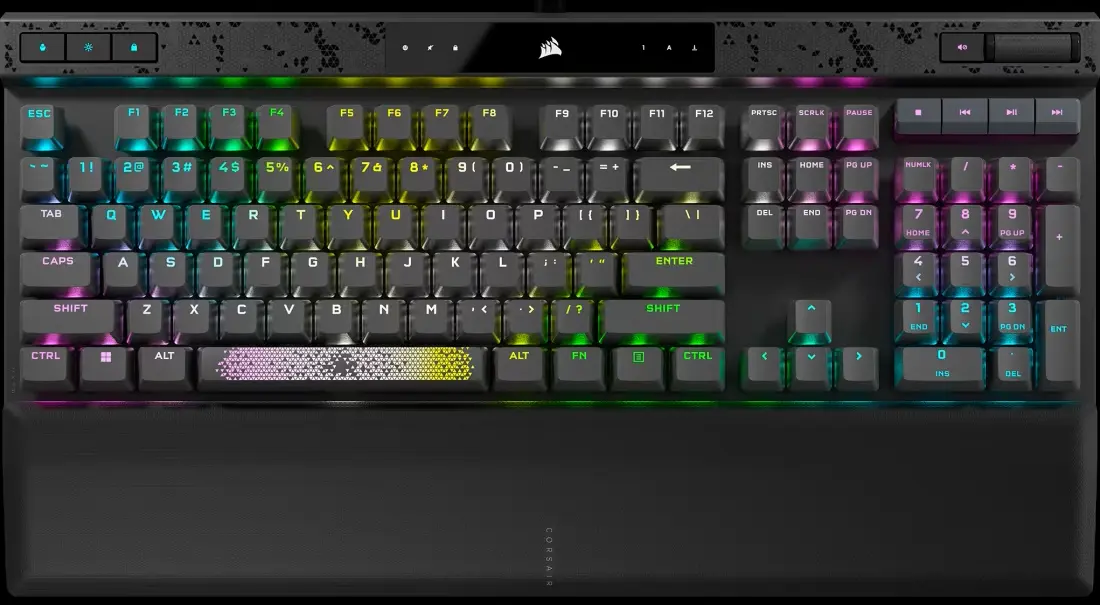
The Corsair K70 Max is a powerful gaming keyboard that also brings useful features for developers who want fast, programmable control. Its standout feature is magnetic switch technology, which allows adjustable actuation and rapid response. That puts it in the same conversation as other high-performance hall effect keyboards, but with Corsair’s familiar ecosystem and build style.
For gaming, the K70 Max excels. Adjustable actuation lets you tailor keys for faster movement or more deliberate typing, and the board’s performance feels especially strong in fast shooters and MOBA-style games. For developers, the value comes from the macro layers and programmable controls, which can be mapped to build commands, text snippets, or IDE shortcuts.
Comfort is solid, though this is more performance-first than ergonomics-first. The typing experience is crisp and controlled, with a clean top plate and a layout that will feel familiar to users coming from standard gaming boards. If you want a modern feature set and a brand with mature software support, the K70 Max is worth a close look.
- Best for: Gamers who want adjustable actuation and macro flexibility
- Strengths: Magnetic switches, strong software features, competitive performance
- Trade-off: Less characterful typing feel than enthusiast mechanical boards
6. MonsGeek M1 V3
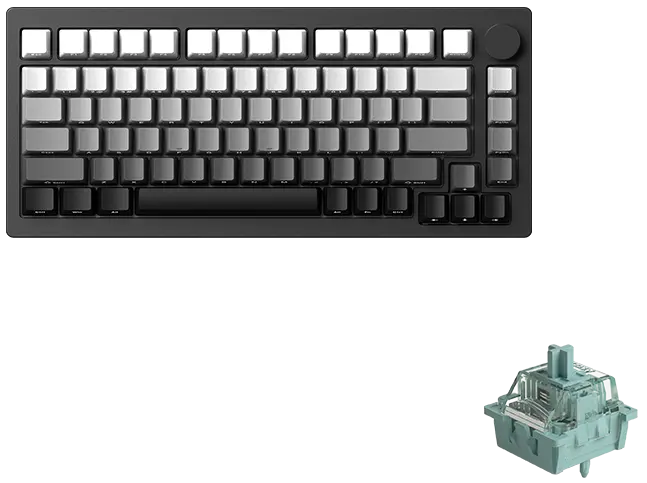
The MonsGeek M1 V3 is a favorite among keyboard enthusiasts because it delivers a custom-style experience at a more accessible price. For developers, that matters because you get a highly tunable developer keyboard that can be adapted to your preferences instead of forcing you to adapt to the board.
Its aluminum construction gives it a premium feel, while the gasket-mount design helps create a softer, more comfortable typing experience. This is especially valuable for long programming sessions, where harsh bottom-outs can become tiring. The board also tends to shine with a wide variety of switch types, from quiet linears to tactile options that help with code-heavy work.
Gamers may not get the flashy software ecosystem of a major esports brand, but many will find the responsive feel and customization more than enough. If comfort and switch experimentation matter to you, the M1 V3 is one of the most satisfying keyboards in this list.
- Best for: Enthusiasts who want a customizable typing experience
- Strengths: Excellent feel, premium build, strong value
- Trade-off: Software and wireless features may be less polished than premium mainstream competitors
7. Razer BlackWidow V4 Pro
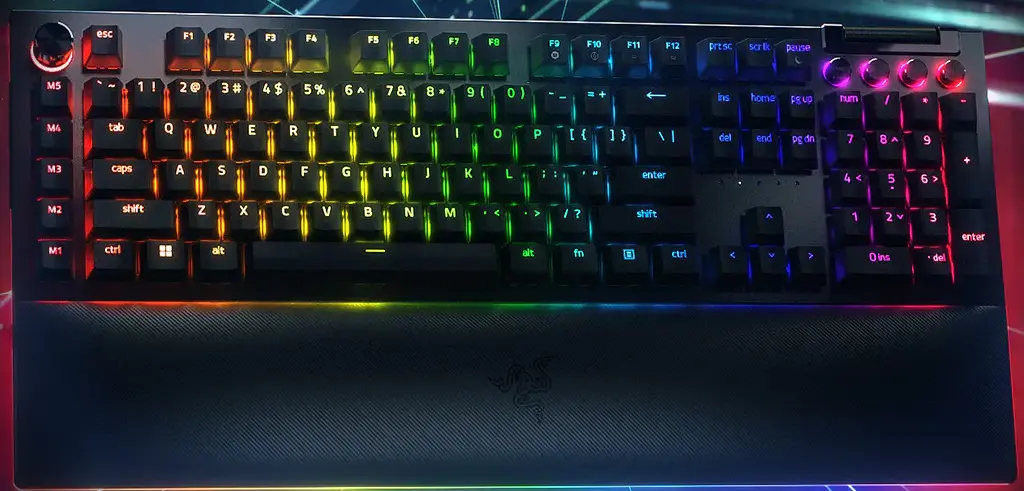
The Razer BlackWidow V4 Pro remains a compelling option for users who want a feature-rich keyboard with deep gaming roots and enough productivity power to handle development tasks. It is especially attractive to people already invested in the Razer ecosystem, but it stands on its own as a well-built, full-featured board.
This is the most traditional-looking keyboard in the roundup, and that can actually be a benefit for developers who prefer a full-size layout with dedicated media controls, macro keys, and a numpad. For coding, those extras can be useful for shortcuts, spreadsheet work, and terminal-heavy workflows. For gaming, the board delivers the familiar speed and reliability expected from a premium gaming keyboard.
Comfort is good, with a robust chassis and keys that feel stable under fast typing. The typing experience is less refined than some enthusiast boards, but it offers practical power and broad usability. If you want maximum features in a familiar package, the BlackWidow V4 Pro still earns its place.
- Best for: Users who want a full-size keyboard with extra controls
- Strengths: Media keys, macro options, strong gaming pedigree
- Trade-off: Larger footprint and less minimalist than compact alternatives
Best mechanical keyboard picks by use case
Choosing the right board depends on how you work and play. If you want the best all-around option, the Keychron Q1 Max is the most balanced pick for comfort, typing quality, and productivity. If gaming performance is your top priority, the Wooting 80HE leads the field with advanced switch tech and rapid trigger tuning. For wireless reliability and portability, the Logitech G Pro X TKL Lightspeed is a strong practical choice. If you want a more beautiful and comfortable typing experience, the NuPhy Halo75 V2 and MonsGeek M1 V3 are excellent enthusiast-friendly options.
Meanwhile, the Corsair K70 Max and Razer BlackWidow V4 Pro are ideal for users who value feature-rich gaming ecosystems and macro control. In other words, the best mechanical keyboard is not always the most expensive or the most popular. It is the one that fits your workflow, your desk space, and the way you actually use it every day.
How developers and gamers should choose switches
Switch choice is one of the biggest factors in comfort and performance. Linear switches are smooth and fast, which makes them popular for gaming. Tactile switches provide a noticeable bump that can improve typing accuracy, making them a favorite for developers who spend hours writing code. Clicky switches can be satisfying, but they are usually less suited to shared offices or dual-purpose setups.
Hall effect switches and magnetic switches are changing the landscape because they allow adjustable actuation and rapid trigger behavior. That is a real advantage for gaming, but also useful for advanced productivity setups where custom key response matters. If you are shopping for a gaming keyboard and a developer keyboard in one, this technology is worth serious consideration.
For most users, the best approach is simple: choose a switch that feels comfortable for typing first, then make sure the board is responsive enough for gaming. A keyboard you enjoy using for eight hours of work will usually be the one you prefer for two hours of play, too.
Final verdict
The current keyboard market is better than ever for developers and gamers. Premium wireless, magnetic switch tech, and enthusiast-grade acoustics are no longer niche features. They are now part of the mainstream conversation around the best mechanical keyboard options available today.
If you want one board that handles coding, writing, and gaming with equal confidence, the Keychron Q1 Max is the best overall balance of comfort and productivity. If you want the most advanced gaming keyboard features, the Wooting 80HE is hard to beat. And if you value a refined typing feel above all else, the NuPhy Halo75 V2 and MonsGeek M1 V3 offer satisfying alternatives that make long sessions easier on the hands.
No matter which route you choose, the right keyboard should make your work faster, your games more responsive, and your desk more enjoyable to use. That is the real mark of a great developer keyboard or gaming keyboard: it disappears into your workflow while making everything feel better.
FAQ
What is the best mechanical keyboard for both developers and gamers?
The best all-around choice is often the Keychron Q1 Max because it balances comfort, build quality, wireless performance, and productivity features without sacrificing too much gaming capability.
Are hall effect keyboards better for gaming?
For many gamers, yes. Hall effect keyboards can offer adjustable actuation and rapid trigger support, which can improve responsiveness in fast-paced games. They are especially popular in competitive play.
Should developers choose tactile or linear switches?
It depends on preference. Tactile switches are often better for typing accuracy and feedback, while linear switches can feel smoother and quieter. If you spend most of your day coding, tactile switches are worth considering.
Is a wireless mechanical keyboard good enough for gaming?
Modern low-latency wireless keyboards are absolutely good enough for most gaming scenarios. If you play competitively at a high level, wired or ultra-low-latency wireless options may still be the safest choice.
What layout is best for productivity?
For many developers, a 75% or tenkeyless layout is ideal. These formats save desk space while keeping the most useful keys accessible, which helps with both coding efficiency and mouse movement.