





Contents
- 1 Introduction
- 2 AI Assistants Are Becoming the Default Productivity Layer
- 3 Collaboration Platforms Are Evolving Into Work Operating Systems
- 4 Cybersecurity Tools Are Being Rebuilt for a Borderless Workforce
- 5 Virtual Offices Are Making Distributed Work Feel More Connected
- 6 Asynchronous Work Is Replacing Meeting Overload
- 7 Employee Experience Tech Is Now a Business Priority
- 8 Analytics and Workforce Visibility Are Becoming More Sophisticated
- 9 What US Companies Should Prioritize Now
- 10 Conclusion
- 11 FAQ
- 11.1 What is the biggest remote work technology trend right now?
- 11.2 Are remote collaboration tools replacing traditional office software?
- 11.3 How are US companies improving remote work security?
- 11.4 Do virtual offices actually improve remote work?
- 11.5 What should leaders focus on when updating remote work technology?
Introduction
Remote work is no longer a temporary adjustment or a benefit reserved for a few roles. It has become a core operating model for many American companies, influencing how teams communicate, how leaders manage performance, and how businesses compete for talent. The biggest change is not simply that employees work from different places. It is that the technology stack supporting work has evolved rapidly to make distributed collaboration faster, safer, and more intelligent.
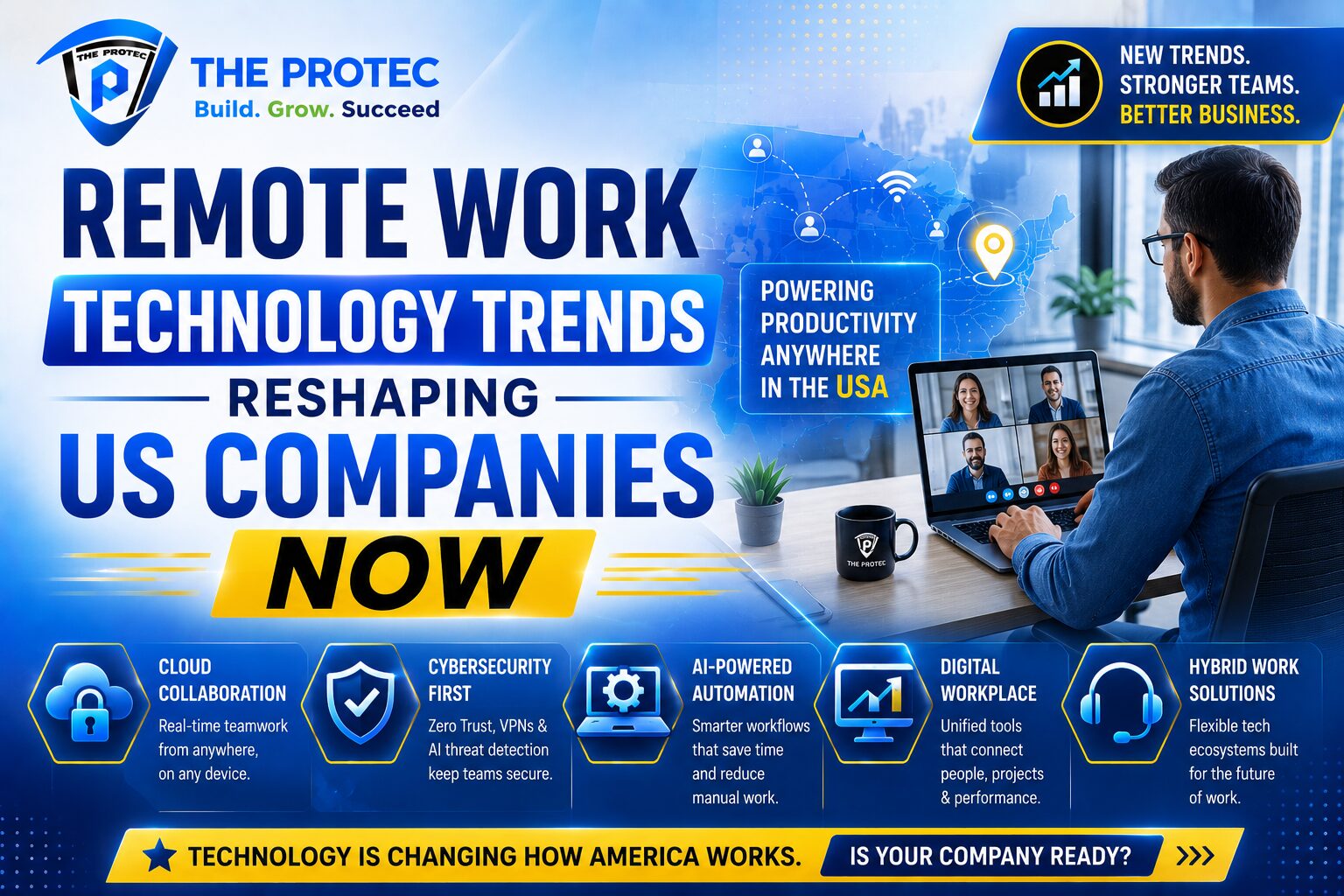
As US companies refine hybrid and fully remote strategies, the most successful organizations are investing in tools that reduce friction and improve visibility across teams. The latest wave of remote work technology is being shaped by AI assistants, advanced remote collaboration tools, cybersecurity platforms built for a perimeterless workforce, and virtual office environments that recreate the spontaneity of in-person interaction. Together, these innovations are defining the future of remote work USA companies will rely on to stay productive and resilient.
Below, we explore the most important trends changing how American workplaces operate, why they matter, and what business leaders should be watching as remote work continues to mature.
AI Assistants Are Becoming the Default Productivity Layer
One of the clearest shifts in remote work technology is the rise of AI assistants embedded across everyday business tools. These systems are no longer limited to drafting emails or summarizing meeting notes. They are now helping teams prioritize tasks, search company knowledge bases, automate repetitive workflows, and prepare meeting briefs in seconds.
For remote teams, this matters because distance naturally creates more communication overhead. Employees spend more time documenting decisions, catching up on context, and coordinating across time zones. AI assistants reduce that burden by acting as a layer of support across calendars, chat platforms, project management tools, and document systems.
How AI assistants improve remote collaboration
- They summarize long discussions into actionable next steps.
- They suggest responses and draft content that speeds up communication.
- They surface relevant files, messages, and decisions without manual searching.
- They help managers identify bottlenecks in projects and workloads.
- They reduce repetitive admin work that slows distributed teams down.
Companies in the United States are also using AI assistants to bridge knowledge gaps. When team members are scattered across locations, important context often lives in private chats or individual inboxes. AI-powered search and knowledge retrieval make internal information easier to find, which is especially valuable for onboarding and cross-functional work.
The practical impact is significant: faster decisions, fewer misunderstandings, and more time spent on strategic work. That is why many analysts view AI assistants as a defining part of the future of remote work USA organizations are building today.
Collaboration Platforms Are Evolving Into Work Operating Systems
Remote collaboration tools have moved far beyond simple video calls and chat. The most effective platforms now combine messaging, document creation, task tracking, whiteboarding, and workflow automation in one connected environment. In many companies, these platforms have become the primary workspace where work actually happens.
This shift reflects a deeper need in distributed organizations: teams need a single source of truth. When work is spread across too many apps, employees lose time switching contexts, searching for information, and duplicating effort. Modern collaboration platforms reduce that fragmentation by tying communication directly to execution.
What is changing in collaboration software
- Persistent workspaces: Instead of isolated meetings, teams use ongoing project channels with shared files and decisions.
- Integrated workflows: Approvals, task assignments, and status updates happen inside the same platform.
- Better asynchronous communication: Teams can move work forward without requiring everyone to be online at once.
- Smarter search and indexing: Employees can retrieve decisions and documents instantly.
- Embedded AI: Notes, summaries, and action items are generated automatically after meetings.
For US companies managing hybrid schedules, this evolution is especially important. Collaboration platforms are no longer just communication tools; they are the backbone of coordination across office-based and remote employees. They help prevent one of the most common remote work problems: work that happens in scattered threads and never gets fully documented.
Leading companies are also using these tools to improve meeting discipline. Rather than relying on live meetings for every discussion, teams are blending recorded updates, collaborative docs, and structured decision logs. That creates a more scalable way to work across time zones and reduces meeting fatigue.
In practice, this means the best remote collaboration tools are becoming less about virtual presence and more about operational clarity.
Cybersecurity Tools Are Being Rebuilt for a Borderless Workforce
As remote work expands, cybersecurity has become one of the most critical priorities for American companies. The traditional security model assumed users were inside the office network. That assumption no longer holds. Employees now work from homes, coworking spaces, airports, and client sites, often using multiple devices and cloud applications.
That shift has accelerated demand for security tools designed around identity, device trust, and continuous monitoring. In the future of remote work USA businesses are preparing for, security cannot depend on location. It must depend on verified access and real-time risk detection.
Top cybersecurity priorities for remote teams
- Zero trust architecture: Access is verified continuously instead of assuming internal users are safe.
- Multi-factor authentication: Strong identity controls reduce account takeover risk.
- Endpoint protection: Devices are monitored for malware, misconfigurations, and suspicious behavior.
- Secure access service edge (SASE): Network and security functions are delivered through cloud-based frameworks.
- Data loss prevention: Sensitive files and communications are protected across apps and devices.
Remote work also introduces more shadow IT risk. Employees may use personal apps or unapproved services to get work done quickly. Security teams are responding with better visibility into SaaS usage and stronger controls around file sharing, permissions, and privileged access.
Another major development is the use of AI in cybersecurity. Threat detection systems are becoming more adaptive, spotting unusual behavior patterns faster than traditional rule-based tools. For companies managing distributed teams, this is a major advantage because the attack surface is larger and more dynamic than in a centralized office model.
Organizations that treat cybersecurity as a business enabler rather than a compliance burden are better positioned to scale remote operations with confidence. The most effective remote work technology stacks now include security by design, not as an afterthought.
Virtual Offices Are Making Distributed Work Feel More Connected
One of the most interesting trends in remote work technology is the growth of virtual office platforms. These tools attempt to recreate the sense of presence that remote employees often miss, using spatial layouts, status indicators, lightweight video rooms, and always-available digital spaces for spontaneous interaction.
While not every company needs a full virtual office, many American employers are experimenting with these environments to reduce isolation and improve informal collaboration. The goal is not to replace real life, but to make remote work feel more human and connected.
Why virtual offices are gaining attention
- They create visible team presence without forcing constant meetings.
- They make it easier to start quick conversations and ad hoc problem-solving.
- They support social bonding across distributed teams.
- They help new hires learn company culture more naturally.
- They give remote teams a shared space that feels more dynamic than a static chat app.
This trend is especially relevant for younger companies and fast-growing startups. These organizations often need a strong sense of momentum and culture, but they may not have a physical office that everyone uses regularly. Virtual office tools help fill that gap by creating a digital headquarters where employees can check in, collaborate casually, and see who is available.
There is also a productivity angle. Quick voice huddles and presence-based interactions can solve problems faster than long message threads. When used well, virtual office environments support both connection and speed.
That said, success depends on balance. The best implementations are optional, lightweight, and tied to real workflows rather than novelty. The value comes from reducing communication friction, not from forcing people into a digital clone of office life.
Asynchronous Work Is Replacing Meeting Overload
Another major trend shaping the future of remote work USA organizations are adopting is the move toward asynchronous-first communication. In remote and hybrid settings, constant meetings can become a serious productivity drag. As companies scale across time zones and schedules, asynchronous workflows provide a more sustainable way to collaborate.
Asynchronous work means information is shared in ways people can process on their own time: recorded updates, written decisions, collaborative documents, task boards, and threaded discussions. This approach supports deeper focus while reducing the need for everyone to be present at the same moment.
What makes async work effective
- Clear written communication and documented decisions
- Meeting recordings and automated summaries
- Shared project boards with transparent ownership
- Defined response-time expectations
- Strong norms around when live meetings are truly necessary
AI assistants are making asynchronous work easier by generating summaries and extracting action items from conversations. Collaboration platforms are also adding features that make it simpler to track changes and comment directly within documents. These capabilities help remote teams maintain momentum without overloading calendars.
For US companies, async work is not just a convenience. It is a competitive advantage. It enables better use of talent across geographies, creates more space for deep work, and reduces the hidden cost of unnecessary synchronization.
Employee Experience Tech Is Now a Business Priority
Remote work has made employee experience more important than ever. If technology feels clunky, fragmented, or confusing, remote workers feel it immediately. There is no office desk to walk over to, no hallway conversation to clarify a process, and no easy way to observe how things are done. That means the digital experience itself becomes the workplace.
Companies are responding by investing in tools that simplify onboarding, support learning, and improve day-to-day usability. These systems include digital adoption platforms, knowledge management tools, pulse surveys, and AI-powered support bots. Together, they help remote employees get answers quickly and feel more confident in their roles.
This trend is especially important for retention. In a competitive labor market, employees are less likely to tolerate tools that slow them down or make work feel disjointed. Businesses that streamline the digital employee journey often see stronger engagement and better performance outcomes.
In many cases, employee experience tools are also feeding better analytics into leadership teams. Managers can track where teams are getting stuck, which systems are underused, and what kind of support workers need most. That data helps companies improve remote operations continuously rather than relying on assumptions.
Analytics and Workforce Visibility Are Becoming More Sophisticated
One of the less visible but highly important trends in remote work technology is the rise of workforce analytics. Leaders want better insight into team capacity, workload distribution, collaboration health, and operational bottlenecks. The key is to gain visibility without sliding into surveillance.
Modern analytics tools can show patterns such as meeting overload, response delays, document activity, or project risk indicators. Used responsibly, this information helps managers support teams more effectively. It can also highlight when employees are overloaded or when a process is creating unnecessary friction.
Companies are increasingly focused on ethical visibility. That means prioritizing aggregated trends, transparency about what is being measured, and clear boundaries between operational insight and invasive monitoring. In the future of remote work USA companies are trying to build, trust remains essential.
When analytics are used well, they help leaders answer practical questions:
- Are teams spending too much time in meetings?
- Which projects are stalling and why?
- Where do employees need more support or documentation?
- Which tools are actually improving collaboration?
These insights make remote work more manageable at scale and help companies avoid the blind spots that can emerge when leaders cannot see team dynamics in person.
What US Companies Should Prioritize Now
With so many tools and trends emerging, it is easy for companies to chase every new feature. But the most effective remote work strategies are built on a few practical priorities. American businesses should focus on technology that improves clarity, reduces manual effort, and strengthens trust.
Smart priorities for a modern remote stack
- Choose platforms that integrate communication, documents, and tasks.
- Adopt AI assistants where they save measurable time.
- Strengthen identity-based security across all devices and apps.
- Support asynchronous workflows with clear documentation norms.
- Use analytics to improve team health, not just monitor activity.
- Test virtual office tools only when they solve a real collaboration problem.
Leaders should also evaluate whether their current tech stack is simplifying work or creating friction. If employees need to jump between too many apps, spend hours searching for context, or repeat the same information in multiple places, the system is not working. The best remote work technology is invisible in the best sense: it helps people move faster without getting in the way.
Conclusion
The remote work technology landscape is evolving quickly, and US companies are under pressure to keep up. AI assistants are making knowledge work faster. Collaboration platforms are becoming the new operating system for distributed teams. Cybersecurity tools are adapting to a borderless workforce. Virtual offices are creating new ways to connect across distance. And asynchronous communication is helping teams work more intelligently with less meeting overload.
These trends are not isolated. They are converging into a more flexible, intelligent, and secure model of work. For businesses focused on the future of remote work USA employees will experience, the opportunity is clear: invest in tools that support real collaboration, protect company data, and make work easier for people wherever they are.
Companies that modernize now will be better positioned to attract talent, improve productivity, and stay competitive in a workplace that continues to evolve.
FAQ
What is the biggest remote work technology trend right now?
The biggest trend is the integration of AI assistants into everyday workflows. They help remote teams summarize information, automate tasks, and find context faster across communication and project tools.
Are remote collaboration tools replacing traditional office software?
In many companies, yes. Modern remote collaboration tools now combine chat, meetings, documents, task management, and automation, making them central to how work gets done.
How are US companies improving remote work security?
They are adopting zero trust models, multi-factor authentication, endpoint protection, SASE frameworks, and AI-powered threat detection to secure distributed teams and devices.
Do virtual offices actually improve remote work?
They can, especially for teams that want more spontaneous interaction and stronger culture. Their value depends on whether they solve real communication problems rather than adding novelty.
What should leaders focus on when updating remote work technology?
Leaders should prioritize tools that reduce friction, support asynchronous work, improve security, and create a better employee experience. Simplicity and integration matter more than tool quantity.