








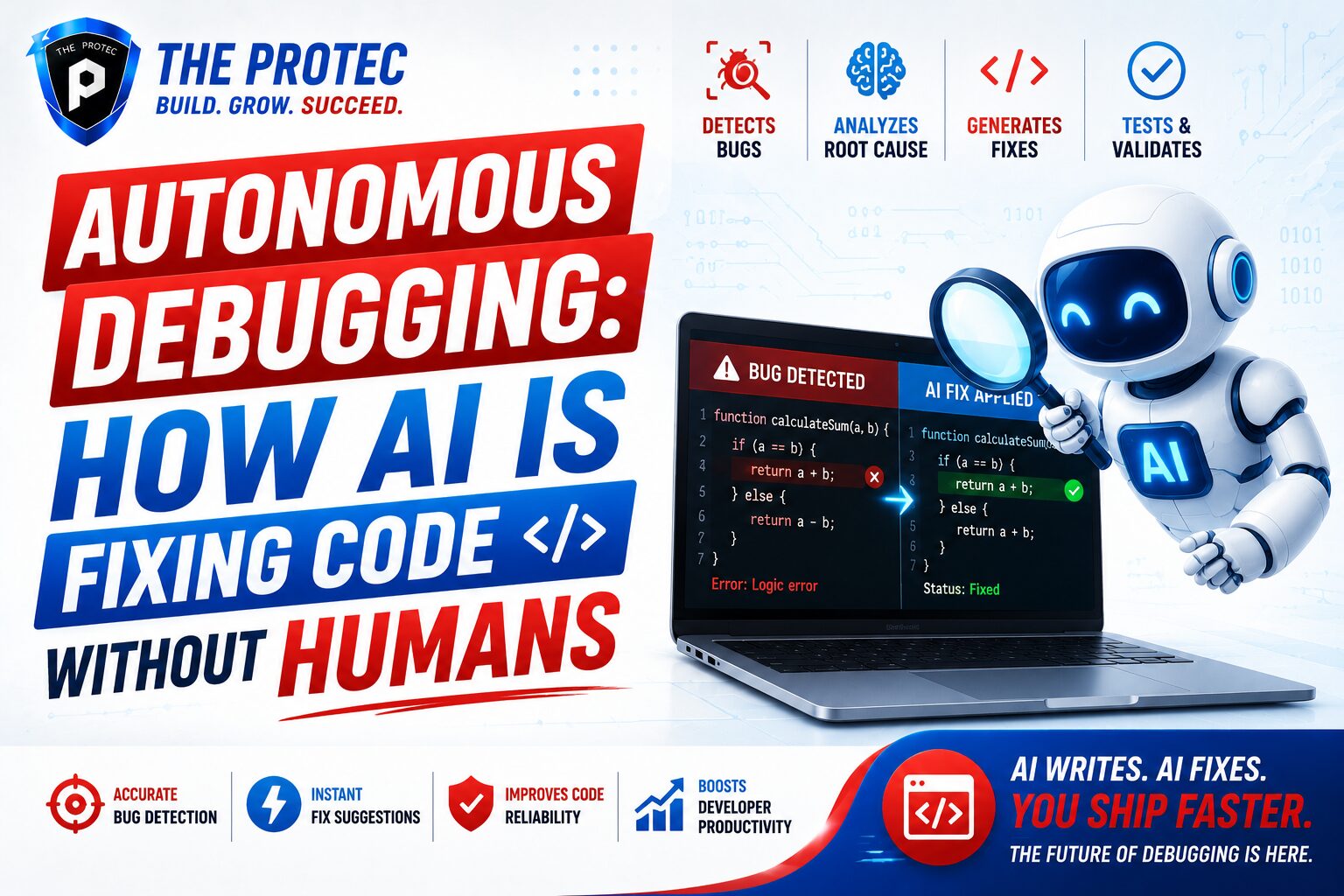
Autonomous Debugging: How AI Is Fixing Code Without Human Input
Software teams have spent decades treating debugging as a deeply human task: inspect the logs, trace the stack, reproduce the issue, patch the code, then hope the fix doesn’t break something else. That workflow is still common, but it is no longer the only one. A new class of AI debugging tools is now capable of spotting failing tests, tracing the likely root cause, proposing a patch, and in some cases validating the fix automatically. This shift is giving rise to autonomous debugging, a development model where AI code repair systems handle more of the bug-fixing loop without waiting for constant human intervention.
What makes this topic especially important is that the pressure on engineering teams has never been higher. Modern software is larger, more distributed, and more dependent on third-party services than ever before. Bugs appear across APIs, infrastructure, CI pipelines, front-end state management, and data layers. Meanwhile, release cycles are shorter and expectations are higher. Autonomous debugging is emerging as a practical answer to that reality: a way to reduce mean time to resolution, relieve developer fatigue, and keep shipping velocity high.
This article explores how autonomous debugging works, what today’s automated bug fixing tools can actually do, where they fall short, and why the latest advances in AI code repair are changing the economics of software maintenance.
What Autonomous Debugging Actually Means
Autonomous debugging is the use of AI systems to identify, analyze, and fix software defects with little or no direct human instruction. In practice, that can range from a model suggesting a patch in a pull request to a fully automated loop that detects a failing test, reasons about the likely cause, edits the code, reruns validation, and opens a merge-ready fix.
It is useful to separate autonomous debugging from older forms of developer tooling. Traditional static analysis can highlight suspicious patterns. Test suites can catch regressions. Observability platforms can surface errors in production. But these tools usually stop at detection. Autonomous debugging goes further by moving into diagnosis and remediation. The system does not merely say “something is broken”; it attempts to answer “why it broke” and “what code change is most likely to repair it.”
The strongest modern systems combine several layers of intelligence:
- Log and stack trace analysis
- Test failure classification
- Repository-wide code context retrieval
- Patch generation
- Execution-based validation
- Confidence scoring and rollback safeguards
That combination is what makes autonomous debugging more than a chatbot attached to a code editor. It is a closed-loop engineering capability.
Why AI Debugging Tools Are Advancing So Quickly
The rise of AI debugging tools is not happening in a vacuum. Several technology trends have converged to make automated bug fixing far more viable than it was even a few years ago.
First, large language models are much better at reading and editing code across multiple files. They can infer intent from naming, surrounding functions, tests, and commit history. Second, modern software workflows generate rich signals: CI logs, traces, metrics, structured exceptions, and coverage data. Those signals give AI code repair systems the raw material they need to reason about failures. Third, tool-using models can now call linters, run unit tests, inspect diffs, and iterate based on feedback instead of guessing once and stopping.
There is also a practical business driver. Debugging consumes a surprising amount of engineering time. For many teams, the slowest part of development is not writing new features but stabilizing them after integration. If an AI system can fix even a portion of repetitive or well-understood bugs, the productivity impact can be significant.
Another reason for the acceleration is the growing maturity of agentic workflows. Instead of a single prompt-response interaction, the best systems now behave like agents: they gather context, plan actions, execute changes, evaluate outcomes, and revise their approach. That is a major step toward automated bug fixing that feels less like code completion and more like autonomous maintenance.
How AI Code Repair Works in Practice
Most AI code repair systems follow a similar sequence, even if the details vary by product or research platform.
1. Detect the failure
The process begins when a failure is observed. This could be a unit test that breaks in CI, a runtime exception in production, a linting error, a security scan warning, or a flaky test that suddenly becomes deterministic. Some AI debugging tools are connected directly to repositories and build systems so they can monitor failures continuously.
2. Collect relevant context
The system then gathers evidence. That may include the stack trace, recent commits, file dependencies, surrounding source code, test coverage, and historical fixes in similar areas of the repository. Context retrieval matters because code bugs are rarely isolated. A failure in one file may be caused by a schema change, an import mismatch, or a subtle contract violation elsewhere.
3. Hypothesize the root cause
Using the collected signals, the model forms one or more hypotheses. For example, it might infer that a function now returns null in an edge case, that an async call is not awaited, or that a test assumes outdated behavior after a refactor. Good systems do not lock onto the first explanation too quickly. They rank possibilities and test them.
4. Generate a patch
Once the likely cause is identified, the AI proposes a targeted code change. This may involve modifying a conditional, adding validation, fixing a type mismatch, updating a test expectation, or adjusting an API contract. The best systems are careful about scope: they try to make the smallest safe fix rather than a broad rewrite.
5. Validate the fix
This is where autonomous debugging becomes genuinely useful. The patch is not considered complete until it passes the relevant tests or checks. Some systems rerun the exact failed test first, then broaden validation to surrounding tests or lint rules. This validation loop helps reduce the risk of false positives and overfitted patches.
6. Decide whether to ship
Depending on the confidence level and the organization’s policy, the fix may be automatically merged, opened as a pull request, or sent to a developer for review. In high-trust environments, low-risk changes can be accepted with minimal friction. In regulated or critical systems, human approval remains essential.
What the Best Automated Bug Fixing Tools Can Do Today
Current AI debugging tools are strongest in environments where failures are observable, reproducible, and well-instrumented. They are particularly effective at bugs with a clear signal path, such as test regressions, type errors, API contract mismatches, simple logic mistakes, and configuration issues.
Some tools can work directly from failing CI jobs and propose patches that resolve the issue without a developer ever opening the code first. Others are embedded in IDEs or code review workflows, where they suggest a repair before a broken change gets merged. There are also research-driven systems that combine repository search, symbolic reasoning, and execution feedback to improve patch accuracy.
Two major capabilities define the current state of automated bug fixing:
- Detection plus diagnosis: The tool must do more than identify an error; it must understand the failure’s likely cause.
- Patch plus verification: The tool must be able to make a change and prove it works through tests or runtime checks.
For teams evaluating these systems, it helps to look at the quality of the validation loop rather than the polish of the interface. A flashy patch suggestion is not enough. The real value comes from accuracy, reproducibility, and the ability to avoid introducing new bugs.
For a broader technical overview of software reliability and debugging workflows, the Martin Fowler blog remains a useful reference point for engineering thinking, while the latest research from major labs and tool vendors shows how quickly the field is evolving.
Where Autonomous Debugging Is Already Delivering Value
Autonomous debugging is not limited to experimental labs. It is already useful in several real-world scenarios.
Continuous integration failures
One of the best use cases is CI. Build pipelines generate structured, repeatable failures that are easy for AI systems to inspect. If a test starts failing after a merge, an AI tool can compare the current branch to the baseline, inspect the most recent changes, and recommend a fix. This is an ideal environment for AI code repair because the scope is narrow and the feedback is immediate.
Flaky test repair
Flaky tests are a hidden tax on engineering teams. They waste time, reduce trust in the pipeline, and create noise around real defects. AI debugging tools can often spot timing issues, unstable mocks, shared state, or race conditions. In many cases, they can not only identify the flaky pattern but also rewrite the test to be more reliable.
Production incident triage
When observability data is rich enough, autonomous debugging can assist with incidents by correlating error spikes, recent deployments, and log patterns. In production, the system may not be allowed to deploy fixes automatically, but it can still speed up diagnosis and suggest a safe hotfix.
Dependency and migration issues
Upgrades often break code in predictable ways. Library API changes, type system tightening, and framework deprecations can lead to many repetitive fixes. AI code repair tools are especially good at these pattern-based changes because they can scan across the codebase and update similar failures consistently.
The Real Strength of AI Debugging Tools: Speed With Context
What makes AI debugging tools compelling is not just speed. It is speed with context. A human developer can certainly fix a bug quickly if they know the codebase well and the failure is obvious. But in large systems, understanding where to start can take far longer than writing the actual fix.
AI systems excel at compressing that discovery phase. They can inspect more files than a person would reasonably open, compare more historical examples, and rerun tests faster than manual troubleshooting. They are particularly useful when the bug sits at the intersection of several layers: application logic, data shape, and test assumptions.
Another advantage is consistency. Humans get tired, distracted, and biased by the first explanation that feels right. An AI agent can continue exploring alternative hypotheses as long as the validation loop is designed well. That reduces the chance of settling for a patch that merely hides the symptom.
Still, the best results happen when human engineers supervise the system’s boundaries. Autonomous debugging is strongest as a force multiplier, not a blind replacement for engineering judgment.
Limits and Risks of Fully Automated Bug Fixing
Despite the progress, automated bug fixing has important limitations. Not every bug should be handed to an AI agent, and not every fix it proposes should be trusted automatically.
One major challenge is ambiguous intent. Software often contains business logic that cannot be inferred from code alone. A patch may satisfy the tests and still violate product requirements. That is why validation against real-world behavior matters, not just unit tests.
Another risk is overfitting. An AI system may generate a patch that makes the failing test pass without solving the underlying problem. For example, it could relax an assertion, suppress an error, or hard-code a value. Those fixes may appear successful in the short term but create technical debt or mask deeper issues.
Security is another concern. A system that can edit code autonomously must be constrained to avoid introducing unsafe changes, leaking secrets, or making exploitable assumptions. Strong guardrails, code review policies, and sandboxed execution environments are essential.
There is also the issue of trust. Teams must know when the system is confident and when it is guessing. Transparent confidence scoring, detailed patch explanations, and clear audit logs help engineers decide when to accept a fix and when to investigate further.
For security-specific context on software and vulnerability management, resources like the OWASP Foundation are valuable, especially as autonomous debugging begins to intersect with secure coding and remediation workflows.
How to Evaluate AI Code Repair Tools
If your team is considering AI debugging tools, the evaluation process should be practical rather than hype-driven. The right tool is not necessarily the one with the most impressive demo. It is the one that consistently fixes real issues in your environment.
- Patch quality: Does the tool fix the root cause, or just the symptom?
- Validation depth: Does it rerun tests, check related files, or verify only the original failure?
- Codebase awareness: Can it use repository context effectively?
- Safety controls: Are approvals, sandboxing, and rollback options built in?
- Workflow fit: Does it work in CI, IDEs, PR reviews, or incident response?
- Explainability: Can it show why it made the change?
Teams should also measure outcomes. Useful metrics include time-to-fix, percentage of automatically resolved failures, human acceptance rate of patches, and the number of regressions introduced by AI-generated changes. Those numbers matter more than raw model capability.
The Future of Autonomous Debugging
The next stage of autonomous debugging will likely be defined by tighter integration between observability, testing, and code generation. Instead of a tool that only reacts after a failure, future systems will anticipate likely breakpoints, simulate changes, and recommend preventive repairs before deployment.
We are also likely to see more specialized AI debugging tools for specific stacks: cloud-native services, JavaScript front ends, data pipelines, mobile apps, and security-sensitive enterprise systems. Specialized models can learn the common failure patterns of each environment and produce more reliable patches.
Longer term, the most powerful systems may combine autonomous debugging with broader software agents that manage feature work, dependency updates, and incident response together. In that world, bug fixing is no longer a separate maintenance chore but part of a continuous self-healing development loop.
That said, human engineers will still matter. They will define intent, set guardrails, approve high-risk changes, and handle the ambiguous problems that no model can safely solve alone. The future is not code maintenance without humans; it is code maintenance with far less manual drudgery.
Conclusion
Autonomous debugging is moving software development toward a more self-correcting model. AI debugging tools are now capable of more than suggestion: they can detect failures, reason about likely causes, generate patches, and validate repairs in a closed loop. That makes automated bug fixing and AI code repair some of the most practical applications of modern AI in engineering.
The technology is not perfect, and it should not be treated as a magical substitute for software expertise. But when used well, it can dramatically reduce repetitive debugging work, accelerate incident response, and help teams ship with greater confidence. As the tools continue to improve, autonomous debugging is likely to become a standard part of the modern development stack.
FAQ
What is autonomous debugging?
Autonomous debugging is the use of AI systems to detect, diagnose, and fix software bugs with minimal human input. It goes beyond simple error detection by generating and validating code changes.
How are AI debugging tools different from traditional debugging tools?
Traditional debugging tools help developers find problems, but AI debugging tools can also propose and test fixes. That makes them useful for automated bug fixing workflows in CI, production triage, and code review.
Can AI code repair fully replace human developers?
No. AI code repair is best viewed as an assistant for repetitive, well-scoped, and testable issues. Human developers are still needed for product intent, architecture decisions, security review, and ambiguous edge cases.
What kinds of bugs can be fixed automatically?
Common candidates include failing tests, type errors, dependency mismatches, simple logic bugs, flaky tests, and configuration issues. More complex business logic bugs usually still need human review.
Is automated bug fixing safe for production systems?
It can be, if strong safeguards are in place. The safest setups use sandboxed execution, test validation, approval workflows, and rollback mechanisms before any AI-generated fix is deployed.