





Why Password Managers Matter More for Americans Now
Americans manage more online accounts than ever before, from banking and healthcare portals to streaming services, tax software, and work tools. That creates a simple but expensive problem: people reuse passwords, choose weak ones, or store them in unsafe places. As credential theft, phishing, and account takeover attacks continue to rise, the best password manager has become one of the most practical security upgrades for both households and businesses.
The modern password manager USA buyers need is no longer just a vault for logins. The strongest secure password apps now include passkey support, breach monitoring, identity alerts, encrypted file storage, secure sharing, emergency access, and admin controls for teams. Privacy-conscious users also want providers that minimize data collection, support zero-knowledge architecture, and clearly explain where data is stored and how it is protected.
This guide compares the best password manager 2026 contenders for Americans, with a focus on security features, pricing, and privacy. Whether you are an individual trying to protect family accounts or a business evaluating tools for employees, the goal is to help you choose a solution that balances convenience with serious protection.
What to Look for in a Password Manager USA Users Can Trust
Before comparing brands, it helps to understand what matters most. A password manager should do more than remember passwords. It should reduce the chance that one stolen credential can open the door to many accounts.
1. Strong encryption and zero-knowledge design
Look for end-to-end encryption and a zero-knowledge model, where only you can decrypt your vault. In practice, this means the provider cannot read your passwords, notes, or stored files. If a company is breached, the attacker should not be able to use the provider’s servers to access your secrets.
2. Passkey and multi-factor support
Passkeys are becoming a major part of online authentication. The best password managers now store and sync passkeys across devices. Multi-factor authentication, including authenticator apps and hardware security keys, should be available to protect the vault itself.
3. Secure sharing and family or team controls
Sharing passwords by text or email is still common, but it is risky. A good tool should allow encrypted sharing, access revocation, and role-based permissions. For businesses, admin dashboards, policy controls, and audit logs are especially important.
4. Breach monitoring and dark web alerts
Some secure password apps now monitor compromised credentials and alert you when your email, passwords, or other identity data appear in a data breach. This is not a replacement for good security, but it can shorten response time.
5. Privacy policy and jurisdiction
Privacy-conscious Americans should review where the company is based, what data it collects, and whether it has a history of sharing data with third parties. The best tools are transparent about telemetry, account recovery, and how they handle support access.
Best Password Managers for Americans: Comparison Overview
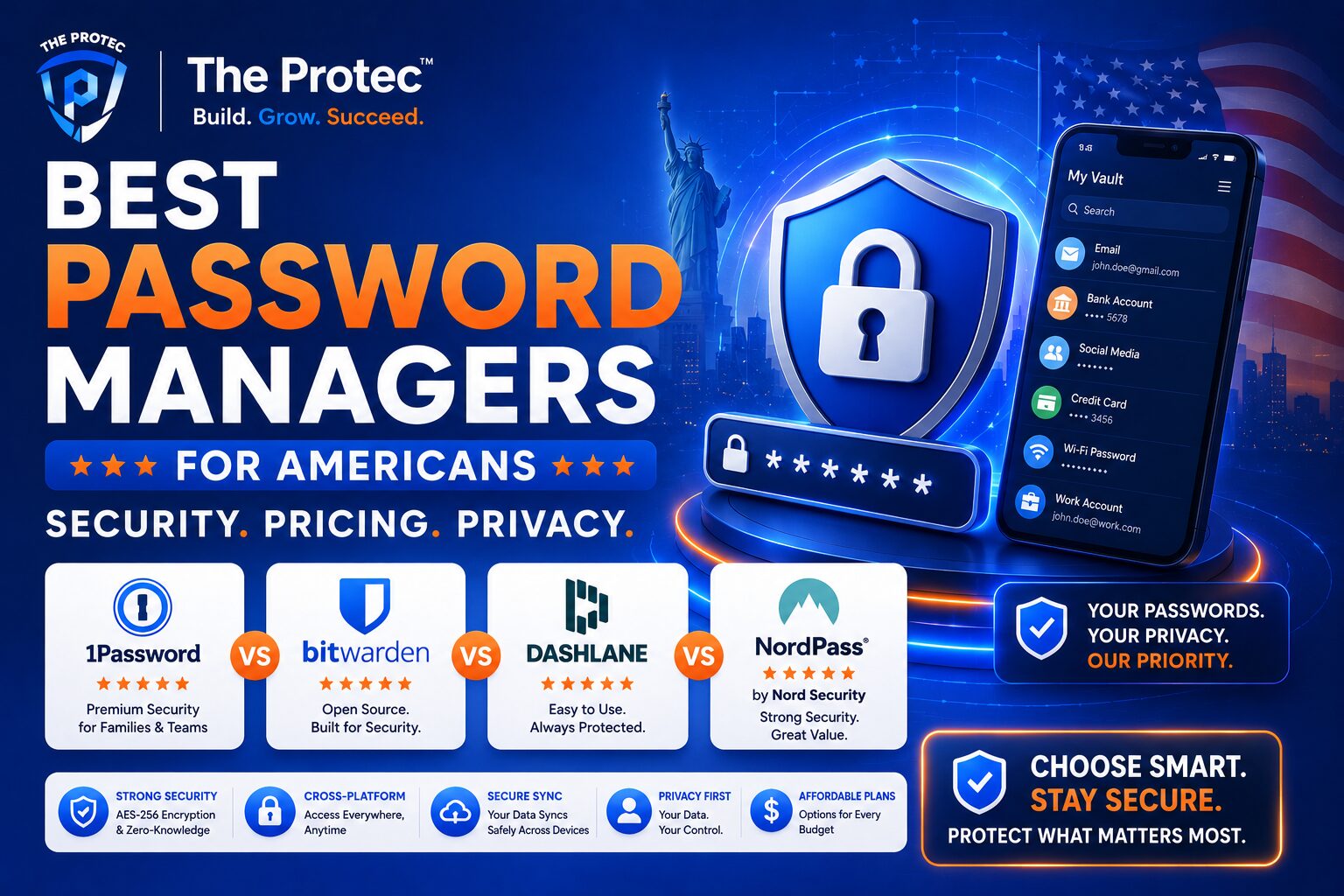
Below is a practical comparison of leading options Americans should consider when shopping for the best password manager 2026. The best choice depends on whether you value simplicity, advanced security, family sharing, or business administration.
- 1Password — best overall balance of security, usability, and team features
- Bitwarden — best value for privacy-focused individuals and businesses
- Dashlane — strong premium option with excellent monitoring tools
- Keeper — robust security and enterprise-focused controls
- NordPass — simple interface and strong zero-knowledge security
- RoboForm — affordable, reliable form-filling and password storage
- Proton Pass — privacy-first option for users who prefer encrypted ecosystems
1Password: Best Overall for Security and Ease of Use
1Password remains one of the strongest choices for Americans who want a polished experience without sacrificing serious security. It is widely respected for its clean interface, strong encryption model, and useful extras like Travel Mode, watchtower-style alerts, and excellent family and business features.
For individuals, 1Password is especially appealing if you want a password manager that feels intuitive on desktop and mobile. For businesses, it offers team vaults, access control, and user management tools that scale well. It also supports passkeys, making it more future-ready as websites move away from passwords alone.
Security highlights: zero-knowledge architecture, strong encryption, passkey support, two-factor authentication, breach alerts, and secure sharing.
Pricing: typically positioned as a premium service. It is not the cheapest option, but many users feel the interface and features justify the price.
Privacy notes: 1Password has a strong reputation for security design and transparency. Still, users who are highly privacy-sensitive should review the latest policy details and account-recovery flow before committing.
Bitwarden: Best Value for Privacy-Conscious Users
Bitwarden is one of the most popular choices among security-minded Americans because it combines a generous free plan, affordable paid tiers, and open-source trust signals. If you want a password manager USA users often recommend for value, Bitwarden is hard to beat.
Its open-source client code has earned it a loyal following among developers, IT teams, and privacy advocates. It also offers self-hosting for organizations that want more control, which is a major advantage for businesses with strict compliance requirements or internal infrastructure preferences.
Security highlights: zero-knowledge encryption, passkey support, multi-factor authentication, secure sharing, vault health reports, and self-hosting options.
Pricing: one of the best price-to-feature ratios in the category. Its free plan is useful for individuals, and premium and business tiers remain budget-friendly.
Privacy notes: Bitwarden is especially attractive for users who prefer open-source software and strong transparency. It is a top pick for privacy-conscious Americans who do not want to overpay for solid protection.
Dashlane: Best for Premium Features and Monitoring
Dashlane is a premium secure password app that stands out for combining password management with identity protection-style features. It has long been known for a smooth user experience, password health insights, and useful alerts that help users clean up weak or reused credentials.
Dashlane is a strong option for people who want more than a vault. Some plans include dark web monitoring and additional security tools that can be valuable for high-risk users. Businesses may appreciate its admin and deployment tools, especially for smaller teams that want a manageable rollout.
Security highlights: zero-knowledge encryption, passkey support, security dashboard, breach monitoring, and encrypted sharing.
Pricing: generally more expensive than value-focused competitors. It targets users who want premium convenience and monitoring.
Privacy notes: Dashlane is well regarded, but privacy-focused buyers should compare its data-handling practices with more minimal or open-source alternatives if data collection is a major concern.
Keeper: Strong Choice for Businesses and Advanced Security
Keeper is especially strong for businesses, administrators, and security-focused households that want more granular control. It is one of the better-known secure password apps for organizations because it offers enterprise-grade features without being overly difficult to deploy.
Keeper’s strength lies in its administrative depth. Businesses can use policy enforcement, role-based access, reporting, and secure record storage. Individuals also benefit from strong vault security and features like breach monitoring and encrypted file storage.
Security highlights: zero-knowledge encryption, passkey support, security audit tools, secure file storage, advanced admin controls, and multi-factor authentication.
Pricing: competitive for teams, though some advanced features may push costs higher depending on the plan.
Privacy notes: Keeper has a strong security-first brand. For regulated businesses, it is worth reviewing compliance needs and admin configuration options carefully.
NordPass: Simple, Secure, and Easy to Adopt
NordPass is a good fit for Americans who want a simpler user experience and are already familiar with the Nord family of privacy and security tools. It is designed to be easy to use across devices and offers modern features without overwhelming new users.
It is especially appealing to people who want a straightforward password manager USA solution with strong basics, passkey support, and family or business options. The interface is clean, and setup tends to be fast, which makes it easier for less technical users to get started.
Security highlights: zero-knowledge architecture, passkey support, autofill, breach monitoring, and multi-factor authentication.
Pricing: usually mid-range, with paid plans that sit between budget and premium competitors.
Privacy notes: NordPass is a respectable choice for privacy-aware users, but anyone comparing the best password manager 2026 should still look closely at the company’s data retention policies and feature limitations on lower-tier plans.
RoboForm: Best for Affordable Password Storage and Form Filling
RoboForm has been around for years and remains a practical choice for users who care about dependable password storage and excellent form-filling. While it may not have the buzz of newer products, it is still relevant because it performs the core job well at a low price.
For Americans who want a budget-friendly option, RoboForm is worth considering. It may be especially useful for people who manage many online forms, shopping accounts, or routine logins and want an app that minimizes friction.
Security highlights: strong encryption, password auditing, secure sharing, and multi-device access.
Pricing: typically one of the lower-cost paid options, making it appealing for individuals and families who want basics done well.
Privacy notes: It is a solid functional choice, though privacy-first buyers may prefer a more modern transparency posture or open-source alternative.
Proton Pass: Privacy-First Password Management
Proton Pass is one of the most compelling secure password apps for users who prioritize privacy above all else. Built by the team behind Proton’s encrypted services, it fits naturally for people already using privacy-oriented tools for email, cloud storage, or VPN protection.
Its biggest draw is trust alignment. If you want a provider that lives and breathes privacy, Proton Pass offers a strong fit. It is particularly attractive for journalists, activists, small businesses with sensitive information, and anyone who is wary of ad-driven ecosystems.
Security highlights: end-to-end encryption, passkey support, secure sharing, password generation, and identity masking features in some plans.
Pricing: competitive, with free and paid options that make it accessible to individuals and small teams.
Privacy notes: Proton’s reputation is one of the strongest in the privacy space. For users who want encrypted services across the board, this is one of the best options to evaluate.
Pricing Comparison: What Americans Can Expect to Pay
Price matters, but it should not be the only deciding factor. A password manager that is cheap but hard to use often gets abandoned, which leaves accounts exposed. Still, Americans have a wide range of budgets, so pricing deserves a close look.
- Best free value: Bitwarden
- Best premium all-around: 1Password
- Best premium monitoring package: Dashlane
- Best business controls: Keeper
- Best privacy-first ecosystem: Proton Pass
- Best simple mid-range option: NordPass
- Best low-cost legacy-style option: RoboForm
For most households, the sweet spot is a paid plan that includes unlimited password storage, passkey sync, and breach alerts. For businesses, the price difference between tiers is usually justified by the value of centralized access control, onboarding tools, and audit logs.
Privacy Comparison: Which Tools Collect the Least?
Privacy-conscious Americans should not assume every password manager is equally discreet. Some services collect more diagnostic data, while others minimize metadata and emphasize encrypted-by-default design. The most privacy-friendly approach is usually a zero-knowledge architecture paired with limited telemetry, transparent policies, and no ad-based business model.
In broad terms, Bitwarden and Proton Pass are often preferred by privacy-focused buyers because they align strongly with transparency and minimal data exposure. 1Password, Keeper, NordPass, Dashlane, and RoboForm all offer encryption and strong security, but the right fit depends on how comfortable you are with the company’s ecosystem, policy language, and feature set.
If privacy is your top priority, read the provider’s documentation on account recovery, analytics, support access, and device sync. A password manager should protect your secrets without becoming another source of unnecessary data collection.
Best Password Manager for Different Types of Users
For individuals
Bitwarden is the strongest value pick, especially if you want robust security without a high subscription cost. 1Password is the best choice if you want a premium experience and are willing to pay more for convenience.
For families
1Password and NordPass both do well for family sharing, while Bitwarden can also be excellent for budget-conscious households. Look for easy shared vaults and simple recovery options.
For small businesses
Keeper, 1Password, and Bitwarden are especially strong. Businesses should prioritize admin controls, onboarding, role-based access, and secure sharing.
For privacy advocates
Bitwarden and Proton Pass are the leading contenders. If open-source transparency matters most, Bitwarden is hard to ignore. If you want privacy across a broader suite of services, Proton Pass is compelling.
How to Choose the Right Secure Password App
The best password manager 2026 is the one you will actually use consistently. That means the right balance of security, usability, price, and trust. Start by identifying your primary need: better personal security, family sharing, business governance, or privacy-first design.
- If you want the easiest premium experience, choose 1Password.
- If you want the best free and affordable option, choose Bitwarden.
- If you want premium extras and alerts, choose Dashlane.
- If you need business-grade admin tools, choose Keeper.
- If you want privacy-first alignment, choose Proton Pass.
- If you want straightforward usability, choose NordPass.
- If you want low-cost dependable basics, choose RoboForm.
Also consider whether the app supports passkeys, because passwordless authentication is becoming more common across major sites and services. The best tools today are already adapting to that shift, and your choice should not leave you stuck with a product that feels outdated in a year or two.
Final Verdict: The Best Password Manager for Americans
There is no single winner for every American user, but a clear pattern emerges. For most people, 1Password offers the best overall experience. For privacy-conscious users and cost-sensitive households, Bitwarden is the standout. For premium monitoring and strong polish, Dashlane is a strong contender. For businesses, Keeper deserves serious attention. For users who want a privacy-first ecosystem, Proton Pass is especially appealing.
The biggest mistake is not choosing the “wrong” brand; it is not choosing one at all. Password reuse and weak credential habits remain among the easiest ways for attackers to break into accounts. A trusted password manager USA users can rely on is one of the simplest ways to reduce that risk.
In 2026, the best secure password apps are the ones that combine encrypted storage, passkey readiness, strong privacy practices, and flexible pricing. If you pick a tool that fits your life now and can scale with your needs, you will be in a much better position as online authentication continues to evolve.
FAQ
What is the best password manager for Americans?
For most Americans, 1Password is the best overall choice because it balances security, usability, and family or business features. Bitwarden is the best value option for privacy-focused users.
Are password managers safe to use?
Yes, reputable password managers are generally far safer than reusing passwords or saving them in browsers or notes apps. Choose one with strong encryption, two-factor authentication, and a zero-knowledge design.
Which password manager is best for privacy?
Bitwarden and Proton Pass are often the top picks for privacy-conscious users. Bitwarden is known for open-source transparency, while Proton Pass appeals to users who want a privacy-first ecosystem.
Do businesses need a different password manager than individuals?
Often, yes. Businesses usually need admin controls, team vaults, onboarding tools, and audit logs. Keeper, 1Password, and Bitwarden Business are strong options for organizations.
Should I choose a password manager with passkey support?
Yes. Passkey support is increasingly important because more websites are adopting passwordless login methods. A password manager that supports passkeys is better prepared for future authentication changes.
External references: For more on passkeys and modern authentication, see the FIDO Alliance at fidoalliance.org. For guidance on password practices and account security, the CISA website at cisa.gov is also useful.