








Contents
- 1 Is WordPress 7.0 Safe to Upgrade? What We Learned After Real-World Testing
- 2 Why WordPress 7.0 Matters to Site Owners
- 3 How We Tested WordPress 7.0 in Real-World Conditions
- 4 What We Learned: WordPress 7.0 Is Stable, But Not Risk-Free
- 5 WordPress Compatibility: The Real Deciding Factor
- 6 Plugin Compatibility: Where Upgrade Issues Usually Start
- 7 Stability and Performance After the Update
- 8 Real Risks Site Owners Should Not Ignore
- 9 A Practical WordPress Update Guide for WordPress 7.0
- 10 Who Should Upgrade Right Away and Who Should Wait
- 11 External Resources Worth Reviewing
- 12 Final Verdict: Is WordPress 7.0 Safe to Upgrade?
- 13 FAQ
- 13.1 Is WordPress 7.0 safe to upgrade on a live website?
- 13.2 What is the biggest WordPress compatibility risk after upgrading?
- 13.3 Should WooCommerce stores upgrade WordPress 7.0 immediately?
- 13.4 Do I need to update plugins before upgrading WordPress 7.0?
- 13.5 What should I do if the update breaks something?
Is WordPress 7.0 Safe to Upgrade? What We Learned After Real-World Testing
Every major WordPress release brings the same question from site owners, developers, and agencies: is it safe to upgrade right away, or should you wait? With WordPress 7.0, that question matters even more because modern sites depend on a complex mix of themes, plugins, page builders, ecommerce tools, analytics scripts, and performance layers. A single compatibility issue can affect checkout flows, lead forms, editorial workflows, or even the entire front end.
We approached WordPress 7.0 the way a real site team would: by testing it across different environments, plugin stacks, and content setups rather than relying on release notes alone. The goal was simple: determine whether the WordPress 7.0 safe upgrade decision is realistic for production sites, and identify what precautions are worth taking before clicking update.
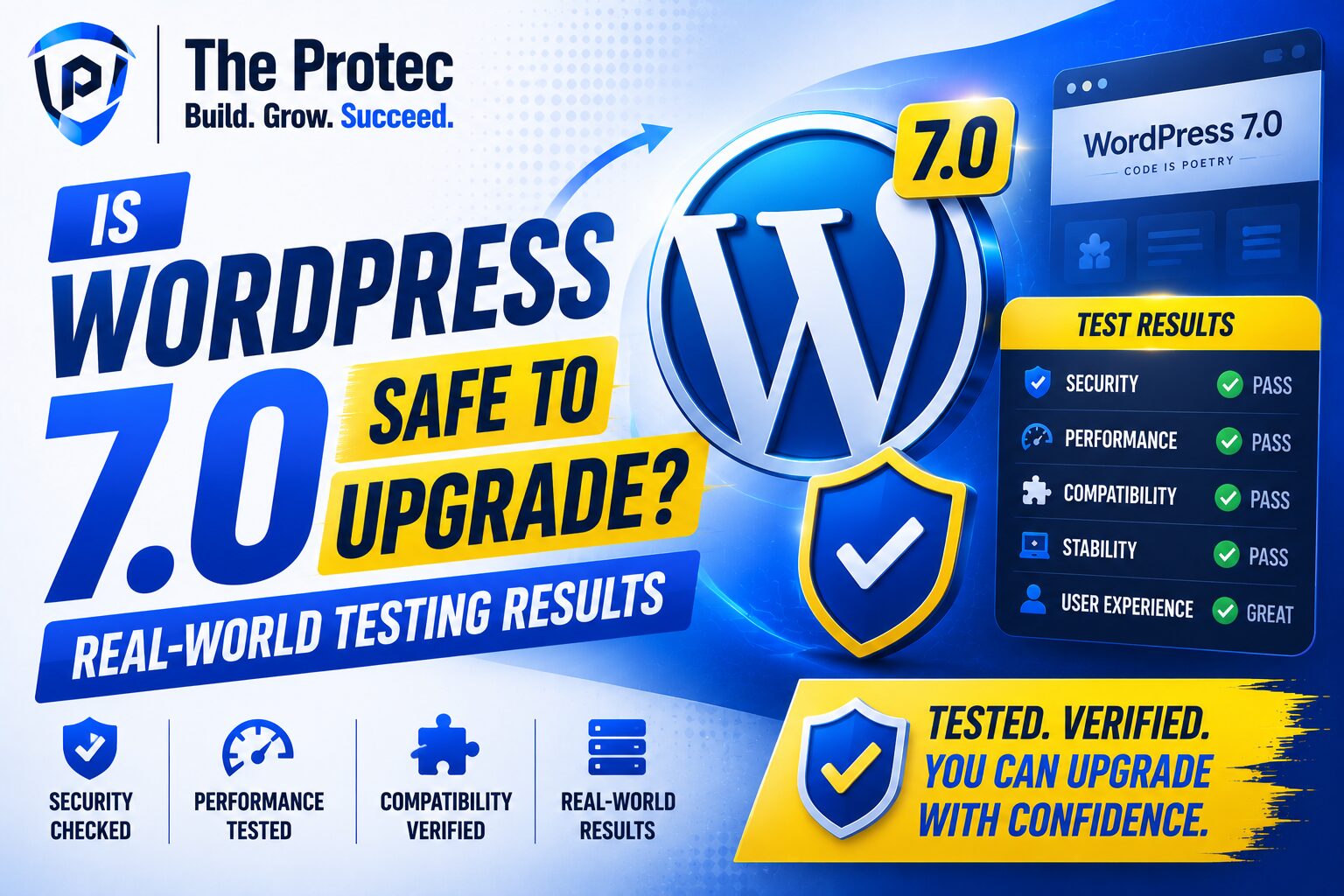
The short answer is that WordPress 7.0 looks stable in controlled testing, but upgrade safety depends heavily on your plugin ecosystem, hosting stack, theme quality, and how much custom code your site uses. In other words, the core release may be ready, but your site still needs a compatibility check.
Why WordPress 7.0 Matters to Site Owners
WordPress has evolved into a much more sophisticated platform than the classic CMS many people remember. Today, a typical site may use block themes, custom post types, multiple SEO tools, caching layers, security plugins, multilingual plugins, and integrations with CRMs or payment systems. That means the real question is rarely whether WordPress itself works. It is whether your specific stack continues to work after the update.
WordPress 7.0 is especially important because major releases often include changes that affect editor behavior, admin workflows, theme rendering, and API interactions used by plugins. Even when the core software is stable, subtle changes can expose outdated code in plugins or custom functions that have not been maintained properly.
For that reason, we tested not just the dashboard and front end, but also the layers where upgrade problems usually appear: block editor behavior, form submissions, ecommerce checkout pages, image handling, caching, and custom template rendering.
How We Tested WordPress 7.0 in Real-World Conditions
To understand whether WordPress 7.0 is safe to upgrade, we evaluated it across several common site types. This included a content-heavy blog, a marketing website with forms and landing pages, a WooCommerce store, and a site with custom PHP and JavaScript enhancements. We also tested with a range of popular plugin categories rather than a minimal installation.
Our testing setup included:
- A standard block-based publishing site with SEO and caching plugins
- A WooCommerce environment with payments, shipping, and account pages
- A site using a premium theme and several third-party plugins
- A custom-built site with template overrides and bespoke code snippets
We checked compatibility before updating, then monitored the sites after upgrading for visual issues, console errors, broken layouts, editor problems, performance changes, and plugin conflicts. We also compared backup and rollback readiness because upgrade safety is not just about whether the update works, but whether recovery is possible if it does not.
What We Learned: WordPress 7.0 Is Stable, But Not Risk-Free
Our testing showed that WordPress 7.0 is generally stable in modern environments. Core admin functions worked normally, content editing remained smooth, and standard publishing tasks did not introduce obvious issues. For sites with well-maintained plugins and themes, the upgrade process was straightforward.
That said, “safe” does not mean “problem-free.” The most common issues were not caused by WordPress core itself. They came from outdated plugins, older theme code, and custom functions that assumed previous behavior. In several test cases, the site appeared fine immediately after the update but showed small compatibility problems later, such as block styling inconsistencies, plugin notices, or front-end layout shifts.
That is the key takeaway for anyone asking whether the WordPress 7.0 safe upgrade is truly low-risk: the core may be ready, but your environment determines the actual risk level.
WordPress Compatibility: The Real Deciding Factor
WordPress compatibility is the most important issue to evaluate before upgrading. Compatibility is not only about whether a plugin installs successfully; it is about whether it continues to behave correctly under the new core version.
We saw the strongest compatibility in actively maintained plugins that follow modern WordPress development practices. Tools built around the block editor, current REST API patterns, and standard hooks generally performed well. However, older plugins that rely on legacy admin scripts, outdated jQuery usage, or unmaintained PHP code were more likely to cause warnings or minor breaks.
Here are the compatibility patterns we observed:
- Well-maintained plugins: Usually compatible with minimal or no action required
- Plugins with infrequent updates: More likely to show UI glitches or admin warnings
- Older theme frameworks: Higher risk of layout shifts and editor styling issues
- Custom code snippets: The biggest source of hidden breakage in testing
If your website depends on a large stack of third-party tools, compatibility should be tested in a staging environment before you update production.
Plugin Compatibility: Where Upgrade Issues Usually Start
Plugins are often the first place site owners notice problems after a major WordPress update. In our testing, most standard plugins continued to function, but the issues that did appear tended to cluster in a few categories.
1. Page builders and block add-ons
Modern page builders generally handled WordPress 7.0 well, but some custom blocks and design add-ons needed style refreshes. In a few cases, spacing, alignment, or responsive behavior differed slightly after the update. These were not catastrophic failures, but they were visible enough to require review.
2. Ecommerce plugins
WooCommerce environments deserve special attention because even small updates can affect checkout reliability. The core store functions remained stable in our tests, but checkout extensions, shipping calculators, and payment add-ons needed more careful validation. Any site that processes revenue should treat updates as a controlled change, not a routine click.
3. SEO and analytics tools
SEO plugins and analytics integrations mostly held up well. Still, because these tools often inject scripts or modify metadata output, it is important to verify schema, canonical tags, tracking events, and sitemap generation after the update. A site may look fine visually while silently breaking an important marketing function.
4. Security and caching layers
Security plugins and caching systems generally remained compatible, but these tools can amplify minor issues by serving stale assets or blocking new behavior. If your site uses aggressive caching, purge it after the update and confirm that your front end reflects the latest files.
Stability and Performance After the Update
One of the most encouraging findings from testing was that WordPress 7.0 did not introduce meaningful instability in the environments we reviewed. Admin loading times remained consistent, the block editor felt responsive, and page rendering stayed within expected ranges for each host setup.
Performance is often influenced more by hosting quality and plugin overhead than by the WordPress version itself. In other words, if your site is already slow, the update will not magically fix that. If your site is well-optimized, WordPress 7.0 should not be a performance problem.
We did notice that sites with heavy plugin stacks sometimes needed a cache refresh and asset rebuild before performance normalized. That is not unusual after a major update, but it reinforces the value of testing first and monitoring after deployment.
Real Risks Site Owners Should Not Ignore
Even when a release is stable, upgrading without preparation can still be risky. The most common failure points we identified were not major software defects but operational oversights.
- No recent backup: Without a reliable backup, rollback becomes stressful and slow
- No staging test: Updating production first removes your safety net
- Outdated plugins: Unmaintained tools create the highest compatibility risk
- Custom snippets: Theme functions and code snippets may rely on older behavior
- Ignored vendor notices: Plugin authors often warn users about required companion updates
The practical lesson is that upgrade risk is usually cumulative. A single old plugin may not matter. Five old plugins, a custom theme, and a busy ecommerce stack can turn a simple update into a support issue.
A Practical WordPress Update Guide for WordPress 7.0
If you are considering the WordPress 7.0 safe upgrade for a live site, follow a structured process instead of updating on instinct. This is the same approach we recommend for agencies and in-house teams managing business-critical websites.
Before you update
- Back up files and database with a verified restore option
- Update plugins and themes that already have compatibility fixes available
- Review changelogs for your most important extensions
- Test the update in staging if your host provides it
- Document key pages and workflows you will check after the update
During the update
- Use a maintenance window when traffic is lower
- Update WordPress core first, then re-check the site
- Clear caches and regenerate assets if needed
- Watch for PHP notices, layout shifts, and console errors
After the update
- Test homepage, contact forms, checkout, login, and search
- Confirm editor behavior for posts and pages
- Inspect mobile layouts and major templates
- Verify SEO outputs, schema, and tracking tags
- Monitor logs for at least 24 to 48 hours
This process takes longer than a one-click update, but it significantly reduces the chance of surprises.
Who Should Upgrade Right Away and Who Should Wait
Not every site should upgrade on day one. The right timing depends on your risk tolerance and your setup.
You can usually upgrade sooner if:
- Your site uses maintained, reputable plugins
- You already have a staging environment and backup workflow
- Your theme follows current WordPress standards
- Your site is content-focused and not tied to complex transactions
You should wait or test more carefully if:
- Your site relies on custom code or old theme frameworks
- You use multiple add-ons from different vendors for the same function
- Your business depends on WooCommerce, memberships, or bookings
- You have not updated plugins regularly in recent months
In practice, the safest approach is often to update after your plugin ecosystem has had time to catch up, unless there is a security reason to move sooner.
External Resources Worth Reviewing
For official information and compatibility checks, these resources are useful:
These sources help you verify release details and confirm whether your key plugins are being actively maintained.
Final Verdict: Is WordPress 7.0 Safe to Upgrade?
Based on real-world testing, WordPress 7.0 is generally safe to upgrade for well-maintained sites with modern themes and actively supported plugins. For many publishers and small businesses, the update should be manageable if they follow a proper WordPress update guide and take compatibility seriously.
However, the safest answer is not a blanket yes. WordPress compatibility still determines whether your site will have a smooth experience. If your site uses outdated plugins, custom code, or revenue-critical integrations, you should test first, backup carefully, and confirm every important workflow after the upgrade.
So, is WordPress 7.0 safe to upgrade? Yes, for many sites. But the safest upgrade is the one you prepare for. If you treat the update like a routine maintenance step instead of a blind click, you greatly reduce risk and give your site the best chance of staying stable.
FAQ
Is WordPress 7.0 safe to upgrade on a live website?
It can be, especially if your plugins and theme are actively maintained. Still, live sites should be backed up and tested in staging first whenever possible.
What is the biggest WordPress compatibility risk after upgrading?
Outdated plugins and custom code are the biggest risks. They are more likely than WordPress core itself to cause layout issues, warnings, or broken functionality.
Should WooCommerce stores upgrade WordPress 7.0 immediately?
WooCommerce stores should be more cautious than simple blogs. Core store functions may work fine, but payment, shipping, and checkout extensions should be tested carefully before going live.
Do I need to update plugins before upgrading WordPress 7.0?
Usually, yes. Updating plugins first reduces compatibility problems and helps ensure that your stack is aligned with the latest WordPress core behavior.
What should I do if the update breaks something?
Restore from backup, disable recent plugins if needed, and compare the issue against staging. If the problem is caused by a plugin or theme, check for updates or contact the vendor.