








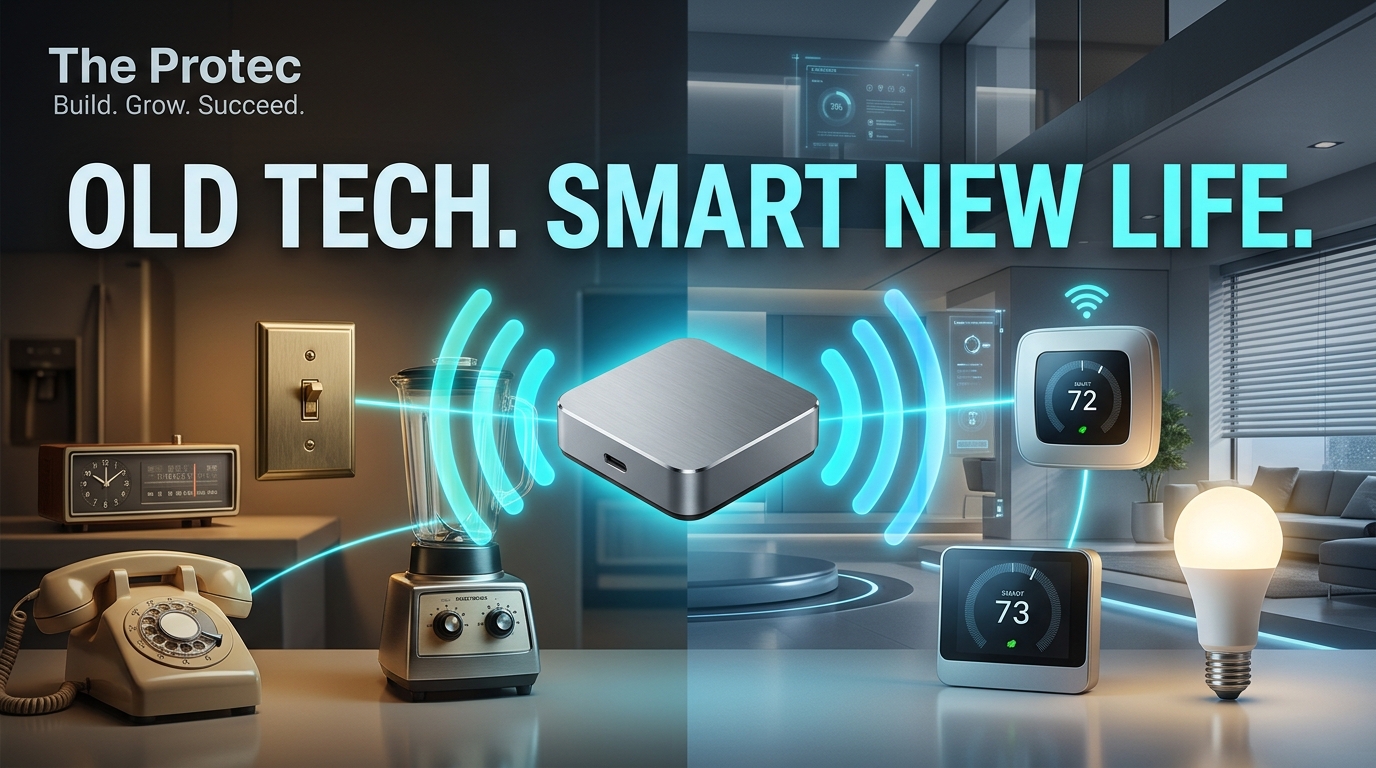
Perfectly usable stereos, televisions and home systems often get left behind because they lack modern networking, not because their core hardware has failed. Launched by Nabu Casa on November 11, 2026, Home Assistant Connect AUX-2 is a $69 device designed to close that gap. It gives Home Assistant a practical way to reach older audio equipment, RS-232 devices, USB accessories and nearby Bluetooth products without making each one dependent on a vendor cloud.
AUX-2 combines lossless audio output, two serial ports, USB host connectivity, Ethernet, Power over Ethernet, Wi-Fi, Bluetooth proxy functionality and an expansion connector in one compact unit. For existing Home Assistant users, its appeal is straightforward: reuse good hardware, place connectivity where it is needed and keep more automation under local control.
What Is Home Assistant Connect AUX-2?
Home Assistant AUX-2 is a multipurpose connection point for equipment that cannot communicate directly with a Home Assistant server. Nabu Casa built it around an ESP32-S3 processor running ESPHome, the open-source framework already used by many Home Assistant devices. It communicates with Home Assistant through an encrypted connection.
The hardware includes:
- Lossless analog and optical digital audio outputs
- Two RS-232 serial ports
- A USB-A host port for supported accessories and adapters
- Bluetooth proxy functionality
- A Grove expansion connector
- Ethernet with Power over Ethernet
- USB-C power
- 2.4 GHz Wi-Fi
That collection makes AUX-2 more flexible than a conventional audio streamer or single-purpose serial bridge. It can sit beside an entertainment system, inside a network cabinet or near equipment located far from the main Home Assistant server. Ethernet and PoE are particularly useful in places where stable wireless coverage or a convenient power outlet is unavailable, while USB-C and Wi-Fi support simpler installations.
According to the official Nabu Casa hardware page, the device costs $69 in the United States and €59 in Europe.
What Can AUX-2 Do With Old Audio Equipment?
One of the clearest use cases is turning an older stereo, powered speaker system or AV receiver into a connected audio endpoint. AUX-2 supplies lossless analog and optical audio output, allowing it to feed equipment that already has a compatible input.
When used with Home Assistant Music Assistant, an existing stereo can become part of a synchronized multiroom speaker group. A well-built amplifier from years ago can therefore play alongside newer networked speakers without being replaced merely to gain streaming support. Automations could start a playlist in the kitchen, include the living-room receiver in a whole-home group or select music when a household routine begins.
There are two important limitations. First, AUX-2 provides audio output, not audio input. It cannot capture sound from a turntable, tape deck or television and send that audio back into Home Assistant. Second, it does not contain a power amplifier. Passive speakers still need an amplifier or receiver between them and AUX-2.
Its role is best understood as a local, Home Assistant-aware source component. It adds streaming and automation to audio hardware rather than replacing the equipment responsible for amplification and speaker output.
Can It Control TVs and AV Receivers Without the Internet?
Many televisions, projectors and AV receivers include an RS-232 control interface, especially professional displays and higher-end home theater components. Home Assistant Connect AUX-2 has two RS-232 ports, so compatible equipment can receive commands without relying on an internet-connected manufacturer app.
Depending on the device and its Home Assistant integration, serial control may cover power, volume, mute, source selection or other documented commands. This can be more dependable than cloud control because commands remain on the local network and do not depend on an external account or service remaining available.
However, the presence of an RS-232 socket does not guarantee compatibility. AUX-2 only controls serial devices supported by an appropriate Home Assistant integration. Owners should check the integration documentation for their exact model, required cable wiring and available commands before purchasing hardware for this purpose.
How Does Its RS-232 and Modbus Support Work?
The two built-in serial ports cover direct RS-232 equipment, but the USB-A host port broadens the possibilities. By connecting a compatible USB-to-RS485 adapter, AUX-2 can provide a remote connection point for Modbus equipment such as solar inverters, battery systems, heat pumps, ventilation units and climate controllers.
This arrangement solves a common installation problem. Energy and HVAC equipment may be in a garage, utility room or plant area, while the Home Assistant server is elsewhere. Instead of moving the server or running a long USB cable, AUX-2 can sit near the equipment and carry data back over Ethernet or Wi-Fi.
The device does not automatically make every Modbus or serial product work. Users still need a compatible adapter, correct bus wiring, the equipment manufacturer’s register information and a suitable Home Assistant integration or configuration. AUX-2 supplies the physical and network bridge; it does not remove the protocol-specific setup required by Home Assistant serial devices.
The Grove connector also leaves room for supported expansion hardware. That fits the broader ESPHome hardware model, although buyers should base a project on confirmed component support rather than assuming every Grove module will work automatically.
Can AUX-2 Extend Z-Wave and Bluetooth Coverage?
Yes, and this may be as valuable as its audio features. AUX-2 operates as a Home Assistant Bluetooth proxy, forwarding Bluetooth Low Energy communication between nearby devices and Home Assistant. Placing it near distant locks, sensors, plant monitors or other Bluetooth accessories can fill coverage gaps without relocating the server.
Its USB host port can also move a Home Assistant Connect ZWA-2 Z-Wave adapter away from the server. Radio adapters often perform better when separated from computers, storage devices, metal cabinets and other sources of interference. AUX-2 lets users position the ZWA-2 in a more central or radio-friendly location while retaining local smart home control through Home Assistant.
This differs from adding an independent proprietary hub. AUX-2 acts as connected Home Assistant hardware, and its Ethernet, PoE and Wi-Fi options make placement more flexible. PoE is especially attractive for wall-mounted or centrally located installations because one network cable can supply both power and data.
As with any radio installation, AUX-2 cannot guarantee better range by itself. Building materials, interference, device placement and the underlying mesh still affect performance. Its practical advantage is the ability to place Bluetooth and supported USB radios where they can work more effectively.
Does It Support Zigbee and Thread?
Zigbee support is available only as an experimental configuration. A Connect ZBT-2 adapter can be attached to AUX-2 when the Home Assistant installation runs version 2026.11 or later. This setup works with ZHA, Home Assistant’s built-in Zigbee integration; it does not support Zigbee2MQTT through AUX-2.
Thread is not supported. Buyers should not treat AUX-2 as a remote Thread border router or assume that attaching a multiprotocol radio will add Thread functionality.
Z-Wave through Connect ZWA-2 is supported and is the more established remote-radio use case. These distinctions matter because AUX-2 is a versatile bridge, but it is not a universal replacement for every smart home coordinator.
Compatibility Requirements and Practical Limits
Home Assistant 2026.9 or later is required to use AUX-2. Anyone running an older Home Assistant release must update before installation. The main compatibility points are:
- Audio: Output through analog or optical connections; no audio input and no passive-speaker amplification.
- Serial: Two RS-232 ports, limited to devices with suitable Home Assistant integration support.
- Modbus: Possible through a compatible USB-to-RS485 adapter and appropriate configuration.
- Bluetooth: Supported through Bluetooth proxy functionality.
- Z-Wave: Supported with Home Assistant Connect ZWA-2.
- Zigbee: Experimental with Connect ZBT-2, Home Assistant 2026.11 or later and ZHA only.
- Thread: Unsupported.
Nabu Casa’s launch announcement frames the product around a “no device left behind” idea. In practice, success still depends on checking ports, protocols and integrations for the equipment being reused.
How Much Does Home Assistant AUX-2 Cost?
The Home Assistant Connect AUX-2 price is $69 or €59. Whether that is inexpensive depends on the job it will perform. A basic Bluetooth proxy built from a generic ESP32 board can cost less, while a dedicated audio streamer, serial-over-network adapter, PoE splitter and remote USB solution purchased separately can quickly exceed the AUX-2 price and create a more complicated installation.
The strongest value comes from combining functions. A user might add Music Assistant streaming to a receiver, control that receiver over RS-232 and improve Bluetooth coverage from the same box. Another installation could use PoE to connect a solar inverter through RS485 while hosting a remotely positioned Z-Wave adapter.
Replacing existing equipment can be far more expensive. A capable amplifier or display may continue to perform its main job well even if its original “smart” software is outdated. AUX-2 offers a way to modernize the connection layer without discarding the larger device.
There are cases where separate hardware remains preferable. A single Bluetooth sensor may not justify $69, and a user who only needs music playback could choose a dedicated streamer with a different feature set. AUX-2 is also less relevant to households that do not already use Home Assistant, because it is designed as part of that ecosystem rather than as a standalone consumer bridge.
Is Home Assistant Connect AUX-2 Worth Buying?
For established Home Assistant users with older audio gear, serial-controlled equipment or connectivity problems, the price is reasonable. The combination of audio, RS-232, USB host, Bluetooth proxy, PoE and Wi-Fi reduces the need to assemble several bridges and adapters. Local communication and an encrypted Home Assistant connection also support smart home privacy better than adding another vendor cloud.
It makes the most sense for home theater owners, Music Assistant users, energy-monitoring enthusiasts and anyone whose Home Assistant server is poorly positioned for Bluetooth or Z-Wave. It is also attractive when valuable equipment remains functional but has outdated or unreliable network features.
Skip it if you need audio input, an amplifier for passive speakers, Thread support, Zigbee2MQTT hosting or control of an unsupported serial product. Users looking for a completely standalone audio streamer should also consider whether Home Assistant dependence matches their needs.
AUX-2 is not intended to make every old device smart. Its value lies in giving compatible hardware a local, adaptable route into an existing Home Assistant system—and potentially keeping useful equipment in service for much longer.
Frequently Asked Questions
Does AUX-2 work without an Ethernet connection?
Yes. It supports 2.4 GHz Wi-Fi and can be powered through USB-C. Ethernet is optional, although wired networking and Power over Ethernet may provide a cleaner and more stable installation.
Can Home Assistant AUX-2 power passive speakers?
No. AUX-2 outputs analog or optical audio but does not amplify it. Passive speakers require a separate amplifier or AV receiver.
Can AUX-2 receive audio from a television or turntable?
No. Its audio connections are outputs rather than inputs. It can send streamed audio to compatible equipment but cannot capture an external audio source.
Can it host a Z-Wave or Zigbee adapter?
Connect ZWA-2 is supported for Z-Wave. Connect ZBT-2 support is experimental, requires Home Assistant 2026.11 or later and works with ZHA rather than Zigbee2MQTT. Thread is unsupported.
Will every RS-232 device work with AUX-2?
No. The device must have serial control supported by a Home Assistant integration, and users may need the correct cable, communication settings and model-specific configuration.