








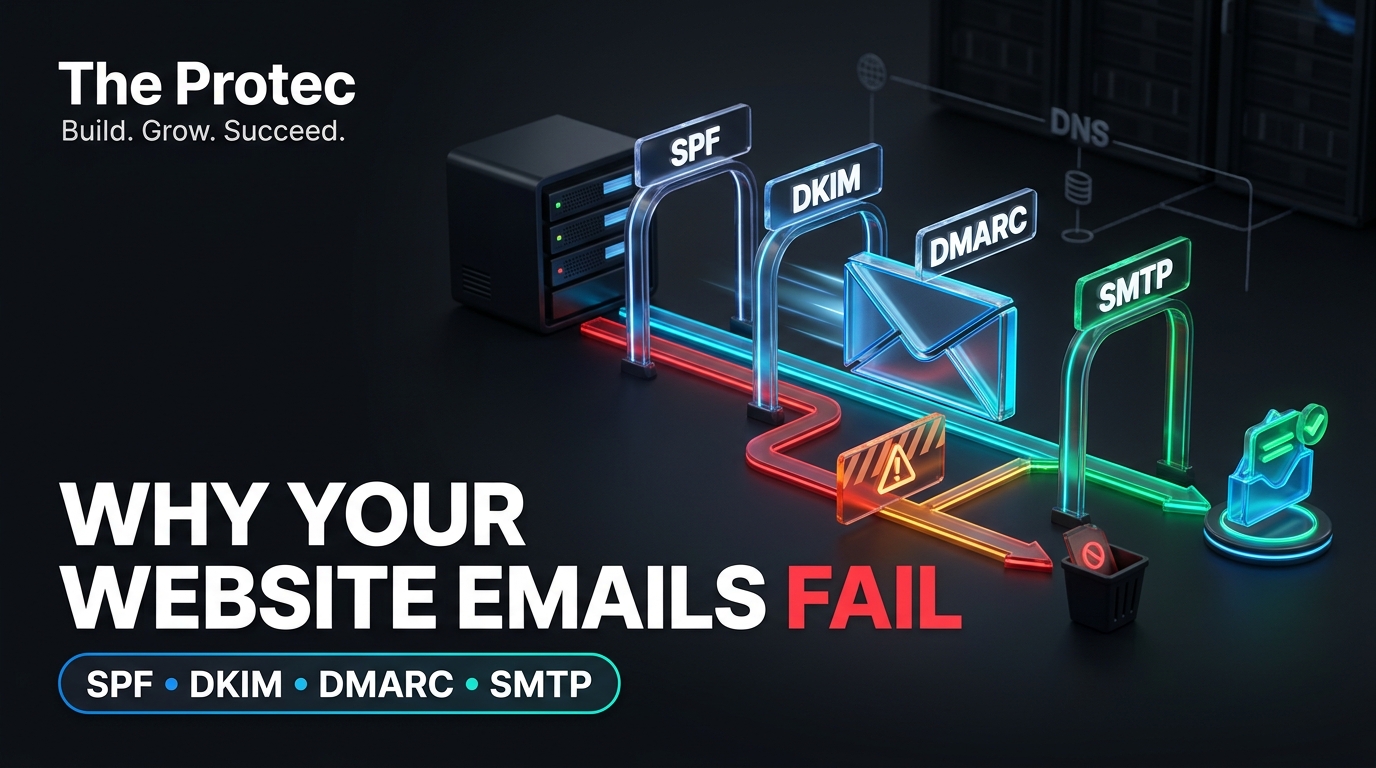
A contact form says a message was sent, yet nothing arrives. Password resets disappear, order confirmations land in spam, and Gmail may reject the mail outright. These failures are rarely random: reliable website email deliverability depends on how a message is sent, whether the domain is authenticated, and the reputation of the sending infrastructure.
The practical solution is to stop treating email as a simple server function. Website-generated messages need an authenticated transport, correct DNS records, a trustworthy sender identity, and ongoing monitoring. This guide explains how those pieces fit together for WordPress and custom PHP applications.
Why website emails go to spam or fail completely
Mailbox providers evaluate more than the message content. They examine the sending IP, domain history, authentication results, complaint rates, message structure, encryption, and whether the visible sender matches the authenticated identity.
A website email can fail at several points:
- The application never sends it. A form error, blocked server function, queue failure, or invalid SMTP configuration stops the message locally.
- The receiving server rejects it. Common causes include failed authentication, poor IP reputation, invalid DNS, rate limits, or a nonexistent recipient.
- The message is accepted but filtered. It reaches the spam folder because its identity, reputation, content, or engagement signals appear risky.
- The recipient provider silently defers it. Temporary 4xx responses may cause delayed delivery or eventual failure if retries are exhausted.
The exact SMTP response and message headers usually reveal which stage failed. A WordPress “sent” notice only means the site handed the message to its mail function; it does not confirm inbox delivery.
PHP mail, SMTP, and transactional email services compared
PHP mail
PHP’s mail() function passes a message to the server’s local mail transfer agent. It does not itself provide authentication, DKIM signing, bounce processing, or delivery reporting. A properly managed server can add those features, but inexpensive shared hosting often uses generic infrastructure with uneven reputation.
This is why “WordPress email not sending” frequently appears intermittent: the application calls PHP mail successfully, while the receiving provider distrusts or rejects the resulting message.
Authenticated SMTP
SMTP lets the application log in to an authorized mail server, usually over TLS on port 587. Correct SMTP configuration provides a controlled sending route and typically enables DKIM signing, consistent bounce handling, and traceable delivery logs. Port 465 may also be supported for implicit TLS; follow the service’s documented settings rather than guessing.
Transactional email services
A transactional provider specializes in password resets, receipts, alerts, and form notifications. It may accept mail through SMTP or an HTTPS API and manage queues, retries, DKIM signing, suppression lists, feedback loops, and reputation. An API can be more reliable where a host blocks outbound SMTP ports, although it requires provider-specific integration.
Whichever transport you choose, authentication and domain alignment still matter. Moving to a respected provider does not repair incorrect DNS automatically.
SPF, DKIM, and DMARC in plain English
SPF, DKIM, and DMARC are DNS-based email authentication mechanisms. They answer related but different questions and work best together.
SPF: which servers may send for the domain?
An SPF record is a TXT record listing the systems authorized to use a domain in the SMTP envelope sender, also called the Return-Path or MAIL FROM identity. A simplified SPF record setup might authorize one service and end with -all, which tells receivers that other sources are not permitted.
A domain must have only one SPF record beginning with v=spf1. If multiple services send mail, combine their mechanisms into that single record. Publishing two competing SPF records causes a permanent error. SPF also has a limit of 10 DNS-querying mechanisms during evaluation, so stacking many include entries can produce a failure.
DKIM: was the message signed and left intact?
DKIM adds a cryptographic signature to the message. The sending service holds the private key, while a public key is published in DNS under a selector such as selector1._domainkey.example.com. The receiver uses that key to confirm that an authorized system signed the message and that signed content was not altered in transit.
DKIM signature failures can result from an incorrect selector, missing public key, revoked key, body modification by an intermediary, or signing with the wrong domain. Keys should be rotated according to the sending platform’s guidance.
DMARC: does authentication match the visible From address?
DMARC checks alignment. It asks whether the domain readers see in the From header aligns with either the SPF-authenticated envelope domain or the DKIM signing domain. A message can therefore pass SPF yet fail DMARC if it uses an unrelated From address.
A DMARC TXT record is published at _dmarc.example.com. Its policy can be p=none for monitoring, p=quarantine for suspicious mail, or p=reject for mail that fails. Aggregate reports sent through the rua tag show which systems are using the domain.
Start by inventorying every legitimate sender and reviewing reports under a monitoring policy. Move toward quarantine or rejection only after those sources authenticate and align. DMARC enforcement helps stop domain impersonation, but an incorrect policy can block legitimate website mail.
Common authentication and infrastructure problems
- Conflicting SPF records: Two
v=spf1TXT records cause SPF to return PermError. Merge authorized sources instead of adding another record. - DMARC alignment mistakes: A form uses the visitor’s address in From, while the website sends through its own domain. Use an address on your domain in From and put the visitor’s address in Reply-To.
- Broken DKIM: The application sends through a route that does not sign mail, or DNS contains a stale selector or truncated key.
- Shared hosting reputation: Other customers may damage the shared outbound IP’s reputation. Authenticated transactional infrastructure separates website delivery from the host’s default mail path.
- Missing reverse DNS: The sending IP should resolve through a PTR record to a valid hostname, and that hostname should resolve back appropriately. The IP owner—not a typical website DNS panel—controls the PTR record.
- Unroutable sender addresses: Using addresses such as a nonexistent account can undermine trust and prevent replies or bounce handling.
- Content and list quality: Authentication does not excuse deceptive subjects, broken HTML, unwanted mail, old lists, or high complaint rates.
How to configure authenticated sending
WordPress configuration
- Choose a transactional service or authenticated mailbox that permits application sending.
- Install a reputable SMTP or provider-integration plugin and select SMTP, OAuth, or API authentication as supported.
- Set the From address to a real address on a domain you control. Enforce that address if themes or plugins attempt to replace it.
- Add the exact SPF and DKIM records supplied by the sending platform, then create a DMARC record for your organizational domain.
- Send tests for forms, account creation, password resets, orders, and administrative alerts. Confirm that failures are logged without exposing credentials.
Do not paste an ordinary mailbox password into an abandoned plugin. Prefer OAuth, restricted API keys, or application-specific credentials, and store secrets outside publicly accessible files.
Custom PHP applications
Use a maintained library such as PHPMailer or Symfony Mailer rather than constructing headers by hand. Configure the authenticated host, port, TLS mode, username, and secret through environment variables. Set From to the authenticated domain, use Reply-To for the user’s address, and generate a valid Message-ID.
For higher volumes, use a queue so page requests do not wait for remote delivery. Record the provider’s message ID and SMTP response, process bounces and complaints, and suppress permanently invalid recipients. Never retry a hard 5xx failure indefinitely.
Gmail, Yahoo, and other bulk-sender requirements
Mailbox providers have tightened requirements for higher-volume senders. Google’s current email sender guidelines require baseline authentication for all senders to Gmail accounts. Senders exceeding roughly 5,000 messages per day to personal Gmail accounts must use SPF, DKIM, and DMARC, maintain alignment, support TLS, keep spam rates low, and meet formatting and DNS requirements. Marketing and subscribed messages must also support easy unsubscription, including one-click unsubscribe where required.
Yahoo’s sender guidance similarly expects strong authentication, low complaint rates, valid forward and reverse DNS, and straightforward unsubscribe handling for bulk traffic. Microsoft also applies SPF, DKIM, and DMARC requirements to domains sending more than 5,000 messages daily to its consumer mail services.
These thresholds are not permission to ignore authentication at lower volumes. A small website still benefits from all three controls, and Gmail email rejection can occur below bulk thresholds when identity, reputation, or technical standards are poor.
A practical email delivery troubleshooting workflow
- Confirm application execution. Check form validation, application logs, queues, and plugin logs. Verify that the recipient address is correct.
- Capture the SMTP response. A 2xx response means the next server accepted the message, not that it reached the inbox. A 4xx response is temporary; a 5xx response is a permanent rejection. Read the enhanced status code and accompanying text.
- Inspect DNS independently. Use an email authentication checker or DNS lookup tool to verify the single SPF record, active DKIM selector, DMARC syntax, MX records, and propagation.
- Read the delivered message headers. In the recipient’s “show original” view, find
Authentication-Results,Received-SPF,DKIM-Signature, From, and Return-Path. Look for SPF, DKIM, and DMARC pass or fail results and compare their domains. - Test several mailbox providers. A message reaching one inbox proves little about another provider’s filtering. Test Gmail, Yahoo, Outlook, and a business mailbox without repeatedly sending identical bursts.
- Separate identity from content. First make authentication pass. Then examine links, HTML quality, unsubscribe behavior, recipient consent, complaints, and engagement.
- Review reputation. Use provider postmaster dashboards where your volume qualifies, transactional-service reports, DMARC aggregate data, bounce classifications, and blocklist checks. Investigate sudden changes rather than merely resending.
Protecting domain email reputation
Domain email reputation grows from consistent, wanted, authenticated traffic. Keep transactional and promotional streams separate where practical, remove invalid recipients, honor unsubscribes promptly, protect forms from bot abuse, and avoid sudden volume spikes. Monitor complaint and bounce trends instead of focusing only on opens, which are increasingly unreliable because of privacy features.
BIMI is an optional advanced layer that can display a verified brand logo at supporting mailbox providers. It generally requires DMARC enforcement, a compliant logo, and sometimes a verified certificate. BIMI does not replace SPF, DKIM, or DMARC and is not a direct cure for poor deliverability.
Frequently asked questions
Why does WordPress say an email was sent when it never arrived?
WordPress usually reports that its mail function accepted the request. The message may still be rejected later, filtered as spam, or lost because the local server is misconfigured. SMTP or API logging provides more useful delivery evidence.
Do I need both SPF and DKIM?
Yes. They authenticate different identities and provide redundancy for DMARC. SPF can break during forwarding, while DKIM can survive forwarding if the signed content remains unchanged. Using both is the normal standard.
Can I publish more than one SPF record?
No. A domain must have one SPF record. Combine all authorized services into that record while staying within SPF’s DNS lookup limit.
Will switching to SMTP guarantee inbox placement?
No. Authenticated SMTP fixes many transport and identity problems, but inbox placement also depends on alignment, IP and domain reputation, recipient consent, complaint rates, list quality, content, and provider policies.
Should a contact form use the visitor’s email address as From?
No. That practice commonly breaks DMARC because your server is not authorized to send as the visitor’s domain. Use your own authenticated domain in From and place the visitor’s address in Reply-To.