








Contents
- 1 Why Small Businesses Are Turning to AI to Save Money
- 2 What Makes an AI Tool Worth Paying For?
- 3 Best AI Tools for Small Businesses That Want to Save Money
- 3.1 1. ChatGPT for drafting, support, and internal productivity
- 3.2 2. Microsoft Copilot for document and spreadsheet automation
- 3.3 3. Google Workspace with Gemini for everyday business tasks
- 3.4 4. Zapier AI for affordable workflow automation
- 3.5 5. Notion AI for knowledge management and team organization
- 3.6 6. Canva Magic Studio for faster marketing content
- 3.7 7. Grammarly for communication quality and productivity
- 3.8 8. Intercom Fin for customer support automation
- 3.9 9. HubSpot AI for sales and marketing efficiency
- 3.10 10. QuickBooks with AI features for smarter financial management
- 4 How to Choose the Right AI Tools Without Overspending
- 5 High-ROI AI Use Cases for Small Businesses
- 6 Recommended External Resources
- 7 FAQ: AI Tools for Business on a Budget
- 8 Final Thoughts
Why Small Businesses Are Turning to AI to Save Money
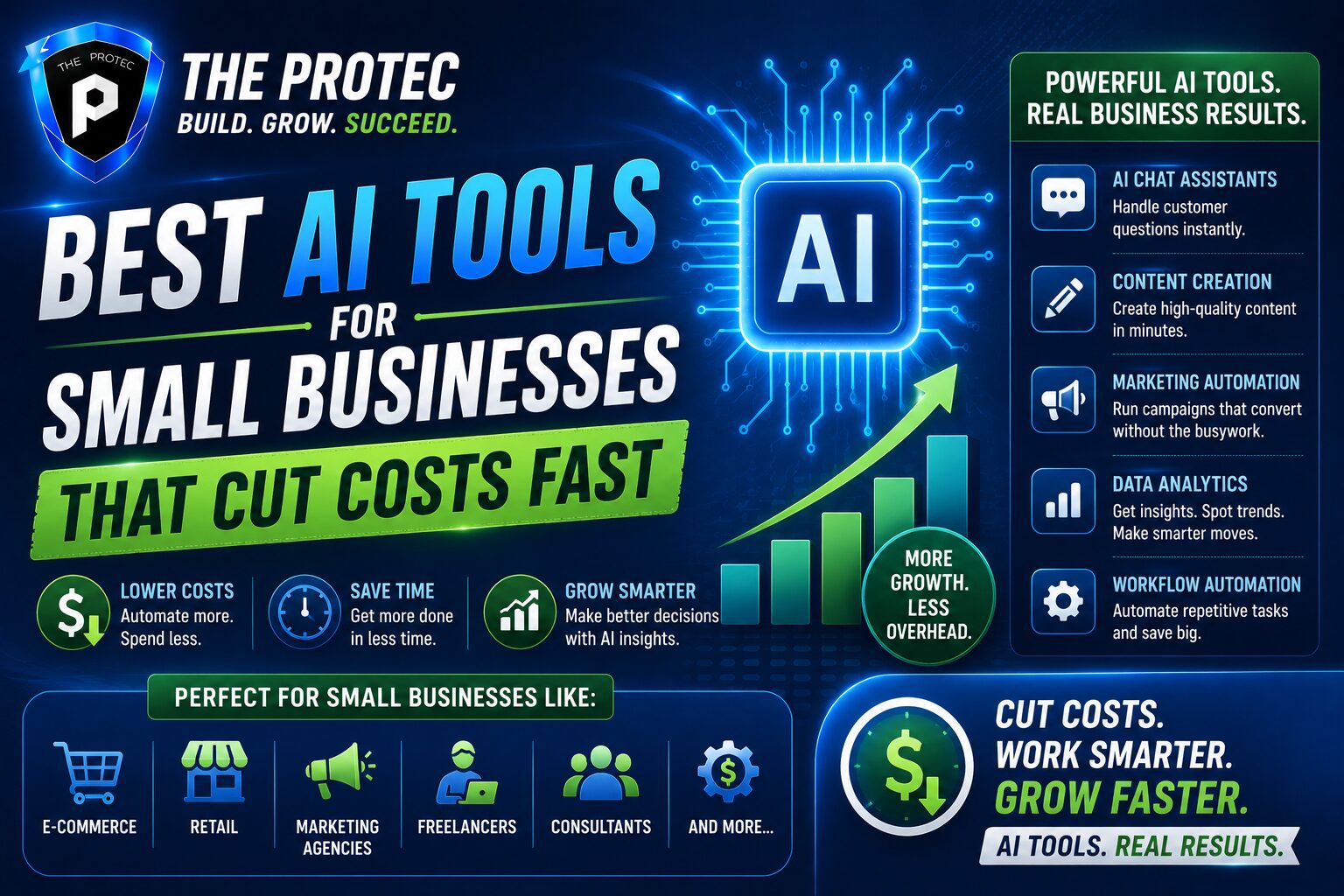
Small businesses are under more pressure than ever to do more with less. Labor costs are high, customers expect faster service, and every software purchase has to justify itself. That is why AI tools for business have moved from “nice to have” to “budget-saving essentials.” The best small business AI software does not just make work easier; it reduces repetitive tasks, shortens response times, improves marketing efficiency, and helps lean teams avoid hiring too early.
In 2026, the strongest business automation AI tools are no longer limited to large enterprises with dedicated tech teams. Affordable subscriptions, no-code workflows, and AI assistants built into everyday platforms have made advanced automation accessible to local service businesses, ecommerce brands, agencies, restaurants, consultants, and professional firms. The opportunity is not to replace people, but to let small teams spend more time on revenue-generating work and less time on admin.
This guide breaks down practical, affordable AI tools that can deliver real return on investment. Instead of focusing on flashy features, the list below emphasizes tools that help small businesses save money quickly through automation, better decision-making, and lower operational overhead.
What Makes an AI Tool Worth Paying For?
Before adding another subscription, it helps to know what actually makes an AI tool cost-effective. The best tools usually meet at least one of these criteria:
- They remove repetitive work such as data entry, scheduling, follow-ups, or report creation.
- They reduce the need for extra hires by allowing existing employees to do more.
- They improve conversion rates through better copy, faster responses, or smarter targeting.
- They cut software sprawl by combining multiple functions into one platform.
- They are easy to adopt without expensive training or technical support.
When evaluating AI tools for business, look beyond the monthly price. A tool that costs $30 per month but saves 10 hours of labor is often a far better investment than one that looks cheaper on paper but barely gets used.
Best AI Tools for Small Businesses That Want to Save Money
1. ChatGPT for drafting, support, and internal productivity
For many small businesses, ChatGPT remains one of the most versatile small business AI software options available. It can help write emails, summarize long documents, create customer replies, draft social posts, generate FAQs, and support internal brainstorming. For teams without a dedicated copywriter or analyst, it can fill a huge gap at a low cost.
The real savings come from time. A small business owner can use it to draft proposals, create first-pass marketing copy, produce meeting agendas, and turn rough notes into polished documents. Customer support teams can also build reply templates and knowledge-base responses faster. When used correctly, ChatGPT acts like a flexible assistant that helps one person do the work of several routine roles without adding headcount.
Best use cases:
- Email drafting and follow-up sequences
- Content outlines and blog first drafts
- Customer service response templates
- Internal SOPs and training materials
2. Microsoft Copilot for document and spreadsheet automation
Microsoft Copilot is a strong choice for businesses already working in Word, Excel, Outlook, and Teams. It brings business automation AI directly into everyday Microsoft apps, making it easier to write documents, summarize meetings, analyze spreadsheets, and handle repetitive office tasks without switching tools.
For small businesses that rely heavily on spreadsheets and email, Copilot can save substantial time. It can help create financial summaries, extract insights from data, generate client-facing documents, and speed up communication workflows. Because it is embedded in tools many teams already use, adoption is often easier than introducing a separate platform.
Best use cases:
- Spreadsheet analysis and reporting
- Meeting notes and action-item summaries
- Proposal and contract drafting
- Inbox management and email replies
3. Google Workspace with Gemini for everyday business tasks
For businesses built around Gmail, Docs, Sheets, and Drive, Google Workspace with Gemini is a practical and affordable upgrade. It supports writing, summarization, document creation, and data organization inside a familiar environment. That reduces training time and improves adoption, which matters when you need savings quickly.
Gemini is especially useful for teams that collaborate in shared documents, manage customer communication through Gmail, and store files in Drive. It can speed up content creation, help organize research, and simplify internal communication. Because the AI is built into the workflow, it reduces the friction that often prevents small teams from using advanced software consistently.
Best use cases:
- Writing and editing business documents
- Summarizing long email threads
- Organizing spreadsheets and notes
- Drafting team updates and customer messages
4. Zapier AI for affordable workflow automation
Zapier has long been a favorite among small businesses for connecting apps, but its newer AI features make automation even more powerful. It allows teams to build workflows that move data between systems, trigger follow-ups, create tasks, and automate repetitive processes with very little technical knowledge.
This is one of the clearest examples of business automation AI delivering ROI. Instead of paying someone to manually copy information from form submissions into a CRM, send reminders, or update project tools, Zapier can do it automatically. That means fewer mistakes, faster response times, and less time spent on administrative work.
Best use cases:
- Lead capture and CRM updates
- Automatic email follow-ups
- Task creation from form responses
- Cross-platform workflow automation
5. Notion AI for knowledge management and team organization
Notion AI is ideal for small businesses that need a simple system for notes, SOPs, project tracking, and internal documentation. Instead of using multiple tools for planning, document storage, and lightweight collaboration, Notion can centralize information and use AI to summarize, rewrite, and organize content.
The money-saving value comes from reducing confusion and lost time. Teams that cannot quickly find policies, project notes, or onboarding instructions waste hours every month. Notion AI helps keep knowledge accessible and searchable, which is especially useful for businesses with lean staff and frequent role overlap.
Best use cases:
- Standard operating procedures
- Employee onboarding docs
- Project planning and task lists
- Internal wikis and meeting notes
6. Canva Magic Studio for faster marketing content
Small businesses often spend too much on design or struggle to produce enough visual content consistently. Canva Magic Studio helps solve that by combining easy design tools with AI features for image generation, resizing, background removal, and content creation. It is one of the most practical AI tools for business owners who need professional-looking assets without hiring a full design team.
Canva is especially valuable for social media posts, flyers, presentations, ad creatives, and brand materials. The time saved can be significant for businesses that run frequent promotions or manage their own marketing. It also reduces dependency on outside designers for simple, recurring tasks.
Best use cases:
- Social graphics and ad creatives
- Sales presentations and pitch decks
- Flyers, menus, and event materials
- Quick brand asset production
7. Grammarly for communication quality and productivity
Grammarly remains one of the simplest ways for small teams to save money on communication cleanup. It improves grammar, tone, clarity, and consistency across emails, documents, and customer-facing messages. While it may seem like a basic tool, its value grows quickly when multiple employees need to communicate professionally without extensive editing support.
For businesses that send a high volume of proposals, customer messages, or internal updates, Grammarly reduces the time spent rewriting unclear content. It also helps maintain a more polished brand voice, which can improve trust and conversion rates. That makes it a low-cost tool with a strong indirect ROI.
Best use cases:
- Professional email writing
- Sales and proposal editing
- Customer support communication
- Brand voice consistency
8. Intercom Fin for customer support automation
Customer support is one of the biggest cost centers for growing small businesses. Intercom Fin helps reduce that burden by using AI to answer common questions, route requests, and support customers around the clock. For businesses with repeat questions about shipping, billing, scheduling, or account access, this can significantly lower support workload.
The savings are especially valuable when customers expect immediate responses. Instead of hiring additional support staff just to handle volume spikes, an AI support layer can resolve common issues instantly and escalate only the complex cases. This makes it easier to scale service without scaling labor costs at the same pace.
Best use cases:
- 24/7 customer support
- FAQ automation
- Ticket routing and triage
- Reducing repetitive support workload
9. HubSpot AI for sales and marketing efficiency
HubSpot has become a strong option for small businesses that want CRM, marketing, and sales automation in one place. Its AI features help generate emails, summarize contacts, score leads, and improve campaign efficiency. For teams that want fewer disconnected tools, HubSpot can reduce software clutter while improving pipeline visibility.
The value of HubSpot AI is not just automation; it is organization. Small businesses often lose opportunities because leads go cold or follow-ups are inconsistent. HubSpot helps structure the sales process, automate nurturing, and improve the way teams manage customer relationships. For companies focused on growth without increasing overhead, that can be a major advantage.
Best use cases:
- Lead management and nurturing
- Automated marketing emails
- Sales pipeline organization
- Campaign content assistance
10. QuickBooks with AI features for smarter financial management
Accounting errors and manual bookkeeping can quietly drain small business resources. QuickBooks’ AI-enhanced features help automate categorization, simplify cash-flow tracking, and reduce the amount of time spent on financial admin. For owners who do not have a full finance team, this can be one of the most practical cost-saving investments available.
Good bookkeeping is not just about staying compliant. It also helps business owners make better decisions faster. By reducing manual entry and giving clearer visibility into expenses, invoicing, and payments, AI-powered accounting software can prevent costly mistakes and improve planning. That makes it a foundational tool for businesses that want to stay lean and financially disciplined.
Best use cases:
- Expense categorization
- Invoice management
- Cash-flow visibility
- Basic financial reporting
How to Choose the Right AI Tools Without Overspending
With so many options available, it is easy to stack up subscriptions that look useful but do not actually save money. To avoid that, start with the business process that costs the most time or labor. If your team spends hours on email, support, content, or lead follow-up, choose a tool that automates that bottleneck first.
Here is a simple way to evaluate AI tools for business before buying:
- Measure the time saved per week or month.
- Compare the tool cost against the value of labor saved.
- Check adoption speed by asking who will use it daily.
- Look for overlap with software you already pay for.
- Start with one workflow before rolling it out broadly.
Many small businesses get the best results by combining a general AI assistant, one automation platform, and one specialized tool for marketing, support, or finance. That approach keeps costs manageable while still delivering meaningful gains.
High-ROI AI Use Cases for Small Businesses
The best ROI often comes from practical, recurring tasks rather than advanced experimentation. These are some of the most profitable ways small businesses use AI today:
- Automating lead capture and follow-up
- Generating first drafts of content and proposals
- Answering common customer questions faster
- Cleaning up spreadsheets and reports
- Creating marketing visuals without outsourcing every task
- Documenting internal processes more efficiently
When these tasks are automated or accelerated, the business saves labor hours, improves response times, and reduces the chance of costly mistakes. That is why the best small business AI software is often the kind that quietly improves daily operations rather than one that promises dramatic transformation.
Recommended External Resources
For businesses comparing options and looking at current product capabilities, these resources are useful starting points:
FAQ: AI Tools for Business on a Budget
What are the best AI tools for business if I have a small budget?
The best budget-friendly options are usually tools that save time in everyday work: ChatGPT, Zapier, Canva, Grammarly, and Google Workspace with Gemini. They are affordable, easy to adopt, and useful across multiple departments.
How do I know if small business AI software is worth the cost?
Track how much time the tool saves and compare that to what employee hours cost. If a tool eliminates repetitive work, improves lead conversion, or reduces the need for outsourcing, it is usually worth the subscription fee.
Can business automation AI really replace hiring more staff?
In some cases, yes. AI can handle repetitive tasks, basic support, simple content creation, and routine data work. That does not replace strategic employees, but it can delay hiring until the business truly needs more human support.
Which AI tool should a small business start with first?
Start with the biggest bottleneck. If your team spends too much time on communication, start with ChatGPT or Grammarly. If work is manual and repetitive, start with Zapier. If customer support is overloaded, consider an AI support tool.
Final Thoughts
Small businesses do not need a huge AI budget to see real savings. The smartest approach is to choose a few high-impact tools that solve specific problems and pay for themselves through time saved, better output, or reduced labor costs. Whether you need help writing, automating, organizing, supporting customers, or managing finances, today’s AI tools for business are more affordable and accessible than ever.
Used strategically, small business AI software can help you operate leaner, respond faster, and make better decisions without sacrificing quality. The businesses that win in the current market are not necessarily the ones using the most tools. They are the ones using the right business automation AI in the right places.