








Contents
- 1 Why AI Coding Assistants Matter More Than Ever
- 2 How We Judge Developer Productivity AI
- 3 GitHub Copilot: Still the Baseline for Everyday Speed
- 4 Cursor: The Best AI Coding Assistant for Agentic Editing
- 5 Claude-Powered Coding Workflows: Best for Reasoning and Clean Edits
- 6 JetBrains AI Assistant: Strong for IDE-Centric Developers
- 7 Amazon Q Developer: Useful for Cloud-Heavy and Enterprise Teams
- 8 What the Benchmarks Usually Reveal
- 9 Which AI Coding Assistant Actually Makes Developers Faster?
- 10 How to Choose the Best Coding AI for Your Team
- 11 External Resources Worth Checking
- 12 FAQ
- 13 Final Verdict
Why AI Coding Assistants Matter More Than Ever
AI coding assistants have moved far beyond autocomplete. The best tools now help developers write functions, refactor legacy code, generate tests, explain unfamiliar repositories, and even debug messy production issues. That shift has made one question matter more than feature lists or marketing claims: which AI coding assistant actually makes developers faster?
For teams under pressure to ship faster without sacrificing quality, the answer is not as simple as picking the most famous tool. A true developer productivity AI must reduce time-to-first-solution, cut context-switching, and fit naturally into daily workflows. If it only looks impressive in demos, it will not survive real engineering work.
This comparison looks at the current generation of AI coding assistants through a practical lens. Instead of focusing on hype, it focuses on benchmark-style criteria that matter to developers: task completion speed, code correctness, edit quality, repository awareness, test generation, and how much human cleanup remains after the assistant has done its work.
The market is crowded, but a few names consistently come up in modern engineering teams: GitHub Copilot, Cursor, Claude-powered coding workflows, JetBrains AI Assistant, Amazon Q Developer, and code-focused models embedded in broader developer platforms. Each has strengths, but the best coding AI depends heavily on the kind of work you do.
How We Judge Developer Productivity AI
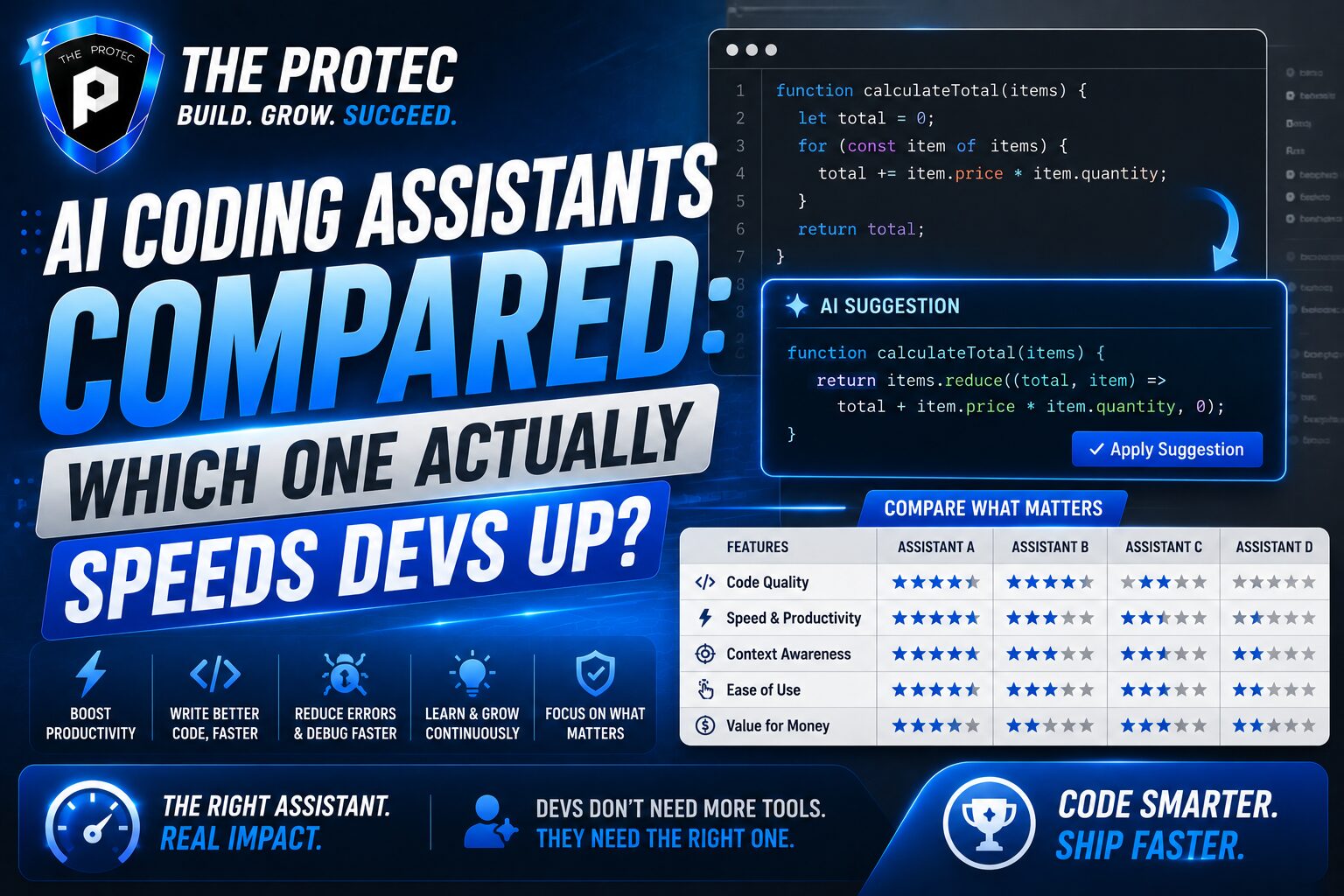
To compare AI coding assistants fairly, you need more than subjective impressions. A useful benchmark-based evaluation should measure how much time a tool saves on real engineering tasks, not just how often it produces plausible-looking code. That means looking at several dimensions at once.
- Task speed: How quickly can a developer go from prompt to working code?
- Accuracy: Does the output compile, pass tests, and match the requested behavior?
- Repository context: Can the assistant understand local code, naming conventions, and project structure?
- Edit quality: Does it make small, safe changes or introduce broad, risky rewrites?
- Test support: Can it generate meaningful unit or integration tests?
- Workflow fit: Does it work where developers already spend time, such as VS Code, JetBrains IDEs, or terminal-based workflows?
- Human cleanup: How much editing is needed before code is merge-ready?
That last point is crucial. A tool can look fast if it creates large chunks of code in seconds, but if the output needs heavy correction, the actual productivity gain shrinks quickly. The best coding AI is the one that lowers total effort, not just typing time.
GitHub Copilot: Still the Baseline for Everyday Speed
GitHub Copilot remains the benchmark most developers compare everything else against. It is not always the most advanced at deep reasoning, but it is often the most frictionless AI coding assistant for daily use. In practice, that matters a lot.
Copilot is strongest when developers want fast inline suggestions, boilerplate generation, repetitive code completion, and lightweight assistance inside familiar editors. For standard application work, it often reduces the cognitive cost of writing the obvious parts of a function or test. That makes it one of the most consistently useful tools for general developer productivity AI.
Where Copilot shines is speed in the background. It does not demand a major workflow change. It quietly accelerates the work developers already do. In benchmark-like usage, that translates into strong gains for routine coding, especially in languages and frameworks with large public-code footprints.
Its weaknesses become more visible in larger, more complex edits. Copilot can suggest reasonable code line by line, but it is less reliable when the task requires multi-file reasoning, broader architectural awareness, or deep understanding of a codebase’s internal conventions. Developers often still need to guide it step by step.
Bottom line: Copilot is still one of the best coding AI choices for broad day-to-day productivity, especially for teams that want minimal setup and immediate value.
Cursor: The Best AI Coding Assistant for Agentic Editing
Cursor changed expectations by making the AI coding assistant feel less like autocomplete and more like an editing partner. Its biggest advantage is that it works well for multi-file tasks, repository-aware changes, and iterative prompting. Instead of just completing a line, it can help reshape a feature across several files.
In practical developer workflows, Cursor is especially strong when you need to:
- refactor a module without losing project-specific behavior
- add a feature that touches multiple files
- ask questions about an unfamiliar codebase
- apply repeated changes based on feedback
This makes Cursor highly competitive as a developer productivity AI for engineers who do a lot of implementation work inside a codebase rather than simple snippet writing. It is often the fastest path from idea to working change when the task is moderately complex.
Its biggest strength is that it reduces context switching. A developer can ask for a change, inspect the result, refine the prompt, and keep moving without bouncing between browser tabs, chat windows, and the editor. That tighter loop often creates a real speed advantage.
The tradeoff is that Cursor can encourage over-editing if the developer accepts too much at once. The best results usually come from small, controlled changes with quick validation. When used well, it is one of the strongest contenders for best coding AI in feature development and refactoring.
Claude-Powered Coding Workflows: Best for Reasoning and Clean Edits
Claude-based coding assistants have become especially popular with developers who care about reasoning quality, code clarity, and thoughtful step-by-step changes. They are often preferred for tasks that require reading code carefully before making changes, rather than just generating more code.
In benchmark-style comparisons, Claude tends to perform well on tasks involving:
- explaining unfamiliar code
- designing cleaner implementations
- writing more maintainable code
- reviewing edge cases before coding
- producing more readable test logic
This matters because speed is not only about raw generation. A developer productivity AI that understands tradeoffs can save hours of debugging later. Claude-powered workflows often feel slower at the prompt level, but faster over the whole task because the output is easier to trust and adapt.
These assistants are especially useful for backend work, architecture-sensitive changes, and code review support. They can be a strong choice when correctness and clarity matter more than rapid autocomplete. That said, the experience depends heavily on the interface and integration. A great model in a clumsy workflow still loses time.
For teams evaluating the best coding AI, Claude-style tools are often the safest option for higher-stakes code where reasoning quality matters more than raw typing speed.
JetBrains AI Assistant: Strong for IDE-Centric Developers
JetBrains AI Assistant is a natural fit for developers who live inside IntelliJ IDEA, PyCharm, WebStorm, or other JetBrains IDEs. Its main advantage is tight integration with the tooling environment many professional developers already trust.
That integration helps in several ways. The assistant can work within the structure of the IDE, support code navigation, and assist with editing in a context that feels native to the project. For developers who value code intelligence, inspections, and structured navigation, that can be a big win.
JetBrains AI Assistant is especially appealing for enterprise teams and developers working in large, well-organized codebases. It tends to feel less like a separate chatbot and more like a built-in extension of the IDE. That can lower friction and improve developer productivity AI adoption across teams that are already heavily invested in JetBrains tools.
Its limitation is that it may not feel as flexible or as agentic as the newest dedicated AI coding environments. In tasks that require broad, free-form multi-file manipulation, some developers may find other assistants more powerful. But for IDE-first teams, it remains a practical and efficient choice.
Amazon Q Developer: Useful for Cloud-Heavy and Enterprise Teams
Amazon Q Developer is strongest where cloud services, infrastructure, and enterprise workflows matter. If your team spends a lot of time in AWS environments, Q can be more than a coding assistant; it can become a helpful bridge between application code and cloud operations.
Its value shows up in tasks like AWS-specific code generation, infrastructure-related assistance, service integration, and troubleshooting. For teams already using AWS heavily, this tight alignment can improve speed because the assistant understands the ecosystem the team actually works in.
In benchmark terms, Amazon Q Developer is not always the most impressive general-purpose AI coding assistant, but it can be the best fit for specific environments. That is an important distinction. Productivity is not just about raw model power. It is about reducing the time spent translating between tools, services, and deployment constraints.
For cloud-native teams, Q can be a meaningful developer productivity AI multiplier. For smaller teams or non-AWS stacks, it may be less compelling than more general-purpose assistants.
What the Benchmarks Usually Reveal
Across current coding-assistant evaluations and hands-on developer workflows, a clear pattern emerges: no single tool wins every category. Some tools are faster at inline completion. Others are better at large edits. Some excel at explanation and reasoning. Others are strongest because they fit neatly into the editor developers already use.
When benchmarked on practical coding tasks, the assistants that often perform best are not always the ones that produce the longest code blocks. Instead, the top performers usually do three things well:
- they understand enough project context to avoid obvious mistakes
- they keep the developer in flow with minimal friction
- they reduce review and cleanup time after generation
This is why the best coding AI is often different for each team. A startup building fast-moving product features may value Cursor’s agentic editing. An enterprise team may prefer Copilot for consistency and low adoption overhead. A backend-heavy team may trust Claude-based workflows for better reasoning. A cloud-native team may get the most value from Amazon Q Developer.
The common denominator is not “most impressive output.” It is “least wasted time.”
Which AI Coding Assistant Actually Makes Developers Faster?
If the question is pure developer speed across everyday engineering work, Cursor and GitHub Copilot are usually the strongest all-around contenders, but for different reasons.
GitHub Copilot is often fastest for routine tasks, small functions, boilerplate, and autocomplete-heavy workflows. It wins when the work is predictable and the developer wants low-friction acceleration.
Cursor is often fastest for multi-step implementation, repository-aware changes, and iterative coding sessions. It wins when the task is more complex and the developer wants the assistant to participate in the workflow, not just complete lines.
Claude-powered coding workflows can outperform both when code quality, explanation, and careful reasoning matter more than immediate output speed. They are less about sprinting and more about reducing mistakes.
JetBrains AI Assistant is best for IDE-native productivity, especially in teams already committed to the JetBrains ecosystem.
Amazon Q Developer is a smart pick for AWS-centric teams that want coding help tied closely to their infrastructure environment.
If you force a single answer, the most broadly useful AI coding assistant for raw speed in modern workflows is often Cursor, while Copilot remains the easiest and most universally adopted productivity booster. In other words, the winner depends on whether you define speed as “fast typing” or “fast delivery.”
How to Choose the Best Coding AI for Your Team
Choosing the best coding AI should be a workflow decision, not a hype decision. Start by mapping the kind of work your developers actually do.
- If your team writes lots of repetitive application code, prioritize inline completion and low friction.
- If your team handles multi-file refactors or feature work, prioritize repository awareness and agentic editing.
- If your team spends time reading legacy systems, prioritize reasoning quality and explanation.
- If your team is cloud-heavy, prioritize ecosystem-specific assistance.
- If your team uses a specific IDE across the board, prioritize native integration.
You should also measure real outcomes. Track time-to-merge, number of review comments, rework rates, and test coverage changes after adoption. An assistant that feels fast but increases cleanup is not a productivity gain.
One more practical note: the best results usually come from pairing the tool with a disciplined workflow. Developers who prompt clearly, review carefully, and break work into smaller edits consistently get better outcomes from any AI coding assistant.
External Resources Worth Checking
If you want to dive deeper into current product capabilities and model behavior, these resources are useful starting points:
FAQ
What is an AI coding assistant?
An AI coding assistant is a tool that helps developers write, edit, explain, and test code using machine learning models. It may provide autocomplete, chat-based help, multi-file edits, or debugging support.
Which is the best coding AI for most developers?
For most developers, GitHub Copilot is the easiest all-around choice because it is fast, familiar, and low-friction. For more complex multi-file work, Cursor often delivers stronger productivity gains.
Do AI coding assistants actually make developers faster?
Yes, but only when they reduce total effort. The fastest tools are the ones that lower context switching, generate correct code, and minimize cleanup. If a tool creates more review or debugging work, it can slow teams down.
Are AI coding assistants good for senior developers too?
Absolutely. Senior developers often use them differently: for scaffolding, refactoring, test generation, code explanation, and accelerating repetitive tasks. The value is not just in writing code faster, but in freeing time for design and decision-making.
Should teams adopt one AI coding assistant company-wide?
Not always. Many teams get better results by matching the tool to the workflow. For example, one assistant may be ideal for IDE autocomplete, while another is better for deep repository edits or cloud-specific work.
Final Verdict
The race for the best coding AI is no longer about who can generate the most code. It is about which AI coding assistant helps developers ship correct, maintainable software with less friction. In that sense, the real winner depends on the job.
Copilot remains the best default for everyday speed. Cursor is the strongest choice for agentic, repo-aware editing. Claude-powered workflows excel when reasoning and code quality matter. JetBrains AI Assistant and Amazon Q Developer are compelling when workflow alignment matters more than broad generality.
If your goal is true developer productivity AI, measure how much time a tool saves across the full task, not just the prompt response. That is where the real difference between a clever demo and a genuinely useful assistant becomes obvious.