








Contents
- 1 Why People Are Looking Beyond Chrome
- 2 What to Look for in a Chrome Alternative
- 3 Brave: Best for Privacy and Everyday Speed
- 4 Firefox: Best for Open Web Values and Strong Control
- 5 Arc: Best for Productivity and AI-First Browsing
- 6 Opera: Best for Built-In Tools and Convenience
- 7 Microsoft Edge: Best for Windows Users and AI Integration
- 8 Vivaldi: Best for Customization and Power Users
- 9 DuckDuckGo Browser: Best for Simple Privacy on Mobile and Desktop
- 10 How These Browsers Compare in Real Use
- 11 Are AI Web Browsers Worth It?
- 12 Final Recommendation: Which Browser Should You Choose?
- 13 FAQ
Why People Are Looking Beyond Chrome
Google Chrome remains the most widely used browser, but its dominance has also made it the default choice for people who want something better. Many users are now looking for Chrome alternatives because they want faster performance on resource-heavy systems, stronger privacy protections, and newer browsing experiences powered by built-in AI. As websites become more complex and online tracking grows more sophisticated, the browser you choose matters more than ever.
The browser market has changed significantly over the last few years. Modern browsers are no longer just windows to the web. They are increasingly designed as productivity platforms, privacy layers, and AI workspaces. Some focus on blocking ads and trackers by default. Others are built to reduce memory usage or add smart tools like tab summaries, writing assistance, and voice-driven search. If you are still using Chrome out of habit, you may be missing out on browsers that better fit how people actually browse today.
This guide compares the best browser alternatives to Chrome with a focus on three things users care about most: speed, privacy, and AI features. Whether you are a power user, a privacy-conscious professional, or someone who wants a browser that helps you get more done, there is likely a better fit than Chrome.
What to Look for in a Chrome Alternative
Before choosing a browser, it helps to know what separates a strong alternative from a flashy clone. A good browser should balance performance, security, and convenience without forcing you to give up control.
- Speed and efficiency: Fast startup times, smooth tab handling, and low memory usage matter, especially if you keep many tabs open.
- Privacy protections: Built-in tracker blocking, anti-fingerprinting tools, and stronger cookie controls can reduce how much of your activity is exposed.
- AI capabilities: The best AI web browsers now include page summaries, smart search, writing help, and workflow automation.
- Extension support: Good compatibility with Chrome extensions can make switching easier.
- Cross-device sync: If you use multiple devices, bookmarks, passwords, and tabs should follow you securely.
- User interface: A browser should make navigation easier, not cluttered.
With those criteria in mind, let’s look at the leading browsers worth considering.
Brave: Best for Privacy and Everyday Speed
Brave has become one of the most respected privacy browsers because it combines Chromium compatibility with strong out-of-the-box protection. It blocks ads, trackers, fingerprinting attempts, and invasive scripts by default, which means pages often load faster and with less clutter. For many users, Brave feels like Chrome without the surveillance tax.
Performance is one of Brave’s biggest strengths. Since it is built on Chromium, it offers familiar extension support and a smooth experience across desktop and mobile. Brave’s aggressive blocking can noticeably reduce page weight, which improves loading times and lowers data use. It is especially appealing for users on older laptops or less powerful devices.
Brave also offers built-in features such as a private search option, custom Shields controls, and optional AI tools through its Leo assistant. Leo can summarize pages, answer questions, and assist with writing tasks without leaving the browser. Brave does a good job of keeping these tools optional, which helps preserve the browser’s privacy-first identity.
If your priority is a browser that feels fast, modern, and protective by default, Brave is one of the strongest Chrome alternatives available.
Firefox: Best for Open Web Values and Strong Control
Firefox remains an important choice for anyone who wants an alternative to Chromium-based browsers. Developed by Mozilla, Firefox is built around open web principles and offers a different rendering engine from Chrome and most of its competitors. That independence matters because it helps preserve browser diversity across the web.
Firefox’s privacy features are excellent. Enhanced Tracking Protection blocks many forms of tracking by default, and the browser’s Total Cookie Protection limits cross-site tracking through cookie isolation. Firefox also provides strong customization options, letting users tailor the interface and behavior to fit their workflow.
In terms of speed, Firefox is not always the absolute fastest in every benchmark, but it is highly competitive and efficient for many real-world browsing tasks. It is especially good for users who want fine control over performance and memory use. Its extension ecosystem is robust, and it supports a wide range of privacy and productivity add-ons.
Firefox has also started integrating AI-related features through add-ons and select partner tools, though it remains more conservative than some newer AI web browsers. That restraint will appeal to users who want browser innovation without unnecessary data collection or clutter.
For users who value transparency, independence, and customizable privacy controls, Firefox is still one of the best Chrome alternatives.
Arc: Best for Productivity and AI-First Browsing
Arc has quickly become one of the most talked-about AI web browsers because it rethinks how browsing should work. Instead of mimicking Chrome, it introduces a workspace-style interface designed for people who live in tabs, projects, and multitasking. Arc is built on Chromium, so it supports many Chrome extensions, but its interface and workflow tools feel more like a modern operating system for the web.
Arc’s standout advantage is productivity. It organizes tabs more intelligently, lets you split screens, and makes it easier to separate work, personal browsing, and research. The browser also includes AI-powered tools that can summarize pages, help search across tabs, and streamline repetitive tasks. For people who use the browser all day, these features can save a surprising amount of time.
Privacy is decent, though Arc is not as aggressive as Brave or Firefox in blocking trackers by default. It is better described as an innovation-first browser with solid controls rather than a strict privacy browser. If you want a browser that feels fresh, supports modern workflows, and includes practical AI features, Arc is one of the most compelling Chrome alternatives on the market.
For a deeper look at browser privacy basics, Mozilla’s guide to tracking protection is a useful reference: Mozilla Support.
Opera: Best for Built-In Tools and Convenience
Opera has stayed relevant by focusing on convenience features that users often install extensions for in other browsers. It includes built-in messaging integrations, a sidebar, tab management tools, and various utilities that make everyday browsing feel more efficient. Opera is also Chromium-based, which means users can benefit from broad extension compatibility and a familiar browsing experience.
Opera’s recent push into AI features has made it more attractive to users looking for smarter browsing. Its assistant tools can help with page summaries, content generation, and quick answers, making it a practical option for light productivity. It is not the most advanced AI browser, but it offers enough to be useful without requiring much setup.
Privacy is where Opera is more mixed. It includes some protection features and a built-in VPN-like proxy in certain versions, but it is not as privacy-focused as Brave or Firefox. Users should be careful to understand the difference between a true VPN and a browser-level proxy, and they should not assume built-in tools provide complete anonymity.
Opera is a solid choice if you want an all-in-one browser with useful extras and decent speed, especially if you like having tools built into the interface rather than added through extensions.
Microsoft Edge: Best for Windows Users and AI Integration
Microsoft Edge has improved dramatically and is now one of the most capable browsers available. Since it is based on Chromium, it supports Chrome extensions and delivers strong compatibility across the modern web. On Windows devices, Edge often performs very well and can feel more integrated with the operating system than Chrome itself.
Edge’s biggest differentiator is its AI integration. Microsoft has heavily invested in browser-based AI features, including sidebar assistance, page summarization, and Copilot-driven tools that can help with search, writing, and research. For users who already rely on Microsoft services, these features can be genuinely useful.
Edge also offers good performance tuning options such as sleeping tabs, efficiency modes, and resource management tools. These features can help reduce battery drain and memory pressure, especially on laptops. Privacy is better than many people assume, though it still requires careful configuration. Edge includes tracking prevention levels and other controls, but it is not the most privacy-forward browser on this list.
For users who want a browser that feels polished, fast, and full of AI-powered productivity tools, Edge deserves serious consideration.
Vivaldi: Best for Customization and Power Users
Vivaldi is built for people who want the browser to adapt to them instead of the other way around. It offers a remarkable level of customization, from tab layout and themes to keyboard shortcuts and panel behavior. If you enjoy tweaking your workspace, Vivaldi is one of the most flexible Chrome alternatives you can choose.
Because Vivaldi is also Chromium-based, it supports Chrome extensions and offers excellent compatibility. It includes strong built-in tools such as a notes panel, calendar integration, mail features, and advanced tab handling. These additions can reduce the need for extra apps or extensions.
Privacy is respectable as well. Vivaldi includes tracker blocking options and avoids the aggressive data collection practices associated with some larger browser ecosystems. While it is not as privacy-centric as Brave, it gives users a lot of control over how the browser behaves.
Vivaldi does not market itself as heavily around AI features as some competitors, but it excels in organization and workflow efficiency. For power users who want control, flexibility, and built-in functionality, it is an outstanding choice.
DuckDuckGo Browser: Best for Simple Privacy on Mobile and Desktop
DuckDuckGo’s browser has expanded beyond a mobile privacy tool into a more complete desktop experience. It is designed for users who want a no-nonsense browser that emphasizes private search, tracker blocking, and minimal setup. The interface is clean, and the browser keeps many privacy protections active by default.
One of its best qualities is simplicity. You do not need to spend much time configuring settings to get strong baseline protection. It also integrates with DuckDuckGo’s search ecosystem, which appeals to users who prefer fewer personalized results and less profiling.
In terms of AI, DuckDuckGo is more cautious than some competitors. Its focus remains on privacy and streamlined browsing rather than adding a long list of AI features. That can be a benefit for users who are wary of browsers that bundle too many experimental tools.
The tradeoff is that DuckDuckGo Browser is less feature-rich than Brave, Arc, or Edge. Still, for users who want fast, private browsing with minimal fuss, it is a worthwhile option.
How These Browsers Compare in Real Use
Choosing the best browser is not just about specs. It depends on how you browse every day. A browser that feels perfect for one person may be frustrating for another.
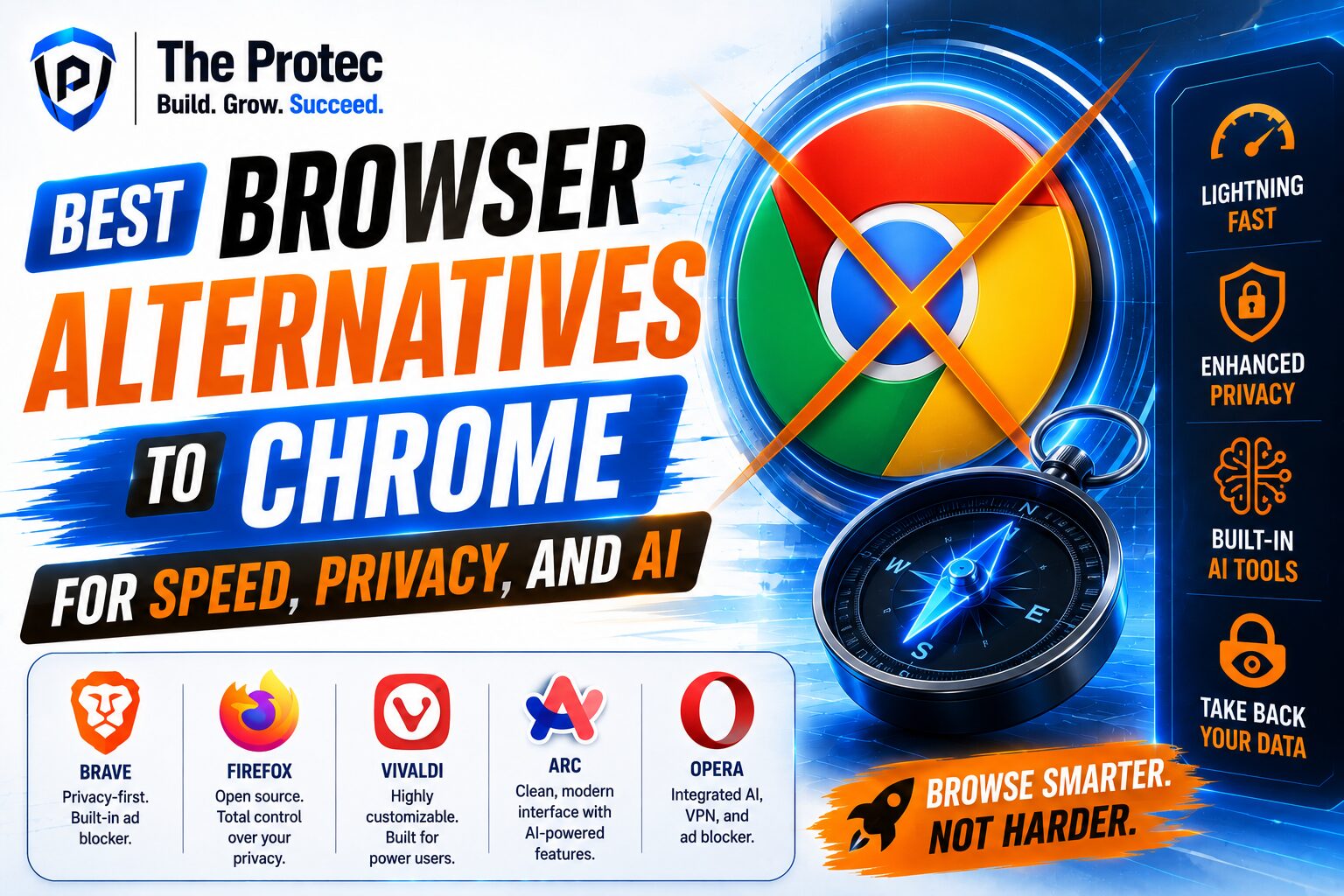
- Best overall privacy: Brave and Firefox
- Best AI features: Arc and Microsoft Edge
- Best customization: Vivaldi
- Best convenience: Opera
- Best simplicity for privacy: DuckDuckGo Browser
- Best Chromium-based all-rounder: Brave
If you want the most balanced choice, Brave is often the easiest recommendation. It combines strong privacy protections with good speed and reliable extension support. Firefox is ideal for people who want an open-web browser that is not tied to Chromium. Arc stands out if AI tools and modern workflows are your top priority. Edge is excellent on Windows, especially if you are already deep in Microsoft services. Vivaldi is for users who love to customize everything. Opera and DuckDuckGo are useful if convenience or simplicity matters most.
Are AI Web Browsers Worth It?
AI web browsers are becoming more common, but the value they provide depends on the quality of the implementation. Good AI features can help you summarize articles, find information faster, organize tabs, and draft content without switching apps. Bad AI features can add clutter, slow the browser down, or create new privacy concerns.
The most useful AI tools in browsers are the ones that save time without demanding too much attention. Page summaries, contextual search, and smart tab management are practical. Features that try to do everything can feel intrusive. As AI becomes more embedded in browsers, the key question is not whether a browser has AI, but whether those features are useful, transparent, and optional.
That is why browsers such as Arc and Edge are getting attention. They are not just adding AI for marketing purposes; they are trying to change how users interact with the web. Still, privacy-minded users should review how each browser handles data, cloud processing, and account integration before relying on those tools heavily.
Final Recommendation: Which Browser Should You Choose?
If you are searching for the best Chrome alternatives, the answer depends on your priorities. For most people, Brave offers the best mix of speed, privacy, and compatibility. If you want the strongest open-web and privacy mindset, Firefox remains a standout. If you are excited by AI web browsers and want a more modern workflow, Arc is one of the most interesting options available. Edge is excellent for Windows users, while Vivaldi is unmatched for customization.
The bigger takeaway is that there is no reason to stay locked into Chrome if it does not match your needs. Modern browsers are evolving quickly, and the best choice for you may be the one that respects your privacy, saves memory, or helps you work faster. Switching browsers can feel like a small change, but it often improves your daily experience more than any other software upgrade.
As the web continues to become more demanding, the browser you use will shape how fast you move, how much data you expose, and how effectively you interact with AI-powered tools. A smarter browser choice can make the internet feel lighter, safer, and more productive.
FAQ
What is the best Chrome alternative for privacy?
Brave is often the best choice for privacy because it blocks ads, trackers, and fingerprinting attempts by default. Firefox is also a strong option for users who prefer open-source software and granular privacy controls.
Which browser is fastest besides Chrome?
Brave and Microsoft Edge are often among the fastest browsers in real-world use, especially on systems with limited resources. Brave benefits from heavy tracker blocking, while Edge includes useful performance management features like sleeping tabs.
Are AI web browsers safe to use?
Yes, but safety depends on how the browser handles data. Some AI features run locally or with limited data sharing, while others rely more heavily on cloud processing. Always review the browser’s privacy policy and AI settings before enabling advanced features.
Can I use Chrome extensions in other browsers?
Yes. Most Chromium-based browsers, including Brave, Edge, Opera, Vivaldi, and Arc, support many Chrome extensions. Firefox uses a different extension ecosystem, though it still has a strong library of add-ons.
Is it hard to switch from Chrome?
Not usually. Most browsers make it easy to import bookmarks, passwords, history, and settings. If you choose a Chromium-based browser, the transition is often especially smooth.