








Why Grok Product Photography Prompts Matter for E-commerce
Product photography has always been one of the biggest conversion levers in e-commerce. Customers cannot touch, test, or inspect a product before buying, so the image has to do the heavy lifting. That is exactly why Grok product photography prompts have become so valuable for marketers, creators, and store owners. With the right prompt, you can generate AI product photos that look polished, premium, and consistent enough to support ads, landing pages, marketplaces, and social campaigns.
What makes this trend especially relevant right now is the speed at which AI image tools have improved in realism, lighting control, and texture rendering. Grok image prompts can now be used to create more believable studio-style visuals with controlled shadows, clean backgrounds, and brand-specific styling. Instead of relying only on expensive shoots for every variation, teams can prototype concepts quickly, test angles, and build visual campaigns faster.
This does not mean traditional photography is dead. It means the workflow has changed. Modern e-commerce teams often combine AI-generated images with real product photography, using Grok to explore concepts, produce campaign mockups, or generate secondary visuals that complement the core catalog images. For many brands, that blend offers the best balance of speed, cost, and quality.
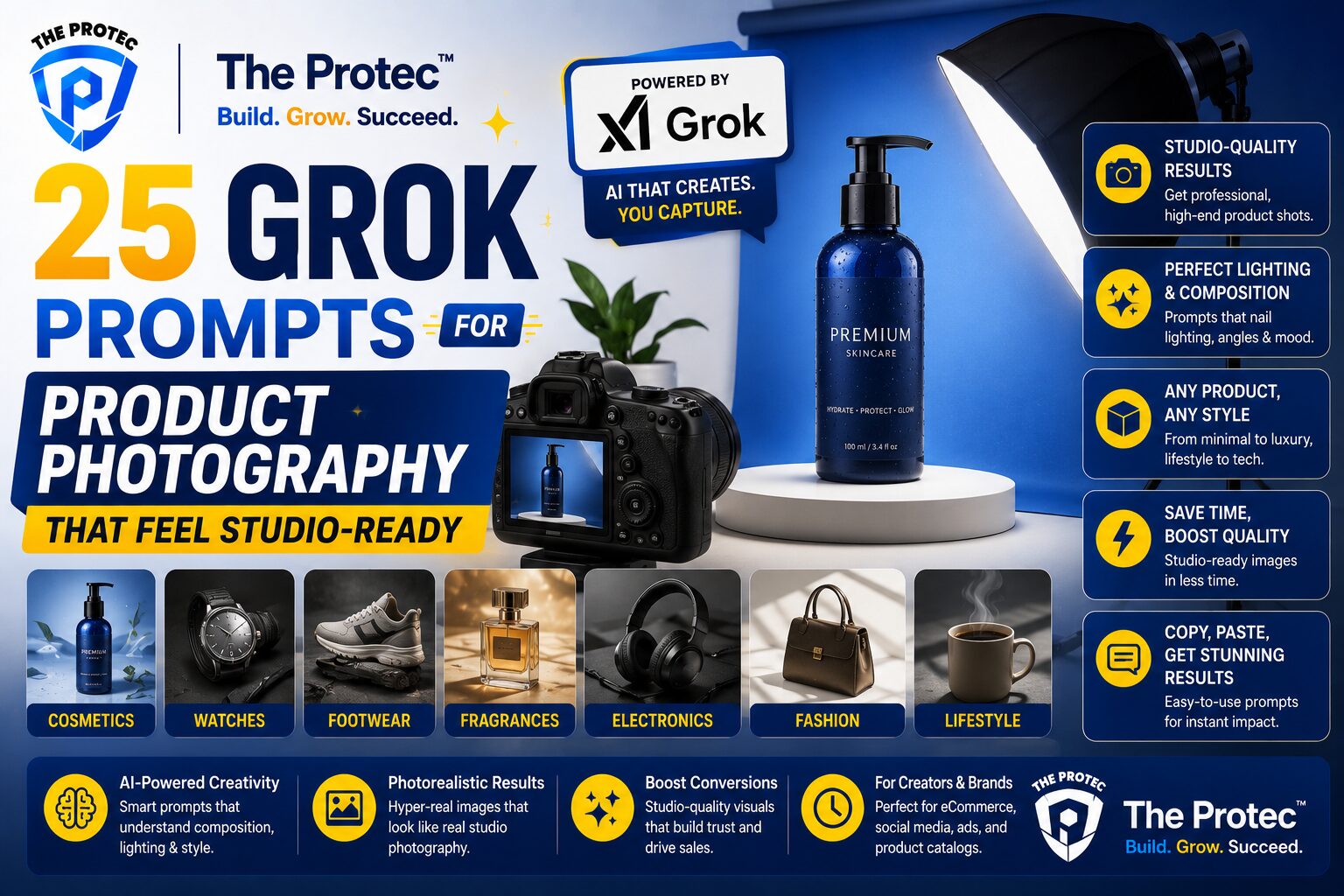
Below you will find 25 Grok prompts designed to create product images that feel like professional studio shoots. These prompts are written for practical use and can be adapted for cosmetics, fashion accessories, tech gadgets, beverage packaging, wellness products, home goods, and more.
How to Write Better Grok Image Prompts for Product Photos
Before jumping into the prompt list, it helps to understand what makes a prompt produce better results. The strongest Grok image prompts are specific, layered, and visually intentional. Instead of saying “make a nice product photo,” describe the product, surface, lighting, camera angle, environment, composition, and mood.
For studio-style results, include details such as:
- Product type and material
- Background color or surface texture
- Lighting style, such as softbox, rim light, or high-key lighting
- Camera angle, such as top-down, eye-level, or 45-degree angle
- Props, if any, such as glass, marble, shadow shapes, or fabric
- Commercial intent, such as premium e-commerce catalog shot or luxury ad image
It also helps to define what you do not want. For example, you might specify “no clutter,” “no extra objects,” “no distorted labels,” or “no unrealistic reflections.” Many creators forget that negative direction matters just as much as creative direction.
For best results, use your prompts as a base and then refine them based on output. If the first image is close but not perfect, adjust the lighting, background, crop, or product placement. AI product photos often improve dramatically with small prompt changes.
25 Grok Prompts for Product Photography That Look Like Professional Studio Shoots
1. Clean Studio Hero Shot
Create a premium studio product photo of a [product] centered on a seamless white background, soft diffused lighting, subtle natural shadow beneath the product, ultra-sharp detail, balanced composition, e-commerce catalog style, high-end commercial photography.
2. Luxury Black Background Portrait
Photograph a [product] against a deep matte black background with dramatic rim lighting, glossy highlights, and a refined luxury aesthetic, studio-quality product rendering, minimal composition, elegant advertising style, ultra-realistic texture.
3. Soft Shadow Minimalist Setup
Generate a minimalist product image of a [product] on a pale neutral surface with gentle window-style shadows, soft daylight, clean negative space, editorial studio mood, modern premium e-commerce presentation.
4. Floating Product Ad Shot
Create a commercial-style floating product image of a [product] with a subtle shadow below, crisp edges, controlled studio lighting, white or light gray background, high-end digital ad aesthetic, realistic and polished.
5. Marble Luxury Surface
Render a [product] placed on white marble with soft reflections, elegant daylight, clean composition, luxury skincare-style studio photography, premium brand aesthetic, refined contrast, and photorealistic detail.
6. Tech Product Spotlight
Show a [product] in a dark studio with a focused spotlight, soft edge glow, metallic highlights, and a futuristic commercial look, product-centered framing, premium tech advertising style, realistic reflections.
7. Cosmetics Flat Lay With Space for Copy
Create a top-down studio product photo of a [product] arranged with tasteful spacing on a clean pastel surface, soft diffused lighting, editorial beauty campaign feel, lots of negative space for ad copy, crisp and realistic.
8. Beverage Bottle on Condensation Surface
Generate a professional studio shot of a [product] bottle on a cold surface with subtle condensation, controlled highlights, dark-to-light gradient background, commercial beverage advertising style, ultra-realistic label detail.
9. Premium Packaging on Fabric Drape
Photograph a [product] on softly draped fabric with elegant folds, muted tones, natural shadow flow, luxurious editorial styling, studio lighting, and a high-end tactile feel suitable for brand marketing.
10. Reflective Acrylic Display
Create a polished product image of a [product] placed on a clear acrylic block with controlled reflections, sleek studio lighting, modern commercial styling, premium e-commerce aesthetic, ultra-clean background.
11. High-Key Catalog Image
Produce a bright high-key studio photo of a [product] on white, evenly lit with minimal shadow, sharp edges, clean commercial composition, marketplace-ready product photography, accurate color rendering.
12. Dark Editorial Contrast Shot
Generate a sophisticated editorial product photo of a [product] with strong contrast, moody side lighting, textured dark backdrop, luxury magazine feel, tactile realism, and elegant composition.
13. Lifestyle-Inspired Studio Hybrid
Create a studio product photo of a [product] styled with one or two subtle lifestyle props, soft natural light, clean background, premium commercial balance, authentic but still e-commerce focused.
14. Floating Packaging with Soft Gradient
Render a [product] package floating over a soft gradient background, clean shadows, precise edges, modern brand presentation, professional studio lighting, premium digital advertising look.
15. Handheld Product Close-Up
Photograph a [product] in a natural hand-held close-up with shallow depth of field, soft studio lighting, realistic skin texture if a hand is visible, premium promotional style, sharp label focus.
16. Glass and Liquid Reflection Scene
Create a studio shot of a [product] beside clear glass elements and subtle liquid reflections, elegant lighting, crisp highlights, premium beauty or beverage campaign style, realistic commercial photography.
17. Bold Color Block Background
Generate a striking product image of a [product] on a solid color block background with clean studio lighting, modern advertising composition, vibrant but controlled palette, sharp commercial finish.
18. Luxury Skincare Countertop Setup
Photograph a [product] on a refined bathroom countertop with marble, brushed metal accents, soft natural daylight, spa-like atmosphere, luxury skincare branding, polished studio realism.
19. Matte Surface With Crisp Side Light
Create a premium product photo of a [product] on a matte surface with directional side lighting, crisp shadow definition, minimalist composition, high-end commercial studio look, realistic material rendering.
20. Flat Product Packshot With Perfect Alignment
Render a perfectly aligned packshot of a [product] from the front, centered composition, clean white or pale gray background, no distortion, accurate proportions, professional marketplace-ready image.
21. Seasonal Ad Scene Without Clutter
Create a seasonal studio product image of a [product] with subtle thematic accents, elegant lighting, restrained props, premium advertising layout, and a clean composition that keeps the product dominant.
22. Premium Unboxing Presentation
Generate a studio-style unboxing scene featuring a [product] and its packaging arranged neatly on a clean surface, soft diffused light, luxury brand feel, realistic folds, shadows, and materials.
23. Monochrome Brand Aesthetic
Photograph a [product] in a monochrome setting with matching background and props, soft studio lighting, refined tonal harmony, editorial product photography, and a sleek premium brand identity.
24. Macro Detail Focus Shot
Create a close-up studio product photo of a [product] emphasizing fine material details, sharp focus on texture, controlled highlights, shallow depth of field, and a premium commercial macro look.
25. Hero Image for Homepage Banner
Generate a wide-format hero image of a [product] with dramatic but clean studio lighting, ample negative space for website copy, elegant composition, premium e-commerce banner style, and realistic product detail.
How to Adapt These Grok Prompts for Different Product Categories
One of the biggest advantages of Grok product photography prompts is flexibility. A strong base prompt can be adapted for nearly any product category by changing just a few visual cues. The trick is to match the prompt to the product’s material, use case, and audience expectations.
For beauty and skincare
Use soft lighting, marble, glass, water droplets, and clean pastel or neutral palettes. Beauty buyers often respond to freshness, clarity, and premium simplicity. Avoid clutter and over-staged props.
For fashion accessories
Focus on fabric texture, subtle folds, close-up detail, and elegant shadow play. Accessories often benefit from lifestyle-adjacent styling, but the product should still remain the hero.
For electronics
Use darker environments, reflective surfaces, rim lighting, and modern geometry. Tech products often perform well with minimal compositions that emphasize design, precision, and innovation.
For food and beverage
Highlight condensation, gloss, freshness, and ingredient cues. Strong beverage prompts often include surfaces, lighting, and condensation details that make the product feel cold, fresh, and appealing.
For home and lifestyle products
Use natural materials like wood, linen, stone, or ceramic. These products often benefit from warmth and realism, especially when the goal is to make them feel usable and aspirational at the same time.
Best Practices for Creating AI Product Photos That Convert
Even the best Grok image prompts need a smart workflow behind them. If your goal is to drive sales, your images should do more than look good. They should support trust, clarity, and product understanding.
- Use consistent framing across product lines so your store looks cohesive.
- Match background colors to your brand palette where possible.
- Keep labels readable and product proportions accurate.
- Test both light and dark variants to see which converts better.
- Use AI-generated images for concepts, ads, and secondary visuals, but keep core product shots honest and product-accurate.
It is also smart to evaluate AI product photos the same way you would evaluate a real shoot. Ask whether the image answers customer questions, creates desire, and fits the platform where it will appear. A product image for Amazon, for example, needs different treatment than one for a paid social campaign or a homepage banner.
For inspiration on what makes a polished product image work in practice, many brands still study the standards used by professional commercial photographers and visual retailers. Resources from platforms like Shopify’s product photography guide remain useful for understanding composition and conversion fundamentals, even as AI workflows evolve. For a broader creative baseline on studio lighting and setup logic, Adobe’s product photography resource is also a strong reference.
Common Mistakes to Avoid With Grok Product Photography Prompts
Many AI-generated product images fail for the same reasons: the prompt is too vague, the environment is too busy, or the product details are not controlled enough. If you want your Grok product photography prompts to produce studio-quality results, avoid these common errors.
- Do not overload the prompt with too many props.
- Do not forget to specify the background and lighting.
- Do not use vague words like “beautiful” or “cool” without visual direction.
- Do not ignore label accuracy, shape consistency, and material realism.
- Do not treat every product like it belongs in the same scene.
Another mistake is chasing style over clarity. A dramatic image may look impressive, but if the product is hard to identify or the packaging becomes unreadable, the image has lost commercial value. The best AI product photos balance aesthetics with function.
How to Refine Grok Image Prompts for Better Results
Prompt refinement is where good results become great. If an image comes back too flat, add directional lighting. If it looks too busy, simplify the background. If the product seems too generic, add material-specific language such as “brushed aluminum,” “frosted glass,” “matte ceramic,” or “soft-touch packaging.”
You can also improve consistency by reusing a core structure:
- Product description
- Scene or background
- Lighting style
- Camera angle
- Commercial intent
- Constraints such as no clutter or no distortion
That structure works well whether you are creating one-off ad concepts or building a larger visual system for an online store. It also makes it easier to generate multiple variations without losing your brand identity.
FAQ: Grok Product Photography Prompts
Can Grok create product photos that look like real studio shoots?
Yes, when the prompt is specific enough. The most realistic results usually come from detailed instructions about lighting, surface, angle, and background. Grok image prompts work best when you guide the model like a creative director would guide a photographer.
Are AI product photos good enough for e-commerce stores?
They can be, especially for ads, concept visuals, banner graphics, and supporting content. For core catalog images, many brands still prefer a mix of real photography and AI-generated imagery to maintain accuracy and trust.
What should I include in a Grok product photography prompt?
Include the product type, materials, lighting, background, camera angle, mood, and any constraints. If you want a professional studio look, be very clear about shadows, reflections, and composition.
How do I stop AI product images from looking fake?
Keep the scene simple, use realistic materials, and avoid too many effects. Ask for accurate proportions, subtle shadows, and clean label rendering. Overly dramatic lighting or excessive props can make the image feel artificial.
Can I use these prompts for different platforms?
Yes. You can adapt them for Shopify product pages, social ads, email campaigns, marketplace listings, and homepage banners. Just adjust the crop, background, and composition to fit the channel.
Final Thoughts
Grok product photography prompts are becoming an essential tool for modern e-commerce teams that need high-quality visuals without the time and cost of constant studio production. The 25 prompts above are designed to help you create AI product photos that feel polished, believable, and commercially useful.
The best results come from treating Grok like a creative collaborator rather than a one-click solution. Be specific, refine often, and always match the image style to your product and audience. When you do that, Grok image prompts can help you generate studio-ready visuals that elevate your brand and support sales across every major channel.