






Best Free AI Video Generators: Create Videos Without Paying for a Subscription
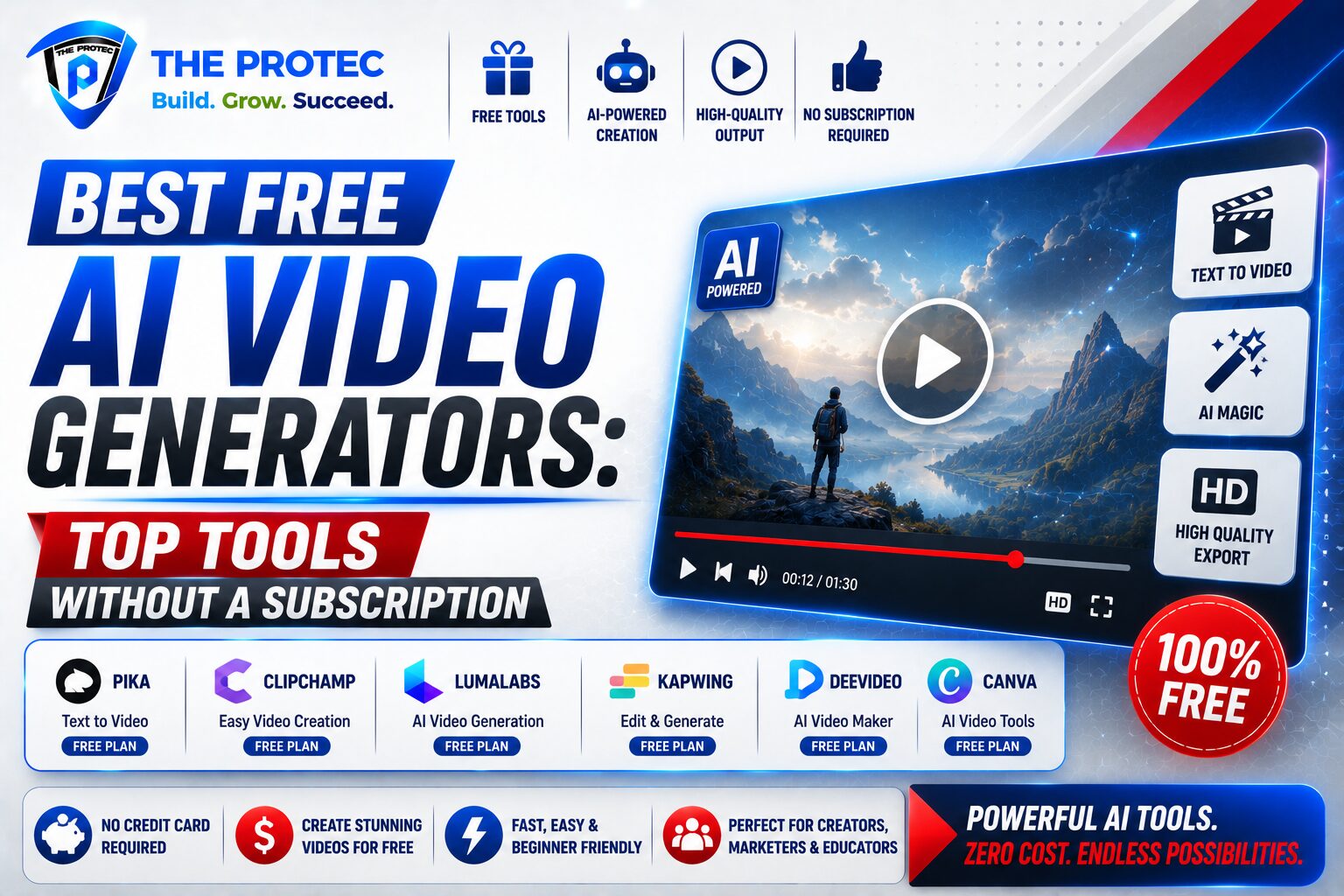
Free AI video tools have moved far beyond novelty demos. In 2026, a good free AI video generator can turn a script into a polished short-form clip, create social media ads, animate product shots, or help you prototype a concept video without opening your wallet. That matters because video remains one of the fastest ways to win attention online, but professional editing software, stock footage, and motion graphics can still be expensive and time-consuming.
The challenge is that “free” rarely means unlimited. Some platforms offer generous trial credits, others give you free exports with watermarks, and a few only allow low-resolution output or restrict commercial use. If you are searching for the best free text to video AI, the real question is not just which tool works, but which one gives you the most useful output for the least tradeoff.
This guide compares the strongest AI video tools free of charge right now, focusing on free plan limits, watermark policies, output quality, and overall value. Whether you are a content creator, marketer, educator, or small business owner, the goal is to help you choose the right tool without getting trapped by a subscription before you are ready.
What to Expect From a Free AI Video Generator
Before comparing tools, it helps to define what “free” actually means in this category. A free AI video generator usually falls into one of four models. The first is a freemium plan with limited monthly credits. The second is a free trial with temporary access to premium features. The third is a permanently free tier with restrictions like watermarks or low resolution. The fourth is an open-source or self-hosted option that costs nothing in software but requires more technical effort.
When evaluating free AI video tools, the most important factors are not only the number of credits you get, but also the quality of the exports and how much editing control you retain. A tool that makes a decent video but stamps a large watermark across it may still be useful for experimentation, but not for client work. Another may offer clean exports, but only if you use a very short prompt and accept limited motion or awkward pacing.
Here are the practical criteria that matter most:
- Watermark policy: Can you export without branding, and if not, how visible is the watermark?
- Export quality: Does the free version support 720p, 1080p, or lower?
- Credit limits: How many videos or generations can you create each month?
- Prompt flexibility: Can you use text, images, voice, or storyboards?
- Commercial use: Are free exports allowed for marketing or monetized content?
- Speed and reliability: Do free users face long queues or unstable rendering?
Those factors separate useful AI video tools free of charge from tools that are free only in name.
Quick Comparison: The Best Free Text to Video AI Options
Below is a practical comparison of the strongest free AI video generator options, based on current free-plan value rather than premium feature lists. Availability and limits can change quickly, so always check the official pricing page before you commit.
- Runway: Strong creative quality, but free access is usually very limited and often tied to credits or trial-style usage. Best for testing advanced generation.
- Pika: Popular for short stylized clips and fast iteration. Free usage is typically constrained by credits and feature access.
- Luma Dream Machine: Known for cinematic motion and realistic movement. Free access has been useful for experimentation, though capacity and wait times can fluctuate.
- CapCut AI tools: More practical for social content, especially if you want editing plus generation in one place. Free exports are often more usable than pure text-to-video demos.
- Canva AI video features: Best for marketers and teams who want templates, simple editing, and quick social-friendly output.
- Invideo AI: Focused on script-to-video workflows with strong templating, but free plans are usually limited in export length and branding.
- Open-source options: Useful for technically skilled users who want full control and no subscription, but they require setup and better hardware.
Runway: High-End Creativity With Tight Free Limits
Runway remains one of the most respected names in AI video generation because it consistently pushes quality, especially for stylized motion, scene transformation, and experimental filmmaking. If your priority is seeing what a modern AI video model can do, Runway is one of the best places to start.
The downside is that the free plan is not designed for heavy production. Free users typically face limited credits, and those credits disappear quickly when generating multiple versions or working with longer clips. Watermark policy and export access can also change depending on the current plan structure. In practice, that means Runway is excellent for testing concepts, but not ideal if you need a large number of finished videos each month.
Best for: creators who want high-end visuals and are willing to accept strict free limits.
Not ideal for: teams that need repeated no-watermark exports on a budget.
Pika: Fast, Fun, and Great for Short-Form Content
Pika has built a strong reputation around short, energetic AI-generated clips. It is especially appealing if you create content for TikTok, Reels, Shorts, or product teasers. Among AI video tools free of charge, Pika is often praised for being easy to use and responsive for prompt-based experimentation.
Its strengths show up in speed and creative style rather than long-form realism. The free plan usually comes with generation limits, and some features may be locked behind paid tiers. Depending on the current plan, free exports may include branding or reduce the number of available video generations. That said, Pika is a strong choice if your goal is to make eye-catching clips quickly and refine them through multiple drafts.
Best for: social creators, meme-style content, and short branded clips.
Tradeoff: free credits can disappear fast if you iterate heavily.
Luma Dream Machine: Cinematic Motion With a Valuable Free Tier
Luma Dream Machine has become a standout choice for people searching for the best free text to video AI because it often produces fluid motion and more cinematic framing than many competing tools. It is especially appealing for creators who want a realistic visual feel without manually animating every scene.
The free plan typically offers a limited number of generations or access windows, so it is not a replacement for a paid production pipeline. Still, the quality-to-cost ratio is strong because the output can look surprisingly polished. For concept trailers, storyboards, product teasers, and visual ideation, Luma is one of the most valuable free AI video generator options available.
However, users should expect queue times, credit limits, and changing access rules. If you need guaranteed throughput or commercial reliability, the free tier may not be enough. If you need a few strong clips each month, it can be excellent.
Best for: cinematic concepts, story-driven visuals, and realistic motion tests.
CapCut AI Video Tools: The Best Free All-in-One Practical Choice
If your main goal is not just generating video, but finishing content for real platforms, CapCut deserves serious attention. Its AI video tools free users from starting with a blank timeline, while still giving you access to editing, captions, overlays, transitions, and platform-friendly export options.
CapCut is not always the flashiest pure text to video AI tool, but it is one of the most practical. That matters because many creators do not need a model that produces a cinematic masterpiece on the first try. They need a tool that helps them make a usable video quickly, refine the pacing, and publish without friction.
The free plan is especially attractive for short-form creators, though some effects, templates, and advanced exports may be reserved for premium users. The watermark situation can also vary by export type and template. Even with those limits, CapCut often offers better end-to-end value than more experimental generators because it combines generation and editing in one workflow.
Best for: creators, marketers, and small teams that want fast production with editing built in.
Why it stands out: useful even when the AI generation itself is modest.
Canva AI Video Features: Simple, Brand-Friendly, and Easy to Learn
Canva’s AI video features are ideal for users who already rely on templates and branded design workflows. While it is not the most advanced free AI video generator for motion realism, it is one of the easiest platforms for making clean, polished marketing videos without a steep learning curve.
The free tier is most valuable for people creating explainers, social promos, internal communications, or lightweight ads. Canva’s strength is consistency: it helps you keep fonts, colors, and layouts on brand while speeding up the process with AI-assisted generation and editing. Free users should still expect feature restrictions and occasional limits on premium assets or export options.
If your priority is professional-looking presentation rather than cinematic generation, Canva is often a better day-to-day choice than more advanced tools. It may not be the absolute best free text to video AI for visual spectacle, but it is one of the best for practical business use.
Invideo AI: Strong for Script-to-Video Workflows
Invideo AI is built around the idea of turning a script or prompt into a structured video with scenes, narration, and stock-driven visuals. That makes it appealing for marketers, educators, and creators who want a fast first draft instead of building every shot from scratch.
The free plan is usually limited in export duration, branding, and resolution. Users should also pay attention to how many credits or minutes are included, because script-to-video tools can burn through limits faster than expected. Even so, Invideo AI remains one of the more straightforward AI video tools free users can test when they want a guided workflow instead of an empty prompt box.
Best for: explainer videos, listicles, educational content, and quick marketing drafts.
Watch out for: branding and capped export length on the free plan.
Open-Source and Self-Hosted Options: Free, But Not Always Easy
For technically skilled users, open-source AI video generation can be the most cost-effective route of all. In theory, this is the closest thing to a truly free AI video generator because you are not paying a subscription. In practice, however, you may need capable hardware, setup time, storage space, and patience.
Open-source tools often appeal to developers, researchers, and advanced creators who want more control over models, workflows, and privacy. They can be excellent for experimentation, but they are usually not the fastest path for everyday content production. You also need to manage model updates, dependencies, and compatibility issues on your own machine or server.
If you value ownership and flexibility more than convenience, self-hosted tools can be compelling. If your goal is to publish videos quickly, a hosted freemium platform is usually the better starting point.
How to Choose the Right Free AI Video Generator
The best tool depends on what you are trying to make. A creator posting daily social clips has different needs than a marketer making product explainers or a founder testing ad ideas. Instead of chasing the most advanced model, match the tool to the job.
- Choose Runway or Luma if visual quality and motion realism matter most.
- Choose Pika if you want fast, stylized short-form content.
- Choose CapCut if you need generation plus editing in one practical workflow.
- Choose Canva if branding, templates, and ease of use matter most.
- Choose Invideo AI if you want script-to-video with a guided structure.
- Choose open-source tools if you are technical and want maximum control with no subscription.
The best free AI video generator is rarely the one with the longest feature list. It is the one that lets you finish the most useful video with the fewest compromises.
Free Plan Limitations You Should Expect
Almost every free tier comes with at least one of these restrictions. Understanding them upfront will save time and frustration.
- Watermarks: Some tools place visible branding on free exports.
- Low resolution: Free videos may be capped at 720p or lower.
- Credit systems: Credits may reset monthly or disappear quickly.
- Queue delays: Free users may wait longer for rendering.
- Short duration: Many free plans limit clip length.
- Commercial restrictions: Some free output is not intended for paid campaigns.
If you want to produce content regularly, prioritize tools that either remove watermarks on the free plan or offer genuinely usable exports with minimal branding. That single detail often matters more than a flashy demo.
Are Free AI Video Tools Worth It?
Yes, if you use them strategically. Free AI video tools are no longer just for testing gimmicks. They can help you validate ideas, build social content, create rough drafts, and accelerate creative workflows without subscription pressure. For solo creators and small businesses, that can make a meaningful difference.
The key is to treat free tools as production accelerators, not magical replacements for planning and editing. The strongest results usually come from combining AI generation with human judgment: tightening the script, selecting the best clips, adding captions, and polishing the pacing. That approach turns a limited free tier into a genuinely valuable workflow.
For many users, the right question is not “Which tool can generate the most?” but “Which free plan lets me publish the best content today?”
FAQ
What is the best free AI video generator overall?
The best overall option depends on your goal. For cinematic motion, Luma Dream Machine is a strong choice. For practical editing and publishing, CapCut is often the most useful. For creative experimentation, Runway and Pika are both strong contenders.
Do free AI video tools add watermarks?
Many do, but not all in the same way. Some free plans add visible branding on exports, while others limit resolution or credits instead. Always check the current export policy before using a tool for client work or public marketing.
Can I use free AI video generator output commercially?
Sometimes, but not always. Commercial use often depends on the platform’s current terms, the type of media generated, and whether the free plan includes branding or licensing restrictions. Review the terms of service before publishing paid ads or monetized content.
Which AI video tools free users should try first?
If you are new to AI video, start with CapCut for practical editing, Luma for higher-end motion, and Pika for short-form creative clips. Those three cover the most common use cases without requiring a large upfront commitment.
Is the best free text to video AI good enough for professional work?
For some professional use cases, yes. Short social videos, internal explainers, rough ad concepts, and storyboard previews can all work well with free tools. For high-volume commercial production, however, paid plans usually provide better reliability, fewer restrictions, and cleaner exports.
Final Verdict
The best free AI video generator is the one that matches your workflow, not the one with the loudest marketing. If you want creative freedom, Runway and Luma are worth testing. If you want speed and social-ready practicality, CapCut is hard to ignore. If you want simple branded content, Canva is a smart pick. If you want guided script-to-video generation, Invideo AI can help. And if you prefer full control and no subscription, open-source tools may be the long-term answer.
In 2026, the free AI video landscape is strong enough that you can build real content without paying upfront. Just remember to look closely at the details that matter most: watermark policies, export limits, credit systems, and whether the free tier actually fits the kind of video you want to make.