







Contents
- 1 Why Grok Prompts Matter for Modern Research Workflows
- 2 How to Think About Grok for Research, Summarization, and Extraction
- 3 Best Practices for Writing Effective Grok Research Prompts
- 4 Top Grok Prompts for Research
- 5 AI Summarization Prompts That Actually Save Time
- 6 Knowledge Extraction AI Prompts for Structured Output
- 7 Prompt Patterns That Improve Results with Grok
- 8 How Students Can Use Grok Prompts for Better Study Work
- 9 How Professionals Use Grok for Faster Decision Support
- 10 Common Mistakes to Avoid When Using Grok Prompts
- 11 FAQ
- 12 Final Thoughts
Why Grok Prompts Matter for Modern Research Workflows
Researchers, students, analysts, and professionals are dealing with more information than ever before. Reports, papers, filings, transcripts, threads, datasets, and newsletters pile up quickly, and the real challenge is no longer access to information. It is turning that information into usable knowledge without wasting hours on manual review. That is where Grok prompts become especially valuable.
Grok has become a practical choice for people who want fast synthesis, concise answers, and a conversational way to interrogate large bodies of text. When used well, it can support literature review, competitive analysis, meeting debriefs, policy research, content analysis, and internal knowledge extraction. The key is not simply asking Grok to “summarize” something. The best results come from structured prompts that tell the model what to extract, how to organize it, and what level of detail to prioritize.
This guide focuses on the best Grok research prompts, AI summarization prompts, and knowledge extraction AI workflows for people handling dense information. Whether you are scanning academic papers, comparing business documents, or pulling insights from long-form material, these prompt patterns can help you work faster while staying organized and precise.
How to Think About Grok for Research, Summarization, and Extraction
Before diving into prompt examples, it helps to understand the three main tasks most people want Grok to perform.
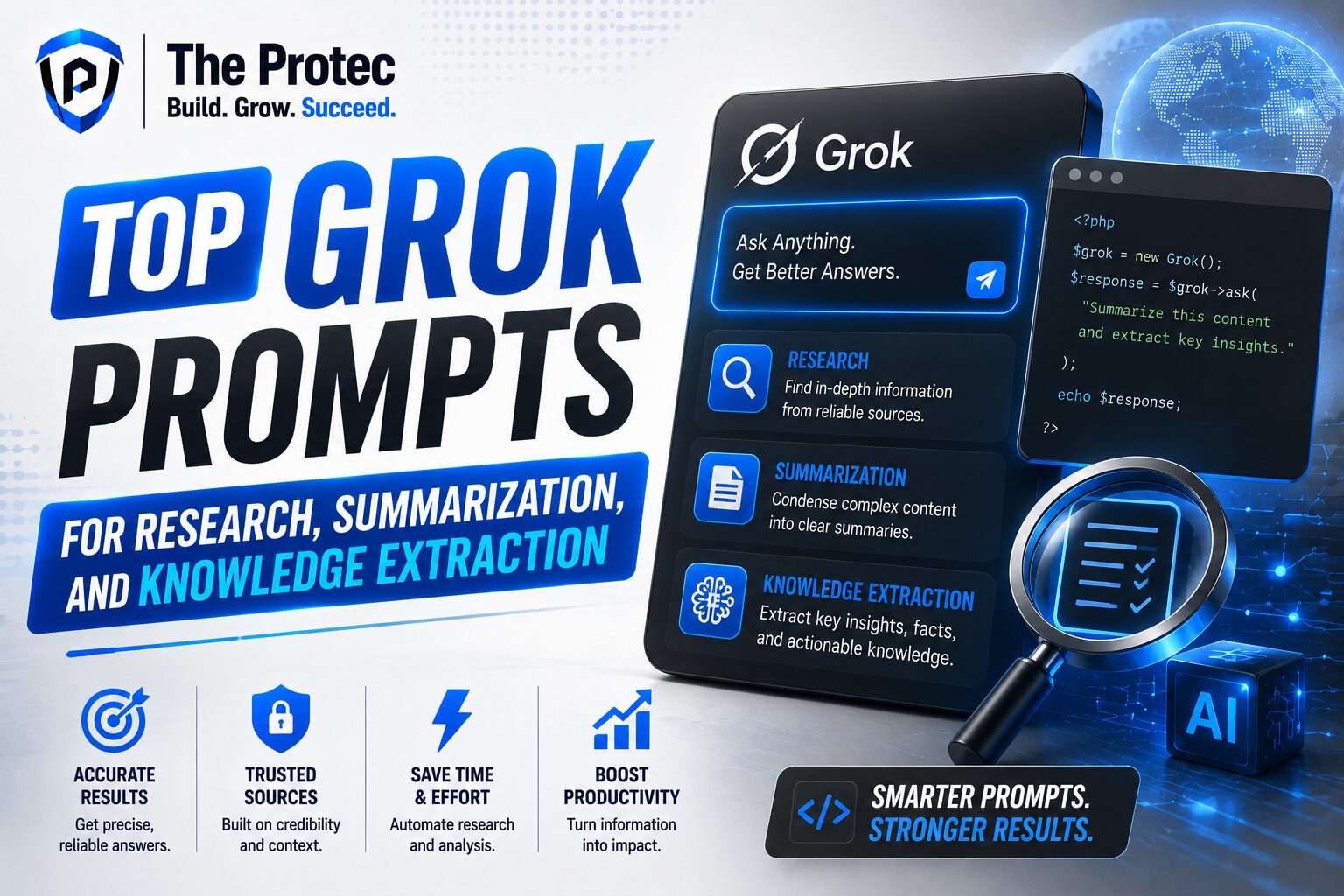
- Research: finding patterns, comparing viewpoints, surfacing evidence, and helping frame a question.
- Summarization: compressing a long source into a readable overview without losing the core message.
- Knowledge extraction: pulling structured data points, arguments, themes, entities, dates, risks, or action items from text.
These tasks overlap, but they are not identical. A research prompt should encourage reasoning and comparison. A summarization prompt should control length and format. A knowledge extraction prompt should be highly specific so the output is easier to reuse in a spreadsheet, report, memo, or presentation.
Grok is especially useful when the task needs speed, flexible follow-up questions, and a natural-language interface that can adapt from one context to another. For current best practices in prompt design, it is also worth reviewing broader guidance from xAI and prompt engineering resources such as the xAI documentation and the NIST AI Risk Management Framework, especially when your workflow involves sensitive or high-stakes analysis.
Best Practices for Writing Effective Grok Research Prompts
The most effective Grok prompts share a few traits. They are specific, constrained, and outcome-oriented. Instead of asking Grok to “analyze this article,” define the type of analysis you need and the structure of the response.
- State the goal clearly: research summary, comparison, extraction, critique, or synthesis.
- Define the audience: student, executive, analyst, researcher, or general reader.
- Specify the format: bullets, table, outline, timeline, pros and cons, or executive brief.
- Set boundaries: word limit, number of key points, or exclusion rules.
- Ask for source-grounded reasoning: request quotes, evidence, or confidence notes when needed.
Another useful habit is to separate the prompt into roles and tasks. For example, you can tell Grok to act as a research assistant, then specify the output structure. This often produces cleaner, more relevant results than a vague one-line request.
Top Grok Prompts for Research
Research prompts work best when they help you compare sources, frame questions, and identify what matters most. These examples are especially useful for students, policy teams, strategy teams, and independent researchers.
1. Research synthesis prompt
Prompt: “Act as a research assistant. Review the text below and produce a concise synthesis of the main argument, supporting evidence, counterarguments, and unanswered questions. Organize the response into four sections: Main Thesis, Key Evidence, Counterpoints, and Research Gaps. Keep it objective and do not add outside assumptions.”
This is one of the most versatile Grok research prompts because it forces a balanced view instead of a shallow summary. It is ideal for academic articles, white papers, reports, and long-form analysis.
2. Multi-source comparison prompt
Prompt: “Compare these sources on the same topic. Identify where they agree, where they conflict, which claims are strongest, and which claims need verification. Present the result as a table with columns for Source, Main Claim, Evidence Quality, Agreement, and Notable Differences.”
Use this when you are reading several articles, papers, or briefings on the same issue. It is especially helpful in fast-moving fields where consensus is not yet stable.
3. Research question refinement prompt
Prompt: “I am researching [topic]. Based on the text below, help me refine this into three stronger research questions. Prioritize questions that are specific, testable, and relevant to current debate. Explain briefly why each question is useful.”
This prompt is useful at the beginning of a project when the idea is still broad. Grok can help turn a vague topic into a focused research direction.
4. Evidence extraction prompt
Prompt: “Extract all explicit evidence from the text that supports or challenges the central claim. For each item, include the statement, location in the text, and whether it is direct evidence, interpretation, or opinion.”
For researchers and students, this is a strong way to avoid mixing facts with commentary. It improves traceability and makes it easier to cite relevant parts later.
5. Literature review assistant prompt
Prompt: “Analyze the following abstract or article excerpt as part of a literature review. Summarize the contribution, methodology, findings, limitations, and possible relevance to my research topic. Use precise academic language and keep the response under 250 words.”
This prompt helps you move quickly through many sources without losing structure. It is especially useful when reviewing dozens of papers.
AI Summarization Prompts That Actually Save Time
AI summarization prompts are not just about shortening text. The best ones preserve meaning while adapting the output to a specific use case. A good summary for a student may look different from one meant for a manager or client.
6. Executive summary prompt
Prompt: “Summarize the text below as an executive brief for a busy professional. Use 5 bullets maximum. Include the most important finding, why it matters, major risks, and one recommended next step. Avoid filler and keep the tone direct.”
This is a strong default for business reports, strategy notes, and internal updates. It converts long content into decision-ready information.
7. Plain-language summary prompt
Prompt: “Rewrite this text in plain language for a non-expert audience. Keep the core meaning intact, define technical terms when needed, and limit the result to 150–200 words.”
This is one of the most practical AI summarization prompts for professionals who need to communicate complex information to broader audiences. It is also helpful for students trying to simplify dense source material.
8. Section-by-section summary prompt
Prompt: “Summarize each section of the text in one sentence, then provide a final 3-bullet overall summary. Preserve the original structure and make it easy to scan.”
This format works well for long reports, policy papers, and chapters. It helps readers map the summary back to the original document.
9. Contrastive summary prompt
Prompt: “Summarize the text, but emphasize the difference between what is stated as fact, what is interpretation, and what is speculation. Label each clearly.”
This is useful when reading commentary-heavy content or source material where it matters to separate evidence from opinion.
10. Meeting or transcript summary prompt
Prompt: “Summarize the transcript below into decisions made, unresolved questions, action items, and key points by speaker if relevant. Keep the summary concise and operational.”
For professionals, this is one of the highest-value use cases. It turns long conversations into a usable record that can be shared quickly with a team.
Knowledge Extraction AI Prompts for Structured Output
Knowledge extraction AI becomes powerful when you need structured outputs instead of prose. This is where Grok can help transform long text into fields, labels, entities, and actionable insights.
11. Entity extraction prompt
Prompt: “Extract all named entities from the text, including people, organizations, products, locations, dates, and key terms. Present them in a table with columns for Entity, Type, and Context.”
This is valuable for analysts, journalists, and researchers who need to identify who and what is mentioned without reading the whole document again.
12. Theme extraction prompt
Prompt: “Identify the top five recurring themes in the text. For each theme, explain why it matters and cite the phrases or ideas that support it. Return the result as a numbered list.”
Themes help with qualitative analysis, literature synthesis, and content clustering. This prompt is especially effective for long interviews, essays, or collections of feedback.
13. Action item extraction prompt
Prompt: “Extract all action items, commitments, deadlines, and owners from the text. Format the output as a checklist with columns for Task, Owner, Deadline, and Status if available.”
Use this after meetings, interviews, or project discussions. It is one of the simplest ways to turn raw information into workflow support.
14. Risk and issue extraction prompt
Prompt: “Identify all risks, limitations, assumptions, and unresolved issues mentioned in the text. Rank them by importance and explain the potential impact of each.”
This prompt is helpful in strategy, compliance, product planning, and policy review. It helps teams avoid overconfidence and spot blind spots early.
15. Comparison matrix prompt
Prompt: “Extract and compare the following categories from the text: goals, methods, evidence, outcomes, limitations, and next steps. Present the result in a compact table.”
Comparison prompts are especially useful when you are evaluating several papers, vendors, tools, or proposals. They support fast decision-making by making differences visible.
Prompt Patterns That Improve Results with Grok
The strongest Grok prompts often combine three ingredients: role, task, and format. A role tells the model how to think. A task tells it what to do. A format tells it what the answer should look like.
- Role: “Act as a research analyst.”
- Task: “Compare these sources and identify the strongest evidence.”
- Format: “Return a table with five rows.”
You can also improve performance by adding constraints such as “use only the text provided,” “highlight uncertainties,” or “separate facts from interpretation.” These small details make the output more reliable and easier to reuse.
Another strong practice is to ask Grok for a second pass. For example, after a summary, ask it to identify missing points, possible bias, or follow-up questions. This creates a more robust research loop and reduces the chance of superficial answers.
How Students Can Use Grok Prompts for Better Study Work
Students often need to process large amounts of reading quickly without losing comprehension. Grok can support that process in several ways. It can condense chapters, explain difficult terminology, compare theories, and extract arguments from academic writing.
Useful student workflows include:
- Summarizing lecture notes into exam-ready bullet points
- Extracting thesis statements from journal articles
- Turning readings into flashcard-style prompts
- Comparing multiple authors on the same concept
- Finding gaps or weaknesses in an argument for essay writing
Students should still verify claims against the original source, especially when preparing citations or submitting academic work. Grok is best used as a reading accelerator, not a substitute for close reading.
How Professionals Use Grok for Faster Decision Support
For professionals, the value of Grok prompts is often operational. The goal is to save time while improving clarity. In business settings, Grok can help with market scans, policy summaries, client research, meeting notes, and internal knowledge management.
In practice, professionals use knowledge extraction AI to convert long documents into something actionable. That might mean a one-page executive brief, a risk matrix, a vendor comparison table, or a list of next steps for a cross-functional team. The best prompts keep the output grounded and practical.
In high-stakes contexts, it is smart to ask for confidence levels, highlight assumptions, and preserve source references. This reduces the chance of using an elegant summary that hides uncertainty.
Common Mistakes to Avoid When Using Grok Prompts
Even strong tools can produce weak results when the prompt is unclear. A few mistakes appear again and again:
- Being too vague: “Summarize this” often leads to generic output.
- Overloading the prompt: too many tasks at once can blur the result.
- Ignoring format: without structure, the output may be harder to use.
- Skipping verification: summaries and extractions should be checked against the source.
- Not tailoring to the audience: the same source may need different summaries for different readers.
The solution is usually simple: make the prompt narrower, clearer, and more specific. If needed, break one large task into smaller steps. That often produces better quality than one broad request.
FAQ
What makes a good Grok prompt for research?
A good Grok research prompt defines the task, the audience, the format, and the level of depth. It should ask for synthesis, comparison, evidence, or critique rather than a generic summary.
Can Grok be used for summarizing long documents?
Yes. Grok works well for long documents when the prompt specifies the type of summary you need, such as executive, plain-language, section-by-section, or transcript-based. Structured prompts usually produce the best results.
How is knowledge extraction AI different from summarization?
Summarization condenses content into a shorter narrative. Knowledge extraction AI pulls specific data points, entities, themes, actions, or risks into a structured format that is easier to reuse in analysis or reporting.
Should I trust Grok’s output without checking the source?
No. Grok is useful for speed and organization, but important claims should still be verified against the original material. This is especially important for academic, legal, financial, or policy-related work.
What is the best way to get better answers from Grok?
Use precise instructions, ask for a clear format, limit the scope, and request distinctions between facts and interpretation. If needed, follow up with a second prompt asking for gaps, assumptions, or missing evidence.
Final Thoughts
The best Grok prompts do more than save time. They help you think more clearly, organize information faster, and convert large amounts of text into something useful. For research, the goal is better synthesis. For summarization, the goal is clarity without losing meaning. For knowledge extraction, the goal is structure that can be reused in decisions, reports, and workflows.
If you are a student working through dense readings, a professional reviewing documents, or a researcher comparing sources, these Grok research prompts can make your process more efficient and more disciplined. The real advantage comes from treating Grok like a focused assistant: give it a specific job, and it will usually give you a much better answer.