








Contents
- 1 Why Grok Prompts Matter for Web Developers and Freelancers
- 2 How to Write Better Grok Prompts for Web Development
- 3 Best Grok Prompts for Coding Tasks
- 4 Grok Prompts for Debugging and Code Review
- 5 Freelancer AI Prompts for Proposals and Client Communication
- 6 Grok Prompts for Planning, Architecture, and Decision-Making
- 7 Advanced Prompting Tips for Better Results
- 8 Prompt Pack: Copy-and-Use Grok Prompts
- 9 Common Mistakes to Avoid When Using Grok for Web Development
- 10 How Freelancers Can Turn Grok Into a Daily Workflow Tool
- 11 FAQ: Grok Prompts for Web Developers and Freelancers
- 12 Final Thoughts
Why Grok Prompts Matter for Web Developers and Freelancers
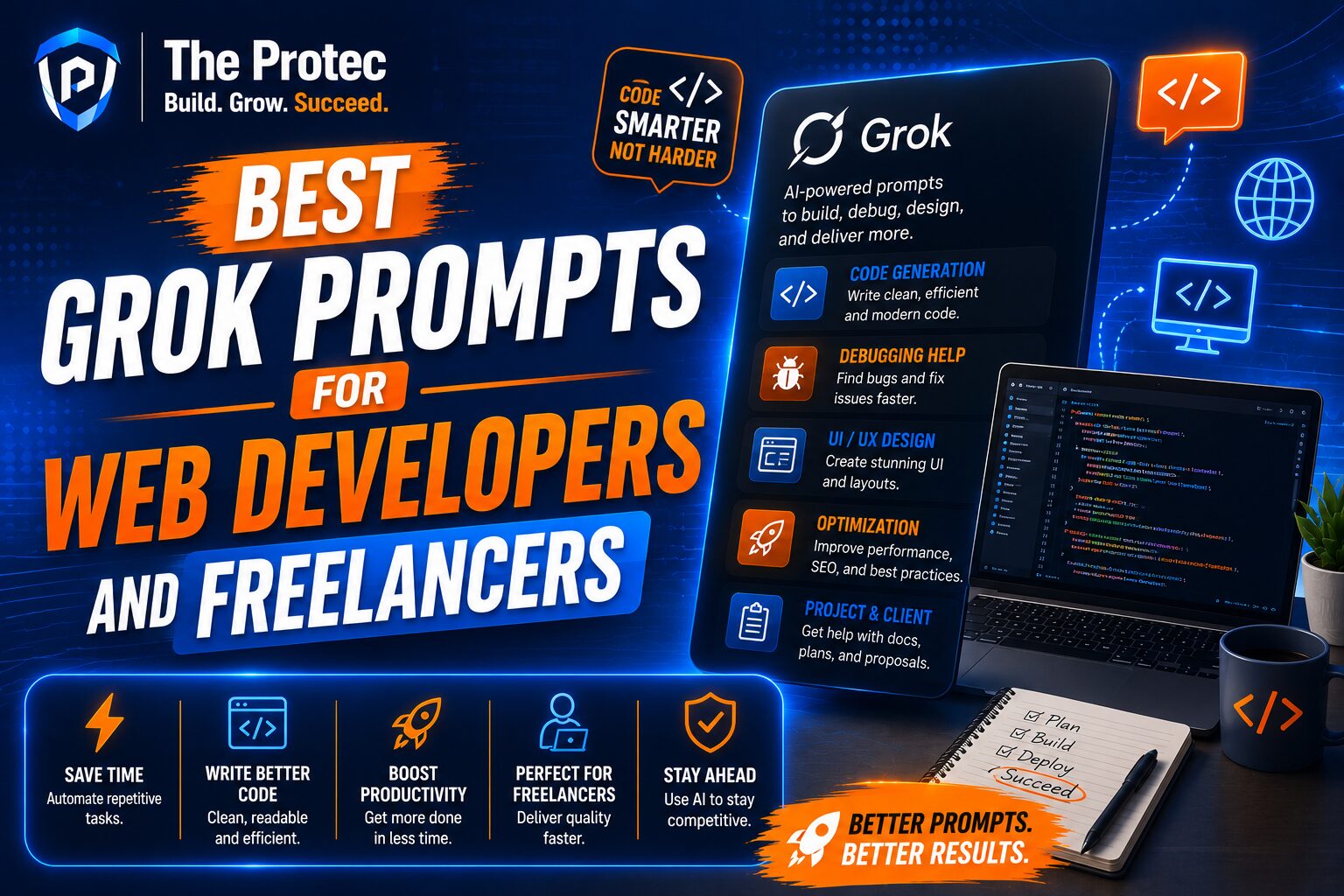
Web development moves fast, and freelance work moves even faster. Between framework updates, client requests, bug fixes, scope changes, and proposal deadlines, it is easy to spend more time switching contexts than actually building. That is where well-crafted Grok prompts can make a measurable difference. The best Grok prompts for web developers are not about replacing judgment or creativity. They are about accelerating the parts of the workflow that are repetitive, time-sensitive, or mentally expensive.
For freelancers especially, web development AI is most useful when it helps you communicate clearly, work more systematically, and deliver with confidence. A strong prompt can turn Grok into a coding partner, a debugging assistant, a proposal editor, a client communication coach, or a planning tool. Used well, freelancer AI prompts can improve speed without sacrificing quality.
This guide focuses on practical prompt patterns you can use right away for coding, proposals, client communication, debugging, and project planning. It is designed for modern workflows across React, Next.js, Node.js, TypeScript, Tailwind, WordPress, headless CMS stacks, APIs, and AI-assisted development pipelines.
How to Write Better Grok Prompts for Web Development
Good prompts are specific, contextual, and outcome-driven. The more useful details you give Grok, the better the result. Instead of asking for “help with a landing page,” specify the framework, the goal, the audience, the constraints, and the output format you want.
Use this simple structure:
- Role: Tell Grok what kind of expert it should act like.
- Context: Describe the project, stack, or problem.
- Task: State exactly what you need.
- Constraints: Mention style, performance, accessibility, or technical limits.
- Output: Ask for code, bullet points, tables, checklists, or a step-by-step plan.
For example, compare these two prompts:
Weak: “Fix this React code.”
Better: “Act as a senior React engineer. Review this component for performance issues, unnecessary re-renders, and accessibility problems. Return the corrected code, explain each fix briefly, and note any edge cases.”
That second version gives Grok enough direction to generate something truly useful. The same principle applies to freelancer AI prompts for proposals, emails, estimates, and scope documents.
Best Grok Prompts for Coding Tasks
Coding is one of the most valuable use cases for web development AI. Grok can help you scaffold components, generate utility functions, refactor messy code, and suggest more maintainable patterns. The key is to be precise about your stack and desired output.
Prompt for building a component
Use this when: you need a starter component or page section.
Prompt: “Act as a senior front-end developer. Build a responsive pricing table in React and Tailwind CSS with three plans, highlighted middle tier, accessible buttons, semantic HTML, and mobile-first behavior. Include clean component code only.”
This works well because it defines the framework, styling system, responsiveness, accessibility, and output format.
Prompt for generating a reusable function
Prompt: “Write a TypeScript utility function that validates a form object with required fields, email format, and minimum password length. Return a typed error object. Include a few example inputs and outputs.”
For freelancers, reusable functions like this save time across client projects and reduce repeated manual work.
Prompt for converting design into code
Prompt: “Turn this UI description into a responsive HTML/CSS section: hero area with headline, supporting text, two CTA buttons, and an image card. Use modern semantic markup, accessible color contrast, and CSS Grid.”
This is especially useful when working from wireframes, design briefs, or rough client notes. It can also speed up work with design systems and component libraries.
Prompt for modern stack scaffolding
Prompt: “Generate the file structure and starter code for a Next.js app using App Router, TypeScript, Tailwind CSS, and a contact form endpoint. Include environment variable handling and a brief explanation of each folder.”
Modern web development often involves multiple moving parts. A prompt like this helps you get a clean starting point without having to remember every boilerplate detail.
Grok Prompts for Debugging and Code Review
Debugging is where Grok can become a genuine productivity multiplier. Instead of staring at the same error message for an hour, you can use targeted prompts to narrow down causes, identify likely fixes, and create a checklist for verification.
Prompt for error analysis
Prompt: “Analyze this error message and the related code. Identify the most likely cause, explain why it happens, and provide the smallest safe fix. Then list two alternative causes if the first fix does not resolve it.”
This is useful because it pushes Grok to prioritize accuracy and avoid vague guesses.
Prompt for React bug hunting
Prompt: “Review this React component for bugs related to state updates, dependency arrays, stale closures, and rendering loops. Return a list of issues sorted by severity, then provide a corrected version.”
That prompt is tailored to common problems in modern React workflows, especially in apps that rely on hooks, async data, and client-side state.
Prompt for performance review
Prompt: “Audit this front-end code for performance bottlenecks, unnecessary DOM work, and inefficient data handling. Suggest changes that improve speed without making the code harder to maintain.”
Web development AI is especially helpful here because many performance problems are easy to overlook in the rush to ship.
Prompt for production issue triage
Prompt: “Act as a senior engineer on incident response. Given this broken feature description, propose a debugging plan with the fastest checks first, likely root causes, and a rollback-safe recovery path.”
Freelancers working with live client sites can use this kind of prompt to stay calm and systematic when things break unexpectedly.
Freelancer AI Prompts for Proposals and Client Communication
Many freelancers lose time not in development, but in the communication around development. Proposals, estimates, follow-ups, scope clarifications, status updates, and revision requests all take energy. This is where freelancer AI prompts can create immediate value.
Prompt for a project proposal
Prompt: “Write a concise web development proposal for a small business website redesign. The proposal should include goals, deliverables, timeline, assumptions, and a professional but friendly tone. Keep it client-ready and easy to scan.”
You can then edit the draft to match your voice and the client’s specific needs.
Prompt for estimating scope
Prompt: “Help estimate the effort for a custom contact form, CMS integration, responsive redesign, and basic on-page SEO improvements. Break the scope into tasks, note dependencies, and identify risks that could affect the timeline.”
That helps you price work more intelligently and avoid underestimating hidden complexity.
Prompt for a discovery call follow-up
Prompt: “Draft a professional follow-up email after a discovery call. Summarize the client’s goals, restate the next steps, list any open questions, and include a friendly call to action.”
This is one of the most practical Grok prompts for web developers who want to stay organized and move deals forward.
Prompt for setting boundaries
Prompt: “Write a polite message explaining that a requested change is outside the original scope and will require a revised estimate. Keep the tone collaborative and solution-oriented.”
That kind of message can be hard to write in the moment, especially when deadlines are tight. Grok can help you stay professional.
Prompt for status updates
Prompt: “Create a client-friendly project update that explains what was completed this week, what is in progress, and what blockers remain. Use plain language and avoid technical jargon.”
Clear communication builds trust. For freelancers, trust often matters as much as technical skill.
Grok Prompts for Planning, Architecture, and Decision-Making
Web development AI is also useful before you write code. A thoughtful prompt can help you compare approaches, design a maintainable architecture, or choose between frameworks and libraries based on project needs.
Prompt for architecture comparison
Prompt: “Compare these two implementation options for a small SaaS dashboard: server-rendered pages versus client-heavy interactivity. Discuss performance, SEO, maintainability, and developer experience. Recommend the better option for a solo freelancer project.”
This is particularly useful when you need to justify decisions to a client or choose a practical path under time constraints.
Prompt for task breakdown
Prompt: “Break this website rebuild into a realistic task list for a freelance developer. Group tasks by discovery, design, development, testing, launch, and post-launch support.”
That makes it easier to turn big projects into actionable phases.
Prompt for tech stack selection
Prompt: “Recommend a modern stack for a fast, SEO-friendly brochure site with a blog, contact form, and easy content editing. Explain tradeoffs among WordPress, headless CMS, and Next.js.”
Clients often ask for the “best” solution, but the real answer depends on budget, editing needs, long-term maintenance, and performance goals.
Prompt for refactoring strategy
Prompt: “Review this codebase structure and suggest a refactoring plan that improves maintainability without rewriting everything at once. Prioritize changes by impact and risk.”
This is a smart way to use Grok when you inherit an existing project and need to improve it without disrupting delivery.
Advanced Prompting Tips for Better Results
The quality of the output depends heavily on how you frame the request. The following habits will make your Grok prompts for web developers significantly more effective.
- Specify the stack: Mention React, Vue, Next.js, WordPress, Laravel, Node, or whatever applies.
- Ask for a format: Request code only, a checklist, a table, or a bullet summary.
- Define the audience: Use client-friendly language when needed, or technical language for internal work.
- Include constraints: Mention SEO, accessibility, responsiveness, performance, or security requirements.
- Ask for alternatives: Request two or three approaches when making architectural decisions.
- Request edge cases: Ask Grok to identify likely failure points or hidden assumptions.
- Use iterative prompting: Start broad, then narrow down based on the first answer.
Another strong tactic is asking Grok to critique its own output. For example: “Review your answer for missing edge cases, accessibility issues, or risky assumptions, then provide an improved version.” This can surface gaps that a single pass might miss.
Prompt Pack: Copy-and-Use Grok Prompts
Below is a compact prompt pack you can adapt for daily freelance and development work.
- Code review: “Review this code as a senior engineer. Identify bugs, maintainability issues, and accessibility concerns. Return prioritized feedback.”
- Bug fix: “Find the root cause of this issue, explain it clearly, and provide the safest fix with minimal changes.”
- Proposal draft: “Write a polished freelance proposal for this web project with scope, timeline, and deliverables.”
- Client email: “Draft a professional email that explains progress, blockers, and next steps in simple language.”
- Task breakdown: “Turn this project description into a step-by-step implementation plan with dependencies.”
- Performance audit: “Analyze this front-end code for performance issues and recommend practical improvements.”
- Architecture choice: “Compare these implementation options and recommend the best one for a freelance project.”
- Scope management: “Write a polite response explaining why this request requires a change order.”
Common Mistakes to Avoid When Using Grok for Web Development
Even the best AI prompts can produce weak results if the input is vague or overstuffed. One common mistake is asking Grok to solve too many unrelated problems in a single prompt. Another is failing to provide enough context. If you do not mention the framework, browser target, or deployment environment, the answer may be generic or incomplete.
It is also important not to accept the first answer blindly. Treat Grok as a fast assistant, not a final reviewer. Always check generated code for security, performance, accessibility, and compatibility. This is especially important in production work, where a small mistake can affect users or client trust.
Finally, avoid prompts that are too broad when you need a precise result. “Help me build this site” is not as useful as “Generate a responsive hero section in Next.js with Tailwind and accessible buttons.” Specificity creates better outputs.
How Freelancers Can Turn Grok Into a Daily Workflow Tool
The strongest use of Grok prompts for web developers is not occasional problem-solving. It is workflow integration. Freelancers can use web development AI at every stage of a project: during discovery, while planning the build, when writing code, during QA, and while communicating with clients.
A practical workflow might look like this:
- Use Grok to summarize client requirements after a discovery call.
- Ask it to turn those notes into a scope outline and task list.
- Generate starter code or component scaffolds for repetitive work.
- Use it to review bugs, logs, or error messages during development.
- Draft weekly updates, change requests, and delivery emails.
- Ask for a launch checklist before deployment.
When used this way, Grok becomes more than a chatbot. It becomes a repeatable operating system for freelance delivery.
FAQ: Grok Prompts for Web Developers and Freelancers
What are the best Grok prompts for web developers?
The best Grok prompts for web developers are specific prompts for coding, debugging, architecture decisions, accessibility reviews, and client communication. The more context you provide about your stack and goal, the better the output.
Can Grok help freelancers write proposals and emails?
Yes. Freelancer AI prompts are especially useful for proposals, follow-ups, scope change requests, status updates, and discovery summaries. Grok can produce a strong first draft that you can quickly tailor to the client.
Is Grok useful for debugging web apps?
Yes. Grok can analyze error messages, inspect code patterns, suggest likely root causes, and provide step-by-step debugging plans. It is most effective when you include the relevant code, logs, and framework details.
How do I get better results from web development AI?
Be specific about the role, context, task, constraints, and output format. Ask for alternatives, edge cases, and a review of potential flaws. Iterating on the prompt usually leads to much better results than one broad request.
Should I trust AI-generated code without reviewing it?
No. Always review AI-generated code before using it in a real project. Check for logic errors, security issues, performance problems, and accessibility concerns. AI should speed up your work, not replace careful engineering judgment.
Final Thoughts
The best Grok prompts for web developers and freelancers are the ones that save time without reducing quality. Whether you need help writing code, debugging a tricky issue, drafting a proposal, or handling client communication, Grok can be a powerful part of your workflow when you use it with intention.
For freelancers, that means faster turnaround, clearer communication, and less mental overhead. For developers, it means quicker iteration, better structure, and a smarter way to handle repetitive work. The real advantage of web development AI is not novelty. It is consistency. Build a strong prompt library, refine it over time, and let Grok handle the first draft so you can focus on the decisions that matter most.
Used well, freelancer AI prompts do more than speed up tasks. They help you deliver better work with less friction, which is exactly what modern web clients expect.