








Introduction
The rise of no-code platforms combined with advanced artificial intelligence has revolutionized the way entrepreneurs and developers approach building software. Today, it is entirely feasible to build a SaaS app without coding using cutting-edge AI-powered no-code tools. This empowers non-technical founders and small teams to bring their software ideas to life swiftly and cost-effectively without the traditional need for extensive programming expertise.
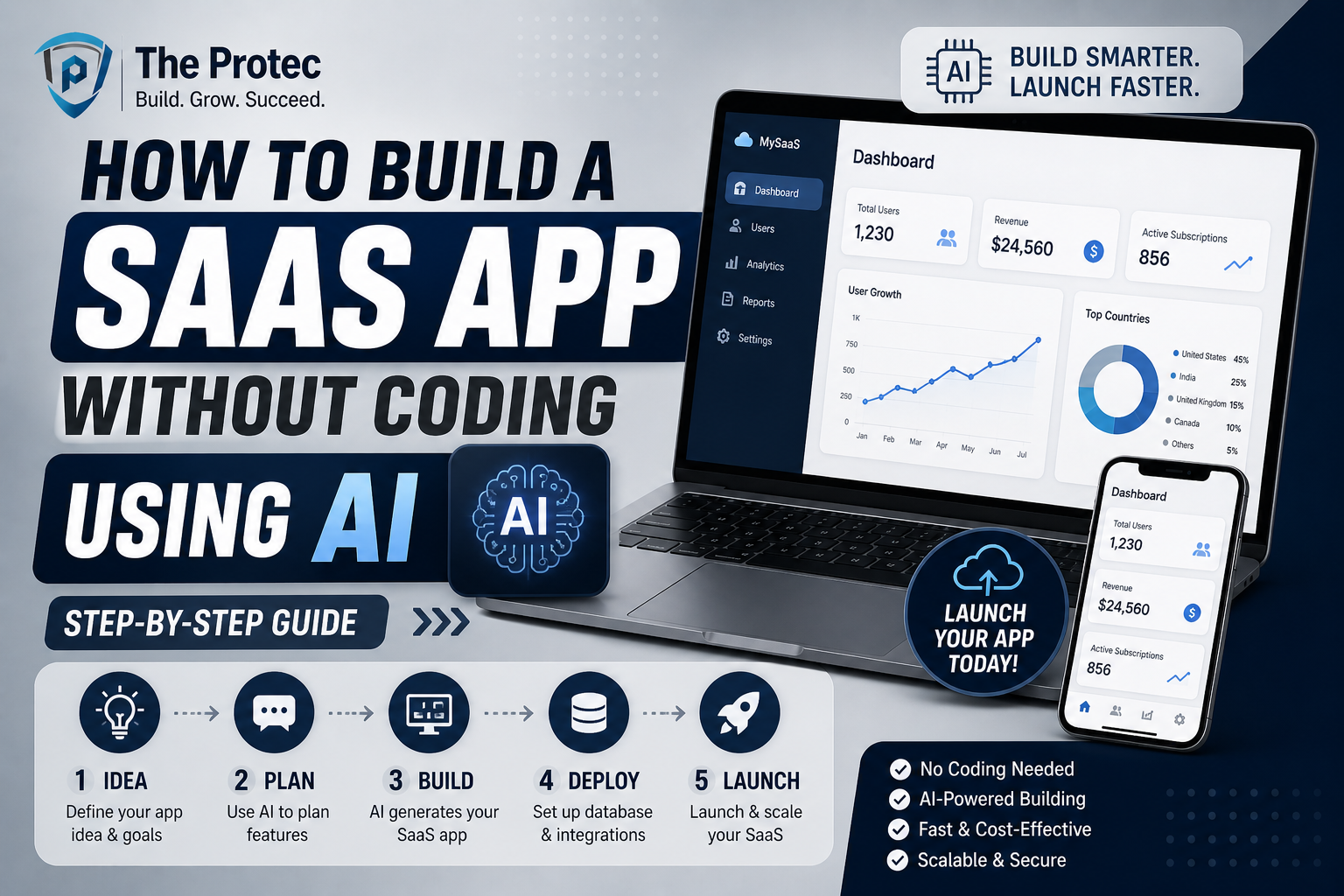
In this comprehensive step-by-step guide, we will explore how to leverage the latest AI no code tools to design, develop, and launch a fully functional SaaS application. By the end, you will understand the core stages of creating your own no code SaaS product from ideation and prototyping to deployment and growth all without writing a single line of code.
Why Build SaaS Without Coding?
Traditionally, developing SaaS apps required hiring developers, managing complex codebases, and enduring long development cycles. This process is costly and risky, especially for early-stage startups or solo founders. The emergence of no code platforms empowered by AI changes this dynamic by:
- Speed: Dramatically shortening development time.
- Cost-Effectiveness: Eliminating or reducing the need for developers.
- Accessibility: Enabling non-technical entrepreneurs to create sophisticated apps.
- Flexibility: Allowing rapid iteration based on feedback.
Hence, learning to build SaaS without coding is a strategic move to accelerate time-to-market and validate ideas faster.
Step 1: Define Your SaaS Idea and Core Features
The foundation of any successful SaaS product is a clear problem statement and a well-defined target audience. Before picking any tool, articulate what your app will solve:
- What core problem does it address?
- Who are your users?
- What essential features will deliver value immediately?
At this stage, focus on building a Minimal Viable Product (MVP). Avoid feature bloat by prioritizing functionalities that validate product-market fit. Examples of typical SaaS features include user authentication, data dashboards, payment processing, and notifications.
Step 2: Choose the Right AI No Code Tools
There is an expanding ecosystem of AI no code tools designed to simplify SaaS development. Selecting the right platforms depends on your technical requirements, budget, and scalability needs. Here are some leading categories and tools:
- No Code App Builders: Platforms like Bubble and Adalo allow drag-and-drop creation of web and mobile SaaS apps without coding.
- AI-Powered Automation: Tools like Zapier and Make (formerly Integromat) enable you to automate workflows and connect multiple services.
- AI Chatbots & Customer Support: Platforms such as Landbot and Google Dialogflow integrate conversational AI without coding.
- AI Content & Design Generators: Tools like Copy.ai and Canva assist with marketing copy and UI designs leveraging AI.
Based on your SaaS concept, select complementary tools from these categories to build, automate, and enhance your platform efficiently.
Step 3: Design Your App’s User Interface
A user-friendly interface is critical for SaaS success. Fortunately, no-code builders provide intuitive visual editors that eliminate manual coding for UI design.
Tips for design with no code SaaS app builders:
- Use Templates: Most platforms offer SaaS-specific templates to jumpstart your layout.
- Focus on UX: Keep navigation simple and prioritize core user flows.
- Leverage AI Design Assistants: Some platforms integrate AI tools that suggest optimal layout arrangements and color palettes.
- Prototype Fast: Build wireframes and interactive prototypes to test usability before finalizing.
For example, Bubble’s drag-and-drop editor allows you to create complex pages with reusable components and conditional logic with ease without ever writing CSS or HTML.
Step 4: Implement Core SaaS Functionalities
With the UI in place, it’s time to integrate key backend capabilities. Common features include:
- User Authentication: Use the platform’s built-in user management or AI-based identity verification services.
- Database Management: Configure no-code databases with tools like Airtable or directly within your app builder to store user data and app content safely.
- Payment Processing: Implement payment gateways such as Stripe or PayPal, which can be integrated via plugins or API connectors without coding.
- Automations: Utilize AI-enabled automation platforms like Zapier to trigger email notifications, update records, or interact with third-party APIs when certain events occur.
Many no code SaaS builders also provide visual workflow editors to define business logic and data interactions, making complex backend processes manageable for non-developers.
Step 5: Test Your SaaS App Thoroughly
Before launch, robust testing ensures your no code SaaS app performs reliably. Key testing methods include:
- Functional Testing: Verify each feature works as intended by walking through user scenarios.
- Usability Testing: Gather feedback from target users on UX and app responsiveness.
- Performance Testing: Check load times and responsiveness across devices.
- Security Testing: Ensure user data privacy and protection measures are robust, especially for payment and authentication systems.
Many AI no code platforms offer built-in preview and version control features, allowing you to iterate based on testing feedback quickly.
Step 6: Launch and Market Your No Code SaaS
Once tested, your SaaS is ready for deployment. Deploy your app on cloud hosting integrated with your no-code tool or via popular PaaS providers that require zero infrastructure management.
Marketing your SaaS effectively is as important as its development. Strategies include:
- Content Marketing: Publish articles, tutorials, and case studies to attract your target audience.
- Social Media & Community Engagement: Participate in niche forums and groups where your users gather.
- Email Campaigns: Build email lists to nurture leads and announce features or updates.
- Leverage AI Marketing Tools: Use AI-driven platforms to automate social posts, generate copy, and personalize outreach.
Launching your SaaS with a lean, no-code MVP allows you to gather real-world feedback rapidly and scale features as you grow.
Step 7: Scale and Maintain Your SaaS App
After initial launch success, focus on scaling and maintaining your app by:
- Monitoring Performance: Use analytics and AI monitoring tools to track user behavior and app health.
- Iterative Updates: Continuously improve features based on user feedback, employing no-code tools’ flexibility.
- Optimizing Costs: Many no code SaaS platforms offer scalable pricing manage plan tier upgrades as your user base grows.
- Security Updates: Regularly update security protocols to protect your SaaS and users.
The agility of AI no code platforms means your SaaS can evolve quickly while keeping operational overhead lean.
Frequently Asked Questions (FAQ)
Can I build a complex SaaS app entirely without coding?
While no code platforms have grown immensely powerful and can handle complex SaaS apps, very advanced or highly customized features may still require some low-code integration or developer assistance. However, the majority of MVPs and many full-featured SaaS products can be built without traditional coding.
What are the best AI no code tools for SaaS development?
Leading no code app builders like Bubble and Adalo are great for front-end and backend development. For automation and AI workflow enhancements, Zapier and Make provide powerful integrations. For AI-powered UX design and content creation, tools like Copy.ai and Canva are invaluable.
How long does it take to build a no code SaaS app using AI tools?
The time frame varies based on app complexity but using AI no code tools can reduce development time from months to weeks or even days. MVPs often launch within a few weeks, allowing rapid validation and iteration.
Conclusion
Building a SaaS app without coding is no longer a distant dream thanks to the rapid advancements in AI no code tools and frameworks. By carefully defining your idea, choosing the right platforms, designing intuitive UX, implementing essential features, testing rigorously, and launching strategically, you can bring your SaaS vision to market faster and more economically than ever before.
Embrace this modern approach to software creation, leverage AI and automation to boost productivity, and focus on delivering real value to your users through scalable and maintainable no code SaaS applications.