








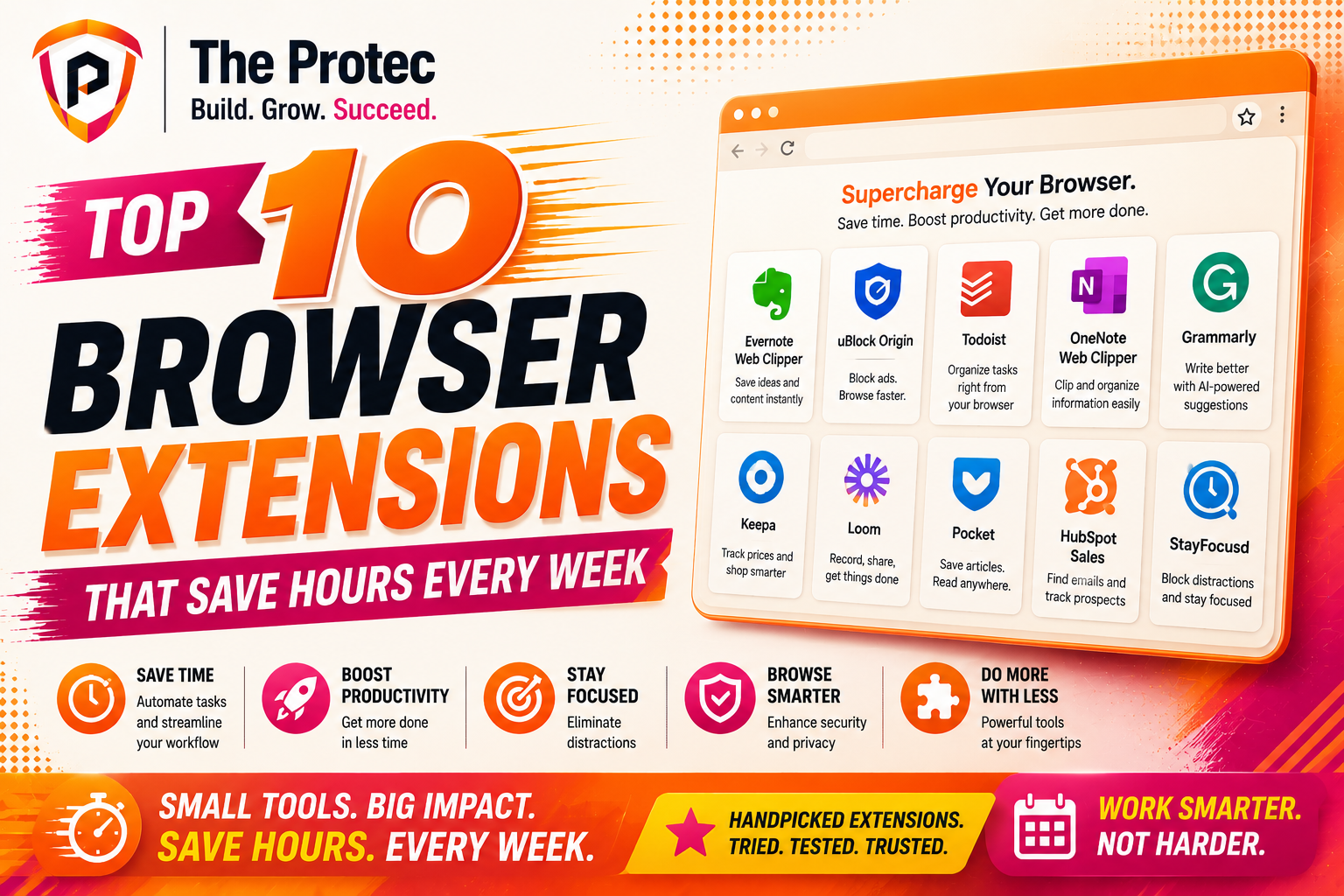
Top 10 Browser Extensions That Can Save Hours Every Week
If your browser is where most of your work happens, then the right extensions can quietly become your highest-ROI productivity tools. The best browser extensions do more than add convenience: they reduce context switching, automate repetitive tasks, speed up research, and help you move from tab chaos to a cleaner workflow. In a work environment shaped by AI-assisted search, hybrid collaboration, and faster content creation cycles, even small time savings compound fast.
This list focuses on practical Chrome productivity extensions and cross-browser workflow tools that can genuinely save hours every week. These are not flashy add-ons you forget about after one use. They are the extensions people keep installed because they consistently remove friction from everyday work. Whether you write, research, manage projects, sell, build, or handle client communication, the right setup can shave minutes off dozens of tasks every day.
Below, you’ll find the top 10 browser extensions worth considering, plus a quick breakdown of why each one earns a place in a modern productivity stack. If you want to optimize your browser into a focused, efficient workspace, this is a strong place to start.
1. Grammarly
Grammarly remains one of the most useful browser extensions for anyone who writes emails, proposals, social posts, support replies, or documentation. It catches grammar issues, improves clarity, and helps you sound more polished without forcing you to copy text into a separate editor. The extension works directly in web apps, so you can write faster and edit less.
What makes Grammarly especially valuable is how much time it saves across tiny writing moments. Instead of reviewing every sentence manually, you can rely on real-time suggestions for tone, concision, and correctness. That adds up quickly if your day includes a steady stream of communication.
- Best for: professionals, teams, marketers, customer support, founders
- Time saved: editing, rewriting, and proofreading
- Why it stands out: instant writing support inside email and browser-based tools
2. Notion Web Clipper
The Notion Web Clipper is one of the best browser extensions for collecting research, saving references, and organizing ideas without interrupting your workflow. Instead of opening a new note, copying text, and later formatting it, you can clip an article, highlight useful sections, and file it into the right database in seconds.
This is especially useful in workflows that depend on fast information capture. Content strategists, analysts, students, and product teams often lose time simply trying to keep track of useful sources. The Notion Web Clipper reduces that friction and keeps your browser from becoming a graveyard of open tabs.
- Best for: research-heavy work, content planning, knowledge management
- Time saved: saving and organizing information
- Why it stands out: fast capture directly into a structured workspace
3. Todoist for Chrome
Todoist for Chrome turns any webpage into an actionable task in just a couple of clicks. That may sound simple, but it solves a real productivity problem: tasks often appear while you’re in the middle of something else, and if you do not capture them immediately, they get lost. This extension helps you turn ideas, follow-ups, and reminders into a reliable system without breaking focus.
Modern workflow tools work best when they reduce the cost of task capture. Todoist does exactly that. You can create tasks from selected text, set priorities, and assign due dates, all while staying in the browser. For anyone juggling client work, team coordination, or personal to-dos, this can eliminate a lot of mental overhead.
- Best for: personal productivity, project follow-up, task capture
- Time saved: switching apps to create and manage tasks
- Why it stands out: minimal friction between browsing and action
4. StayFocusd
StayFocusd is one of the most effective browser extensions for reclaiming time from distraction. It lets you limit access to time-wasting websites, block certain pages during focused work sessions, and prevent accidental rabbit holes that eat into your day. If you’ve ever opened a social site “just for a minute” and lost 30 minutes, this extension can help.
Its strength is not in sophistication; it is in enforcement. Many productivity tools rely on willpower, but StayFocusd creates a boundary between intention and impulse. That makes it especially helpful for deep work, writing sprints, and deadline-driven tasks.
- Best for: deep work, students, remote workers, creators
- Time saved: distraction control and focus protection
- Why it stands out: simple rules that reduce unplanned browsing
5. Loom
Loom has become a go-to browser extension for asynchronous communication. Instead of scheduling another meeting or typing a long explanation, you can record your screen, voice, and webcam in a few clicks. That saves time on both sides: the sender avoids writing a lengthy message, and the recipient gets a clearer explanation with less back-and-forth.
In distributed teams, asynchronous updates are now a core workflow pattern. Loom fits that trend well. It is ideal for product walkthroughs, feedback, onboarding, bug reports, and client updates. The extension is particularly helpful when a visual explanation is faster than a written one.
- Best for: teams, customer success, sales, product, support
- Time saved: meetings, explanations, and repetitive calls
- Why it stands out: fast visual communication without leaving the browser
6. LastPass or 1Password
Password managers are not always discussed as productivity extensions, but they absolutely belong on this list. LastPass and 1Password both reduce one of the most common time drains in browser-based work: logging in. If you manage dozens of accounts, portals, tools, and client platforms, autofill alone can save a surprising amount of time every week.
Beyond speed, these tools improve workflow reliability. You do not waste time on password resets, and you reduce the chance of reusing weak passwords. In a world where browser-based SaaS tools are everywhere, a secure password manager is one of the smartest workflow tools you can install.
- Best for: anyone with multiple logins
- Time saved: login friction, reset loops, credential hunting
- Why it stands out: security and convenience in one extension
For more on secure digital habits, see guidance from CISA on protecting accounts and reducing risk.
7. OneTab
OneTab is a classic browser extension that still delivers huge time savings for anyone who works with too many tabs. Instead of letting dozens of open pages slow down your browser and your concentration, OneTab collapses them into a clean list. You can reopen them later, share them with others, or keep them grouped by topic.
This is more than a browser cleanup tool. It is a decision-making aid. When your tabs are organized, it becomes easier to focus on what matters now and defer what can wait. That means less mental clutter and fewer slowdowns from a memory-heavy browser session.
- Best for: researchers, analysts, writers, multitaskers
- Time saved: tab management, browser performance issues
- Why it stands out: instant decluttering without losing information
8. Raindrop.io
Raindrop.io is one of the best browser extensions for saving and organizing bookmarks in a way that actually supports modern work. Traditional bookmarks become messy fast, especially when research spans articles, videos, tools, and reference pages. Raindrop lets you collect everything in a structured library with tags, collections, and visual previews.
If your work depends on browsing for ideas, sources, or inspiration, this extension helps you build a searchable knowledge base instead of relying on memory. That can save hours when you need to revisit a source later or share a curated set of links with a team.
- Best for: content teams, researchers, designers, strategists
- Time saved: re-finding sources and managing bookmarks
- Why it stands out: clean organization for modern web research
9. Scribe
Scribe is one of the most impressive workflow tools for teams that document processes. With the browser extension, you can record a process as you perform it, and Scribe automatically turns the steps into a shareable guide with screenshots. That means no manual note-taking, no repeated screenshots, and far less time spent building SOPs from scratch.
This is particularly valuable for onboarding, support documentation, internal training, and client enablement. If your team often answers the same questions or explains the same process, Scribe can eliminate a huge amount of repetitive work.
- Best for: operations, HR, support, training, internal documentation
- Time saved: documenting repeatable workflows
- Why it stands out: automatic step-by-step guides from real actions
10. ChatGPT or Perplexity Extensions
AI browser extensions have become much more useful as search and work patterns have changed. Tools like ChatGPT and Perplexity extensions help you summarize pages, brainstorm ideas, draft responses, extract key points, and speed up research without constantly copying and pasting between tabs. Used well, they can become a daily accelerator for writing and analysis.
The key is to treat them as assistants, not replacements. They are most valuable when you use them to compress the time it takes to understand a page, outline a draft, or compare options. For knowledge workers, that can easily save hours each week, especially when combined with other browser productivity extensions.
- Best for: research, writing, summarization, ideation
- Time saved: reading, drafting, and first-pass analysis
- Why it stands out: fast assistance inside the browser where work already happens
For practical information on evaluating AI-powered tools, the NIST site offers useful resources on risk, standards, and responsible technology use.
How to Choose the Best Browser Extensions for Your Workflow
The best browser extensions are the ones that solve repetitive problems in your actual workday. A tool may be popular, but if it does not reduce clicks, decisions, or interruptions for you, it is not a productivity win. The goal is not to install more extensions. The goal is to build a browser setup that saves effort every time you open a tab.
Look for extensions that remove friction
Start with tasks you repeat often: writing, clipping, logging in, organizing tabs, saving links, or creating documentation. If an extension saves even 30 seconds per use and you use it dozens of times a day, the payoff becomes meaningful very quickly.
Prefer tools that fit naturally into your browser habits
Chrome productivity extensions tend to work best when they appear where you already work. If a tool lives in a separate dashboard you rarely open, it may not help much. The most effective workflow tools are the ones that show up at the exact moment you need them.
Avoid extension overload
Too many extensions can slow down your browser, create clutter, or even conflict with one another. Audit your setup every few months. Keep the ones you use consistently and remove anything that is only occasionally useful.
Best Practices for Saving Hours Every Week
Installing the right extensions is only part of the equation. To get real time savings, you need a workflow that supports consistency. The fastest teams and individuals usually share a few habits: they capture information immediately, automate repetitive actions, and keep their browser environment lean.
- Use one tool for each core job: writing, tasks, notes, bookmarks, and focus
- Pin your most-used extensions for quick access
- Review your extension list monthly and remove duplicates
- Combine extension usage with keyboard shortcuts when possible
- Choose tools that integrate with your existing apps and habits
Once your browser becomes a well-organized workspace, you stop losing time to small interruptions. That is where the compounding effect appears. A few saved minutes per task can turn into several hours reclaimed every week.
FAQ
What are the best browser extensions for productivity?
The best browser extensions for productivity are the ones that reduce repetitive work, such as Grammarly for writing, Todoist for task capture, OneTab for tab management, and Loom for async communication. The right mix depends on your daily workflow.
Are Chrome productivity extensions safe to use?
Most reputable Chrome productivity extensions are safe, but you should still review permissions, check recent updates, and install only from trusted developers. Password managers and security-aware extensions are especially important if you handle sensitive data.
How many browser extensions should I install?
There is no perfect number, but fewer is usually better. Start with the extensions that solve your biggest time drains, then add only what you actually use. Too many extensions can slow your browser and make your setup harder to manage.
Can browser extensions really save hours every week?
Yes. When extensions reduce repeated actions like writing, logging in, organizing tabs, saving research, or documenting workflows, the time savings compound fast. Even modest improvements can add up to several hours per week.
What is the most useful extension for managing focus?
StayFocusd is one of the most practical choices for blocking distracting websites and protecting deep work sessions. If distraction is your biggest issue, start there before adding more tools.
Final Thoughts
The best browser extensions are not the ones with the most features. They are the ones that remove the most friction from your real work. Whether you need better writing, faster research, cleaner tab management, or more efficient communication, the right browser setup can become a serious productivity advantage.
Start with one or two extensions that address your biggest bottlenecks, then build from there. A streamlined browser can save hours every week, and over time, that can mean better focus, less stress, and more room for meaningful work.