





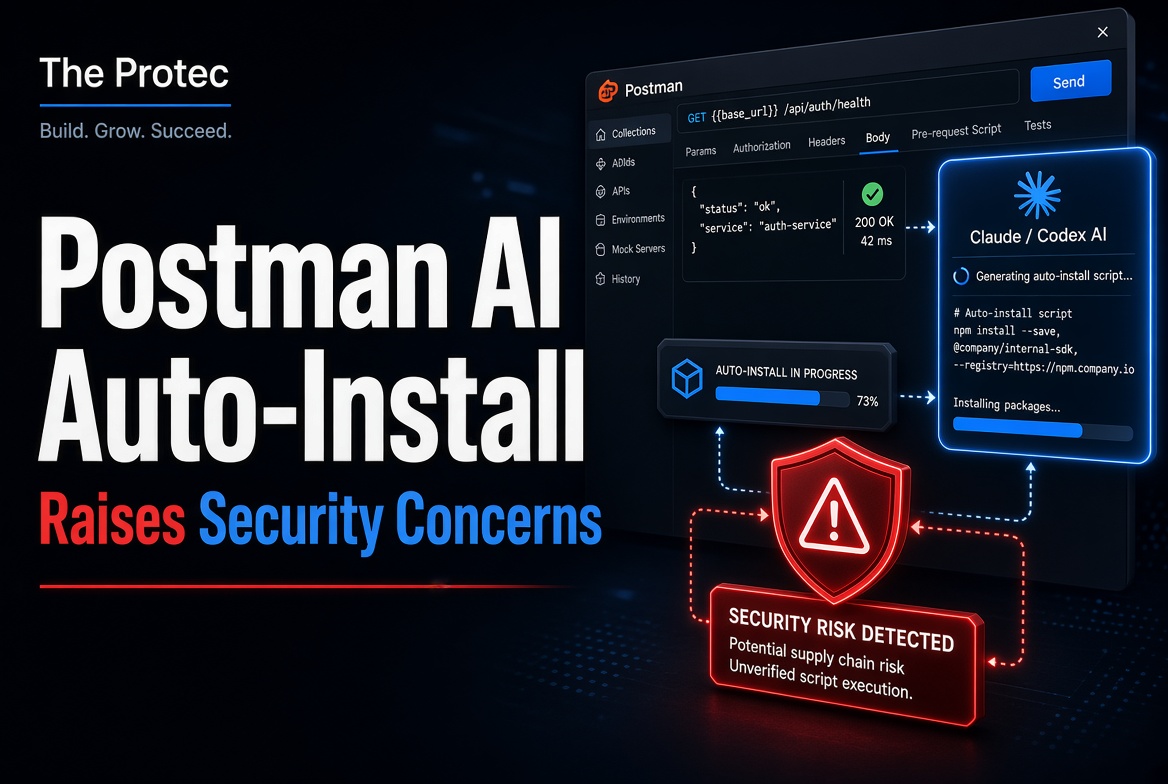
A desktop API client crossing into an AI coding agent’s configuration is more consequential than installing an ordinary editor extension. The Postman Claude Code Codex auto-install report describes Postman Desktop allegedly adding integrations to Claude Code and Codex, including configuration changes, a startup instruction, an MCP connection, and executable hook behavior. The central concern is not that the report proves malware or stolen data—it does not—but that one application may have modified another application’s trusted automation environment without sufficiently clear, specific consent.
For developers, the incident is a useful warning about expanding trust boundaries. Coding agents can read repositories, invoke tools, run commands, and interact with credentials or development services. Any software that changes how those agents start or which tools they prefer deserves the same scrutiny applied to shell profiles, CI workflows, package installation scripts, and IDE task configuration.
What the Postman auto-install report alleged
The original reporter documented changes observed after installing or running Postman Desktop. According to that account, Postman’s AI-related setup reached outside its own application directory and altered files used by Claude Code and Codex. The reported artifacts fell into four important categories:
- Agent configuration edits: Settings belonging to an external coding agent were reportedly changed so that Postman-related functionality became available in that environment.
- A startup hook: The reporter said a hook or instruction loaded when an agent session started and directed API-related work toward Postman’s tools.
- An MCP connection: Configuration for a Model Context Protocol server was allegedly added, giving the agent a route to Postman-provided tools or context.
- Codex hook approval behavior: The reporter identified an installer routine that reportedly attempted to approve its own Codex hook rather than leaving approval entirely to the user.
These claims should be read precisely. They describe what one reporter observed and analyzed on an affected system. They do not, by themselves, establish that every Postman installation behaved identically, that the behavior affected every operating system, or that Postman used an integration to collect source code or credentials.
The public record can be followed through Postman’s GitHub application-support issue tracker. Because issue comments, software builds, and vendor guidance can change, developers should compare the original evidence with the version of Postman installed on their own machines.
What is established—and what is not
The strongest evidence in the report consists of local configuration artifacts, hook definitions, and installer logic presented by the reporter. Those materials support asking whether Postman created cross-application integrations and how the associated consent flow worked. Postman’s participation in the public discussion also supports treating the underlying integration as product behavior rather than dismissing the report as a fabricated event.
However, publicly posted screenshots, file excerpts, and code analysis are not equivalent to a complete independent forensic investigation. Unless a researcher reproduces the behavior in a controlled environment across identified versions, conclusions about scope and exact triggers remain limited. An existing configuration could also differ according to operating system, earlier prompts, preview-feature enrollment, enterprise policy, or prior plugin installation.
Most importantly, the report does not prove that data was exfiltrated. It offers no sufficient basis to characterize Postman Desktop as confirmed malware or to attribute malicious intent to Postman. The justified concern is narrower: software reportedly altered another product’s agent settings and executable automation in a way users may not have clearly expected.
Why AI coding agent security changes the risk calculation
A conventional application integration may register a URL handler or add a menu item. An AI coding integration can be more powerful because agents operate close to source code, terminals, local files, cloud credentials, and internal documentation. That makes configuration ownership a security boundary.
Executable hooks are not passive preferences
A setting that changes colors is low risk. A hook that runs on startup, before a tool call, or after an agent action can execute code repeatedly and influence every session. Even a legitimate hook increases attack surface: its executable may later be replaced, its path may resolve unexpectedly, or an update may expand its behavior.
A self-approval attempt would be especially concerning if independently confirmed. Approval dialogs exist to create a deliberate decision point outside the installer’s control. Software that programmatically accepts its own authorization could undermine the safeguard, even when the underlying integration has a legitimate purpose.
MCP is a standard mechanism for exposing tools and context to AI applications. An MCP server is not inherently dangerous, but it can give an agent additional capabilities and access to external systems. The security question is what the server can read, what actions it can perform, how it authenticates, and whether calls require confirmation.
Developers should treat MCP entries similarly to browser extensions or CI integrations. Review the command or endpoint, environment variables, credentials, tool descriptions, and permission scope. The official Model Context Protocol documentation explains the architecture, but each server still requires its own trust assessment.
Tool steering can change agent decisions
A startup instruction directing API work toward a specific Postman plugin may look less severe than executable code, yet it can shape which tools an agent selects and where information flows. If developers do not know that instruction exists, they may incorrectly assume the agent is using only its default capabilities.
This is a transparency problem as much as a technical one. Users need to know who added an instruction, when it runs, what data a tool receives, and how to disable it. Hidden or ambiguous steering weakens informed consent.
The software-supply-chain concern
Software supply chain risk is not limited to compromised package registries. It includes every mechanism through which one trusted product modifies another trusted environment. In this case, the reported chain could include Postman Desktop, its updater or installer, generated configuration, an MCP server, agent startup hooks, and future updates to each component.
That chain creates several questions. Is the integration pinned to a specific signed binary? Can an updater silently change the hook? Does the MCP configuration invoke a local executable by an absolute path? Are credentials inherited from the parent process? Can enterprise administrators prevent installation? Will uninstalling Postman remove every modification?
None of these questions proves abuse. They explain why developers expect an explicit prompt that names the target application, files to be changed, executable behavior to be added, permissions requested, and method of removal. A generic acceptance of desktop application terms is not a strong substitute for feature-specific consent.
How Postman responded
Postman’s public response framed the integrations as intended functionality for connecting Postman with AI-assisted development workflows, not as malicious code. The company’s comments acknowledged the concern around how the behavior was surfaced to users and indicated that consent and installation experience were being addressed or reviewed.
That response matters, but it should be separated from independent verification. A vendor explanation can establish intended purpose; it cannot alone determine what every released build did on every machine. Likewise, the reporter’s interpretation of installer code does not establish malicious intent. As of November 4, 2026, readers should consult the original issue discussion, current Postman release notes, and official support guidance before assuming that an older description still applies to the latest release.
Practical audit checklist for developers
If Postman, Claude Code, or Codex has been installed on your workstation, use the following process. Preserve copies of relevant files before editing them so that you can compare changes or provide evidence to your security team.
- Inspect agent configuration files. Locate user-level and project-level settings for Claude Code and Codex. Search for references to Postman, MCP, plugins, hooks, startup commands, unfamiliar executables, and recently added instructions. Check both global configuration and repository-specific files.
- Review all hook definitions. Identify what event launches each hook, the exact command executed, its working directory, and inherited environment variables. Resolve symbolic links and confirm that executable paths point to expected, signed files.
- Enumerate Claude Code plugins. Compare installed Claude Code plugins with integrations you knowingly approved. Check installation dates and determine whether removing a desktop application also removes its plugin artifacts.
- Audit Codex hooks and approvals. Look for new or changed Codex hooks and approval records. Treat any entry that appears to bypass normal confirmation as requiring investigation, even if it points to legitimate vendor software.
- Review MCP servers and permissions. List every configured server, its launch command or URL, authentication method, exposed tools, and access scope. Disable servers you do not recognize before opening sensitive repositories.
- Check startup behavior. Launch the agent in a controlled directory and observe child processes, network destinations, prompts, and tools registered at startup. Do not use production credentials during testing.
- Examine recent file changes. Use operating-system metadata, backups, version control, endpoint telemetry, or file-integrity tools to identify configuration changes made around the time Postman was installed or updated.
- Verify installers and prompts. Confirm that the installer came from Postman’s official distribution channel and validate its digital signature where supported. Record exactly what each prompt authorizes; do not assume a general setup prompt covers third-party agent modification.
- Remove unrecognized integrations carefully. Disable hooks and MCP entries before deleting binaries. Restart the agent and verify that removed settings are not recreated. If they return, investigate the responsible process or updater.
- Consult current vendor guidance. Review release notes, the original GitHub discussion, and enterprise documentation before changing files. Managed devices may require security-team involvement, and manual edits can be overwritten by later updates.
What vendors should learn from the incident
AI integrations need granular, revocable consent. An installer should name every external product it plans to modify, show the relevant configuration changes, and explain whether code will run automatically. Optional integrations should be off by default unless the user deliberately enables them.
Vendors should also provide an inventory screen and a complete uninstall path. Users need to see installed plugins, MCP servers, hooks, permissions, and executable locations in one place. Enterprise administrators should be able to block cross-application changes through policy and audit them centrally.
Most of all, an installer must never control the mechanism intended to approve that installer’s privileges. Confirmation should occur through a trusted interface that the requesting process cannot automatically accept.
Frequently asked questions
Did Postman install malware through Claude Code or Codex?
The available report does not establish that. It describes potentially unwanted or insufficiently disclosed integrations, but it does not prove malicious intent, malware deployment, or data theft. Security teams should investigate the artifacts without overstating the evidence.
Does the report prove Postman exfiltrated source code or API data?
No. The report does not prove data was exfiltrated. An MCP connection or startup hook creates a pathway that deserves review, but the existence of a pathway is not evidence that sensitive information was transmitted.
Are all MCP servers unsafe?
No. MCP servers can provide useful, legitimate tools. Their risk depends on who operates them, what they can access, which actions they expose, how credentials are handled, and whether users can review and restrict calls.
Should developers uninstall Postman immediately?
Not necessarily. First identify the installed version and inspect local configuration. Disable unrecognized hooks, plugins, or MCP servers, then consult official guidance. On a managed workstation, preserve evidence and contact the security team before uninstalling or deleting files.
A consent issue with broader implications
The Postman incident highlights a growing problem: AI development tools are becoming interconnected faster than their consent models are maturing. A useful integration can still cross a trust boundary in an unacceptable way if it changes another application’s behavior without an unmistakable opt-in.
Developers should avoid both extremes. Do not dismiss cross-application hooks as harmless convenience, but do not label the incident malware without evidence. Audit the actual files, permissions, processes, and network activity; compare findings with the original report and Postman’s latest guidance; and require explicit control over every agent integration that can execute code or reach sensitive systems.