









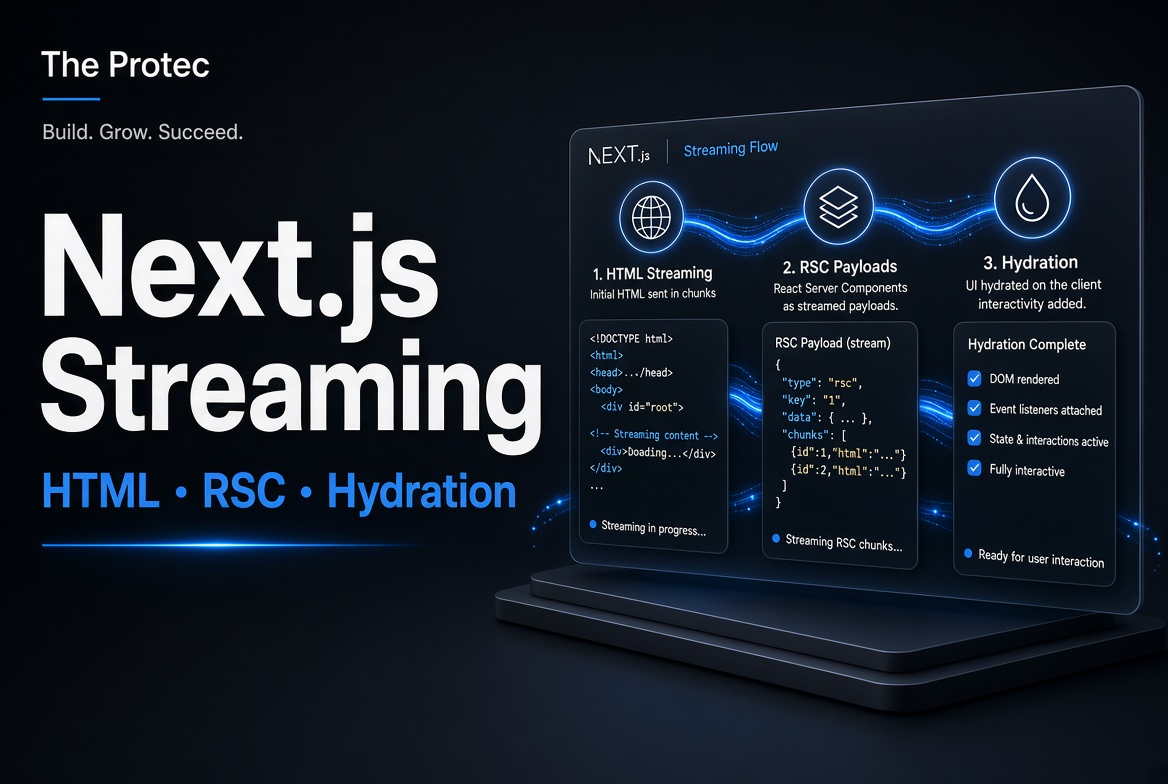
A page built with the App Router does not simply arrive as HTML and then become a traditional single-page application. Next.js streaming can deliver server-rendered HTML alongside a React Server Component payload, releasing parts of the route as their data becomes available. Understanding those two outputs—and what changes during client-side navigation—helps developers reason about performance, loading states, hydration, caching, debugging, and search visibility without relying on misleading shortcuts.
The short version is this: on an initial request, the browser can receive useful HTML for immediate display plus an RSC payload that React uses to reconstruct the component tree. On a later navigation, Next.js normally requests an RSC payload rather than another complete HTML document. Client Components participate in both flows, and the presence of “use client” does not mean their initial output exists only in the browser.
The two representations behind an App Router page
The Next.js App Router is built around React Server Components. During rendering, Next.js coordinates two related representations of a route:
- Server-rendered HTML gives the browser an immediately displayable document or page shell. It can contain output from both Server Components and Client Components.
- The RSC payload is a serialized representation of the rendered Server Component tree. It includes component output, references to Client Components and their JavaScript, props passed across the boundary, and placeholders associated with Suspense.
The payload is sometimes called the Flight payload, although its transport format is an implementation detail rather than an API applications should parse. React uses it to reconcile the server-produced tree with the client-side tree while preserving state where possible.
This is an extension of server-side rendering, not a complete replacement for it. Traditional SSR focuses on producing HTML and hydrating a client application. The App Router adds a server-component representation that can be reused for navigation and incremental updates without sending a full document every time. The Next.js documentation on Server and Client Components describes this rendering model and its boundaries.
Initial page load: HTML first, but not HTML alone
When someone loads an App Router URL directly, refreshes the page, or follows a link from another site, the server begins rendering the route. Work inside a Suspense boundary can be deferred while an earlier shell or completed region is sent.
The response includes HTML that the browser can parse and paint. It also carries RSC data used by React on the client. These are logically distinct outputs, but developers should not assume they always appear as two cleanly separated network files. Framework internals can place or reference RSC transport data within the streamed response.
Once the required JavaScript arrives, React uses the RSC payload to reconcile the component tree. It then hydrates Client Components, attaching event handlers and making interactive features operational. Server Components themselves are not hydrated because their code does not become part of the browser bundle.
Initial-load sequence
1. Browser requests /products/42
2. Server renders the App Router tree
3. Available HTML and RSC data begin streaming
4. Browser parses and paints available HTML
5. Deferred Suspense regions arrive and replace fallbacks
6. React reads the RSC payload and reconciles the tree
7. Client Component JavaScript loads
8. React hydrates Client Components and enables interaction
Steps can overlap. For example, the browser may paint a header while the server is still waiting for product recommendations, and JavaScript may download while additional streamed content arrives. Streaming is about progressive delivery rather than forcing every stage into a strictly serial pipeline.
After the application is active, clicking a Next.js Link usually does not request a complete HTML document. The client router can use prefetched or newly fetched RSC data for the destination. React consumes that payload, merges the result into the existing tree, and updates the DOM while retaining compatible client state.
1. User selects a Next.js Link
2. Router checks its client cache or requests route data
3. Server renders the required Server Component segments
4. RSC payload streams to the browser; no full document is required
5. React reconciles the payload with the current tree
6. New Client Component code loads if it is not already present
7. React renders or updates the affected interface
The key distinction is exact: the initial load includes HTML for browser display and an RSC payload for React, followed by hydration of Client Components. Client navigation generally consumes an RSC payload and updates the existing application; it does not hydrate the whole page again. Newly introduced Client Components still need their code and must be mounted, but that is not equivalent to repeating document-level hydration.
Server Components and Client Components have separate jobs
A Server Component runs in the server environment. It can access server-side resources, fetch data close to its source, keep credentials out of browser bundles, and render noninteractive structure. It cannot use browser-only APIs or client hooks such as state and effects.
A Client Component is the appropriate place for event handlers, state, effects, context providers, and browser APIs. Adding the “use client” directive establishes a client-component boundary: that module and the modules it imports belong to the client graph. It does not mean the component is rendered only by the browser.
On an initial load, Next.js can prerender Client Components on the server to contribute HTML. The browser displays that HTML before hydration, but it is not interactive until React loads the relevant JavaScript and attaches behavior. This explains why a button can be visible yet briefly unable to respond.
The boundary also affects architecture and bundle size. Placing “use client” high in a tree can pull a larger module graph into the client bundle. A common pattern is to keep data access and mostly static layout in Server Components, then introduce narrow Client Component islands for actual interaction. Props crossing from server to client must be serializable in the form supported by React.
How Suspense enables streaming
Streaming becomes useful when route regions finish at different times. A Suspense boundary provides a fallback that can be included in the early response. When the delayed work completes, React and Next.js send the completed region so the interface can replace that fallback.
The App Router’s loading.js convention can create route-segment loading UI, while explicit Suspense boundaries provide finer control inside a page. Boundaries should reflect meaningful visual units—such as inventory, reviews, or recommendations—not arbitrary implementation details.
Streaming does not make a slow database query execute faster. It can make the page feel more responsive by exposing completed content instead of withholding the entire response. That benefit is conditional on the application, rendering strategy, data dependencies, network, boundary placement, and whether the early content is genuinely useful.
Practical implications for performance and loading states
Design stable fallbacks
Fallbacks should reserve sensible space and communicate what remains pending. If streamed content dramatically changes layout, an earlier paint may trade waiting time for visual instability. Skeletons are useful when they resemble the final structure; generic spinners across many tiny boundaries can make a page feel fragmented.
Avoid accidental request waterfalls
Streaming can reveal a waterfall without removing it. Start independent data work concurrently where the framework and data layer permit it, and use component boundaries to reflect true dependencies. If one server request begins only after another unnecessarily completes, the final region will still arrive late.
Measure the experience that users receive
Do not infer speed from the presence of streamed chunks. Measure real-user metrics, interaction readiness, server response timing, layout stability, and route-transition behavior. Compare cold requests, cached requests, slow networks, and JavaScript-constrained devices. Performance conclusions remain conditional until validated with production data and representative tests.
Debugging and caching without false assumptions
DevTools can make an App Router response look unfamiliar because RSC transport content is not intended to resemble a public JSON API. Debug the rendered result and request timing rather than attempting to build application logic around the wire format.
- Inspect the initial document with JavaScript disabled or through “view source” to confirm what HTML is actually available.
- Use the Network panel to distinguish document requests from RSC navigation requests and to observe stalled or streamed regions.
- Check the console for hydration mismatches caused by nondeterministic rendering, invalid HTML, locale differences, time-dependent values, or browser-only checks during server rendering.
- Test direct entry and client navigation separately; they use related but different delivery paths.
Caching can apply at several layers, including data sources, server or deployment output, the browser’s client router cache, and prefetching. Exact defaults and controls have evolved across Next.js releases, so verify behavior against the documentation for the version and deployment platform being used. Do not assume that seeing cached navigation data proves the origin render or underlying data request was cached.
Also test invalidation. A fast cached RSC response is not useful if it displays stale inventory or permissions. Conversely, disabling every cache can turn otherwise inexpensive navigation into repeated server work.
What Next.js streaming means for SEO
For Next.js SEO, the important fact is that an initial request can contain server-rendered HTML rather than requiring a crawler to construct all meaningful content through browser-only rendering. Metadata should also be generated through supported App Router APIs so titles, descriptions, canonical information, and social tags are present as intended.
However, streaming does not guarantee stronger rankings. Search outcomes depend on content quality, crawlability, status codes, metadata, internal architecture, performance, and many other factors. Important content hidden behind user interaction, authentication, errors, or endless loading remains problematic regardless of the rendering technology.
Confirm what a crawler can receive by inspecting rendered HTML, testing with JavaScript disabled where appropriate, and using search-engine inspection tools. SEO conclusions are conditional on the application, content, rendering strategy, crawler behavior, and measured output—not on the mere presence of React Server Components. React’s Server Components reference provides additional detail about the underlying component model.
A useful mental checklist
- On first load, expect server-rendered HTML plus an RSC payload.
- On client navigation, expect RSC data rather than a new full HTML document in the normal case.
- Hydration applies to Client Components, not Server Components.
- “Use client” defines a module boundary; it does not prohibit server prerendering.
- Suspense controls where useful fallbacks and progressive delivery can occur.
- Streaming may improve perceived responsiveness, but it does not shorten every task.
- Validate performance, caching, accessibility, and SEO with actual output and real-user evidence.
Frequently asked questions
Does an App Router page send HTML or an RSC payload?
On the initial request, it sends both logical representations: HTML for immediate browser display and an RSC payload that React uses to reconstruct and reconcile the component tree. During normal client-side navigation, the router generally requests RSC data without downloading another complete HTML document.
Does “use client” disable server-side rendering?
No. It marks a boundary for modules that must be available to the client. Next.js can still prerender a Client Component into HTML on the server for the initial load. Hydration later attaches its interactive behavior in the browser.
Are React Server Components hydrated?
No. Their component code executes on the server and is not shipped for hydration. React uses the RSC payload to represent their output. Client Components within the resulting tree receive browser JavaScript and are hydrated or mounted as required.
Will Next.js streaming automatically improve performance and rankings?
No. It can improve perceived responsiveness when useful content arrives before slower regions, but poor boundaries, waterfalls, excessive client JavaScript, or unstable fallbacks can reduce the benefit. Search rankings are never guaranteed by streaming. Both performance and SEO results must be measured for the specific application, users, content, and deployment.