









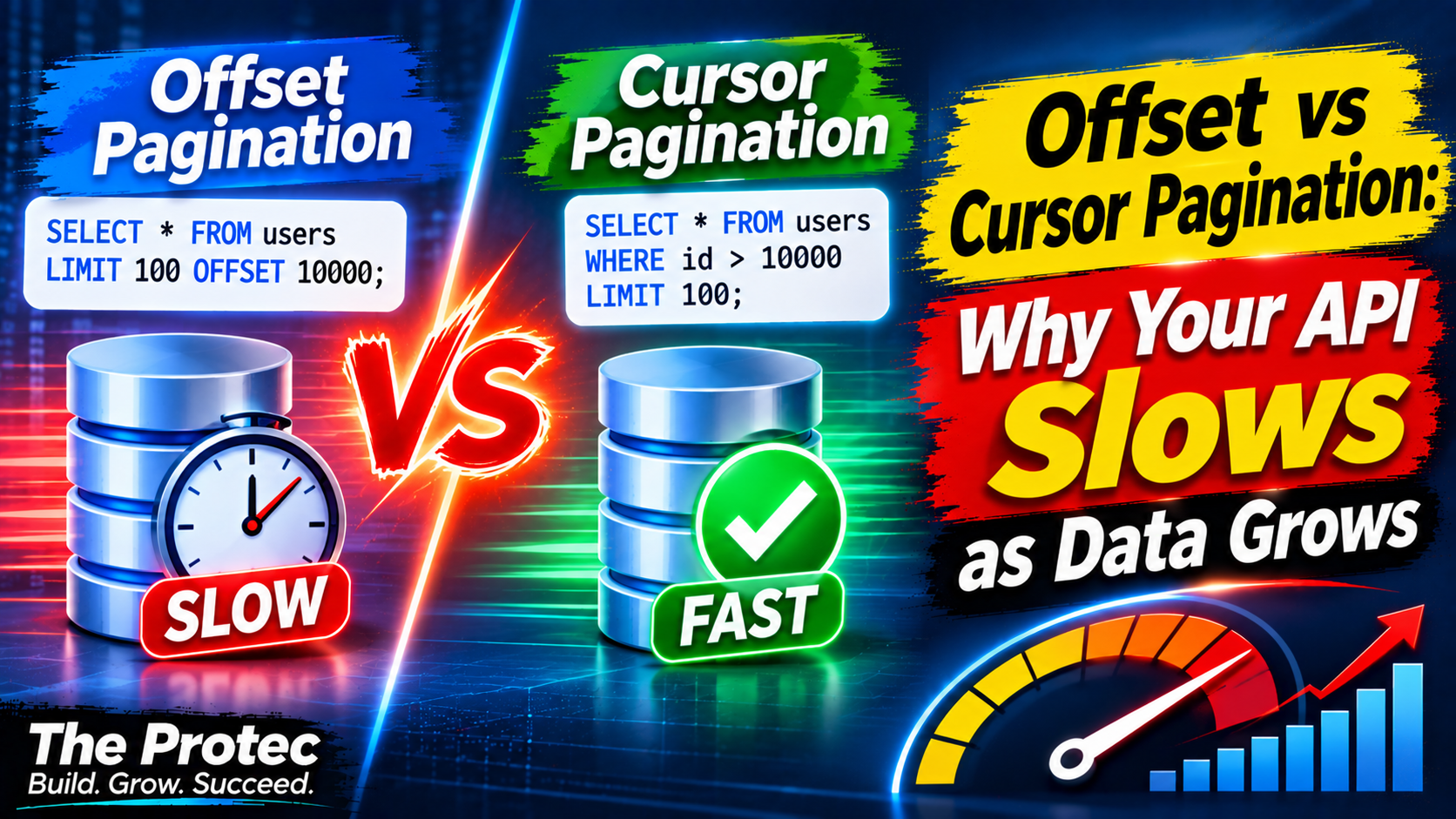
An API can feel instantaneous with 10,000 records and become painfully slow after the same table reaches 10 million. The endpoint may be unchanged; the expensive part is how it finds each page. Cursor pagination addresses this problem by resuming from a known position instead of repeatedly walking past every earlier result. However, it is not a universal replacement for numbered pages.
The practical choice comes down to access patterns. Offset pagination is convenient when users need page numbers or arbitrary page jumps. Keyset pagination is usually faster and more stable for feeds, infinite scrolling, mobile applications, and high-volume APIs. Understanding the SQL behind both approaches makes the trade-off clear.
Why LIMIT and OFFSET get slower
A conventional REST API pagination query often begins like this:
SELECT id, title, created_at
FROM posts
WHERE status = 'published'
ORDER BY created_at DESC, id DESC
LIMIT 50 OFFSET 500000;
The client interprets this as page 10,001 with 50 records per page. The database, however, generally cannot jump directly to the 500,001st matching row. It must locate the ordered results, walk or scan past 500,000 entries, discard them, and return the next 50.
A suitable index may avoid a full table scan and an expensive sort, but it does not make the skipped entries free. PostgreSQL may traverse hundreds of thousands of index entries. MySQL may perform a similar index walk and then fetch qualifying rows. Filters, joins, missing indexes, and selected columns can make deep offsets even more expensive.
This explains the familiar pagination performance curve: early pages are fast, while later pages consume more CPU, I/O, and time. Large database pagination can also increase load for every other request sharing the database.
Offset, simple, and cursor pagination compared
Offset pagination
Offset pagination uses LIMIT and OFFSET. It supports numbered pages, total-page displays, and direct access to page 200. Those features are useful in search results, reports, and smaller administrative tables.
The costs are deep-offset work and unstable boundaries. If a new row is inserted ahead of the current page, a record from the previous page can appear again. If an earlier row is deleted, another record may be skipped. These pagination duplicate records and omissions arise because an offset describes a changing position, not a specific row.
Simple pagination
Simple pagination still uses an offset, but it avoids the separate count query required to calculate total pages. It normally requests one extra record to determine whether another page exists. This reduces database work when totals are unnecessary, although page 10,000 still requires a deep offset.
Keyset or cursor pagination
Keyset pagination anchors the next request to values from the last returned row. A cursor is the client-facing token that carries those values and the navigation direction. Instead of saying “skip 500,000,” the query says “return rows after this ordered key.”
With a compatible index, the database can seek near the anchor and read the next 50 entries. Work therefore stays much closer to the page size rather than growing in proportion to the page number.
Building a reliable cursor query
Suppose the first page ends with created_at = 2026-10-20 14:30:00 and id = 84217. For descending navigation, the next query can be written portably as:
SELECT id, title, created_at
FROM posts
WHERE status = 'published'
  AND (
    created_at < '2026-10-20 14:30:00'
    OR (created_at = '2026-10-20 14:30:00' AND id < 84217)
  )
ORDER BY created_at DESC, id DESC
LIMIT 50;
PostgreSQL also supports a row-value comparison:
AND (created_at, id) < ('2026-10-20 14:30:00', 84217)The timestamp alone is insufficient because multiple records can share it. Adding the unique ID creates deterministic ordering. An ID by itself is even simpler when insertion order and business order are equivalent:
WHERE id > 84217
ORDER BY id ASC
LIMIT 50;
Ascending navigation uses > with ascending order; descending navigation uses < with descending order. To fetch a previous page, reverse the comparison and SQL ordering, retrieve the rows, and reverse them before returning the response.
Composite database indexes make the seek efficient
The index should follow the equality filters and ordered columns used by the query. For the published-post example, a strong candidate is:
CREATE INDEX posts_status_created_id_idx
ON posts (status, created_at DESC, id DESC);
This composite database index lets MySQL or PostgreSQL narrow by status and continue through the ordered keys. Exact behavior depends on the engine, version, data distribution, selected columns, and query plan, so verify rather than assuming the index is used.
Dynamic filtering and sorting complicate SQL pagination. A query sorted by price needs an index and cursor based on price plus a unique tie-breaker. A query sorted by name needs the same treatment for name. Filters must remain identical between requests; otherwise, the old cursor no longer describes the new result set. Production APIs commonly bind the encoded cursor to a filter-and-sort fingerprint and reject mismatches.
Cursor encoding is not encryption. A token might contain a Base64-encoded JSON structure with the timestamp, ID, and direction. Sign or encrypt it if values are sensitive or clients must not alter them. Validate types, size, direction, and sort options before constructing a query.
What happens when data changes between requests?
Cursor pagination provides stable pagination relative to an anchor, not a frozen snapshot. New records inserted before the anchor do not push old records onto the next page, preventing a common source of duplicates. A deleted anchor row is usually harmless because the next query compares its saved values; it does not need to retrieve that row.
Updates to ordering columns are different. A record whose timestamp or score changes can move across the cursor boundary, causing it to be seen twice or missed. Prefer immutable ordering values where possible. If every page must represent one exact dataset, use a snapshot-oriented design, a materialized result set, or another consistency mechanism. A typical stateless API cannot hold one database transaction open throughout a user session.
Laravel paginate, simplePaginate, and cursorPaginate
Laravel exposes all three strategies through its query builder and Eloquent. The documented APIs and limitations discussed here are current as of November 2026; consult the official Laravel pagination documentation when targeting a specific framework release.
// Numbered pages plus a total-count query
Post::where('status', 'published')
    ->orderByDesc('created_at')
    ->paginate(50);

// Previous/next links without calculating the total
Post::where('status', 'published')
    ->orderByDesc('created_at')
    ->simplePaginate(50);

// Indexed seek using an encoded cursor
Post::where('status', 'published')
    ->orderByDesc('created_at')
    ->orderByDesc('id')
    ->cursorPaginate(50);
Use Laravel paginate() when the interface needs totals and numbered links. Its count query may itself become costly with joins or complex filters. Use Laravel simplePaginate() when next and previous controls are enough but offset behavior is acceptable. Use Laravel cursor pagination when sequential navigation and predictable performance matter more than arbitrary page jumps.
cursorPaginate() requires an ORDER BY, and the ordering must include a unique column or unique combination. Ordered columns should belong to the paginated table and should not be nullable. Expressions and aliases have additional constraints, so test generated SQL when ordering by calculated values.
User-interface trade-offs
Cursor-based API pagination works naturally for infinite scrolling, activity feeds, timelines, mobile applications, large admin tables, and scalable API design. The response can expose next_cursor and previous_cursor without claiming a total page count.
The limitation is navigation: a cursor creates a sequence, so users cannot jump directly to page 417 without another lookup strategy. Offset pagination remains appropriate when datasets are modest, queries are well indexed, totals are required, or direct page access is a core feature. Some products use numbered pages near the beginning and restrict extremely deep navigation.
How to benchmark pagination performance
- Build representative data. Test millions of rows with realistic filter selectivity, duplicate timestamps, row widths, and index sizes.
- Compare equivalent queries. Measure early, middle, and deep offsets against cursor seeks returning the same number of records.
- Inspect execution plans. Use MySQL
EXPLAIN ANALYZEwhere supported and PostgreSQLEXPLAIN (ANALYZE, BUFFERS). PostgreSQL’s official EXPLAIN guide explains plan and runtime interpretation. - Record meaningful metrics. Track examined rows, buffer activity, sort operations, database time, API latency at p50 and p95, and count-query cost.
- Test realistic conditions. Run warm- and cold-cache trials, concurrent reads, and writes between page requests. Repeat tests instead of relying on one timing.
A practical decision guide
- Choose offset pagination for numbered pages, direct jumps, modest result sets, or reporting interfaces where totals are essential.
- Choose simple pagination when removing the total count helps and deep pages are uncommon.
- Choose cursor pagination for sequential browsing, large datasets, infinite scrolling, frequently changing feeds, and latency-sensitive REST APIs.
- Before choosing a cursor, confirm deterministic non-null ordering, a unique tie-breaker, suitable indexes, and acceptable no-jump navigation.
The best database query optimization is the one aligned with product behavior. Cursor pagination is often the scalable choice, but offset pagination remains clearer when page numbers are part of the user experience.
Frequently asked questions
Does cursor pagination always outperform OFFSET?
No. Early offsets on small, indexed datasets can be fast, and application overhead may dominate. Cursor pagination becomes most valuable as offsets grow or concurrent changes make positional pages unreliable.
Can a cursor use a timestamp without an ID?
Only if the timestamp is guaranteed unique, which is uncommon. Use the timestamp with a unique ID so the order is deterministic and no equal-valued rows fall ambiguously across a boundary.
Can cursor pagination show a total number of pages?
Not inherently. An API can run a separate count query, cache an approximate total, or omit totals. Exact page counts also conflict with the cursor model because records may change while the user browses.