







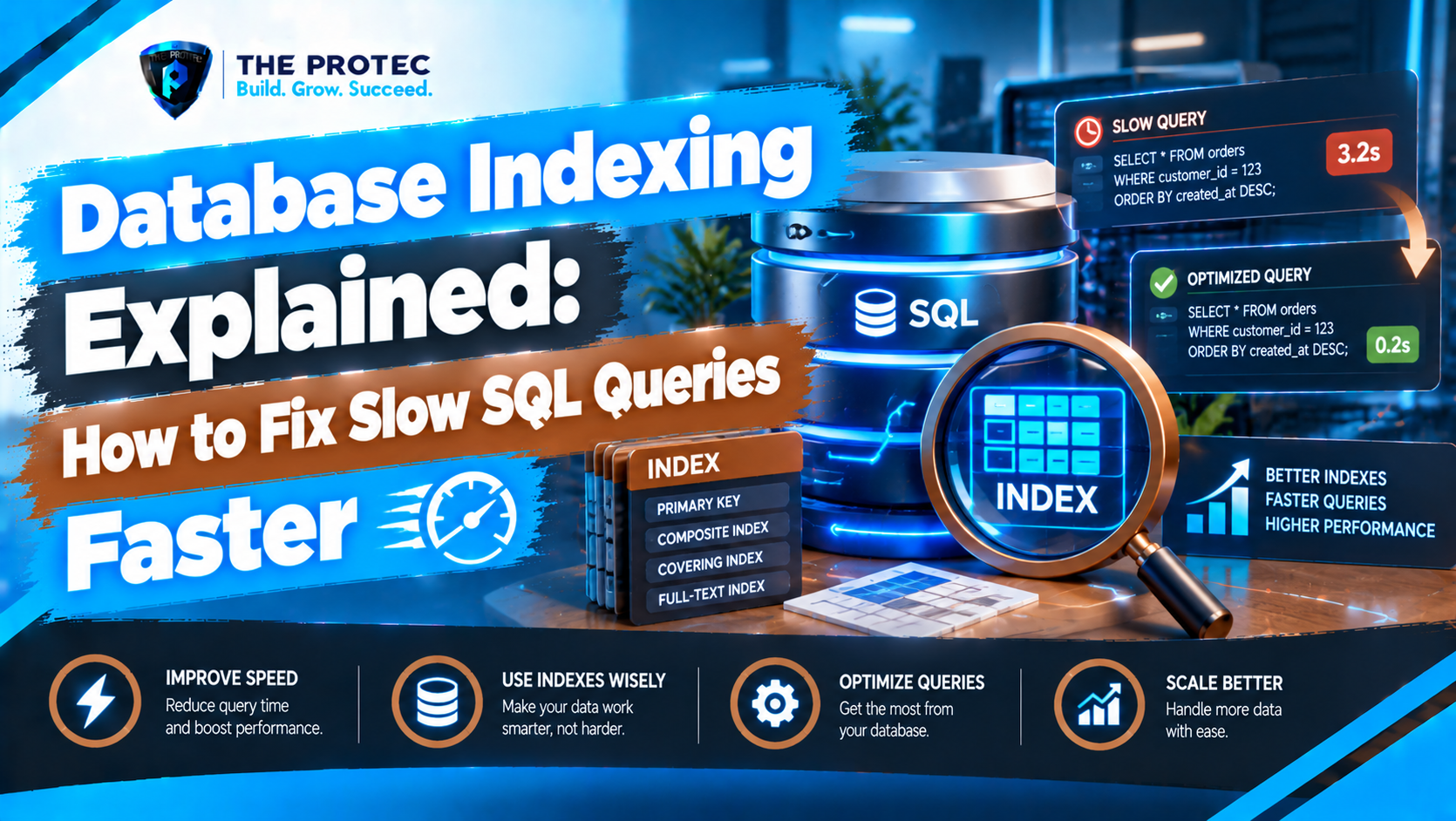
A query that feels instant with 10,000 rows can become painfully slow when the same table grows to 10 million. The SQL may not have changed, but the database now has far more pages and rows to inspect. Without useful indexing, MySQL or PostgreSQL may scan the entire table, test every row against the queries condition, sort the results, and discard almost everything it read.
Database indexing gives the query optimizer a faster route to matching data. However, adding an index to every filtered column is not database performance tuning. Effective indexing requires understanding how database indexes work, how queries use them, and what each index costs during writes. This guide explains B-tree indexes, composite indexes, selectivity, query plans, and practical database query optimization for SQL and Laravel applications.
How Database Indexing Avoids Full Table Scans
A database index is a separate data structure containing indexed values and references to the corresponding table rows. It works much like a book index: instead of reading every page to find a topic, you locate the topic in an ordered list and jump to the relevant pages.
Consider an orders table with five million rows:
SELECT id, total, created_at
FROM orders
WHERE customer_id = 8421;Without an index on customer_id, the database may perform a sequential or full table scan. It reads rows throughout the table and compares each customer_id with 8421. The work grows with the table.
Adding an index creates a much shorter search path:
CREATE INDEX idx_orders_customer_id
ON orders (customer_id);
The engine can now navigate to the matching value and retrieve only the relevant row locations. MySQL indexes and PostgreSQL indexes differ in implementation details, but both optimizers use this principle when an index is estimated to be cheaper than scanning the table.
How B-Tree Indexes Work
B-tree indexes are the default and most common index type in MySQL and PostgreSQL. They store keys in sorted, balanced pages. The database starts at a root page, follows a branch based on the searched value, and continues until it reaches a leaf page containing matching keys and row references.
Because the tree stays balanced, finding one value usually requires only a small number of page reads, even when the table is large. Sorted keys also make B-tree indexes useful for equality searches, ranges, ordering, and prefix matching:
email = '[email protected]'created_at >= '2026-10-01'price BETWEEN 50 AND 100ORDER BY created_atname LIKE 'Alex%'
A leading wildcard such as LIKE '%Alex' generally cannot navigate a normal B-tree efficiently because the beginning of the value is unknown. Depending on the workload, full-text, trigram, or specialized search indexes may be more appropriate.
Why SQL Queries Become Slow
Missing database indexes are common, but they are not the only cause of slow SQL queries. Query performance can deteriorate because the optimizer must read, join, sort, or aggregate more data than expected.
- Unindexed filters: Frequently queried columns have no suitable access path.
- Poorly matched indexes: An index exists, but its leading columns do not match the query.
- Low selectivity: A condition returns such a large percentage of the table that scanning is cheaper.
- Functions and casts: Expressions such as
LOWER(email)may prevent use of a plain index. - Expensive sorting: Large result sets require temporary structures or disk-backed sorts.
- Too many rows selected: Even an index cannot make fetching most of a large table inexpensive.
- Stale statistics: Inaccurate row-distribution estimates can lead the optimizer to choose a poor plan.
Full scans are not automatically bad. Scanning a small table or a query returning most rows can be faster than making thousands of random lookups through an index.
Composite Indexes and Why Column Order Matters
A composite index contains multiple columns in a defined order. Suppose a SaaS application frequently retrieves recent paid orders for one account:
SELECT id, total, created_at
FROM orders
WHERE account_id = 55
  AND status = 'paid'
ORDER BY created_at DESC
LIMIT 25;
A useful composite index is:
CREATE INDEX idx_orders_account_status_created
ON orders (account_id, status, created_at DESC);
The database can narrow the search by account_id, then status, and read matching entries in the requested date order. This can eliminate both unnecessary row reads and a separate sort.
Composite indexes follow a leftmost-prefix principle. The index above can generally support searches beginning with account_id or with account_id and status. It is much less useful for a query filtering only by status or created_at.
As a practical rule, place equality conditions first, followed by range or ordering columns. Real decisions should still be based on actual query patterns, data distribution, and query plans. A highly selective tenant or account column often belongs near the front because it sharply limits the search space.
Index Selectivity Determines Whether an Index Is Worth Using
Index selectivity describes how effectively a column distinguishes rows. A unique email address has high selectivity. A Boolean is_active column usually has low selectivity because it contains only two possible values.
An index on is_active may provide little benefit if 95% of rows are active. The optimizer may correctly choose a table scan rather than bounce between the index and table for nearly every row. A composite index such as (account_id, is_active) may still help when the account condition reduces the result to a small subset.
PostgreSQL partial indexes can target a valuable subset, such as unpaid invoices, while functional indexes can support expressions used consistently in queries. MySQL also supports functional key parts in modern releases. These features are powerful, but only when application queries match the indexed predicate or expression.
Using EXPLAIN to Diagnose Slow SQL Queries
An EXPLAIN query plan shows how the optimizer intends to access tables, apply joins, and process sorting or aggregation. It should be the first diagnostic step before creating an index.
Reading MySQL EXPLAIN
EXPLAIN
SELECT id, total
FROM orders
WHERE customer_id = 8421;
Important MySQL EXPLAIN fields include type, possible_keys, key, rows, and Extra. A plan showing type: ALL and no selected key indicates a full scan. After adding idx_orders_customer_id, the chosen key should reference that index and the estimated rows should fall substantially.
Modern MySQL versions also support EXPLAIN ANALYZE, which executes the statement and reports actual timing and row counts. Compare estimates with actual results rather than focusing on one number. Large differences may point to skewed data or statistics that need refreshing. The official MySQL EXPLAIN documentation details the available formats and fields.
Reading PostgreSQL EXPLAIN ANALYZE
EXPLAIN (ANALYZE, BUFFERS)
SELECT id, total
FROM orders
WHERE customer_id = 8421;
A PostgreSQL plan may show Seq Scan before indexing and Index Scan or Bitmap Index Scan afterward. Review estimated versus actual rows, execution time, loops, rows removed by filters, and buffer activity. A sort spilling to disk or a nested loop processing far more rows than estimated can reveal problems beyond indexing.
Because EXPLAIN ANALYZE runs the statement, use caution with writes and production workloads. PostgreSQL provides extensive guidance in its official EXPLAIN documentation.
Practical Laravel Database Performance Example
Laravel applications often expose indexing problems through Eloquent queries that look harmless:
$orders = Order::query()
    ->where('account_id', $accountId)
    ->where('status', 'paid')
    ->latest('created_at')
    ->limit(25)
    ->get(['id', 'total', 'created_at']);
Without a matching index, the database may filter many account rows and then sort them. Add the composite index through a Laravel migration:
Schema::table('orders', function (Blueprint $table) {
    $table->index(
        ['account_id', 'status', 'created_at'],
        'orders_account_status_created_idx'
    );
});
Capture the generated SQL and bindings, run EXPLAIN against the real statement, and compare plans before and after the migration. Laravel database performance also depends on avoiding N+1 queries, selecting only required columns, and paginating large responses, but those improvements do not replace an index suited to the final SQL.
For frequently executed lookups, a covering index may let the engine satisfy most or all of a query from index pages. Avoid making every index wide, however: included columns consume storage and increase maintenance work.
When Database Indexes Hurt Performance
Every index must be maintained when rows are inserted, deleted, or when indexed values change. Excessive indexes increase write latency, storage use, cache pressure, backup size, and maintenance overhead. Overlapping indexes can add cost while providing little additional value.
Indexing can also disappoint when queries transform a column differently from the index. If an application runs WHERE DATE(created_at) = '2026-10-06', a plain created_at index may not be used efficiently. A range preserves the natural column order:
WHERE created_at >= '2026-10-06 00:00:00'
  AND created_at <  '2026-10-07 00:00:00'
Review unused and duplicate indexes using database statistics, but do not remove one based on a short observation window. Monthly reports, scheduled jobs, and rare incident workflows may depend on indexes that are not visible during ordinary traffic.
Database Index Optimization Checklist
- Identify an important query that is measurably slow or resource-intensive.
- Run EXPLAIN and confirm where rows, sorting, joins, or scans create cost.
- Check whether an existing index already has a usable leading column order.
- Estimate index selectivity and the percentage of table rows the query returns.
- Match equality filters first, then range and ordering requirements where appropriate.
- Prefer one purposeful composite index over several redundant single-column indexes.
- Test with production-like data; tiny development databases hide poor plans.
- Measure read improvement and write impact after deployment.
- Monitor plan changes as tables grow and data distribution shifts.
- Remove redundant indexes only after reviewing all workloads and constraints.
Frequently Asked Questions
Should every WHERE column have an index?
No. An index is worthwhile when it supports important queries and eliminates enough work to offset storage and write costs. Low-selectivity columns, small tables, and rarely executed filters may not benefit from standalone indexes.
Why is MySQL or PostgreSQL ignoring an existing index?
The optimizer may estimate that a scan is cheaper, the query may return too many rows, or the index column order may not match the predicates. Functions, implicit casts, stale statistics, and mismatched data types can also prevent efficient index use. The EXPLAIN query plan reveals the selected path.
Are composite indexes better than single-column indexes?
They are better when a recurring query filters or orders by the same group of columns. They are not universally better because column order restricts which query patterns they support. Design them around real SQL rather than combining columns speculatively.
Can an application have too many database indexes?
Yes. Each additional index increases storage and write maintenance. Too many indexes can slow inserts and updates, reduce cache efficiency, and complicate optimizer choices. Keep indexes that support constraints or demonstrated workloads, and investigate redundant ones.
Build Indexes Around Evidence, Not Guesswork
Good database indexing is a measured engineering process: observe a slow query, inspect its plan, design an index around its filters and ordering, and verify the result with representative data. When developers understand B-tree navigation, composite index order, selectivity, and EXPLAIN output, SQL query performance becomes far more predictable—and far less likely to collapse as an application grows.