








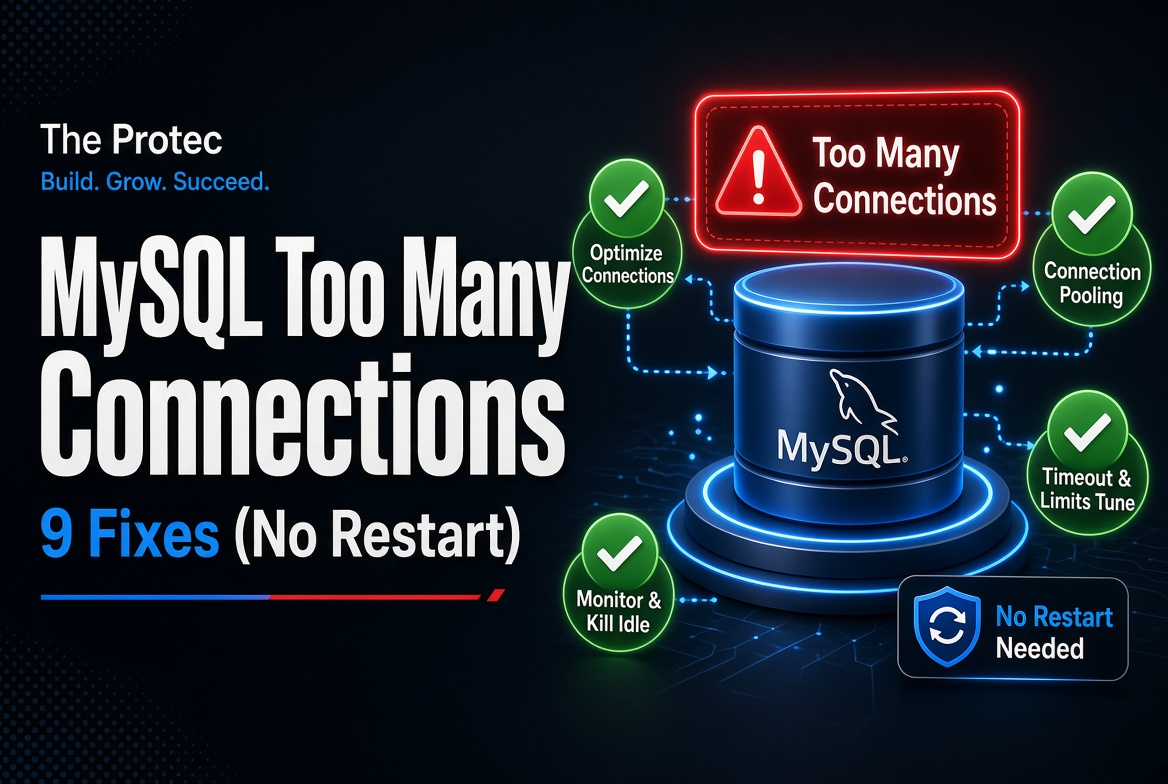
A production application can appear healthy one moment and reject every database request the next. The MySQL Too Many Connections Error, usually reported as error 1040, means the server has no normal connection slots available. Restarting MySQL may clear the symptom, but it also interrupts service and erases evidence about what caused the exhaustion. A safer response is to inspect current usage, relieve pressure carefully, and correct the application or capacity problem behind it.
The immediate goal is to preserve access, identify which clients hold connections, and stop a retry storm from making the incident worse. Common causes include traffic spikes, leaked sessions, excessive PHP or queue workers, persistent connections, oversized pools, slow statements, and transactions left open. In most cases, you can recover without restarting the server.
Why MySQL reaches its connection limit
MySQL limits simultaneous client sessions with the max_connections setting. Once normal slots are occupied, new clients receive error 1040, Too many connections. Modern MySQL versions reserve limited administrative access for appropriately privileged accounts, but that safeguard only helps if you have the required privilege and a usable administrative path.
A high connection count does not automatically mean high database activity. Hundreds of sessions may be sleeping while only a few execute queries. Conversely, a smaller number of long-running queries or blocked transactions can keep application workers occupied, causing more workers to open connections. That is why production troubleshooting must examine session count, state, age, source, and workload together.
Run safe diagnostics before changing anything
If possible, connect through a local Unix socket, an existing administrative session, or your managed provider’s console. Avoid aggressive connection retries: they can consume the final available slots and amplify an outage.
Start with these low-risk commands:
SHOW FULL PROCESSLIST;lists sessions, their users, hosts, states, ages, and current statements.SHOW GLOBAL STATUS LIKE 'Threads_connected';shows currently open connections.SHOW GLOBAL STATUS LIKE 'Threads_running';shows threads actively running rather than waiting or sleeping.SHOW GLOBAL STATUS LIKE 'Max_used_connections';reveals the high-water mark since startup.SHOW VARIABLES LIKE 'max_connections';displays the configured connection ceiling.
On supported installations, Performance Schema provides a more queryable view:
SELECT PROCESSLIST_ID, PROCESSLIST_USER, PROCESSLIST_HOST, PROCESSLIST_DB, PROCESSLIST_COMMAND, PROCESSLIST_TIME, PROCESSLIST_STATE, PROCESSLIST_INFO FROM performance_schema.threads WHERE TYPE = 'FOREGROUND' ORDER BY PROCESSLIST_TIME DESC;
Availability, columns, privileges, and process-list implementation vary among MySQL releases, forks, and hosting platforms. Current MySQL documentation covers connection-limit behavior and the Performance Schema. Confirm commands against your deployed version before using them in automation.
Look for repeated client hosts, many old Sleep rows, statements running far longer than normal, and sessions stuck on locks. A connection count that grows continuously without returning to baseline strongly suggests a MySQL connection leak or badly configured worker fleet.
Nine ways to fix error 1040 without restarting MySQL
1. Inspect and attribute connection usage
Group sessions by database user, host, application, and command state. Separate web traffic from queue workers, scheduled jobs, reporting tools, and administrators by using distinct database accounts where possible. Compare Threads_connected with Threads_running: a large gap often indicates idle sessions or workers waiting between jobs, while both values rising may indicate genuine workload pressure.
Capture the process list and status values before taking action. These snapshots preserve evidence that a restart or mass termination would destroy and help establish whether the MySQL connection limit was reached by one service or by aggregate demand.
2. Carefully terminate unnecessary sessions
After verifying ownership and impact, use KILL CONNECTION connection_id; to close a clearly abandoned or unnecessary session. Use KILL QUERY connection_id; when you need to stop only the active statement while preserving the session. Never generate mass-kill commands solely from session age; a legitimate migration, backup, or transaction could be damaged.
Start with a small number of confirmed idle sessions and watch connection counts, error rates, and application retries. Terminating sessions is temporary relief. If the application keeps creating replacements, the server will reach the limit again within minutes.
3. Fix PHP MySQL connection lifecycle problems
Review every PHP code path that opens a PDO or MySQLi connection, especially exception handlers, early returns, batch loops, and custom database wrappers. Release references when work is complete and ensure transactions are committed or rolled back in finally blocks. A transaction left open can retain locks even when the application appears idle.
Audit PHP persistent MySQL connections carefully. MySQLi persistent connections and PDO’s ATTR_PERSISTENT can leave one or more connections associated with each PHP-FPM worker. A large FPM fleet can therefore exhaust MySQL even at modest request volume. Persistence is not automatically harmful, but it needs bounded worker counts, clean session state, and capacity planning.
4. Review Laravel workers, queues, and long-lived processes
Laravel database connections usually open lazily, but queue workers, Horizon processes, Octane workers, scheduled commands, and tenant-aware applications can live much longer than a normal HTTP request. Check worker concurrency across every container or host; ten replicas with twenty workers can create far more sessions than one deployment manifest suggests.
Ensure failed jobs roll back transactions. For long loops or tenant switches, use appropriate framework facilities such as disconnecting or purging a connection after completed work. Laravel does not provide a universal cross-process Laravel database connection pool by default, so each PHP process must be included in the connection budget.
5. Right-size the application connection pool
For services that use a MySQL connection pool, calculate the worst-case total: maximum pool size multiplied by application instances, plus queue workers, maintenance tools, and operational headroom. The sum should remain below the server’s safe connection budget. During autoscaling, new replicas can multiply pools faster than MySQL capacity grows.
Set finite pool acquisition timeouts, avoid unnecessarily large minimum-idle values, validate connections before reuse, and add jittered retry backoff. MySQL connection pooling best practices favor bounded queues and backpressure over opening a new session whenever a request waits.
6. Investigate slow queries and transactions
MySQL long-running queries hold sessions and often cause application requests to overlap. Examine process states, lock waits, the slow query log, and Performance Schema statement or transaction data. Find missing indexes, unexpectedly large scans, lock contention, and external API calls made while a transaction remains open.
Optimize the query or shorten the transaction rather than treating connections as the root problem. Also verify that application query timeouts align with database behavior. If the application abandons a timed-out request but the database statement continues running, capacity may remain occupied after the user has already received an error.
7. Configure connection timeouts appropriately
wait_timeout controls how long MySQL keeps an idle noninteractive connection; interactive_timeout applies to interactive clients. Reducing an excessively high MySQL wait_timeout can clear forgotten sleeping sessions sooner, but setting it too low may break legitimate workers or cause pools to reuse sockets the server has closed.
Coordinate server timeouts with pool lifetime, idle timeout, connection validation, job duration, and proxy settings. Test changes under realistic load. Timeouts are a safety net, not a substitute for closing connections correctly.
8. Increase max_connections only after capacity checks
A controlled runtime increase can restore service when demand is legitimate. For example, an authorized administrator can use SET GLOBAL max_connections = 300;. This changes the active global value, while persistence across restart depends on version and configuration method. MySQL releases supporting SET PERSIST require suitable privileges; managed databases often require a parameter group or provider request.
Do not raise MySQL max_connections blindly. Each session consumes baseline resources and may allocate additional per-session buffers during sorts, joins, or temporary-table work. Confirm memory, CPU, file-descriptor, thread, and workload capacity first. More connections can turn a controlled rejection into memory pressure or severe contention.
9. Add monitoring, alerts, and load testing
Monitor Threads_connected, Threads_running, Max_used_connections, connection errors, query latency, lock waits, memory, and application pool metrics. Alert on sustained utilization percentages and abnormal growth rates rather than waiting for the absolute limit. Break dashboards down by service or database account when possible.
Load tests should include autoscaling, queue bursts, slow-database conditions, deployment overlap, and dependency failures. Verify that pools stop at their configured maximum, retries back off, and application instances shed load gracefully. This turns MySQL connection management from incident response into a tested reliability control.
A safe production response sequence
- Pause nonessential jobs or reduce worker concurrency to slow connection creation.
- Capture status counters, the full process list, pool metrics, and recent deployment changes.
- Terminate only verified unnecessary sessions, a few at a time.
- Resolve blocked transactions or expensive statements with the owning team.
- Adjust pools, workers, timeouts, or connection code before raising the limit.
- Increase
max_connectionsonly when capacity analysis supports it. - Continue monitoring until usage returns to a stable baseline.
On managed hosting, you may lack privileges to kill another user’s session or modify global variables. Use the provider’s diagnostics and escalation channel rather than attempting unsupported workarounds. Record temporary changes so they can be reviewed and either persisted safely or reverted.
Frequently asked questions
What causes MySQL error 1040?
Error 1040 occurs when available normal connection slots are exhausted. Typical causes are connection leaks, excessive application workers, traffic spikes, persistent PHP connections, oversized pools, slow queries, blocked transactions, and an undersized max_connections value.
Are MySQL sleeping connections dangerous?
A sleeping connection is not necessarily a problem; pooled applications intentionally keep some sessions idle for reuse. It becomes concerning when sleeping sessions are unexpectedly numerous, unusually old, tied to retired workers, or continuously increasing. Confirm the owning application before terminating them.
Can I increase max_connections without restarting MySQL?
Yes, max_connections is dynamically configurable on standard modern MySQL installations when the account has sufficient privileges. However, a runtime change may not survive a restart, and managed services may require a provider-specific configuration mechanism. Always check memory and workload capacity first.
Why does restarting MySQL appear to fix the problem?
A restart closes sessions, rolls back incomplete transactions, and resets runtime counters, creating temporary capacity. It does not repair a connection leak, oversized worker fleet, or slow-query bottleneck. The same failure will usually return, while the restart introduces downtime and removes useful diagnostic evidence.
Fix the source, not just the symptom
The fastest durable resolution combines careful session relief with application-level correction. Inspect before killing connections, constrain PHP and Laravel workers, size pools across all replicas, optimize blocking work, and monitor headroom. Restarting MySQL should be a controlled last resort—not the default answer to a preventable capacity incident.