







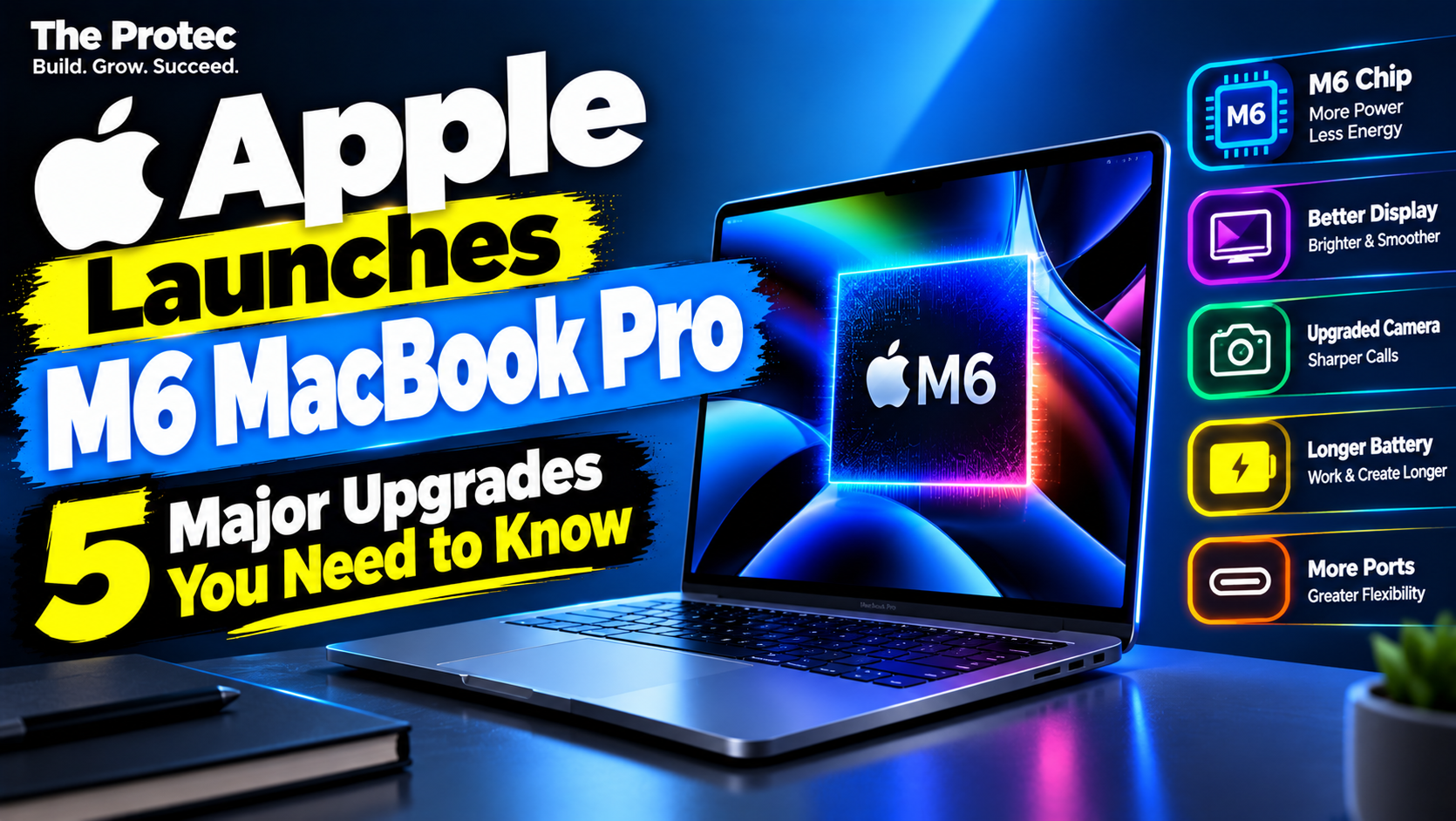
Apple has announced the M6 MacBook Pro, giving its 14-inch professional laptop a faster chip, more capable graphics, upgraded on-device AI processing and next-generation wireless connectivity. The changes are substantial on paper, but whether they justify spending at least $1,999 depends heavily on the Mac you already own and the applications you use.
Announced on October 27, Apple’s new model features a 12-core CPU, a 12-core GPU and a Dual 16-core Neural Engine. U.S. preorders open October 28, with availability beginning November 6 in the United States and 34 other countries and regions. Prices, configurations and release timing in other markets should be confirmed through the relevant regional Apple Store rather than assumed to match the U.S. launch.
Here are the five upgrades that matter most, followed by a practical M6-versus-M5 comparison and buying advice for current Mac owners.
1. The M6 chip delivers a new performance foundation
The Apple MacBook Pro M6 is built around a 12-core CPU and 12-core GPU. Apple also specifies unified memory bandwidth of up to 170GB/s, allowing the processor, graphics cores and AI engines to access a shared pool of data without copying it between separate CPU and GPU memory.
That architecture can benefit software development, media encoding, photo processing and other tasks that repeatedly move large data sets. It can also help local language models and graphics applications, although available memory and software optimization remain important constraints.
Apple has not provided a single percentage that represents every aspect of M6 chip performance, and no such figure would describe all real-world workloads accurately. Compilation speed, video exports, browser performance and scientific computing can scale differently. Apple’s announcement and benchmark claims are manufacturer-reported results, not substitutes for independent testing across sustained workloads, thermals and battery power.
For buyers, the relevant question is not simply whether M6 is faster. It is whether the applications they run can use its CPU, GPU, Neural Engine or increased memory throughput. Everyday email and document work may feel similar on recent Apple silicon, while demanding creative and development tasks have more potential to benefit.
2. Faster graphics and third-generation ray tracing
Apple claims the M6 delivers up to 30% faster graphics than the M5-based 14-inch MacBook Pro. The GPU includes Neural Accelerators in every core, a third-generation ray-tracing engine and Dynamic Caching, which allocates local memory in hardware according to the needs of each task.
Those improvements are relevant to 3D rendering, effects work, motion graphics, games and GPU-accelerated creative applications. Hardware ray tracing can improve the processing of realistic lighting, shadows and reflections in compatible software, while Dynamic Caching is designed to use memory more efficiently during graphics-intensive work.
The words “up to” matter. Apple’s 30% figure applies to selected test conditions, and gains will vary with the application, scene, resolution, memory configuration and thermal demands. Some programs may show a smaller improvement, particularly if they are limited by CPU performance or storage rather than the GPU. Independent M6 vs M5 MacBook Pro tests will be needed to establish sustained performance in widely used professional applications.
3. Apple M6 AI performance gets a practical boost
The M6 combines Neural Accelerators in its 12 GPU cores with a Dual 16-core Neural Engine. Apple claims this design makes on-device AI workloads up to 25% faster than on the previous M5-based model.
Local AI processing means a model runs directly on the Mac instead of sending the entire task to a remote cloud service. Depending on the software, that can improve responsiveness, permit offline operation and keep more data on the computer. Supported workflows can include running compact language models, generating images, enhancing or upscaling photos, transcribing media and using AI-assisted features in creative and development tools.
More AI hardware does not automatically improve every application. Developers must support Apple’s frameworks or otherwise optimize their models, and larger models may still be constrained by memory. Cloud services may also remain preferable when a task requires a model too large to run efficiently on a laptop.
The same distinction applies to Apple Intelligence. Some features can process requests locally, while others use server-side models. Certain tools may have daily usage limits, require an internet connection or be restricted to supported languages, regions and devices. Buyers should not assume that every Apple Intelligence request stays entirely on-device.
Apple identifies macOS 27 as the operating system for this Mac and says Siri’s newer AI capabilities are in beta in macOS 27.2. Consequently, some advertised experiences may not be available in the launch version, may remain in beta or may vary by account and region. Check Apple’s current software availability and feature documentation before purchasing for one specific AI function.
4. Wi-Fi 7 and Bluetooth 6 modernize connectivity
The new model adds Wi-Fi 7 and Bluetooth 6. When used with a compatible router and network, Wi-Fi 7 can provide higher throughput, lower latency and more reliable connections in congested environments. That may help with large file transfers, network-based editing, game streaming and video calls.
Wi-Fi 7 does not automatically make an internet plan faster. Actual performance depends on the router, supported bands, channel availability, interference, distance from the access point and broadband connection. Owners of older Wi-Fi networks can still use the Mac, but they will not receive all the benefits of the newer standard until their network equipment is upgraded.
Bluetooth 6 is designed to improve wireless efficiency and connection reliability with compatible accessories. Benefits will depend on support from headphones, keyboards, mice and other devices; the version number alone does not guarantee better audio quality from an existing accessory.
5. The $1,999 price makes configuration choices important
The 14-inch M6 MacBook Pro starts at $1,999 in the United States, while U.S. education pricing begins at $1,899. Preorders open October 28, and retail availability starts November 6. Taxes, education eligibility and optional upgrades can change the final price.
The base M6 configuration includes 16GB of unified memory and can be configured with up to 32GB. Because unified memory is shared by the CPU, GPU and other chip components, capacity can become especially important when running local AI models, multiple virtual machines, large software projects, 3D applications or high-resolution video timelines.
MacBook Pro 16GB vs 32GB RAM
For web browsing, office applications, communication and ordinary productivity, 16GB may be sufficient. Buyers who keep laptops for many years should still consider how their workload may change. Developers, video professionals and users experimenting with local AI will often have a stronger case for 32GB, particularly when several memory-intensive tools run simultaneously.
Memory cannot be upgraded after purchase. Storage also needs to be selected carefully, but buyers should verify available SSD capacities, exact upgrade prices and any storage changes in Apple’s current store listing before ordering. Conflicting secondary reports are not a reliable basis for assuming the base SSD capacity or build-to-order options.
M6 MacBook Pro specification summary
- Processor: M6 with a 12-core CPU and 12-core GPU
- AI hardware: Neural Accelerators in each GPU core and a Dual 16-core Neural Engine
- Memory: 16GB standard, configurable up to 32GB, with bandwidth up to 170GB/s
- Display: Liquid Retina XDR with up to 1,600 nits of peak HDR brightness; optional nano-texture finish
- Camera and audio: 12MP Center Stage camera and six-speaker sound system
- Ports: Three Thunderbolt 4 ports, HDMI, MagSafe 3, SDXC card slot and headphone jack
- Displays: Support for up to two external displays
- Wireless: Wi-Fi 7 and Bluetooth 6
- Battery: Up to 24 hours, according to Apple
Apple’s battery estimate is a maximum measured under specified testing conditions. Display brightness, applications, wireless activity, connected devices and workload intensity can produce materially different results. Full details and test conditions are available through Apple’s official M6 MacBook Pro announcement.
M6 vs M5 MacBook Pro: What actually changed?
The clearest manufacturer-reported gains over the M5 version are up to 30% faster graphics and up to 25% faster on-device AI workloads. The M6 also adds its updated ray-tracing engine, GPU Neural Accelerators, Wi-Fi 7 and Bluetooth 6. Its memory options range from 16GB to 32GB, while the U.S. starting price is $1,999.
These changes do not make an M5 MacBook Pro obsolete. An M5 owner who primarily browses the web, writes documents or edits occasional photos is unlikely to recover the replacement cost through modest time savings. The argument becomes stronger for someone whose income depends on GPU rendering, local model inference or another workload that benchmarks substantially faster on M6. Wi-Fi 7 may also matter in a modern studio or office that already has compatible infrastructure.
Wait for independent application tests before buying solely for M6 chip performance. Apple’s comparisons demonstrate potential under its test conditions, but they cannot predict every workflow or configuration.
Is the M6 MacBook Pro good value?
At $1,999, this remains a premium professional laptop. Its display, port selection, battery potential and performance hardware add value for users who need those capabilities. The faster AI and graphics engines could also reduce processing time in supported professional software.
However, an AI-capable chip does not guarantee higher productivity, and not everyone needs a Pro laptop. Buyers whose work consists mainly of browser tabs, email and office documents may receive better value from a less expensive Mac. Configuration upgrades can also push the M6 model well beyond its advertised starting price.
Who should upgrade, and who should wait?
Intel MacBook owners stand to see the largest overall change. Beyond processor speed, they can gain longer battery life, newer media engines and access to Apple silicon-dependent AI features. Apple claims up to 14 additional hours of battery life for Intel-based upgraders, but that is a manufacturer comparison rather than a guaranteed individual result.
M1 MacBook owners may also see meaningful improvements in sustained performance, graphics, display technology and connectivity. Apple claims up to four additional battery hours compared with M1 systems. Actual gains will depend on the specific M1 model, battery condition and usage.
M2, M3 and M4 owners should assess their current performance, memory pressure, battery health and software requirements. An upgrade makes sense if the existing Mac regularly slows down, lacks enough memory or cannot support required features—not simply because a new chip is available.
M5 MacBook Pro owners can generally wait unless the claimed graphics or AI improvements directly address an expensive bottleneck. A nearly new M5 remains highly capable, and replacing it to gain Wi-Fi 7 makes little sense without a compatible network and a workload sensitive to wireless performance.
Frequently asked questions
When is the M6 MacBook Pro release date?
U.S. preorders open October 28, 2026, and availability begins November 6, 2026. Apple says the November 6 launch covers 35 countries and regions, including the United States. Confirm local dates, prices and configurations through the appropriate regional Apple Store.
How much does the 14-inch M6 MacBook Pro cost?
The U.S. starting price is $1,999, or $1,899 with qualifying education pricing. More memory, storage and the optional nano-texture display can raise the final cost. Verify current configuration prices at checkout.
Does every Apple Intelligence feature run locally?
No. Some tasks use Apple on-device AI, while others may rely on server-side models. Availability can depend on the operating-system version, language, region and account, and certain features may have usage limits.
Should I choose 16GB or 32GB of unified memory?
16GB can suit general productivity, browsing and lighter creative work. Consider 32GB for local AI models, virtual machines, large development projects, complex 3D work or high-resolution video—especially because the memory cannot be upgraded later.
Does the M6 MacBook Pro have better battery life?
Apple rates it for up to 24 hours and reports larger gains for users moving from Intel or M1 systems. These are controlled manufacturer results. Real battery life varies with brightness, software, network use, connected hardware and workload.