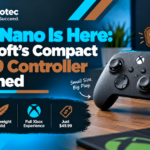






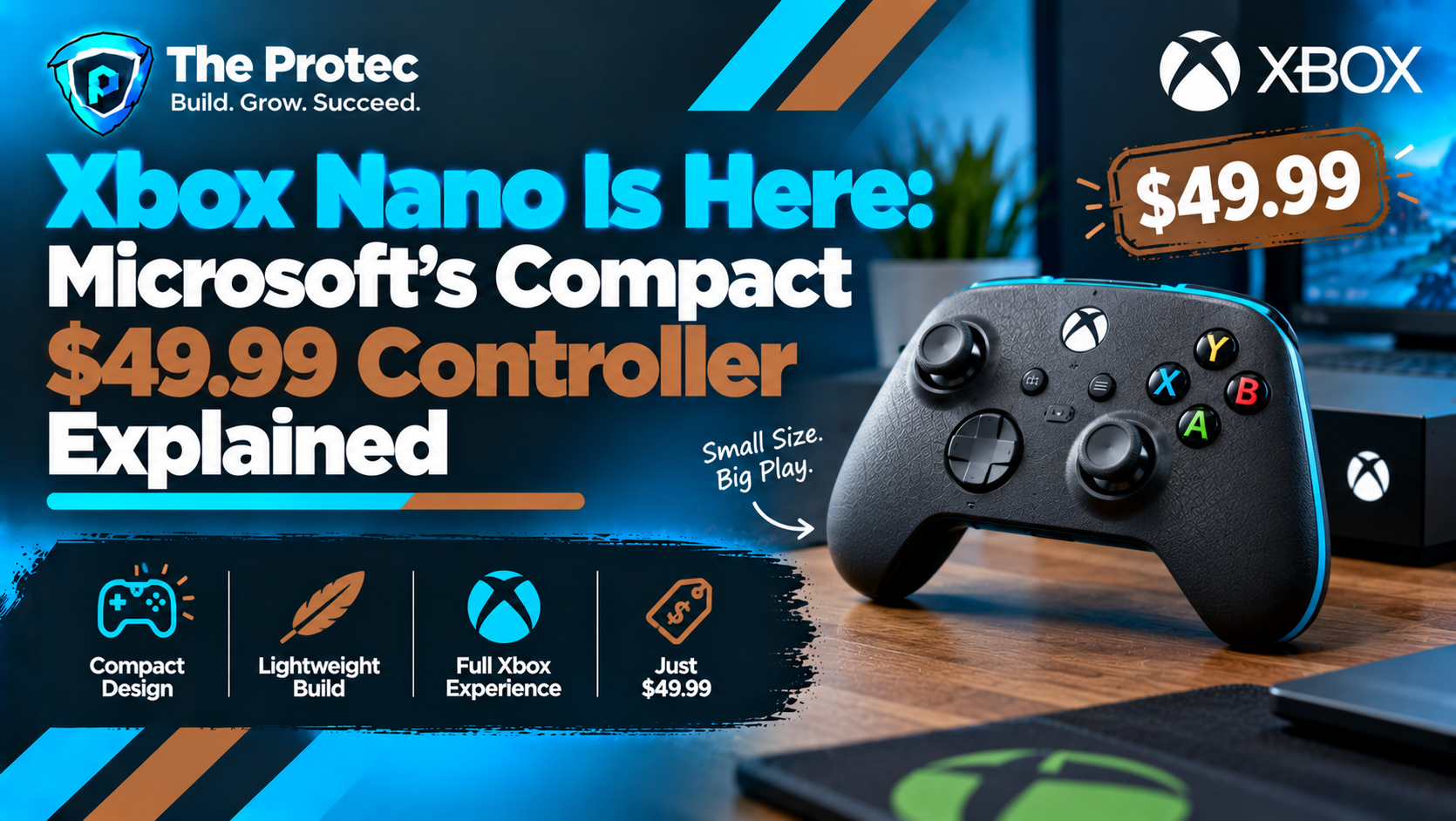
Microsoft is shrinking one of gaming’s most recognizable peripherals. The officially announced Xbox Nano controller takes the familiar Xbox control scheme and places it inside a body measuring just over five inches and weighing approximately 3.5 ounces. At $49.99 in the United States, it is positioned as a smaller, more portable alternative to the standard Xbox Wireless Controller rather than a stripped-down novelty.
Despite its size, the Microsoft Xbox Nano controller retains all 18 standard gameplay inputs. It also includes a built-in rechargeable battery, Bluetooth, Xbox Wireless connectivity and a programmable Action Button. That combination makes it relevant beyond the console: Microsoft is targeting players who move between Xbox hardware, Windows PCs, phones, tablets and compatible smart TVs used for cloud gaming.
The result could be particularly appealing to younger players, people with smaller hands and travelers who find a full-size gamepad cumbersome. However, compact dimensions do not automatically mean better comfort. Here is what Microsoft has confirmed, what remains dependent on individual preference, and what prospective buyers should verify before placing an Xbox Nano preorder.
Xbox Nano features at a glance
According to Microsoft’s official Xbox announcement channel, the Nano is a complete controller in a significantly smaller shell. Its dimensions and low weight are the headline changes, but Microsoft has avoided removing the core inputs needed for modern Xbox games.
- A compact body measuring just over five inches
- Approximate weight of 3.5 ounces
- All 18 standard Xbox gameplay inputs
- A programmable Xbox Nano Action Button
- Xbox Wireless connectivity for supported consoles and devices
- Bluetooth for compatible PCs, phones, tablets and smart TVs
- A built-in rechargeable battery
- A U.S. retail price of $49.99
The familiar layout should reduce the learning curve for existing Xbox players. The directional pad, thumbsticks, face buttons, menu controls, bumpers and triggers remain where users expect them. The smaller housing may change how those controls feel in the hand, but it does not turn the Nano into a limited mobile remote.
The programmable Action Button adds flexibility for frequently used commands. Its available assignments can depend on the connected platform, game and supporting software, so buyers should not assume that every function will work identically everywhere. Programmability also should not be confused with unrestricted macros, which may be limited by software or game rules.
Why Microsoft made a smaller Xbox controller
The standard Xbox Wireless Controller was designed to serve a broad audience, yet no single body shape can suit every player. Its longer grips and full-size spacing work well for many adults, but they can feel oversized to children and people with shorter fingers. Third-party brands have offered compact gaming controllers for years, demonstrating demand for an officially supported alternative.
Gaming is also becoming less tied to a living-room console. Players now carry controllers for laptop gaming, Xbox cloud gaming sessions and mobile titles. A full-size gamepad occupies meaningful space in a backpack, while a pocket-sized Xbox controller is easier to keep with a tablet or compact computer. At roughly 3.5 ounces, the Nano should also add less weight to a travel kit.
This launch therefore fits Microsoft’s wider gaming strategy: make Xbox games accessible across more screens while offering peripherals designed for those different contexts. The Nano is not evidence that the standard controller is disappearing. It expands Microsoft’s gaming hardware lineup with a second form factor for users who prioritize reach, portability or lighter weight.
Xbox Nano price, preorder details and release timing
The confirmed Xbox Nano price is $49.99 in the United States. That places it below many premium controllers and makes it plausible as a secondary travel gamepad. Preorders are available ahead of the planned November launch.
Microsoft’s rollout information should be read region by region. Taxes, currency conversion, distribution costs and local promotions can produce different prices, while the precise November release date may not be identical in every market. As of October 2026, buyers should use Microsoft’s local store listing as the final authority rather than converting the U.S. price themselves.
Before ordering, confirm that the listing shows the correct country, currency, estimated delivery date and warranty terms. The Microsoft Store’s Xbox section is the appropriate place to check U.S. availability, while regional visitors should allow the site to redirect to their local storefront. Retailer dates can also refer to shipping, collection or estimated delivery rather than the official release day.
Microsoft has announced a November launch window, but shoppers should not treat one market’s date as a guaranteed worldwide date unless it appears on their local product page. That distinction is especially important for imported units, which can introduce different consumer protections and return procedures.
Xbox Nano compatibility across consoles, PC and mobile
Xbox Nano compatibility is one of the controller’s strongest selling points. Microsoft says it works across supported Xbox consoles, Windows PCs, Android devices, iPhones and iPads, as well as compatible smart TVs. Xbox Wireless handles direct connections within Microsoft’s ecosystem, while Xbox Nano Bluetooth support broadens the range of usable devices.
Compatibility does not mean every feature is universal. Button customization, wireless pairing behavior, firmware updates, vibration and the Action Button can vary by operating system, device and game. Some mobile games have complete controller support, others support only selected actions, and touch-only games may not recognize a controller at all.
For Xbox Nano PC compatibility, users should check their Windows version, Bluetooth hardware and game requirements. A title purchased for PC is not automatically controller-compatible simply because it is also available on Xbox. Wired or wireless behavior may likewise differ according to the software and hardware configuration.
Xbox Nano mobile gaming and cloud gaming have similar caveats. The Xbox app, supported browser, network quality, subscription requirements and regional service availability all affect the experience. On a smart TV, the television model and installed gaming app must support the service and Bluetooth controller pairing. The Nano cannot add cloud-gaming support to an otherwise incompatible television.
Xbox Nano vs Xbox Wireless Controller
The central difference in an Xbox Nano vs Xbox Wireless Controller comparison is physical scale. Nano is substantially lighter and easier to pack, while the standard model provides larger grips and more room between controls. Neither approach is inherently superior; the best option depends on hand size, playing style and session length.
Portability
Nano is the clear choice for travel. Its just-over-five-inch body should fit more easily into compact bags, and its 3.5-ounce weight is useful for commuters or anyone carrying a laptop, headset and other accessories. A protective case is still sensible because exposed sticks and triggers can be damaged inside a crowded bag.
Battery convenience
The Xbox Nano rechargeable battery eliminates the need to carry disposable AA cells. By contrast, the standard Xbox Wireless Controller normally uses AA batteries, although a rechargeable battery pack can be purchased separately. Nano’s integrated design is convenient, but buyers should check the official listing for rated battery life and charging details instead of assuming performance from the controller’s size.
Controls and everyday use
Keeping all 18 standard gameplay inputs means Nano should handle conventional Xbox control schemes without forcing developers to create simplified layouts. The extra programmable Action Button may offer convenient access to an assigned function where supported.
The smaller body introduces possible compromises. Players with larger hands may have less grip area, while tighter control spacing could feel crowded in games that require rapid transitions between buttons, bumpers and triggers. Conversely, younger players and users with shorter finger reach may find the controls easier to access. These are reasonable ergonomic expectations, not universal results confirmed by the specification sheet.
Long-session comfort
The standard controller may remain preferable for extended sessions because its grips provide more surface area. Nano’s low weight could reduce the feeling of holding a heavy peripheral, but weight alone does not determine Xbox controller ergonomics. Grip style, wrist position and preferred games all matter. Whenever possible, buyers should handle the controller or purchase from a seller with a clear return policy.
Who will benefit most from Xbox Nano?
The smaller Xbox controller has several obvious audiences, although it is not limited to any one age group.
- Younger players: The shorter reach and lighter body may be more manageable than a standard gamepad.
- People with smaller hands: Compact spacing may make sticks, triggers and face buttons easier to reach.
- Travelers: Nano takes up less space alongside a laptop, tablet or portable display.
- PC and mobile players: Bluetooth and broad device support make it a practical multi-screen controller.
- Cloud gamers: It can pair with compatible phones, tablets and smart TVs running supported Xbox cloud gaming services.
- Households needing another controller: The $49.99 price may make Nano an attractive secondary option for local multiplayer.
Players with large hands, those who prefer substantial grips or people who primarily play for several hours at a time may still favor the standard model. The Nano’s dimensions solve a portability problem, but they do not guarantee better ergonomics for every user.
Samsung TV and Meta Quest promotions
Microsoft’s promotion of compact controllers aligns with its expansion of Xbox experiences beyond consoles, including supported Samsung smart TVs and Meta Quest devices that can access Xbox cloud gaming in eligible regions. These platforms illustrate why a portable wireless controller is increasingly useful: the screen running a game may no longer be attached to dedicated Xbox hardware.
Any Samsung TV or Meta Quest offer should be treated as a separate, market-specific promotion unless a local Microsoft listing explicitly includes it with Nano. Eligibility, subscription requirements, supported models, redemption periods and participating countries can differ. Buyers should not assume that Game Pass access, a headset, a television or another accessory is included in the $49.99 box price. Only the terms attached to the official regional offer confirm the bundle’s contents.
What to check before placing an Xbox Nano preorder
Start with hand size and intended use. If portability is the priority, Nano has a compelling advantage. If it will replace an everyday controller, compare its dimensions with the gamepad already being used and consider whether shorter grips will suit longer sessions.
- Verify the regional price, tax treatment and exact delivery date.
- Confirm compatibility with the specific console, PC, phone or smart TV.
- Check whether the intended games support controllers on that platform.
- Review battery-life, charging and firmware-update information on the final listing.
- Read the Action Button’s supported assignments and platform limitations.
- Check promotion terms rather than assuming a Samsung or Meta Quest benefit is included.
- Review the warranty and return policy, particularly when importing.
As a secondary portable Xbox controller, Nano makes immediate sense: it is light, comparatively affordable and built for several device categories. As a full-time replacement, the answer is more personal. Its complete input set and wireless options are promising, but comfort should be judged through real use rather than dimensions alone.
Frequently asked questions
How much does the Xbox Nano cost?
The official U.S. price is $49.99. Regional prices may differ because of taxes, exchange rates and local distribution. Check Microsoft’s store for your country before ordering.
What is the Xbox Nano release date?
Microsoft has announced a November launch, with preorders available beforehand. Exact release and delivery dates can vary by country and retailer, so the local store listing should be treated as definitive.
Does Xbox Nano work with Xbox consoles and Windows PCs?
Yes. Microsoft confirms support for compatible Xbox consoles and Windows PCs through Xbox Wireless or Bluetooth as appropriate. Individual features can vary by device, operating system and game.
Can Xbox Nano connect to phones and smart TVs?
Xbox Nano can connect to compatible Android and iOS devices and supported smart TVs using Bluetooth. The device, app and game must independently support controller input. Cloud gaming availability also depends on region, service access and network quality.
Is Xbox Nano better for smaller hands?
Its reduced dimensions may make controls easier to reach for children and players with smaller hands. However, comfort is subjective, and Microsoft has not claimed that the design improves ergonomics for everyone.
Does Xbox Nano have a rechargeable battery?
Yes. A built-in rechargeable battery is one of the confirmed Xbox Nano features. Buyers should consult the final regional product listing for official battery-life and charging specifications.