








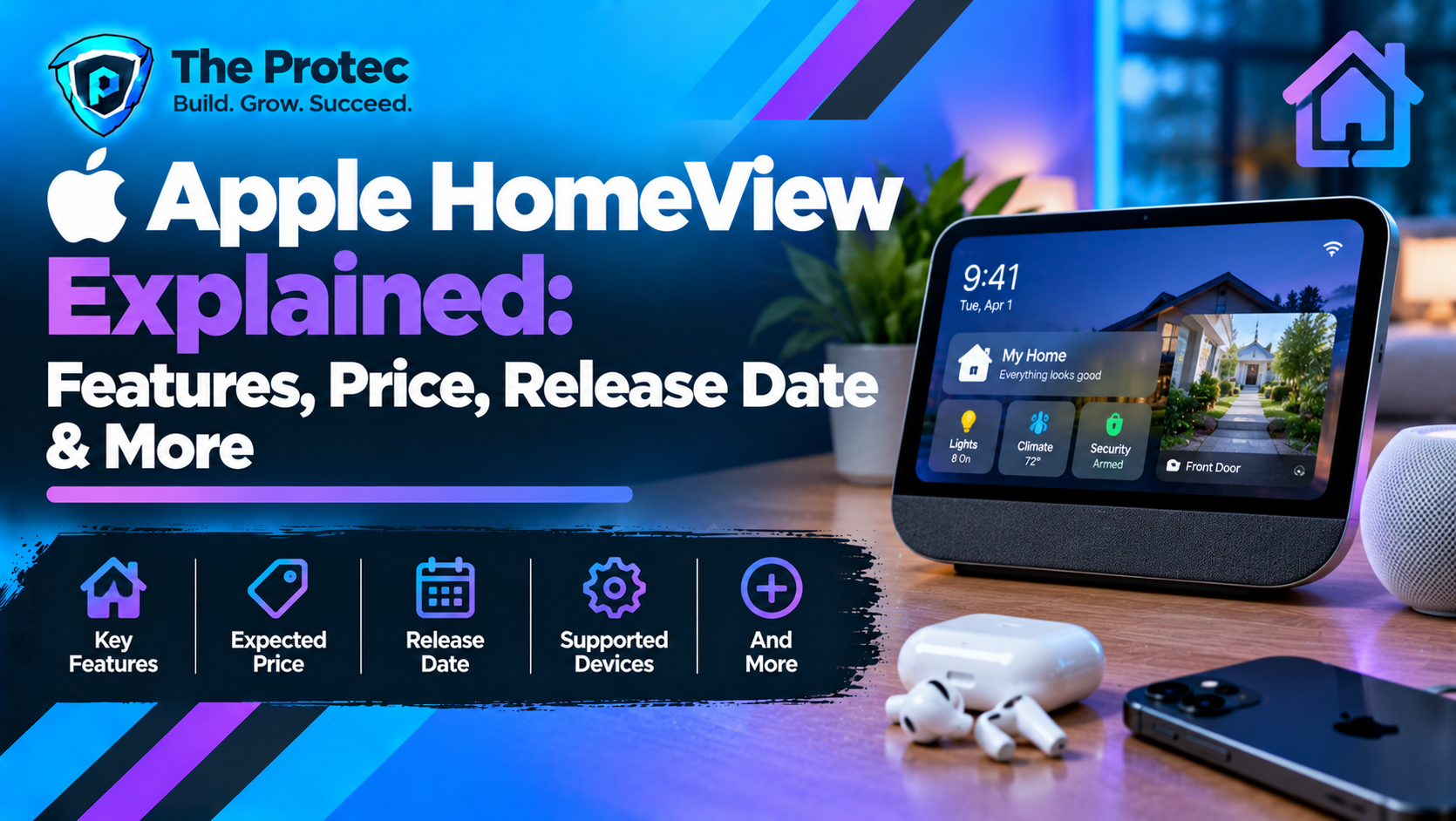
Apple HomeView is now official. Announced on October 13, 2026, at Apple’s “Welcome Home” event, the new smart-home display combines a 7-inch touchscreen, Siri AI, FaceTime, entertainment, and centralized controls for compatible smart-home accessories. Apple has opened preorders in supported markets, with availability beginning November 13, 2026.
Priced at $299 in the United States, Apple HomeView comes in a tabletop configuration and a separate wall-mounted model. Both versions feature the A18 chip, a 12MP Center Stage camera, and a square Liquid Retina display. However, buyers considering the wall-mounted version should account for the additional cost of a compatible mount and power solution.
This guide covers the confirmed Apple HomeView features, specifications, price, release date, Siri AI capabilities, privacy protections, smart-home compatibility, and how it compares with an iPad, HomePod, Amazon Echo Show, and Google Nest Hub.
What Is Apple HomeView?
Apple HomeView is Apple’s new dedicated smart-home display, designed to serve as a shared information, communication, entertainment, and home-control center. Unlike an iPad, which is designed primarily for personal computing and portable use, HomeView is intended to remain in a central location where family members can access household information and manage connected devices.
The device combines a touchscreen interface with Siri AI, personalized user profiles, FaceTime, Apple Music, photos, calendars, reminders, and the Apple Home app. Residents can use it to check the weather, set timers, view compatible camera feeds, adjust lighting, control supported thermostats, and manage smart-home scenes.
One of its main distinctions is that HomeView recognizes up to six people and can display a personalized Home Screen for each enrolled user. This allows a shared household device to provide individual information while keeping personal content separate.
Apple announced HomeView on October 13, 2026. Preorders began that day in supported countries, and availability is scheduled to begin on November 13, 2026. See the official Apple HomeView product page for current pricing, availability, and specifications.
Seven Key Apple HomeView Features
1. A 7-Inch Liquid Retina Display
Apple HomeView features a 7-inch Liquid Retina Multi-Touch display with IPS technology and a square 1088 × 1088-pixel resolution. At 220 pixels per inch, the screen is designed for glanceable household information, interactive controls, photos, recipes, and video calls.
The display supports True Tone and reaches a maximum brightness of 500 nits, with brightness capable of dropping to 0.3 nits for darker environments such as a bedroom at night. Its interface can also adapt the information it displays based on how close a person is to the device.
HomeView’s screen is designed for an always-available household interface rather than replacing a larger tablet or television. Its compact size makes it suitable for kitchen counters, nightstands, and other frequently used areas.
2. Personalized Profiles for Up to Six People
HomeView can recognize up to six people by their faces and provide each enrolled user with a personalized Home Screen containing their own apps and widgets. Depending on the user’s setup, the experience can include personal information from Messages, FaceTime, Calendar, Reminders, and Find My.
Apple says personal content remains separate when multiple people share the device. Access to personal information requires a recognized user and a paired iPhone or iPad that is connected to the same Wi-Fi network and has been recently unlocked.
Guests and unrecognized users can still perform basic tasks, such as controlling compatible smart-home accessories, checking the weather, setting timers, and playing music, without accessing another person’s private information.
3. Siri AI Powered by Apple Intelligence
Siri AI is a central part of the Apple HomeView experience. Apple describes it as a more conversational assistant with broad world knowledge, personal-context understanding, and the ability to carry conversations forward.
Users can ask questions, discover music, get recipe suggestions, and interact with household information using voice commands. When paired with a compatible Apple Intelligence-enabled iPhone or iPad, Siri AI can also draw on personal context from apps such as Calendar and Messages to provide more relevant assistance and take supported actions across apps.
Apple says HomeView includes Siri AI’s general knowledge and conversational capabilities even for users without an Apple Intelligence-enabled iPhone or iPad. However, some personal-context features require a compatible paired device. Siri AI is available in English initially, with availability and feature support varying by market.
Apple also states that Siri requests can use on-device processing or Private Cloud Compute. Features that depend on compatible devices, software, internet access, or regional availability may not work identically for every household.
4. FaceTime and Household Communication
Apple HomeView includes a 12MP Center Stage camera for FaceTime video calls. Center Stage helps keep participants in the frame as they move around the room or join a conversation, making the device useful in shared spaces such as kitchens and living rooms.
The device also supports FaceTime audio, Messages, and Apple’s Intercom feature. Users can send messages using their voice or the onscreen keyboard and broadcast announcements to compatible HomeView and HomePod speakers, as well as supported personal Apple devices.
Its four-microphone design supports far-field Siri requests and calls, while Apple’s hardware and software privacy features are designed to isolate camera and microphone processing. Users should still review their household’s privacy settings and decide where a camera-equipped shared display should be placed.
5. Music, Video, Photos, and Everyday Entertainment
HomeView supports Apple Music, Apple Podcasts, Apple News audio stories, audiobooks, Apple TV, and compatible third-party audio and video apps. It also supports Handoff, allowing users to continue supported activities from an iPhone on HomeView.
Apple’s customizable display faces include Photos, Calendar, Weather, and other information-focused options. The Photos face can display a single picture or a shared album, while the Flow face reacts to physical presence and movement. Apple also offers a Snoopy face with animations linked to factors such as the time of day, weather, and sporting events.
Audio is another major part of the design. The tabletop model combines two full-range drivers in the display with a down-firing woofer and two force-cancelling passive radiators in the base. Apple lists Spatial Audio with Dolby Atmos for supported music and video, computational audio, and multiroom playback through AirPlay-compatible speakers.
Subscriptions may be required for certain services and content. Third-party app availability and playback capabilities also depend on compatibility and the service provider.
6. Centralized Smart-Home Controls
HomeView integrates with Apple’s Home app to provide a central dashboard for compatible accessories. Users can control supported lights, locks, thermostats, blinds, and other connected devices by touching the screen or using Siri AI.
Apple’s Home Modular face provides access to frequently used accessories, while the Home Camera face can display up to nine video feeds simultaneously. This can help users check camera views around the property without opening a separate app for each device.
HomeView also works with compatible Apple Home and Matter accessories. Apple has announced its Apple Home Collection, developed with LG Electronics and Schneider Electric, which includes smart-home cameras, thermostats, and a door lock. The collection has its own availability schedule, so buyers should check the status of individual accessories before planning an installation.
With compatible cameras and a supported iCloud+ subscription, HomeView can support encrypted recognition of people, familiar faces, pets, packages, and vehicles through Apple’s home-security features. It can also detect the sound of smoke and carbon monoxide alarms and send alerts to supported Apple devices.
Compatibility still matters: Matter support does not guarantee that every accessory exposes every feature through Apple Home. Check the product’s Works with Apple Home information and any requirements for hubs, networks, subscriptions, or remote access.
7. Tabletop and Wall-Mounted Models
Apple sells two distinct configurations: Apple HomeView and Apple HomeView (Wall Mounted). Both are listed at $299 in the United States, but the wall-mounted model requires additional mounting and power hardware that is sold separately.
The tabletop model has an aluminum base connected to the display by a stainless steel hinge, allowing the screen to tilt for comfortable viewing. It is available in Silver, Starlight, Rose Pink, and Space Gray.
The wall-mounted model is designed for locations such as hallways and entryways. It is available in Silver and Space Gray and supports compatible wall-mount solutions from Schneider Home. Apple lists plug-in USB-C, wired AC, and a Power over Ethernet option with different availability schedules.
The wall-mounted model does not include the same in-box power setup as the tabletop version. Before ordering, confirm the price and compatibility of the mount, cable, and power solution you need. Do not assume that buying the $299 wall-mounted display covers the full installation cost.
Apple HomeView Specifications
Apple has published official technical specifications for both HomeView models. The following table summarizes the key hardware and connectivity details.
| Specification | Apple HomeView |
|---|---|
| Display | 7-inch Liquid Retina Multi-Touch display with IPS technology |
| Resolution | 1088 × 1088 pixels at 220 ppi |
| Display features | True Tone, fingerprint-resistant coating, 500-nit maximum brightness, 0.3-nit minimum brightness |
| Processor | Apple A18 chip |
| Camera | 12MP Center Stage camera with ƒ/2.4 aperture |
| Microphones | Four-microphone design |
| Audio | Two full-range drivers; tabletop model also has a down-firing woofer and two force-cancelling passive radiators |
| Audio technology | Spatial Audio with Dolby Atmos for supported content, computational audio, AirPlay multiroom audio |
| Wireless connectivity | Wi-Fi 6E with MIMO, Bluetooth 6.0, and Thread |
| Sensors | Ambient light, temperature, humidity, and accelerometer |
| Personalization | Face recognition for up to six people |
| Smart-home compatibility | Apple Home and compatible Matter accessories |
| Tabletop colors | Silver, Starlight, Rose Pink, Space Gray |
| Wall-mounted colors | Silver, Space Gray |
| Tabletop weight | 2.1 pounds (952 grams) |
| Wall-mounted weight | 0.63 pound (286 grams) |
| Starting U.S. price | $299 for either model, before separately sold wall-mount accessories |
| Availability | Preorders began October 13, 2026; availability begins November 13 in supported markets |
For the complete technical details, see Apple’s official Apple HomeView specifications page. Regional availability, compatible software, and accessory requirements should be checked before purchase.
Apple HomeView Price, Preorders, and Release Date
Apple HomeView starts at $299 in the United States. Apple also lists the wall-mounted model at $299, but compatible mounts and the required power solution are sold separately. As a result, the total cost of a wall installation can exceed the display’s advertised price.
- Announcement date: October 13, 2026.
- Preorder date: October 13, 2026, in supported markets.
- Availability date: November 13, 2026, in supported markets.
- U.S. starting price: $299 for the tabletop or wall-mounted model.
- Tabletop colors: Silver, Starlight, Rose Pink, and Space Gray.
- Wall-mounted colors: Silver and Space Gray.
Availability is not universal. Apple says HomeView is not available for sale in the European Union because Siri AI is currently unavailable in iOS in the EU. Apple has also announced different preorder schedules for certain markets. Buyers outside the initial launch countries should check their local Apple Store rather than assuming the U.S. release schedule applies worldwide.
For the latest purchase options, consult the Apple HomeView store page. Prices, taxes, shipping dates, and accessory costs may vary by country.
Does Apple HomeView Require an iPhone or Apple Home Hub?
HomeView is designed to act as a central smart-home interface, but it also works alongside Apple’s wider ecosystem. Apple’s published system requirements specify HomeView with the latest software, Wi-Fi internet access, and an iPhone running iOS 27.2 or later or an iPad running iPadOS 27.2 or later.
For a fully personalized experience, each user needs an Apple Account, a compatible iPhone or iPad, and membership in the shared home configured through the Home app. Guests and unrecognized users can still use basic functions such as timers, weather, music, and compatible smart-home controls without accessing another person’s personal information.
HomeView supports Thread networking and compatible Apple Home and Matter accessories. However, the exact requirements for individual accessories and automations can differ. Check Apple’s documentation and the accessory manufacturer’s instructions before purchasing additional hubs, cameras, sensors, or networking equipment.
For further details, consult Apple’s Home app and smart-home guidance.
Apple HomeView vs. iPad, HomePod, and Other Smart Displays
Apple HomeView vs. iPad
An iPad is more versatile for portable computing, productivity, browsing, and running a wider range of applications. It can also control compatible smart-home devices through Apple’s Home app. HomeView’s advantage is its dedicated role as a shared household display that can remain in a central location.
HomeView is worth considering if you want a fixed dashboard for household controls, calls, timers, photos, and family information. If you need a device that travels with you and handles a broader range of tasks, an iPad may offer better value.
Apple HomeView vs. HomePod
HomePod focuses on voice interaction and music playback, while HomeView adds a touchscreen, visual smart-home controls, camera feeds, personalized information, and FaceTime video. The tabletop HomeView also includes a dedicated speaker system designed for room-filling sound.
HomePod may remain the better fit for people who primarily want a speaker and hands-free voice assistant. HomeView is more suitable for households that want visual information and interactive controls in addition to audio.
Apple HomeView vs. Amazon Echo Show and Google Nest Hub
Amazon Echo Show and Google Nest Hub devices already offer combinations of smart-home controls, voice assistance, media playback, and household information. HomeView differentiates itself through its integration with Apple devices, Siri AI, FaceTime, Apple Home, and personalized profiles for multiple household members.
The best choice depends on the ecosystem you already use. A home built around iPhones, Apple Home accessories, and FaceTime may benefit from HomeView’s integration. Households that rely on Alexa, Google Assistant, or devices with limited Apple Home compatibility should compare supported accessories and services before switching.
Price is another consideration. At $299, HomeView occupies a premium position in the smart-display market, and the separate cost of wall-mount hardware can increase the total installation expense.
Apple HomeView Privacy and Security
Because HomeView is designed for shared spaces, privacy is an important part of its feature set. Apple says the device’s A18 chip includes Secure Exclaves, which process camera and microphone data in a protected environment separated from the main operating system.
Apple also says personal information from apps such as Messages and Calendar is shown only when the enrolled user is recognized and their paired iPhone or iPad is nearby, connected to the same Wi-Fi network, and has been recently unlocked. Siri requests may be processed on the device or through Private Cloud Compute, which Apple says does not store the data processed in that environment or make it accessible to Apple.
For smart-home video, supported iCloud+ features can provide encrypted recognition and notifications through compatible cameras. These capabilities depend on the subscription, camera compatibility, and the relevant Apple Home setup.
These protections are based on Apple’s published description of the product. Buyers should still review the complete privacy documentation, configure household permissions carefully, and consider camera placement before putting a shared display in bedrooms or other sensitive areas.
Is Apple HomeView Worth Buying?
Apple HomeView looks most appealing to households that already use iPhones, Apple Home, FaceTime, and compatible smart-home accessories. Its combination of a dedicated touchscreen, personalized profiles, Siri AI, video calling, and home controls could make everyday household tasks more convenient.
Its strongest selling point is not any single feature, but the way those features are brought together in a shared device. Families can check schedules, control connected accessories, make calls, play music, and access selected personal information without passing around a phone or tablet.
However, the $299 starting price is a significant consideration, particularly when compared with less expensive smart displays. Buyers choosing the wall-mounted model must also budget for compatible mounting and power hardware. Regional availability and Siri AI language support are additional limitations to check before ordering.
Our early recommendation: Consider Apple HomeView if you want a dedicated smart-home dashboard and already rely on Apple’s ecosystem. If you mainly need portable apps, a general-purpose tablet, or a voice-controlled speaker, an iPad or HomePod may be a more practical purchase. Before ordering, confirm local availability, accessory compatibility, and the complete cost of your preferred configuration.
Frequently Asked Questions
Is Apple HomeView officially announced?
Yes. Apple officially announced HomeView on October 13, 2026. It is a smart-home display featuring a 7-inch Liquid Retina screen, Siri AI, personalized profiles, FaceTime, entertainment features, and smart-home controls.
How much does Apple HomeView cost?
Apple HomeView starts at $299 in the United States. The wall-mounted model is also listed at $299, but compatible mounting and power accessories are sold separately.
When is the Apple HomeView release date?
Preorders began October 13, 2026, in supported markets. Apple says availability begins November 13, 2026, although launch timing and availability vary by country.
Does Apple HomeView have a camera?
Yes. HomeView includes a 12MP Center Stage camera with an ƒ/2.4 aperture for supported FaceTime video calls. Center Stage helps keep participants in the frame as they move.
How many people can use Apple HomeView?
HomeView can recognize up to six people and provide a personalized Home Screen for each enrolled user. Personal information requires the appropriate account, paired-device, network, and recognition conditions.
Does Apple HomeView support Matter?
Yes. Apple lists Thread networking and support for compatible Matter accessories. Individual devices may still require specific setup steps or additional hardware, and not every accessory exposes every feature through Apple Home.
Is Apple HomeView available in the European Union?
Apple says HomeView is not available for sale in the European Union at launch because Siri AI is currently unavailable in iOS in the EU. Availability may change, so check Apple’s regional store for updates.
Can Apple HomeView replace an iPad or HomePod?
Not completely. HomeView is designed for a fixed, shared household interface. An iPad remains more flexible for portable computing and productivity, while HomePod is primarily a speaker with voice-assistant capabilities.
Does Apple HomeView require a subscription?
Not every feature requires a subscription, but some services and smart-home capabilities do. For example, certain camera recognition features require a supported iCloud+ subscription, while media services may require their own subscriptions.