







OLED vs Mini-LED vs IPS: Which Laptop Display Is Best for Work, Gaming, and Battery Life?
Choosing the best laptop display is no longer as simple as picking “the sharpest screen.” Today’s premium laptops use three very different panel technologies: OLED, Mini-LED, and IPS. Each one excels in a different way, and the right choice depends on how you actually use your laptop. If you care about color accuracy, deep contrast, peak brightness, gaming responsiveness, battery life, or long-term reliability, the display can matter as much as the processor inside.
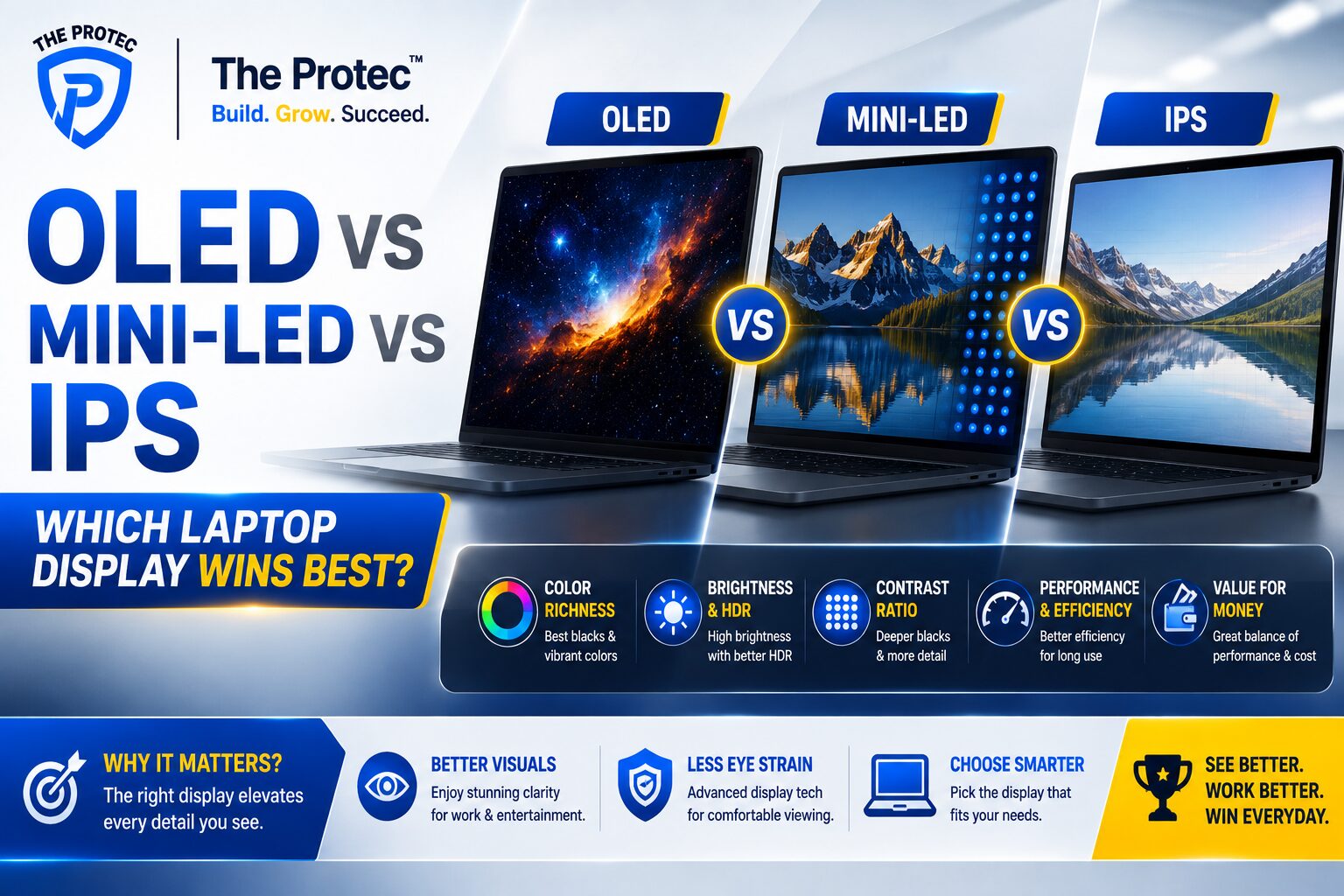
This guide breaks down the real-world differences in the OLED vs Mini-LED laptop debate and the long-running IPS vs OLED laptop comparison. We’ll look at image quality, HDR, motion clarity, productivity comfort, burn-in risk, outdoor visibility, and battery efficiency so you can choose the panel that fits your work and play style.
Quick Verdict: Which Display Is Best?
If you want the shortest answer, here it is:
- OLED is best for contrast, cinematic visuals, and premium media use.
- Mini-LED is best for HDR brightness, mixed work and entertainment, and users who want a safer alternative to OLED burn-in concerns.
- IPS is still the best value for general productivity, battery-friendly use on many laptops, and buyers who want a reliable all-rounder without paying a premium.
There is no universal winner. The right panel depends on whether you prioritize deep blacks, bright HDR highlights, long battery life, or reduced image retention risk.
What Makes OLED, Mini-LED, and IPS Different?
Before comparing them directly, it helps to understand how each display works.
OLED laptop displays
OLED panels use self-emissive pixels, which means each pixel produces its own light. When a pixel needs to show black, it simply turns off. That gives OLED its famous infinite contrast, extremely rich blacks, and vivid colors. It also helps with response times because pixels can switch very quickly.
Mini-LED laptop displays
Mini-LED is typically an LCD panel with thousands of tiny backlight LEDs and local dimming zones. Instead of lighting the whole screen evenly, the backlight can dim or brighten in sections. This allows much higher brightness and better contrast than traditional IPS, especially in HDR content, though it still cannot completely match OLED’s perfect per-pixel black levels.
IPS laptop displays
IPS, or In-Plane Switching, is a mature LCD technology known for good color accuracy, solid viewing angles, and wide availability. Modern IPS panels can look excellent, especially at higher resolutions and refresh rates, but they rely on a backlight that is always on. That means contrast is usually weaker than OLED and Mini-LED, though IPS is still widely used because it balances cost, consistency, and battery efficiency well.
Image Quality: Contrast, Color, and Sharpness
For pure image quality, OLED still leads in most subjective comparisons. The combination of perfect blacks and strong contrast makes photos, movies, and dark UI themes look dramatically more premium. Text and images appear to “pop,” especially in a dim room.
Mini-LED can look spectacular too, especially on high-end creator and gaming laptops. In bright scenes and HDR content, its intense backlight can produce striking highlights. However, because Mini-LED relies on dimming zones rather than individual pixels, it can show blooming or halo effects around bright objects on dark backgrounds. That’s most noticeable in subtitles, cursor movement, and some UI elements.
IPS is the most familiar of the three. A good IPS panel can still deliver accurate color and crisp detail, but its black levels and contrast are limited compared with the other two. For spreadsheets, web browsing, coding, and office work, IPS is often more than enough. For cinematic content, though, it can feel flatter.
Winner for image quality: OLED, with Mini-LED close behind for HDR brightness. IPS is the most balanced, but not the most immersive.
Brightness and Outdoor Visibility
Brightness matters if you work near windows, travel often, or use your laptop in mixed lighting. This is where Mini-LED usually takes the lead.
Modern Mini-LED laptops can reach very high full-screen brightness and even higher peak brightness in HDR highlights. That makes them excellent for bright offices, daylight use, and HDR video editing. They remain highly usable outdoors compared with many OLED and IPS models.
OLED laptops have improved significantly in brightness, but most still cannot sustain the same full-screen brightness as top Mini-LED models. OLED can also appear more reflective depending on the panel coating. In a bright room, that can reduce perceived contrast even if the panel itself is excellent.
IPS panels vary widely. Some productivity laptops have modest brightness that struggles in sunlight, while premium IPS options can be quite strong. But in the premium class, Mini-LED usually offers the best visibility in difficult lighting.
Winner for brightness: Mini-LED.
Battery Life: Which Panel Is Most Efficient?
Battery life depends on many things: brightness, refresh rate, the content on screen, and the laptop’s power tuning. Still, panel technology does influence runtime.
OLED can be very efficient when showing dark interfaces because black pixels are effectively off. If you spend a lot of time in dark mode, writing, messaging, or browsing dark-themed apps, OLED can sometimes be surprisingly power-friendly. But when you display bright, white-heavy content such as spreadsheets, documents, web pages, or large design canvases, OLED can consume more power because many pixels must light up fully.
Mini-LED tends to be less efficient than the best IPS panels in many everyday productivity scenarios, especially when the backlight is working hard to maintain brightness. HDR mode can also increase power draw significantly. That said, Mini-LED can be tuned well, and some laptops manage respectable runtimes.
IPS often remains the safest choice for consistent battery life in office work, especially on laptops designed with efficiency in mind. It doesn’t have the OLED penalty on bright white screens, and it usually avoids the heavy backlight demands of HDR-capable Mini-LED panels.
Winner for battery life: IPS for consistent all-around use, OLED for dark-mode users, Mini-LED usually last place unless the laptop is exceptionally well optimized.
Gaming Performance: Speed, Motion, and HDR
For gaming, the best display depends on the type of games you play.
OLED has become a favorite for gaming laptops because of its near-instant pixel response. Fast motion looks incredibly sharp, ghosting is minimal, and dark scenes in games have unmatched depth. If you play story-driven titles, horror games, or fast competitive games where motion clarity matters, OLED can feel exceptional. Its biggest drawback is the risk of image retention over time if static HUD elements are shown for long periods at high brightness.
Mini-LED is excellent for gamers who want high brightness and strong HDR impact. Open-world games, action titles, and visually rich scenes can look dramatic thanks to the bright highlights and improved contrast. Mini-LED does not have OLED’s instant pixel response, but it has become good enough for high-refresh gaming and often avoids the burn-in concerns that worry some buyers.
IPS remains a dependable gaming option, especially in high-refresh models. While it lacks the contrast and HDR punch of the other two, many IPS gaming laptops offer fast response times, low input lag, and excellent value. Competitive gamers who care more about smoothness than picture quality often still choose IPS.
Winner for gaming: OLED for pure motion clarity and contrast, Mini-LED for HDR spectacle, IPS for value and competitive gaming reliability.
Burn-In Risk and Long-Term Reliability
Burn-in is the biggest reason many buyers hesitate to choose OLED. Because OLED pixels are self-emissive, static elements such as taskbars, app toolbars, and code editors can contribute to uneven wear over time. Modern OLED laptops have many protections such as pixel shifting, logo dimming, automatic brightness management, and screen savers. These features help a lot, but they do not eliminate the risk completely.
For users who keep static content on screen for hours every day, OLED still requires more care. That includes spreadsheet-heavy workflows, trading dashboards, software development with fixed UI elements, and always-open productivity apps. It does not mean OLED is unsuitable for work, but it does mean the panel asks more from the user.
Mini-LED and IPS do not have burn-in in the same way because they use LCD technology. That makes them safer for static work environments, long office days, and anyone who wants a display that behaves predictably over years of use. If you want the least maintenance and the fewest display-related concerns, IPS and Mini-LED are more reassuring choices.
Winner for long-term reliability: IPS and Mini-LED, with Mini-LED offering the better premium experience if budget allows.
Work Use: Productivity, Coding, Design, and Office Tasks
For work, display choice is less about raw beauty and more about comfort and practicality.
OLED is excellent for creative work involving photos, video, and visual design because contrast and color richness make content easier to judge. However, it is not always ideal for long sessions of static productivity work. Bright white documents can reduce battery efficiency, and static UI elements may raise long-term wear concerns.
Mini-LED is a strong choice for professionals who want top-tier visuals and strong brightness without OLED’s burn-in worries. Video editors, photographers, and content creators often appreciate the HDR capability and vivid look. The main tradeoff is blooming in some dark UI situations, which can be noticeable in editing timelines or text-heavy applications.
IPS remains the workhorse. For coding, office productivity, spreadsheets, and general business use, a high-quality IPS panel is still the easiest recommendation. It is comfortable, predictable, and widely available in a range of price points. If your day is mostly documents, browsers, video calls, and light multitasking, IPS is often the most sensible choice.
Best for work: IPS for general productivity, Mini-LED for creative professionals, OLED for visual specialists who are comfortable managing burn-in risk.
Cost and Value: Which Display Gives You the Most for the Money?
Price still matters. OLED and Mini-LED are typically found in midrange and premium laptops, while IPS is available from budget machines to high-end models. In practice, the value equation looks like this:
- IPS: Best budget-to-performance ratio for everyday users.
- OLED: Best premium visual upgrade if you care deeply about contrast and media quality.
- Mini-LED: Best high-end compromise if you want brilliant HDR and strong brightness without OLED’s burn-in concerns.
There are plenty of great laptops where the display is the biggest reason to upgrade the configuration. But if the price jump forces you to sacrifice RAM, storage, or a better GPU, it may be smarter to choose a slightly less glamorous panel and a better overall laptop balance.
How to Choose the Best Laptop Display for Your Needs
Here is the practical buying guide version:
- Choose OLED if you watch a lot of video, want the best contrast, love dark-mode aesthetics, and value premium image quality above everything else.
- Choose Mini-LED if you want the brightest screen, use HDR a lot, work in bright environments, or want a premium display with less burn-in anxiety.
- Choose IPS if you want dependable all-day productivity, strong battery life, lower cost, and a display that is easy to live with for years.
If you are comparing a specific laptop list, remember that panel quality is not only about the label. An excellent IPS panel can beat a mediocre OLED, and a well-tuned Mini-LED can outperform a poorly calibrated OLED in real work. Check brightness ratings, color gamut coverage, refresh rate, response time, and whether the display supports adaptive sync or HDR at usable levels.
For a deeper technical look at panel behavior and display science, you can also review resources from RTINGS and Blur Busters.
Final Verdict: OLED vs Mini-LED vs IPS
If you want the most beautiful laptop display, OLED is still the most impressive option for many users. If you want the best brightness and HDR performance, Mini-LED is the strongest all-around premium competitor. If you want the most practical, affordable, and reliable display for daily work and long battery life, IPS remains a smart choice.
The best display is the one that matches your habits. Gamers and creators may prefer OLED or Mini-LED. Office users and travelers may be happier with IPS. Power users who work in bright environments may find Mini-LED the most compelling. And if you value deep blacks and cinematic visuals above everything else, OLED is still hard to beat.
In the end, the OLED vs Mini-LED laptop debate is less about one technology being universally superior and more about choosing the right tool for the job. That is what makes the modern laptop market both confusing and exciting.
FAQ
Is OLED better than IPS for laptops?
Yes, OLED is usually better for contrast, black levels, and visual impact. However, IPS can be better for battery consistency, lower cost, and worry-free productivity use.
Is Mini-LED better than OLED for gaming?
It depends on the game and your priorities. OLED is better for motion clarity and dark scenes, while Mini-LED is better for peak brightness and HDR punch. Many gamers prefer OLED, but Mini-LED is excellent for bright-room use.
Does OLED burn in on laptops?
It can, especially with long-term static content such as taskbars, code editors, or dashboards. Modern protections reduce the risk, but buyers who keep static elements on screen all day should still consider Mini-LED or IPS.
Which laptop display is best for battery life?
High-quality IPS panels often deliver the most consistent battery life. OLED can be efficient with dark content, but it may use more power on bright white screens. Mini-LED usually draws more power when brightness and HDR are pushed hard.
What is the best laptop display overall?
There is no single winner. OLED is best for contrast and media, Mini-LED is best for brightness and HDR, and IPS is best for practical everyday use and value. The best laptop display depends on your workflow and viewing conditions.