






Contents
- 1 Why Grok Prompts Matter More Than Ever
- 2 How to Use Advanced Grok Prompts Effectively
- 3 1. The Expert Analyst Prompt
- 4 2. The Deep Research Prompt
- 5 3. The Compare-and-Contrast Prompt
- 6 4. The Assumption-Check Prompt
- 7 5. The Senior Editor Prompt
- 8 6. The Step-by-Step Explainer Prompt
- 9 7. The Decision Memo Prompt
- 10 8. The Brainstorming-With-Constraints Prompt
- 11 9. The Critique-and-Improve Prompt
- 12 10. The Audience-Specific Rewrite Prompt
- 13 11. The Action Plan Prompt
- 14 12. The Multi-Scenario Forecast Prompt
- 15 13. The Fact-Check and Source Discipline Prompt
- 16 14. The Output-Format Prompt
- 17 15. The Master Prompt for Better Grok Answers
- 18 Prompt Engineering Tips That Make Grok Better Instantly
- 19 Common Mistakes That Make Grok Answers Worse
- 20 FAQ
- 21 Final Thoughts
Why Grok Prompts Matter More Than Ever
Most users get average answers from AI for one simple reason: they ask average questions. That is especially true with Grok, which is strongest when the prompt gives it structure, context, and a clear standard for what “good” looks like. The difference between a vague request and a well-engineered prompt is often the difference between a generic reply and a response that feels genuinely useful.
As Grok continues to evolve alongside fast-moving AI features, live data access, and more capable reasoning patterns, prompt engineering has become less about tricking the model and more about directing it. The best Grok prompts do not just ask for information. They define role, scope, audience, constraints, output format, and quality bar. That is what turns a model into a reliable assistant.
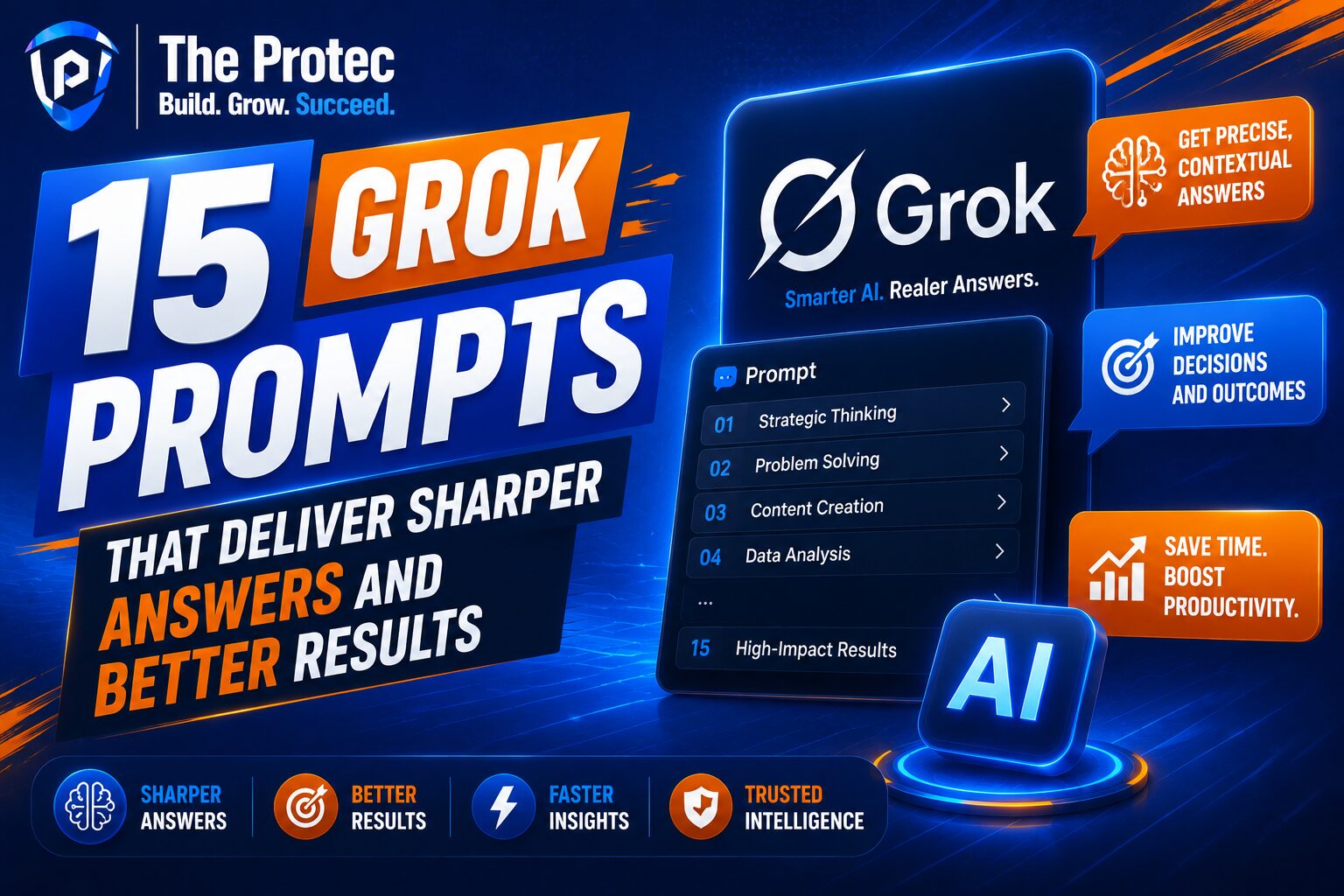
This guide breaks down 15 advanced Grok prompts that consistently generate better answers than most users ever get. Each one is designed to be practical, reusable, and easy to adapt. Whether you are using Grok for research, strategy, writing, analysis, or brainstorming, these frameworks will help you get stronger outputs with less back-and-forth.
How to Use Advanced Grok Prompts Effectively
Before diving into the prompts, it helps to understand what makes them work. Strong prompt engineering usually includes five elements:
- Role: Tell Grok who it should act like, such as an analyst, editor, strategist, or educator.
- Context: Provide enough background for the model to understand the task.
- Objective: State the exact outcome you want.
- Constraints: Limit length, tone, format, or assumptions.
- Quality controls: Ask for verification, edge cases, examples, or a final check.
These elements are what separate basic prompts from advanced Grok prompts. If you want consistently better answers, treat prompting like a brief, not a casual message.
1. The Expert Analyst Prompt
This prompt is ideal when you need a clear, grounded analysis instead of a surface-level summary.
Prompt: “Act as an expert analyst. Evaluate [topic] using current evidence, likely assumptions, major risks, and practical implications. Separate facts from interpretation. End with a concise recommendation and one caveat.”
This is one of the best Grok prompts because it forces structure. The model has to distinguish between what is known and what is inferred, which greatly improves the quality of the answer.
Why it works
- Reduces vague commentary
- Encourages evidence-based reasoning
- Produces more decision-ready output
2. The Deep Research Prompt
When you need Grok to explore a topic thoroughly, this framework helps prevent shallow responses.
Prompt: “Research [topic] as if preparing a briefing for a knowledgeable executive. Cover the current state, major trends, key players, important debates, and likely next steps. Highlight what is uncertain or changing quickly.”
This is especially useful for fast-moving topics where recency matters. It makes Grok focus on synthesis, not just definition. For research workflows, this is one of the most practical advanced Grok prompts because it pushes for breadth and nuance.
Best use cases
- Market scans
- Technology trend summaries
- Competitive overviews
- Briefing documents
3. The Compare-and-Contrast Prompt
Users often ask Grok to compare two things without specifying the decision criteria. That leads to vague comparisons. This prompt fixes that.
Prompt: “Compare [A] and [B] across cost, speed, usability, scalability, risk, and long-term value. Use a table, then explain which option is best for three different user types.”
The built-in criteria make the answer far more useful. Instead of a generic “it depends,” you get a decision framework.
Why it matters
- Makes trade-offs visible
- Supports audience-specific decisions
- Creates structured output that is easy to scan
4. The Assumption-Check Prompt
One of the biggest weaknesses in AI answers is hidden assumptions. This prompt helps expose them.
Prompt: “Analyze my question for hidden assumptions before answering. List the assumptions you detect, explain which are weak or debatable, then answer the question using the strongest interpretation.”
This is a powerful prompt engineering technique because it improves both accuracy and critical thinking. It is especially helpful for strategy, business, policy, and technical questions where the framing matters as much as the answer.
5. The Senior Editor Prompt
If you use Grok for writing, this prompt can dramatically improve clarity and tone.
Prompt: “Act as a senior editor. Improve the following text for clarity, precision, flow, and credibility. Remove fluff, tighten phrasing, and preserve my intent. Then explain the 3 biggest improvements you made.”
This prompt is one of the best Grok prompts for content creation because it produces a polished rewrite while also teaching you how to improve future drafts.
Use it for
- Blog posts
- Email drafts
- Landing page copy
- Executive summaries
6. The Step-by-Step Explainer Prompt
When you need Grok to teach a complex topic, this framework is very effective.
Prompt: “Explain [topic] step by step for someone who is intelligent but unfamiliar with the subject. Start with the simplest explanation, then build to the advanced version. Include one example and one common mistake.”
This approach works because it creates a learning path instead of a data dump. It is ideal for technical concepts, AI workflows, finance, and systems thinking.
7. The Decision Memo Prompt
This prompt is useful when you want a recommendation, not just information.
Prompt: “Create a decision memo on [topic]. Include the situation, options, pros and cons, recommended choice, key risks, and the reasoning behind the recommendation. Keep it concise but complete.”
Decision memos are one of the most underrated formats in prompt engineering. They force Grok to organize the answer around action. That makes it much more valuable than a free-form response.
8. The Brainstorming-With-Constraints Prompt
Random brainstorming often produces random results. Constraints make creativity more useful.
Prompt: “Brainstorm 20 ideas for [goal], but make them specific, realistic, and different from one another. Group them into beginner, intermediate, and advanced options. Avoid generic suggestions.”
By adding constraints, you get better diversity and higher practical value. This is a great example of how advanced Grok prompts outperform open-ended requests.
9. The Critique-and-Improve Prompt
Use this when you want Grok to challenge an idea instead of just supporting it.
Prompt: “Critique the following idea as a skeptical expert. Identify weak points, missing evidence, operational risks, and likely objections. Then rewrite the idea to make it stronger.”
This prompt is especially powerful for strategy, product planning, and content positioning. It creates a built-in red team before you commit to a direction.
Why it stands out
- Surfaces blind spots
- Improves resilience of ideas
- Encourages higher-quality iteration
10. The Audience-Specific Rewrite Prompt
One answer rarely fits every audience. This prompt helps tailor communication.
Prompt: “Rewrite this for three audiences: a beginner, a practitioner, and an executive. Keep the core message consistent, but adjust vocabulary, depth, and examples for each group.”
This is one of the best Grok prompts for communication professionals because it turns one draft into multiple versions without losing alignment. It also reveals how audience context changes the way information should be presented.
11. The Action Plan Prompt
If you need practical execution, this is the prompt to use.
Prompt: “Turn [goal] into a 30-day action plan. Break it into weekly milestones, daily actions, potential obstacles, and success metrics. Keep the plan realistic for a busy person.”
Action plans convert ideas into next steps. They are especially effective when paired with Grok’s ability to structure information cleanly. This is a strong prompt for productivity, learning, and business execution.
12. The Multi-Scenario Forecast Prompt
Forecasting is always uncertain, so a single prediction is rarely enough.
Prompt: “Forecast the likely outcomes for [topic] using three scenarios: best case, base case, and worst case. For each scenario, explain the drivers, signals to watch, and likely consequences.”
This prompt is useful because it avoids false certainty. It gives you a more realistic view of possibilities and helps you prepare for change.
13. The Fact-Check and Source Discipline Prompt
As AI-generated answers become more common, source discipline matters more. If you want higher trust, make it explicit.
Prompt: “Answer [question] using only well-supported claims. Flag anything uncertain, distinguish verified facts from likely inferences, and provide the type of source that would be most useful to validate each key point.”
For high-stakes topics, this is one of the most important advanced Grok prompts you can use. It does not guarantee perfection, but it encourages cleaner epistemic discipline and better transparency.
For a deeper look at evaluation discipline in AI outputs, see the guidance from NIST’s AI Risk Management Framework.
14. The Output-Format Prompt
Sometimes the answer is good, but the presentation is not. This prompt solves that.
Prompt: “Answer in the following format: short summary, key points, risks, recommendation, and next step. Use bullets where helpful and keep each section under 80 words.”
Format control is one of the simplest yet most effective prompt engineering techniques. It improves readability, consistency, and usability. If you regularly reuse AI outputs in documents or workflows, this prompt can save a lot of editing time.
15. The Master Prompt for Better Grok Answers
If you want one prompt that combines the strongest elements of prompt engineering, use this framework.
Prompt: “You are a [role]. I need help with [task]. My audience is [audience]. Use this context: [context]. Your output should [goal]. Before answering, identify any missing assumptions. Then provide a structured response with clear reasoning, practical recommendations, and one caveat. Keep the tone [tone] and avoid unnecessary filler.”
This is the kind of prompt that consistently produces better answers because it combines role, context, objective, assumptions, tone, and format in one clean structure. It is flexible enough for research, writing, planning, and decision-making.
Prompt Engineering Tips That Make Grok Better Instantly
Even the best Grok prompts improve when you use them with a few habits:
- Be specific: Broad prompts create broad answers.
- Ask for structure: Tables, bullets, steps, and frameworks improve clarity.
- Set boundaries: Define length, tone, or level of detail.
- Iterate: Follow up with “make this more concise,” “add risks,” or “compare alternatives.”
- Request reasoning: Better answers often come from better explanation.
For practical prompt-writing techniques and model behavior insights, OpenAI’s prompt engineering documentation is also a helpful reference point: OpenAI Prompt Engineering Guide.
Common Mistakes That Make Grok Answers Worse
Many users accidentally sabotage their own results by prompting in ways that invite confusion. Avoid these mistakes:
- Asking too many unrelated questions at once
- Leaving the audience unspecified
- Not defining the desired output format
- Using vague language like “tell me everything”
- Failing to ask for critique, risks, or assumptions
The more important the task, the more your prompt should resemble a brief. Clear inputs create clearer outputs.
FAQ
What are advanced Grok prompts?
Advanced Grok prompts are structured instructions that include role, context, constraints, and output format. They help the model produce more accurate, useful, and tailored responses than simple questions.
What are the best Grok prompts for better answers?
The best Grok prompts are the ones that define the task clearly. Prompts for analysis, comparison, critique, decision-making, and structured writing usually produce the strongest results because they guide the model toward a specific type of output.
How is prompt engineering different from normal prompting?
Normal prompting is usually a single request. Prompt engineering is a deliberate method of shaping the response by controlling context, constraints, audience, and format. It is more systematic and usually produces higher-quality answers.
Can Grok be used for research and strategy?
Yes. Grok can be very effective for research, synthesis, and strategic thinking when the prompt asks for structured analysis, uncertainty tracking, and scenario-based reasoning.
How do I make Grok give more detailed answers?
Ask for depth explicitly. Specify the audience, include background context, request examples or caveats, and tell Grok to explain reasoning step by step. A stronger prompt almost always leads to a stronger answer.
Final Thoughts
The real advantage of AI is not access to a chatbot. It is the ability to think faster, compare better, write cleaner, and make decisions with more context. That only happens when you use advanced Grok prompts intentionally. The 15 frameworks in this article are designed to help you get sharper answers, more useful structure, and less wasted time.
If your current prompts produce generic output, the fix is usually not a better model. It is a better prompt. Start with one of these frameworks, adapt it to your use case, and then refine it until Grok responds the way a real expert would.