








Skip to content
Wednesday, November 25, 2026
  • 1Password security incident: How hackers reached backend systems
  • Google Workspace MCP Is GA: Prepare for February 2027 Enforcement
  • Solving the Internet’s Trust Problem With Content Credentials
  • Why You Get a CORS error When Postman Works but Browsers Fail

The Protec Blog

Guarding Your Future, One Byte at a Time.

Contact Us
Latest
  • Home
  • Cybersecurity
  • Artificial Intelligence
    • AI Tools
    • AI Agents
    • AI Automation
    • AI Development
  • Technology
    • Blockchain
    • Green Tech
    • Business Technology
    • Neurotech
    • Internet of Things
    • Technology Trends
    • Quantum Computing
    • Wireless Technology
    • Gaming
  • Development
    • Software
      • Backend Development
      • Frontend Development
      • Mobile Development
    • Website
      • Web Hosting
      • Web Security
      • WordPress
  • Reviews
    • Software Reviews
    • Tech Reviews
    • Buying Guides
Latest
  • 1Password security incident: How hackers reached backend systems

    1Password security incident: How hackers reached backend systems

    36 seconds ago34 minutes ago
  • Google Workspace MCP Is GA: Prepare for February 2027 Enforcement

    Google Workspace MCP Is GA: Prepare for February 2027 Enforcement

    56 minutes ago56 minutes ago
  • Solving the Internet's Trust Problem With Content Credentials

    Solving the Internet’s Trust Problem With Content Credentials

    4 hours ago4 hours ago
  • Why You Get a CORS error When Postman Works but Browsers Fail

    Why You Get a CORS error When Postman Works but Browsers Fail

    4 hours ago4 hours ago
  • How to Fix an npm ERESOLVE error Without Breaking Your Project

    How to Fix an npm ERESOLVE error Without Breaking Your Project

    8 hours ago1 day ago
  • Turn Browser Chatbots into Agents: ReptClip VS Code extension

    Turn Browser Chatbots into Agents: ReptClip VS Code extension

    10 hours ago1 day ago
  • Microsoft Code Red: What Failed in the 24-Hour Microsoft 365 Outage

    Microsoft Code Red: What Failed in the 24-Hour Microsoft 365 Outage

    1 day ago1 day ago
  • Kagi Mail vs Gmail: Is Privacy Worth the $99 Subscription?

    Kagi Mail vs Gmail: Is Privacy Worth the $99 Subscription?

    1 day ago1 day ago
  • Build a React Multilingual Editor with the Chrome built-in AI API

    Build a React Multilingual Editor with the Chrome built-in AI API

    1 day ago1 day ago
  • Two Database Leaks Left 3.5 billion records exposed to abuse

    Two Database Leaks Left 3.5 billion records exposed to abuse

    1 day ago1 day ago
  • Home
  • Cybersecurity
  • 1Password security incident: How hackers reached backend systems

  • Cybersecurity

1Password security incident: How hackers reached backend systems

Aaron Thomas37 seconds ago34 minutes ago010 mins
1Password security incident: How hackers reached backend systems 1Password security incident: How hackers reached backend systems

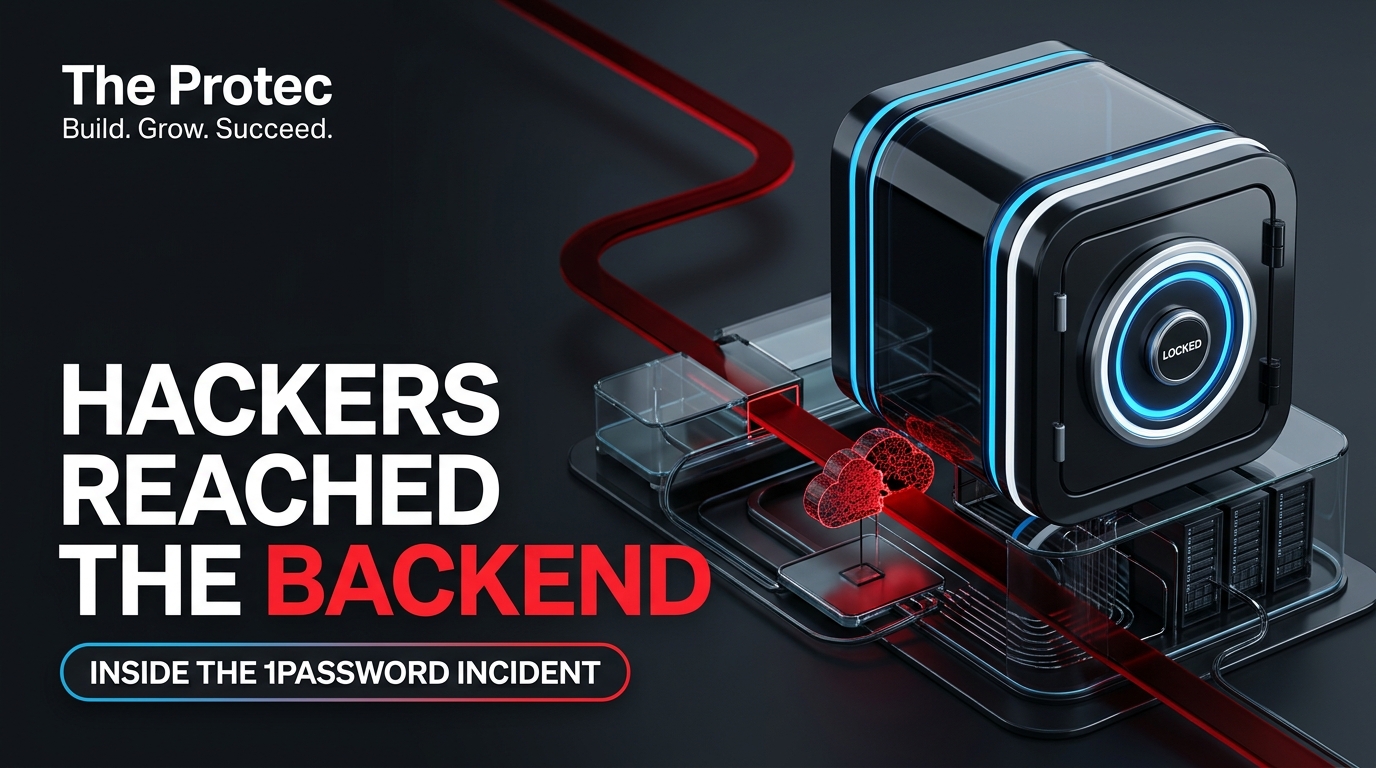
A password manager can keep vault data encrypted and still suffer a serious breach elsewhere in its infrastructure. That distinction is central to understanding the 1Password security incident disclosed in November 2026. According to the company, attackers compromised an employee’s corporate GitHub account, accessed source code, introduced malicious code into backend services and extracted a limited subset of customer account information. 1Password says the attackers did not obtain passwords, vault contents, Secret Keys or the keys protecting encrypted vault data.

For users, the immediate concern is targeted credential phishing based on the exposed account details. For security engineers, the incident is a warning that zero-knowledge encryption protects one critical layer but does not remove risks involving developer identities, source control, CI/CD systems or production backends. Some technical details, including the initial method used to compromise the employee’s GitHub account, remain undisclosed.

Contents

  • 1. What happened in the 1Password breach?
  • 2. What customer information was exposed?
    • 2.1. What was not compromised?
  • 3. Why vault encryption limited the breach
  • 4. How 1Password contained the incident
  • 5. What password-manager users should do now
  • 6. Engineering lessons for GitHub and CI/CD security
    • 6.1. Use phishing-resistant authentication
    • 6.2. Apply least privilege and separate roles
    • 6.3. Harden code review and deployment controls
    • 6.4. Keep CI/CD secrets out of developer reach
    • 6.5. Detect unusual behavior across the full chain
  • 7. Frequently asked questions
    • 7.1. Were 1Password vaults breached?
    • 7.2. Was every 1Password customer affected?
    • 7.3. How was the employee’s GitHub account compromised?
    • 7.4. Should users change every password stored in 1Password?
    • 7.5. Does zero-knowledge encryption make backend security less important?
  • 8. The key takeaway

What happened in the 1Password breach?

1Password’s disclosure describes a sequence that crossed several trusted systems without breaking the cryptography protecting customer vaults. The confirmed attack chain can be summarized as follows:

  1. An attacker compromised a 1Password employee’s corporate GitHub account.
  2. The account provided access to company source code.
  3. Malicious code was pushed into backend services.
  4. That code was used to extract a limited subset of customer account information.

This was therefore more than a simple source-code viewing incident. The attack progressed from a compromised development identity to code changes affecting backend infrastructure. However, the public disclosure does not establish every intermediate detail, such as the exact GitHub account compromise method, which repositories were involved, how the malicious changes passed deployment controls or how long the code operated.

Read more
CI/CD Pipeline Security: Protecting Your Deployment Workflow

Those unknowns matter. Credential phishing, stolen session cookies, reused credentials, malicious OAuth authorization and endpoint compromise are all possible ways to take over a developer account, but none should be presented as the confirmed entry method unless 1Password provides further evidence. The responsible conclusion is narrower: a corporate GitHub identity was compromised, while the original access technique remains undisclosed.

What customer information was exposed?

1Password says the attackers extracted information belonging to a limited subset of customers. The disclosure does not support a claim that every customer was affected. Depending on the affected record, the exposed information included:

  • Customer names and email addresses
  • Account identifiers
  • Public keys
  • Account and service metadata
  • Certain invitation and provisioning-link tokens
  • Certain recovery-link tokens

These categories have different security implications. Names and email addresses can make phishing messages more convincing. Account identifiers and metadata may help an attacker tailor a message to a particular organization or account workflow. Public keys are designed to be shared and do not reveal the corresponding private keys, but their appearance in an extracted dataset still helps describe the affected account environment.

Invitation, provisioning and recovery-link tokens deserve particular attention because they may be associated with account enrollment or recovery processes. Their exposure does not automatically mean that an attacker successfully recovered an account or opened a vault. Token usefulness depends on factors such as validity, expiration, revocation and additional verification requirements. Users should rely on 1Password’s direct notification about whether their account was affected rather than assuming that every token or workflow was exposed.

What was not compromised?

According to 1Password, the incident did not expose:

  • Vault contents
  • Saved passwords or other items stored in vaults
  • Customer Secret Keys
  • Vault-protection keys
Read more
Best Password Managers for Americans: Security, Pricing, Privacy

This distinction is not semantic. Customer account records exist so the service can operate, while vault contents are encrypted secrets intended to remain unreadable to the provider’s servers. The disclosed customer data exposure involved the former, not a decryption of the latter.

Why vault encryption limited the breach

1Password uses a zero-knowledge design in which vault information is encrypted on the customer’s device. An account password and a high-entropy Secret Key contribute to protecting the cryptographic keys required to decrypt vault data. The service stores and synchronizes encrypted information, but it is not supposed to possess the complete set of secrets needed to read the vault.

That separation explains why access to backend systems did not automatically provide access to passwords. Stealing account metadata or operating malicious server-side code is not the same as obtaining the Secret Key, vault-protection keys and other material needed to decrypt customer vaults. 1Password’s conclusion that vaults remained protected is based on this architecture and its investigation of the affected systems.

Zero-knowledge encryption is therefore an effective form of breach containment, but it is not a universal shield. A compromised backend may still expose information the server must process in readable form. A compromised development pipeline may enable unauthorized code changes. Attackers can also use exposed names, email addresses and account context to impersonate support staff and try to trick users into surrendering secrets that cannot be stolen directly from the server.

There is no disclosed evidence that this incident involved a malicious 1Password client, a broken encryption algorithm or successful vault decryption. Those scenarios should not be inferred from the confirmed backend compromise.

How 1Password contained the incident

In its November 2026 disclosure, 1Password said it contained the intrusion and took steps to reduce both immediate and structural risks. Its response included rotating relevant credentials, addressing the affected systems and strengthening account verification.

The company also introduced longer verification codes. Longer codes provide a larger range of possible values, making successful guessing more difficult when combined with appropriate expiration periods, attempt limits and rate controls. This change is particularly relevant to account recovery security and other workflows that must confirm a user’s identity without weakening vault encryption.

1Password also commissioned an independent security review. That review is important because the incident crossed identity, source-control and deployment boundaries. An effective assessment should examine not only the malicious code itself but also developer permissions, approval rules, build provenance, deployment authorization, logging and the separation between customer-account services and encrypted vault infrastructure.

What password-manager users should do now

The main practical risk for customers is credential phishing. Exposed account information can help attackers create messages that appear to come from 1Password, an employer’s IT team or an account administrator.

  1. Treat unsolicited recovery messages cautiously. Do not follow an unexpected recovery, invitation or provisioning link. Open the official application or type the known service address into the browser instead.
  2. Never disclose your Secret Key or account password. A support representative should not need both secrets to investigate an account issue. Do not enter them into a form reached through an unsolicited email, text or chat message.
  3. Verify requests through another channel. If a message appears to come from an employer or family organizer, contact that person using a known phone number or existing conversation.
  4. Review active devices and account notices. Investigate unfamiliar sign-ins, new devices, recovery activity or invitations. Follow any incident-specific directions sent through verified 1Password channels.
  5. Secure the email account tied to 1Password. Use a unique password and phishing-resistant multifactor authentication where available. Email access can be valuable to attackers attempting account recovery.
  6. Update 1Password applications. Install releases through official app stores or the company’s verified distribution channels.

Users should not rush to export vaults or abandon password managers solely because backend account information was exposed. A well-designed password manager still prevents password reuse and helps users maintain unique credentials. The useful response is to understand which layer failed, protect the account’s surrounding identity systems and watch for targeted social engineering.

Engineering lessons for GitHub and CI/CD security

The incident also illustrates how a GitHub account compromise can become a supply chain attack. Source-control identities are production-adjacent credentials when repository changes can eventually reach live services. Organizations should protect them accordingly.

Use phishing-resistant authentication

Require hardware security keys or passkeys for developers with access to sensitive repositories. Recovery and fallback methods need equivalent scrutiny; strong primary authentication can be undermined by a weak reset process. Organizations should also monitor new OAuth grants, personal access tokens, SSH keys, sessions and recovery changes.

Apply least privilege and separate roles

Developers should receive access only to the repositories and deployment environments required for their work. Source-code access should not automatically confer permission to approve changes or release software. High-risk actions should require separate identities or independent approval.

Harden code review and deployment controls

Protected branches, mandatory reviews and signed commits are valuable, but they are not enough if a compromised account can approve its own work or bypass policies. Sensitive backend changes should require multiple independent reviewers, automated security checks and deployment approval from a separate trust boundary. Emergency bypasses must be tightly controlled and logged.

Keep CI/CD secrets out of developer reach

Build and deployment credentials should be short-lived, narrowly scoped and issued only when needed. Workload identity is preferable to long-lived secrets stored in repository settings or build scripts. Production services should not share credentials unnecessarily, and secret rotation should be tested before an incident occurs.

Detect unusual behavior across the full chain

Monitoring should connect identity, GitHub, CI/CD and production events. Useful signals include an unusual repository clone, a new token followed by sensitive code changes, bypassed review requirements, unexpected build modifications and a deployment that begins querying customer data differently. Detecting each event separately may miss the attack narrative; correlation makes the sequence visible.

Finally, backend services should minimize the readable customer data available to any single component. Zero-knowledge vault encryption worked as a boundary here, but similar compartmentalization should be applied to account metadata, recovery systems and administrative tools.

Frequently asked questions

Were 1Password vaults breached?

1Password says no. The attackers extracted a limited subset of customer account information, but the company reports that vault contents, saved passwords, Secret Keys and vault-protection keys were not compromised. The incident affected backend systems without defeating the encryption protecting vault data.

Was every 1Password customer affected?

No such conclusion is supported by the disclosure. 1Password described the exposure as involving a limited subset of customer information. Customers should consult verified notices from the company to determine whether their accounts were included.

How was the employee’s GitHub account compromised?

That detail remains undisclosed as of November 2026. It would be speculation to attribute the takeover to phishing, malware, a stolen session, token theft or another technique without additional findings from 1Password or its independent review.

Should users change every password stored in 1Password?

The disclosed facts do not indicate that stored passwords were exposed, so a blanket rotation of every vault credential is not inherently required. Users should prioritize verified instructions from 1Password, protect their email and account authentication, and change credentials if they entered them into a suspicious site or observe unauthorized activity.

Does zero-knowledge encryption make backend security less important?

No. It limits what a compromised server can reveal about encrypted vaults, but backend systems still process account data and support invitation, provisioning and recovery functions. Developer access, CI/CD security, deployment controls and detection remain essential.

The key takeaway

The 1Password breach demonstrates both the value and the limits of password manager security architecture. Client-side, zero-knowledge encryption appears to have prevented a backend compromise from becoming a vault compromise. At the same time, the attackers reached trusted development and service infrastructure, deployed malicious code and obtained account information useful for phishing and identity-focused attacks.

Users should remain alert to recovery and provisioning scams without assuming their stored passwords were exposed. Engineering teams should treat developer accounts and CI/CD pathways as part of the production security boundary. Further conclusions about the initial intrusion or exact deployment path should wait for additional disclosure or findings from the independent review.
Tagged: 1Password account compromise account recovery security backend security CI CD security Credential Phishing customer data exposure developer identity GitHub Security password manager security Supply Chain Attack vault encryption zero-knowledge encryption

Post navigation

Previous: Google Workspace MCP Is GA: Prepare for February 2027 Enforcement

Leave a Reply Cancel reply

Your email address will not be published. Required fields are marked *

Related News

Two Database Leaks Left 3.5 billion records exposed to abuse Two Database Leaks Left 3.5 billion records exposed to abuse

Two Database Leaks Left 3.5 billion records exposed to abuse

Aaron Thomas1 day ago1 day ago 0
Why the GTA 6 hacker sentenced to seven years is now walking free Why the GTA 6 hacker sentenced to seven years is now walking free

Why the GTA 6 hacker sentenced to seven years is now walking free

Ellie Adam1 day ago1 day ago 0
What is Magecart? How E-Commerce Web Skimming Attacks Unfold What is Magecart? How E-Commerce Web Skimming Attacks Unfold

What is Magecart? How E-Commerce Web Skimming Attacks Unfold

Aaron Thomas2 days ago3 days ago 0
Inside the Optimizely supply chain attack and its malicious scripts Inside the Optimizely supply chain attack and its malicious scripts

Inside the Optimizely supply chain attack and its malicious scripts

Aaron Thomas3 days ago3 days ago 0

Watch Our Videos
GTA 6 is one of the biggest games in the world—but what if PC gamers didn't have to wait for Rockstar to bring it to Windows?

An independent open-source project called *Leonida* is exploring a very different route: taking the Xbox Series version of Grand Theft Auto VI and attempting to transform it into a Windows-compatible program.

And the technical idea is fascinating.

Xbox Series consoles and modern gaming PCs share the x86-64 CPU architecture. That gives Leonida a potential starting point for *static recompilation*—an approach that analyzes existing game instructions and adapts them for another software environment.

But that's only one piece of the puzzle.

In this video, we explore how Leonida's approach differs from traditional emulation, how Xbox graphics shaders could be translated into SPIR-V for Vulkan, and why recreating console services, memory management, graphics pipelines, assets, audio and input is an enormous engineering challenge.

Most importantly, we'll separate technical progress from the hype.

*Leonida has not demonstrated a complete GTA 6 launch or playable gameplay.* Shader translation and asset extraction are meaningful technical components, but they do not amount to a working PC port. This is an independent community project—not an official Rockstar Games release.

Could this approach eventually work? And what would Leonida need to prove before PC gamers could actually play?

Watch until the end for the reality check.

👍 Like the video if you enjoy deep dives into gaming technology, and subscribe to *The Protec* for more stories about the technology changing gaming, software and the digital world.

*Would you trust an open-source community project to bring GTA 6 to PC before Rockstar does?* Tell us in the comments.

Read the full article:
https://www.theprotec.com/blog/leonida-gta-6-pc-xbox-static-recompilation-vulkan/

#GTA6 #Leonida #PCGaming #Vulkan #GamingTechnology
Leonida GTA 6 PC: Can Gamers Run GTA 6 Without an Xbox?
Imagine giving an AI your entire software project—not just one file, not just a few functions, but thousands of connected files, dependencies, configuration settings and documentation.

Could it understand how everything works together?

Google's Gemini 4 Neon arrives with a headline feature that could change how developers work: a *one-million-token context window*. But having room to process an enormous amount of information doesn't automatically mean an AI can understand it.

In this documentary, we investigate what Google's new AI model could mean for software development—and whether it can move beyond code autocomplete to genuinely useful project-level reasoning.

We'll explore:

🧠 *The Million-Token Context Window* – What one million tokens actually means, how much information it can hold and why capacity isn't the same as comprehension.

💻 *Understanding Entire Codebases* – How developers could use Neon to map repositories, follow dependencies, trace bugs across services, refactor applications and generate tests.

🤖 *AI Coding Agents* – How agentic workflows can plan tasks, inspect files, use tools, edit code, run tests and revise their work.

⚙️ *Google Antigravity* – Where Google's development environment fits into the workflow and how it differs from the underlying AI model.

📊 *Gemini vs ChatGPT vs Claude* – How to compare coding models fairly without assuming that one benchmark or context-window size determines the winner.

💰 *The Real Cost* – Why processing hundreds of thousands of tokens can become expensive, how repeated agent calls affect usage and why Google AI Pro access does not automatically mean unlimited API access.

⚠️ *The Limitations* – Hallucinations, missed details, long response times, unreliable code changes, security risks and why developers still need to review AI-generated work.

We'll also separate Google's own benchmark claims from independently verified results and examine what developers should actually test before trusting a model with a large project.

A million-token context window is impressive. But can an AI find the right details, understand their relationships and make changes without breaking something else?

*Would you trust an AI with your entire codebase?*

Read the full article:
https://www.theprotec.com/blog/gemini-4-neon-million-token-ai-developers/

👍 Like the video, subscribe to The Protec for more technology documentaries, and stay tuned as we explore the next generation of AI coding agents.

#Gemini4 #GoogleAI #AICoding #AI Agents #SoftwareDevelopment
Google's Gemini 4 Neon: Can This AI Understand an Entire Codebase?
What happens when the internet disappears? Phones lose their connection. Websites stop loading. Mobile networks may go offline. But thousands of miles away, someone could still receive a message through a radio signal traveling through the sky.

That's the remarkable technology behind *High Frequency (HF) radio communication*.

In this video, we explore how HF radio signals can travel beyond the horizon by interacting with the ionosphere, allowing distant stations to exchange messages without relying on cellular towers, fiber-optic cables or conventional internet infrastructure.

We'll also explore two open-source projects from Rhizomatica:

📡 *HERMES* – A broader communications system designed to bring digital communication to remote and underserved communities.

💻 *Mercury* – An open-source HF software modem that converts computer data into signals that can travel over radio. It supports adaptive data communication and can run on Linux, Windows and Raspberry Pi hardware.

You'll discover:
- How HF radio differs from ordinary FM broadcasting and internet communication.
- How the ionosphere helps radio signals travel beyond the horizon.
- How computers, modems, transceivers and antennas move digital messages through the air.
- Why store-and-forward messaging can work even when a live connection isn't available.
- How open-source radio technology can support remote communities and emergency communication.
- Why HERMES and Mercury matter for independent communication infrastructure.
- The real limitations: bandwidth, interference, atmospheric conditions, antennas, equipment and radio licensing.

HF radio isn't a replacement for broadband internet. It can't deliver the same speed or convenience. But when conventional infrastructure is unavailable, the ability to exchange essential information over long distances can be incredibly valuable.

*Read the full article:*
https://www.theprotec.com/blog/open-source-hf-radio-communications-hermes-mercury/

If the internet disappeared tomorrow, would you know how to communicate?

👍 Like the video if you found it useful, subscribe to The Protec for more technology explainers, and join us as we explore the future of open communication technology.

#HFRadio #OpenSource #EmergencyCommunications #RadioTechnology #OfflineCommunication
How Can Radio Communicate Across the World Without the Internet?
Subscribe

Trending Now

What's New?

Cybersecurity
1Password security incident: How hackers reached backend systems 01
37 seconds ago34 minutes ago
02
Developer Tools
Google Workspace MCP Is GA: Prepare for February 2027 Enforcement
03
Technology Trends
Solving the Internet’s Trust Problem With Content Credentials
04
Web Development
Why You Get a CORS error When Postman Works but Browsers Fail
05
Developer Tools
How to Fix an npm ERESOLVE error Without Breaking Your Project
06
AI Development
Turn Browser Chatbots into Agents: ReptClip VS Code extension

Category Collection

Artificial Intelligence161 News
AWS2 News
Bitcoin3 News
Blockchain5 News
Design Tools10 News
Digital Courses3 News
Digital Currency2 News
E-Commerce3 News
EdTech8 News
Freelancing3 News
Mobile Technology34 News
Project Management3 News
SEO7 News

Popular This Month

Subscription Form

  • Cryptocurrency
  • Software Development
  • Hardware
  • CRM
  • SaaS
  • Design & Media
  • Career & Earning
  • CRM
  • Buying Guides
  • Privacy Policy
  • Contact Us
The Protec Blogs 2026. Flag Counter Powered By Computer Zila.