









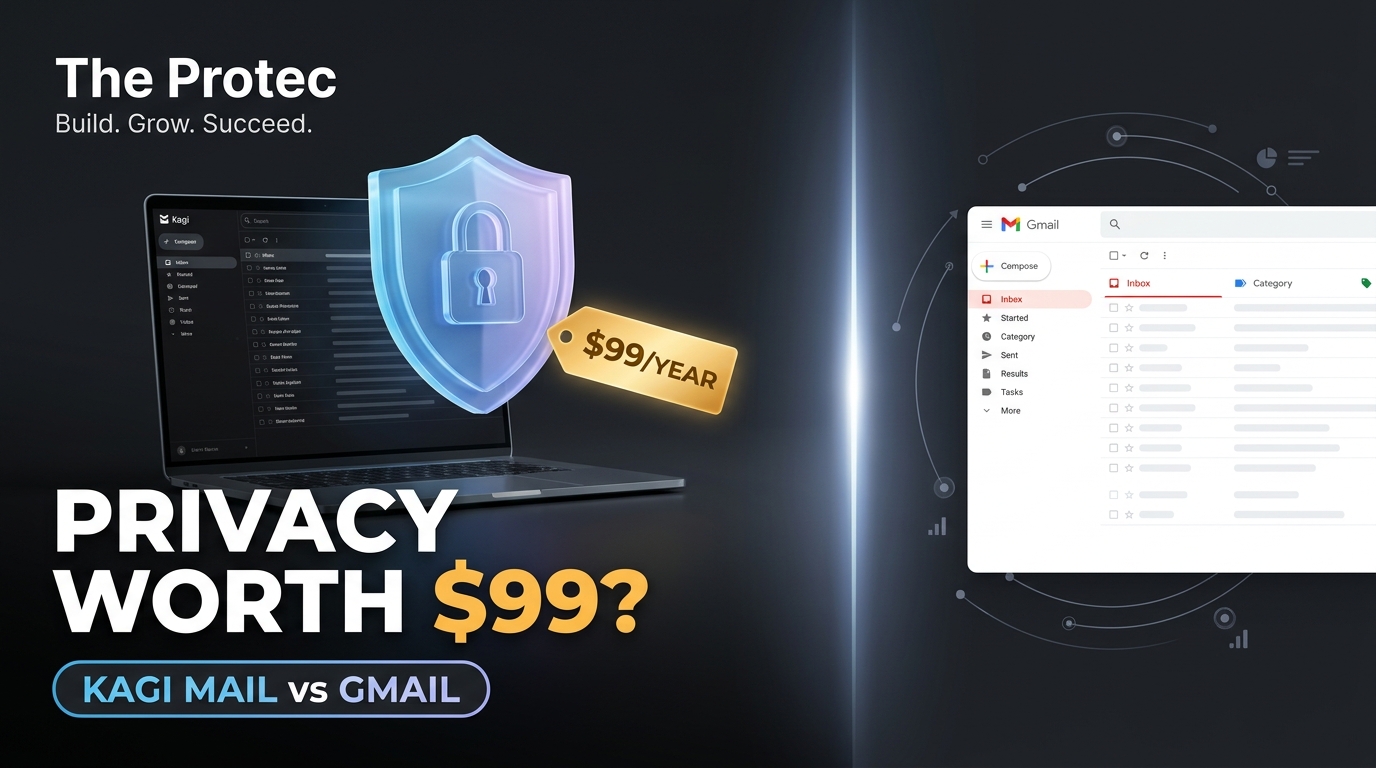
Email is difficult to leave because it is more than an inbox: it is an identity, an archive, and the recovery key for much of your digital life. Kagi Mail, which entered public beta on November 23, 2026, is attempting to make that dependency less uncomfortable with paid, ad-free email built around privacy, open standards, and customer ownership. The immediate question is whether those principles—and 50GB of storage, unlimited aliases, custom domains, and a calendar—justify paying $99 every year when Gmail is free.
The short answer is that Kagi has launched a credible foundation, particularly for existing Kagi users and custom-domain owners. It is not yet a complete Gmail replacement for everyone. Contacts, an address book, and native mobile applications remain on the roadmap, while Google’s mature apps and integrated productivity ecosystem are hard to match. Anyone considering a switch should assess both the privacy model and the operational work of moving a long-lived email address.
What launched with Kagi Mail?
The public beta follows Kagi’s familiar subscription-funded approach. Instead of subsidizing a free service through advertising or engagement-driven data collection, the company charges users directly. According to the official Kagi Mail information, the service includes:
- 50GB of email storage
- Unlimited email aliases
- Support for custom email domains
- An integrated calendar
- A 60-day free trial
- A $99 annual subscription after the trial
- Access included with Kagi Ultimate
- A commitment to no advertising and no surveillance
- An architecture based on open email and calendar standards
These are public-beta features, so buyers should expect continued refinement. Kagi says contacts, a dedicated address book, and native mobile applications are planned, but they were not available at launch. They should not be treated as part of the current product when deciding whether to subscribe.
The lack of native apps does not necessarily make email unusable on a phone, especially where standards-compatible clients can be configured. It does mean that onboarding, notifications, account management, and calendar behavior may feel less cohesive than they do in Gmail, Fastmail, or Tuta’s established applications. Prospective users should test their preferred desktop and mobile clients during the trial rather than assuming complete compatibility.
Kagi Mail vs Gmail at a glance
| Service | Price and storage | Privacy model | Domains and aliases | Calendar and ecosystem |
|---|---|---|---|---|
| Kagi Mail | 60-day trial; $99 yearly; 50GB; included in Kagi Ultimate | Subscription-funded; promises no ads and no surveillance | Custom domains and advertised unlimited aliases | Calendar available; contacts, address book, and native apps planned |
| Gmail | Free tier with 15GB shared across Google services; paid storage and Workspace options | Google says Gmail content is not used to personalize ads, but the account participates in Google’s broader data ecosystem | Plus addressing on consumer accounts; custom-domain email requires Google Workspace | Mature Calendar, Contacts, mobile apps, Drive, Meet, Docs, and third-party integrations |
| Fastmail | Multiple paid tiers; its mainstream plan has historically paired 50GB with custom-domain features | Paid, ad-free service with a long operating history | Custom domains, aliases, and masked email tools on eligible plans | Mature mail, contacts, calendar, standards support, and native apps |
| Tuta | Free and paid tiers; storage, addresses, and domains vary by plan | Privacy-focused service centered on end-to-end encryption within its system | Custom domains and additional addresses on eligible plans | Encrypted calendar and native apps, but fewer conventional email-client integrations |
Plan details can change, and regional taxes affect some competitors. The important pricing distinction is structural: Gmail offers a capable free product; Fastmail and Tuta provide several tiers; Kagi offers a premium 50GB package at an effective $8.25 per month, with additional value for people who already pay for Kagi Ultimate.
What Kagi’s privacy promises mean in practice
Kagi’s strongest argument is not that it has invented private email. It is that its incentives are comparatively straightforward. Subscribers are customers rather than an audience to be monetized through advertising. The company states that Kagi Mail has no advertising and no surveillance, consistent with the principles described in its privacy policy.
That promise matters, but it is not the same as an independently verified security guarantee. A privacy-focused email provider can minimize collection, avoid behavioral profiling, limit retention, and refuse to monetize account activity. It must still process information required to accept, route, filter, store, and deliver messages. Email metadata can reveal senders, recipients, timestamps, IP-related information, and routing details even when message transport is encrypted.
Nor should privacy-first positioning automatically be interpreted as default end-to-end encryption. Conventional internet email must interoperate with outside providers, where messages may exist in readable form on one or more servers. Kagi’s launch proposition emphasizes business-model privacy, open standards, and data ownership; users with a strict threat model should separately look for documented encryption architecture, key ownership, security audits, legal jurisdiction, incident-response practices, and transparency reporting.
This is where Tuta serves a different audience. Tuta builds its experience around end-to-end encryption inside its ecosystem, accepting limitations on standard-client interoperability. Kagi appears closer to Fastmail’s model: paid, portable, standards-oriented email with a privacy-respecting business relationship. Neither model is universally superior. Open standards improve client choice and portability, while closed encrypted systems can provide stronger protection for supported communications.
Features that make Kagi a practical Gmail alternative
Custom email domains
A custom domain is one of the most valuable features because it separates an address from its current hosting company. If you use [email protected], you can later move from Kagi to another secure email provider without asking every contact to learn a new address. That portability makes Kagi relevant as a Fastmail alternative for individuals, families, independent developers, and small organizations.
Gmail can host custom-domain mail through Google Workspace, but not through an ordinary free Gmail account. Kagi includes domain support in its standard subscription, although customers remain responsible for buying and renewing the domain itself.
Unlimited aliases
Aliases let users create different addresses for shopping, newsletters, software accounts, clients, or public projects while delivering messages to one mailbox. This simplifies filtering and makes it possible to disable an address exposed by a breach. Kagi advertises unlimited aliases, a significant advantage over plans that impose small address limits.
Unlimited should not be mistaken for unlimited independent mailboxes or users. An alias normally routes to a primary account and may be subject to anti-abuse rules. Teams should confirm whether their desired setup requires separate seats, shared mailboxes, or delegated access.
Storage and calendar
At 50GB, Kagi provides enough capacity for most personal email archives and offers substantially more dedicated mail storage than Gmail’s free 15GB allowance, which is shared with Google Drive and Google Photos. Heavy attachment users must still decide whether email is the right long-term file store.
The integrated calendar makes Kagi more viable as a daily service, but Gmail retains the ecosystem advantage. Google Calendar works closely with Meet, Contacts, Maps, Workspace files, Android, and a vast collection of business tools. Kagi’s calendar should be evaluated on invitation handling, recurring events, time zones, sharing, notifications, and client synchronization—not merely on the presence of a calendar tab.
What is still missing from the public beta?
The most visible omissions are contacts, an address book, and native mobile apps. Contacts are especially important during composition: users expect automatic suggestions, imported details, groups, and synchronization across devices. Until Kagi ships its planned contact tools, people with large address books may face a fragmented workflow.
Native apps matter for reliable push notifications, attachment handling, offline search, account setup, and support diagnostics. Standards-based third-party clients can be an advantage for technical users, but mainstream Gmail users may prefer one supported application with predictable behavior.
Public beta status also introduces less obvious questions. Administrators should test spam filtering, false positives, search quality, forwarding, rules, vacation responses, large attachments, calendar invitations, and recovery procedures. A polished interface is not enough; the real measure of an email service is whether important messages arrive consistently and can be found years later.
Migration considerations before switching
Changing providers is a project, not a single settings toggle. Use the 60-day trial to run both accounts in parallel and complete these steps:
- Inventory your dependencies. Identify banking, government, work, shopping, password-manager, and social accounts that use Gmail as a login or recovery address.
- Plan message migration. Confirm Kagi’s current import documentation and test with a small folder before moving a full archive. Preserve labels or folders where possible, and verify dates, attachments, sent mail, and message counts.
- Export critical data. Keep an independent copy of important messages, Gmail contacts, and calendars. Do not cancel a source account until the archive has been checked.
- Configure the custom domain carefully. Add the provider’s MX records, then publish the specified SPF and DKIM records. Add DMARC initially with a monitoring policy so legitimate senders are not accidentally rejected.
- Protect deliverability. Avoid sending large bursts immediately from a newly configured domain. Check authentication results, monitor bounces, and ensure newsletters or transactional tools have authorization to send.
- Update recovery channels. Change recovery addresses gradually and keep more than one verified method. Moving every account at once can create a lockout chain if the new mailbox becomes inaccessible.
- Maintain overlap. Forward mail where appropriate, use an automatic reply selectively, and retain the old address long enough to catch forgotten subscriptions and contacts.
SPF identifies permitted senders, DKIM adds a cryptographic signature to outgoing mail, and DMARC tells receiving systems how to handle authentication failures. Incorrect records can send legitimate messages to spam or cause outright rejection. Domain owners should copy Kagi’s exact documented values rather than generic examples, because selectors and routing targets are provider-specific.
Who should consider Kagi Mail?
- Existing Kagi Ultimate subscribers: Inclusion may make the financial decision easy, provided the beta meets their workflow needs.
- Privacy-conscious professionals: People who want email without ads or surveillance and prefer a direct customer relationship may find $99 reasonable.
- Custom-domain owners: Developers, consultants, creators, and families gain address portability plus alias flexibility.
- Open-standards users: Those who prefer choosing their own clients may value interoperability more than an all-in-one ecosystem.
It is less suitable today for users dependent on Google Workspace collaboration, people who need polished native apps, organizations requiring mature administrative controls, or anyone whose highest priority is integrated end-to-end encrypted email. Budget-conscious users may also find Fastmail or a suitable Tuta tier more economical, depending on storage and domain requirements.
Verdict: Is Kagi Mail worth switching to?
Kagi Mail is a serious Gmail alternative, but the public beta is best viewed as a promising paid foundation rather than a feature-for-feature Google replacement. The 50GB mailbox, custom domains, unlimited aliases, calendar, open-standards approach, and subscription-funded privacy model form an attractive package. The $99 annual price is defensible for users who value those features or receive the service through Kagi Ultimate.
Gmail remains stronger on free access, applications, integrations, collaboration, and familiarity. Fastmail offers the closest mature comparison for standards-based paid email, while Tuta is more compelling when built-in encrypted communication outweighs conventional interoperability. Kagi’s missing contacts and native apps are meaningful launch limitations, not minor checklist items.
The balanced approach is to use the full trial, connect a secondary or custom domain, and test real workflows before migrating a primary address. Kagi has made credible privacy promises, but long-term trust will depend on transparent operations, reliable delivery, secure implementation, and independent scrutiny. If the beta performs well and its roadmap lands without compromising its stated principles, it could become a durable alternative to the advertising-centered internet rather than merely another inbox.
Frequently asked questions
How much does Kagi Mail cost?
The service includes a 60-day free trial and costs $99 per year afterward, equivalent to $8.25 per month. It is also included with Kagi Ultimate. Domain registration, if needed, is a separate expense.
Does Kagi Mail include custom domains and aliases?
Yes. Custom email domains and unlimited aliases are included in the launch offering. Aliases generally route to a mailbox and should not be assumed to represent unlimited separate users or storage allocations.
Is Kagi Mail more private than Gmail?
Its business model is more explicitly privacy-focused: Kagi promises no advertising and no surveillance, while subscribers directly fund the service. That does not by itself prove end-to-end encryption or eliminate operational metadata. Users should distinguish privacy policy commitments from independently audited technical guarantees.
Does Kagi Mail have mobile apps and contacts?
Not at the public beta launch. Native mobile applications, contacts, and an address book are on the roadmap. Users should not subscribe on the assumption that planned features are already available.
Can I leave Kagi later without changing my address?
If you use a domain you control, you can move that domain to another email host and retain the same public address. You must still export stored messages and update DNS records, but a custom domain provides far better account portability than an address tied permanently to one provider.