








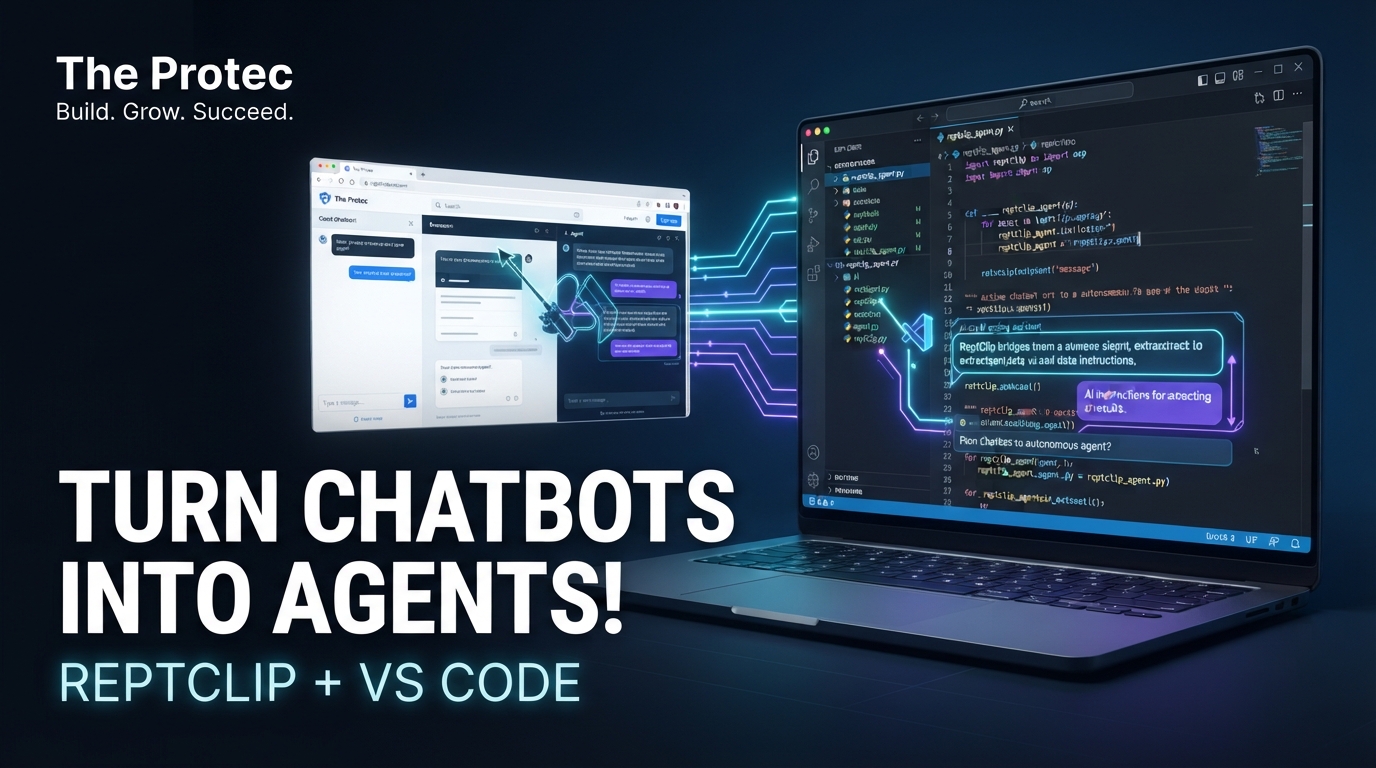
Free browser chatbots can write useful code, but moving project context and proposed edits between a browser and an editor is usually awkward. The ReptClip VS Code extension addresses that gap by packaging selected repository files for ChatGPT, Claude, Gemini, and similar services, then applying the model’s search-and-replace diffs inside Visual Studio Code. It is a free, open-source option for developers who want an AI-assisted workflow without purchasing or configuring a separate model API key.
ReptClip is best understood as a context-and-diff bridge—not a fully autonomous agent. It does not give a browser chatbot unrestricted terminal access, independently operate the website, or make every engineering decision for you. You remain responsible for transferring context, reviewing the answer, applying changes, running tests, and deciding what to commit.
How ReptClip turns a browser chatbot into a coding helper
A conventional VS Code AI extension typically sends prompts and source code directly to a model API. The extension authenticates with an API key or paid account, manages requests, receives the response, and may execute edits or terminal commands automatically.
ReptClip uses a different architecture:
- You select relevant files from the current VS Code project.
- ReptClip generates structured project context and instructions for the model.
- You copy that material into an existing browser chatbot session.
- The chatbot analyzes the context and returns search-and-replace changes.
- You paste the response back into ReptClip, which validates and applies supported diffs.
The model conversation stays in the browser service you already use. ReptClip therefore supports AI coding without an API key of its own, although the chatbot may still require an account, impose message limits, restrict model access, or process submitted code under its own privacy terms.
As of November 2026, the project’s version 2.0 workflow also supports iterative context retrieval. A model can request additional information with commands such as cat, grep, and read-lines. This helps avoid placing an entire repository into one oversized prompt.
Installing the ReptClip VS Code extension
- Open Visual Studio Code and select the Extensions view.
- Search for ReptClip, then verify the extension name, publisher, repository, permissions, and release information before installing. You can also locate the current listing through the Visual Studio Marketplace search.
- Open a Git repository in VS Code. ReptClip’s tracked-file safeguards are most useful when the workspace is under Git control.
- Save open files before generating context so the text on disk matches what the extension and chatbot receive.
- Review the extension settings and its contributed commands. Command labels can change between releases, so follow the installed version’s README rather than an old third-party tutorial.
Because it is open source, teams can inspect the implementation and current documentation through the project returned by the GitHub repository search. Confirm that the repository, Marketplace publisher, and source links correspond before installing code or building a VSIX.
Creating useful VS Code project context
The quality of browser AI chatbot coding depends heavily on the context you provide. Sending too little encourages guesses; sending everything may expose unnecessary code or exceed the chatbot’s context limits.
1. Start with the task and a focused file set
Use the ReptClip view or its Command Palette actions to choose the files relevant to the change. For a web application bug, that might include a controller, validation module, test file, and shared type definition. Do not include credentials, production configuration, customer data, or unrelated proprietary code.
ReptClip’s emphasis on Git-tracked files provides a useful boundary. It can reduce the chance of accidentally including temporary files, local secrets, build artifacts, or files outside the intended repository. It is not a substitute for inspection: developers sometimes track sensitive configuration by mistake.
2. Generate and copy the context
Run the extension’s context-generation command after selecting the files. The resulting clipboard content combines project material with instructions that tell the model how to request information and format edits. Paste it into a fresh ChatGPT, Claude, or Gemini conversation, followed by a precise task.
A useful request might be: “The profile update endpoint accepts an empty display name. Identify the cause, fix validation in the smallest reasonable scope, update affected tests, and return only supported search-and-replace edits.” Include expected behavior and relevant test commands, but never ask the model to invent missing project facts.
3. Handle requests for more information
Version 2.0’s retrieval commands make the conversation more agent-like without handing the model direct filesystem access. The chatbot can request a file with cat, search tracked content with grep, or ask for a bounded range using read-lines. Copy the model’s structured request into ReptClip, let the extension retrieve permitted context, and return the generated result to the same conversation.
This remains a supervised loop. The browser model is proposing retrieval operations; ReptClip mediates them against the workspace. Do not manually reinterpret or broaden a request unless you understand what additional code will be disclosed.
4. Apply and review search-and-replace diffs
When the chatbot has enough context, it can return blocks containing exact existing text and replacement text. ReptClip checks whether the search section can be matched and whether the requested target is acceptable before applying it. This is safer than pasting a complete model-rewritten file because mismatched context can cause a diff to fail instead of silently replacing unrelated content.
Validation does not prove that a change is correct or harmless. Inspect every resulting VS Code diff, run formatters and tests, and use Git to confirm the complete set of modified files.
Three practical ReptClip coding workflows
Fixing a bug across multiple files
Suppose an API returns a successful response after a database write fails. Select the service, error type, route handler, and integration test. Ask the chatbot to trace error propagation and update the smallest necessary paths. If it needs the database wrapper, process its targeted retrieval request rather than exposing the full data layer. Apply the returned diffs, inspect changes in every file, and run the focused integration suite before the full test suite.
Refactoring a function safely
For an oversized pricing function, provide its module, direct callers, types, and tests. Ask for a behavior-preserving extraction with no public API change. A good response may create small internal helpers and adjust tests only where necessary. Reject edits that introduce speculative abstractions or change unrelated formatting. Search-and-replace validation helps ensure the model edited the version it actually saw, but tests remain the authority on behavior.
Updating project documentation
ReptClip is also useful when code and documentation drift apart. Select the README, configuration schema, command implementation, and example configuration. Ask the model to document only options confirmed by the source. Then apply the proposed documentation diff and manually test copied commands. Documentation changes deserve the same review as code because a plausible but incorrect setup command can waste time or create security problems.
ReptClip compared with Copilot, Cursor, and API agents
Cost
ReptClip itself is free and open source, and it can use a free browser chatbot tier without separate API billing. GitHub Copilot and Cursor generally package AI features into account-based plans, while API agents charge according to provider and usage. Free browser access is not unlimited: quotas, model availability, and product terms can change.
Context management and automation
Copilot and Cursor provide tighter editor integration, including inline completion and product-specific context features. Terminal-enabled API agents may inspect files, run commands, retry tests, and perform longer sequences with less intervention. ReptClip requires deliberate file selection and browser clipboard transfers. Its v2.0 retrieval loop improves VS Code project context, but it does not turn the browser chatbot into an unrestricted autonomous operator.
Reliability
Direct integrations usually provide more predictable message transport and structured tool calls. A browser AI coding workflow depends on the chatbot preserving ReptClip’s requested format. Models can omit markers, alter search text, truncate output, or produce edits against stale context. ReptClip can reject malformed or unmatched changes, but users may need to clarify the prompt and try again.
Privacy and control
ReptClip lets you inspect context before sharing it and avoids giving the extension a separate model API credential. However, copied source code is still submitted to ChatGPT, Claude, Gemini, or another third party. API-based enterprise offerings may provide stronger contractual controls, retention settings, regional processing, or audit features, depending on the vendor and plan. Evaluate the actual service terms rather than assuming a free browser session is private.
AI coding security checklist
- Create a clean Git commit before starting so every AI-generated change is visible and reversible.
- Work on a test branch, especially for multi-file edits or unfamiliar code.
- Exclude
.envfiles, credentials, tokens, private keys, customer records, and production logs. - Review the generated context before pasting it into any third-party service.
- Save editors first; unsaved buffers may differ from the disk content used for context or matching.
- Inspect symlinks and linked paths. Confirm that no retrieval or edit reaches an unintended target.
- Review each diff for malicious, unrelated, or subtly incorrect behavior.
- Use Git status to detect unintended file modifications after applying edits.
- Run tests, type checks, linters, and security checks appropriate to the project.
- Never blindly execute model-generated shell commands, installation scripts, migrations, or destructive Git operations.
Remaining limitations to understand
Git-tracked-file restrictions and diff validation reduce accidents; they do not eliminate them. A tracked file can contain secrets, a symlink may create unexpected path behavior, and an exact textual match can still produce insecure code. A model can also hide harmful logic inside an otherwise reasonable patch. Browser interfaces may change, free usage may be throttled, and long conversations can lose important context.
For low-risk, developer-supervised work, ReptClip offers a practical middle ground between manual copy-and-paste coding and a fully autonomous VS Code AI agent. Its strongest feature is not autonomy but control: developers choose the context, mediate retrieval, review proposed diffs, and retain responsibility for execution.
Frequently asked questions
Does ReptClip require a ChatGPT, Claude, or Gemini API key?
No separate model API key is required for the ReptClip workflow. It uses an existing browser chatbot session. The selected service may still require an account, subscription, or acceptance of usage limits and data terms.
Is ReptClip a free AI coding agent?
It is a free, open-source extension that provides agent-like context retrieval and code-editing steps. It is more accurately described as a supervised context-and-diff tool because it does not independently control the browser, terminal, or entire development cycle.
Can ReptClip edit several files in one response?
Yes, a chatbot can propose search-and-replace changes for multiple permitted project files. Review each modification and confirm the final Git diff, since multi-file output increases the impact of a mistaken assumption.
Is browser AI chatbot coding safe for private repositories?
Not automatically. Source pasted into a browser chatbot is shared with that provider under its applicable settings and terms. Obtain organizational approval, minimize context, remove sensitive data, and use an approved enterprise or local solution when repository policy requires it.