








Contents
- 1 20 Best Grok AI Photo Editing Prompts to Transform Your Images Like a Professional
- 2 How to get better results with Grok AI image prompts
- 3 1. Professional studio portrait enhancement
- 4 2. Clean white background for product photos
- 5 3. Luxury lifestyle background replacement
- 6 4. Corporate executive portrait
- 7 5. Outdoor golden hour portrait
- 8 6. Minimalist black-and-white portrait
- 9 7. Editorial fashion cover style
- 10 8. LinkedIn-ready business portrait
- 11 9. Background blur for focus and depth
- 12 10. Modern office environment replacement
- 13 11. Cinematic moody portrait
- 14 12. Travel-inspired background scene
- 15 13. High-end real estate profile image
- 16 14. Creative neon cyberpunk transformation
- 17 15. Soft beauty retouch for portraits
- 18 16. Social media creator aesthetic
- 19 17. Luxury car or tech product showcase
- 20 18. Artistic painterly transformation
- 21 19. Natural candid family or couple photo enhancement
- 22 20. Magazine-style full scene transformation
- 23 How to customize these Grok photo editing prompts
- 24 Best practices for realistic Grok image editing
- 25 FAQ: Grok AI photo editing prompts
- 26 Final thoughts
20 Best Grok AI Photo Editing Prompts to Transform Your Images Like a Professional
AI photo editing has moved far beyond simple filters and quick touch-ups. Today, creators, marketers, photographers, and everyday users are using prompt-based editing tools to redesign images with remarkable precision. One of the most exciting names in this space is Grok, which has quickly become known for fast, conversational image generation and editing workflows that feel more natural than traditional tools. If you want to make your photos look polished, cinematic, commercial, or creatively stylized, the right prompt can make all the difference.
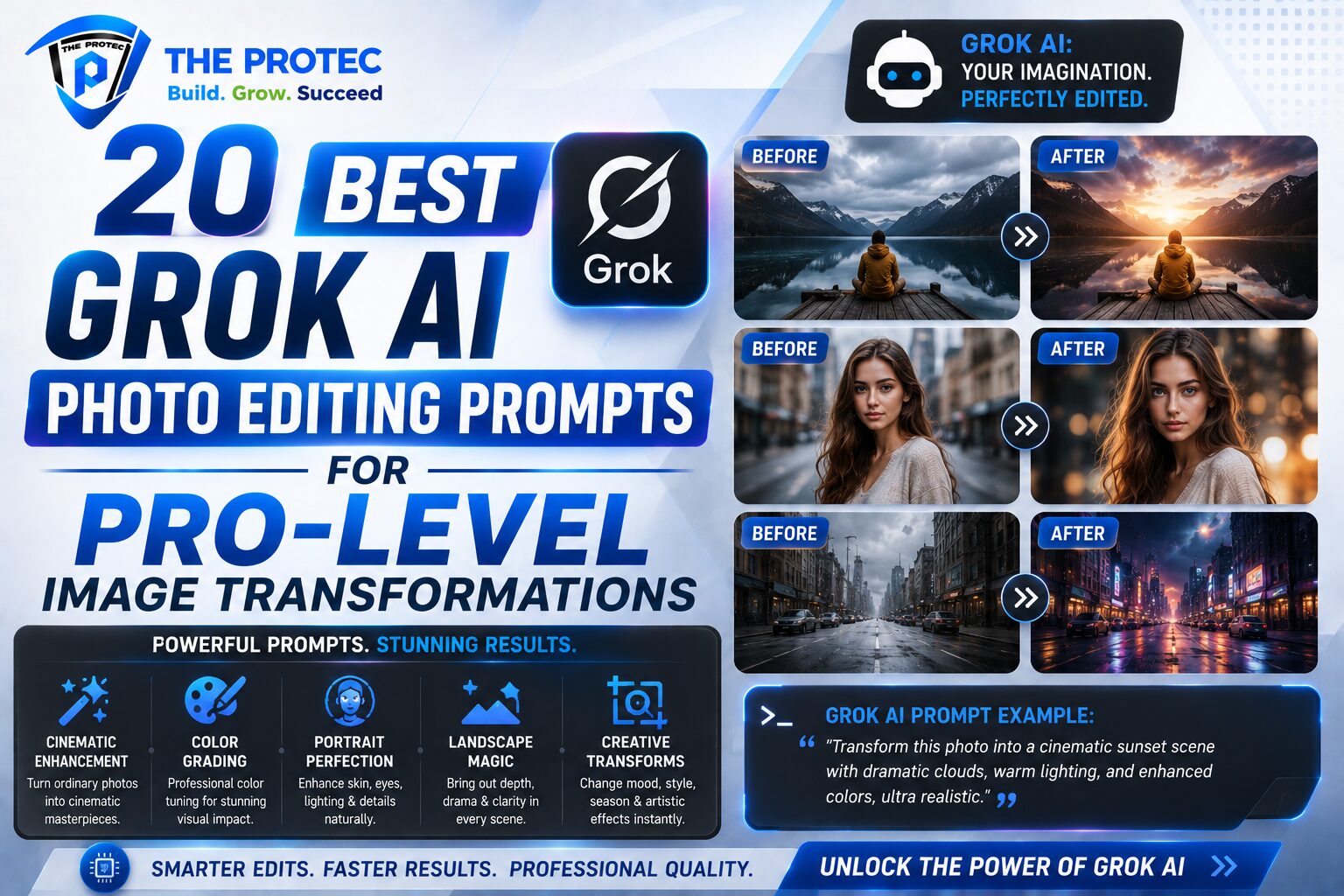
This guide brings together 20 of the best Grok photo editing prompts you can use to transform images like a professional. Whether you need a clean background replacement, a refined portrait, a business-ready headshot, or a dramatic artistic edit, these Grok AI image prompts are designed to be practical, specific, and easy to adapt. The goal is not just to generate prettier images, but to help you produce results that look intentional, believable, and ready for modern content needs.
As AI image editing continues to evolve, the strongest results come from detailed instructions that define subject, lighting, composition, mood, and style. That is especially true for Grok image editing, where clear prompt structure can dramatically improve consistency and visual quality. If you are building content for social media, e-commerce, branding, or personal use, these prompt examples will help you work faster and edit smarter.
For a broader look at how AI-generated visuals are shaping digital creation, you can also explore resources from xAI and Adobe’s overview of creative AI tools at Adobe Express Learn.
How to get better results with Grok AI image prompts
Before jumping into the prompt collection, it helps to understand what makes a prompt effective. The best Grok AI image prompts are precise without being overloaded. They tell the model what to keep, what to change, and how the final image should feel. If your prompt is too vague, Grok may produce generic edits. If it is too complex, the result may drift from your original intention.
- Define the subject: Mention the person, product, or scene you want preserved.
- Specify the edit: Replace the background, enhance the face, add cinematic lighting, and so on.
- Set the style: Use terms like studio portrait, editorial, luxury, minimal, moody, or high-end commercial.
- Control realism: Ask for natural skin texture, realistic shadows, and consistent perspective when needed.
- Keep it concise but rich: A well-built prompt often performs better than a long, unfocused one.
The prompts below are grouped by use case so you can quickly find the right direction for your project.
1. Professional studio portrait enhancement
Prompt: Edit this portrait into a professional studio headshot with soft diffused lighting, neutral background, sharp facial detail, natural skin texture, and subtle contrast. Keep the subject’s identity unchanged and make the image look polished for business use.
This is one of the most useful Grok photo editing prompts for LinkedIn, resumes, company websites, and speaker profiles. It keeps the image realistic while upgrading the lighting and overall presentation.
2. Clean white background for product photos
Prompt: Replace the background with a seamless pure white studio backdrop, evenly lit, with realistic shadows under the subject, high clarity, and no visible distractions. Preserve the original product shape and colors.
For e-commerce and marketplace listings, a clean background improves trust and visual clarity. This prompt is especially effective for product-first Grok image editing workflows.
3. Luxury lifestyle background replacement
Prompt: Place the subject in a modern luxury apartment with floor-to-ceiling windows, warm natural light, premium interior details, and a soft cinematic tone. Keep the subject realistic and blend the lighting naturally with the scene.
This style works beautifully for personal branding, fashion content, and aspirational social posts. It gives your image a premium editorial feel without looking overly artificial.
4. Corporate executive portrait
Prompt: Transform this photo into a high-end corporate executive portrait with a dark textured background, controlled studio lighting, crisp suit detail, confident expression, and realistic facial features. Make it suitable for a leadership profile or company bio.
Among the most practical Grok AI image prompts, this one is ideal when you want authority, professionalism, and visual consistency.
5. Outdoor golden hour portrait
Prompt: Edit the portrait into a warm golden hour outdoor scene with soft sunlight, gentle lens glow, natural bokeh, and a relaxed editorial mood. Keep the subject sharply focused and preserve skin tones realistically.
This prompt creates a flattering, social-media-friendly look that feels natural and current. It is excellent for creators, influencers, and lifestyle brands.
6. Minimalist black-and-white portrait
Prompt: Convert this image into a refined black-and-white portrait with strong tonal contrast, soft shadows, subtle grain, and a timeless fine-art look. Maintain realistic facial detail and avoid over-smoothing.
Black-and-white edits remain powerful because they remove distractions and emphasize expression. This is one of the best Grok photo editing prompts for artistic portrait work.
7. Editorial fashion cover style
Prompt: Edit this image into a high-fashion editorial portrait with dramatic lighting, bold contrast, elegant composition, refined skin detail, and a glossy magazine-cover aesthetic. Keep the pose natural but elevate the styling.
Use this when you want your image to look like it belongs in a fashion campaign or premium magazine spread. It is especially effective for creative personal branding.
8. LinkedIn-ready business portrait
Prompt: Enhance this photo into a clean, modern business headshot with balanced lighting, professional attire, soft neutral background, realistic eyes, and a confident but approachable expression. Make it polished and trustworthy.
If you need a professional image fast, this prompt gives Grok a clear framework for a reliable corporate result.
9. Background blur for focus and depth
Prompt: Keep the subject exactly as is and apply a realistic shallow depth-of-field effect to the background, with soft blur, natural edge separation, and photographic depth. Preserve sharp focus on the face and foreground details.
This is a subtle but powerful edit. It improves subject emphasis without changing the scene completely, making it useful for portraits and casual branding shots.
10. Modern office environment replacement
Prompt: Replace the background with a bright modern office featuring glass walls, soft daylight, clean desks, and a professional atmosphere. Blend the subject naturally into the environment with realistic shadows and perspective.
This works well for remote professionals, team bios, and startup websites where you want a productive, credible setting.
11. Cinematic moody portrait
Prompt: Edit the portrait with cinematic moody lighting, deep shadows, rich color grading, subtle rim light, and a dramatic atmosphere. Maintain realistic skin tones and natural facial proportions.
For creators who want more depth and emotion, this prompt produces a dramatic look that feels intentional and visually striking.
12. Travel-inspired background scene
Prompt: Place the subject in a scenic travel setting with a mountain backdrop, soft atmospheric haze, natural daylight, and realistic environmental blending. Make the scene feel authentic, immersive, and visually balanced.
Travel-style edits perform well on social platforms because they combine lifestyle storytelling with aspirational visuals.
13. High-end real estate profile image
Prompt: Create a polished real estate professional portrait with a bright upscale interior, elegant neutral tones, soft natural light, and a confident business-friendly expression. Keep the image clean, sharp, and trustworthy.
This is a strong option for agents, brokers, and property consultants who need a polished digital presence.
14. Creative neon cyberpunk transformation
Prompt: Transform the image into a futuristic cyberpunk portrait with neon blue and magenta lighting, reflective surfaces, urban night atmosphere, and high detail. Keep the subject recognizable while adding a bold sci-fi aesthetic.
When you want something more expressive and experimental, this prompt delivers a vivid visual shift without losing the original identity.
15. Soft beauty retouch for portraits
Prompt: Retouch this portrait with soft natural beauty enhancement, even skin tone, gentle highlight control, realistic eye detail, subtle facial refinement, and a clean polished finish. Avoid plastic skin and preserve texture.
This is one of the most requested Grok image editing styles because it improves photos while still looking believable. The key is asking for refinement, not heavy alteration.
16. Social media creator aesthetic
Prompt: Turn this image into a stylish creator profile photo with trendy lighting, expressive color grading, a clean background, and a modern digital brand feel. Make it look authentic, polished, and eye-catching.
Creators often need images that feel current without looking generic. This prompt helps you achieve that balance.
17. Luxury car or tech product showcase
Prompt: Edit the product into a premium commercial showcase with dark studio surroundings, dramatic rim lighting, glossy reflections, precise detail, and a luxury advertising look. Keep all edges clean and the product centered.
This prompt is excellent for brands that want a polished campaign-ready image. It works well for gadgets, accessories, vehicles, and high-value items.
18. Artistic painterly transformation
Prompt: Reimagine this image as a contemporary painted artwork with visible brush texture, soft blended color transitions, expressive lighting, and a gallery-worthy finish. Keep the composition recognizable while adding artistic character.
If you want to move beyond realism, this is a great prompt for turning ordinary photos into creative visual statements.
19. Natural candid family or couple photo enhancement
Prompt: Enhance this candid photo with soft natural light, improved color balance, gentle contrast, realistic sharpness, and a warm emotional tone. Preserve the natural interaction and make the image feel authentic and timeless.
For personal memories, the goal is often subtle improvement rather than dramatic change. This prompt is built for that kind of editing.
20. Magazine-style full scene transformation
Prompt: Transform the image into a sophisticated magazine-style composition with professional lighting, refined color grading, balanced composition, high detail, and a premium editorial finish. Keep the subject realistic and make the entire scene feel curated.
This is a versatile prompt when you want the final image to feel like a full professional production rather than a simple edit.
How to customize these Grok photo editing prompts
The best results often come from adjusting a base prompt to match your exact goal. For example, if you are editing a portrait for a law firm, keep the lighting soft and the background minimal. If you are editing a fashion image, add stronger contrast and more stylized color grading. If you are editing a product shot, prioritize clean edges, accurate colors, and realistic reflections.
Here are a few useful customization ideas:
- Add a location: rooftop, studio, office, cafe, beach, city street
- Add a lighting style: softbox, golden hour, dramatic side light, rim light
- Add a finish: editorial, commercial, cinematic, minimal, luxury
- Add realism cues: natural shadows, accurate reflections, preserved facial identity
- Add platform intent: LinkedIn profile, Instagram post, website banner, product catalog
These adjustments help make Grok AI image prompts more precise and improve consistency across multiple edits.
Best practices for realistic Grok image editing
One of the biggest mistakes people make with AI photo editing is asking for too many dramatic changes at once. If you want a professional result, the most important thing is keeping the image coherent. The lighting should match the environment. The subject should remain proportionate. Skin texture should still look natural. And if you replace the background, the shadows and perspective should make sense.
It also helps to keep the prompt focused on one main transformation. For example, if you want a background replacement and a portrait enhancement, mention both clearly but avoid adding unrelated artistic effects unless they support the same goal. That kind of clarity improves the quality of Grok image editing significantly.
FAQ: Grok AI photo editing prompts
What are Grok photo editing prompts?
Grok photo editing prompts are written instructions that tell the AI how to modify an image. They can be used for background replacement, portrait enhancement, creative styling, and professional-looking transformations.
How detailed should Grok AI image prompts be?
They should be specific enough to guide the result, but not so long that they become confusing. The best prompts usually describe the subject, the desired edit, the lighting, the style, and the level of realism.
Can Grok image editing be used for business photos?
Yes. Grok image editing is useful for LinkedIn headshots, executive portraits, team bios, product images, and branded content. Clear prompts can produce clean, professional results that fit business use cases.
How do I make AI edits look more realistic?
Ask for natural skin texture, realistic shadows, accurate lighting, and preserved facial features. Avoid overloading the prompt with too many stylized effects if your goal is realism.
What is the best use case for Grok photo editing prompts?
The best use cases include portrait enhancement, background replacement, social media visuals, marketing assets, and creative transformations. These areas benefit most from precise prompt control and fast iteration.
Final thoughts
Grok has made prompt-based image editing more accessible, flexible, and creative than ever. With the right instructions, you can turn an ordinary photo into a polished headshot, a luxury product shot, a cinematic portrait, or a bold creative visual. The 20 prompts above give you a strong starting point for almost any editing need, and they can be customized to match your style, platform, and purpose.
If you want your results to look professional, focus on clarity, realism, and intent. The best Grok photo editing prompts do not just describe an image; they direct the model toward a specific visual outcome. Once you get comfortable with that approach, you will be able to transform images faster and with far better consistency.