





How AI PCs Are Changing the Future of Windows Laptops
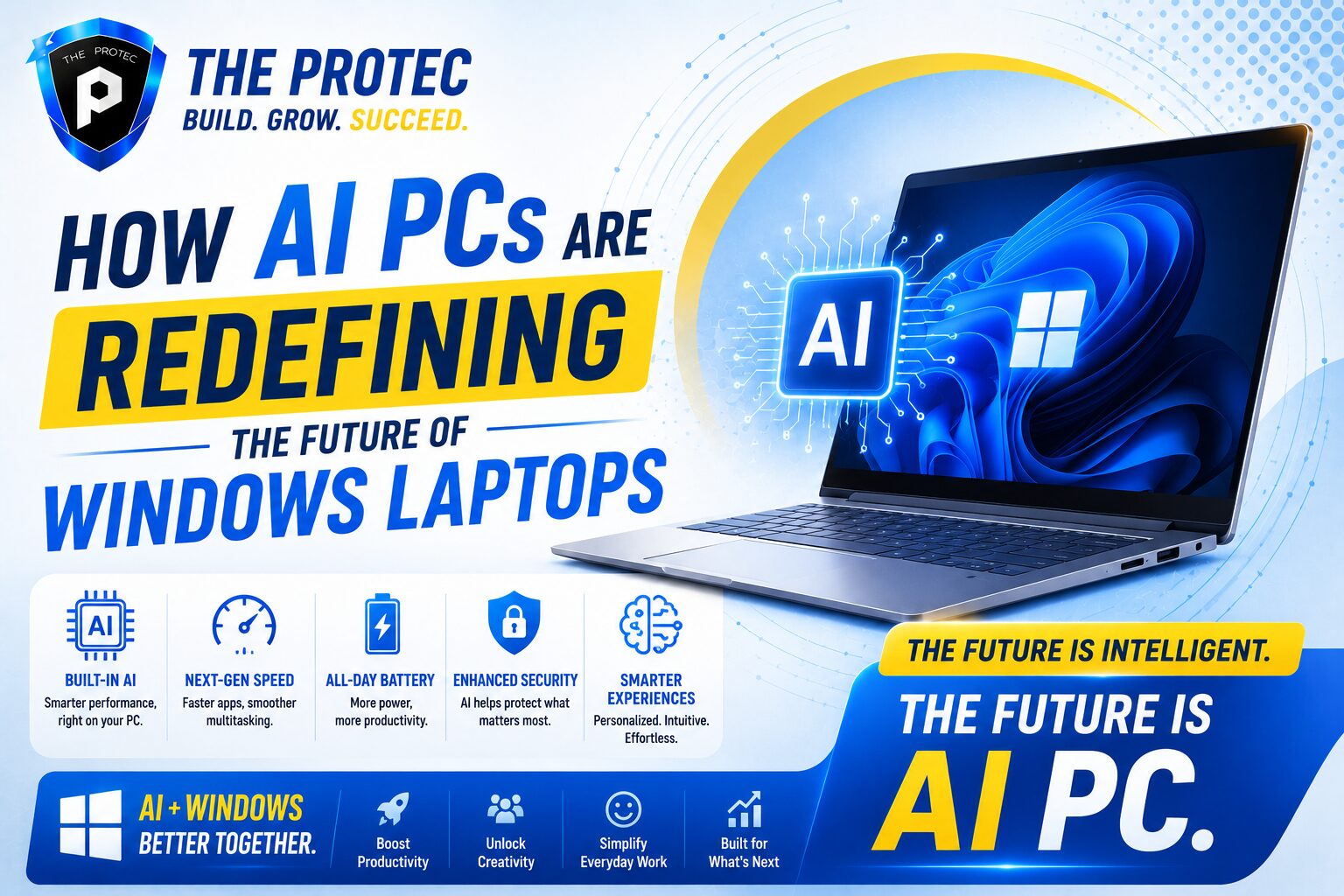
Windows laptops are entering a new era, and the shift is being driven by AI PCs. For years, laptop innovation was measured by thinner designs, faster processors, brighter displays, and longer battery life. Those upgrades still matter, but they no longer define the whole story. Today, the most important change is happening inside the device itself, where dedicated AI hardware and on-device intelligence are reshaping what a laptop can do.
AI PCs are not just laptops with a chatbot added on top. They are systems designed to process artificial intelligence tasks locally, using neural processing units, hybrid CPU-GPU-NPU architectures, and software experiences built around real-time assistance. That means faster responses, more private workflows, and new capabilities that feel less like optional extras and more like a core part of the Windows experience.
For professionals, students, creators, and everyday users, this shift has major implications. Windows AI laptops are becoming smarter, more energy-efficient, and more adaptive to how people actually work. From automatic background blur in video calls to live transcription, local image generation, intelligent search, and system-level optimization, AI computer features are moving from novelty to necessity. The future of Windows laptops is no longer just about portability. It is about intelligence at the edge.
What Makes an AI PC Different?
An AI PC is a Windows laptop built to handle AI workloads more efficiently than a traditional laptop. The key difference is the presence of an NPU, or neural processing unit, which is a specialized chip designed to accelerate machine learning tasks without putting constant pressure on the CPU or GPU. That separation matters because AI tasks can run continuously in the background while preserving performance and battery life.
In a standard laptop, AI-related features often rely on cloud processing or heavy CPU usage. In an AI PC, many of those tasks can happen locally on the device. This enables faster interactions, lower latency, and improved privacy because sensitive data does not always need to leave the laptop. It also helps Windows features feel more seamless, since the system can provide assistance in real time instead of waiting for remote servers to respond.
The most important distinction is that AI PCs are being designed around a new computing model. Instead of treating AI as an add-on, manufacturers and software developers are building laptops that assume AI will be part of everyday use. That is why terms like Windows AI laptops and AI computer features are becoming central to the conversation around personal computing.
Why On-Device AI Processing Matters
On-device AI processing is the foundation of the AI PC movement. Rather than sending data to the cloud for every task, the laptop can perform many AI functions locally. This approach brings several major advantages that are changing how Windows laptops are used in practice.
- Lower latency: Tasks like transcription, image enhancement, and contextual assistance can happen instantly or near instantly.
- Better privacy: Local processing reduces the need to transmit personal files, meeting notes, voice data, or screen content to external servers.
- Improved battery efficiency: NPUs can handle always-on AI workloads using less power than a CPU or GPU would require.
- More reliable performance: AI features remain available even when internet access is slow, limited, or unavailable.
This shift is especially important for mobile workers and students who rely on their laptops in multiple environments. A Windows AI laptop can support meetings, note-taking, content creation, and search without depending entirely on the cloud. In a world where user expectations are rising quickly, that independence is a major selling point.
On-device processing also opens the door to more personalized features. The laptop can understand patterns in your workflow, prioritize relevant content, and help you move from one task to another more efficiently. In other words, AI PCs are not simply faster machines; they are becoming more responsive computing partners.
The Next Generation of AI Computer Features
The rise of AI PCs is not only about hardware. It is also about the new capabilities that this hardware makes possible. The most valuable AI computer features are the ones that save time, reduce friction, and improve the overall experience without demanding extra effort from the user.
Smarter video calls and communication
One of the most visible changes is in meetings and video calls. AI-powered background blur, eye contact correction, automatic framing, noise suppression, and live captions are becoming more advanced and more efficient. These features help users look and sound better in calls while reducing the drain on system resources.
Real-time transcription and translation
Transcription tools are evolving quickly, and AI PCs can process speech locally with impressive speed. This is useful for students recording lectures, professionals capturing meeting notes, and teams working across languages. Real-time translation is especially powerful because it can make the laptop feel more universally useful in both personal and business settings.
Context-aware search and assistance
Search is being reimagined on Windows laptops. Instead of searching only by filename or keyword, AI-enabled systems can increasingly understand context. That means users may be able to find a document, email, image, or note based on what it contains or what they remember about it. This is one of the most practical AI computer features because it cuts down time spent digging through folders and apps.
Creative tools built into the system
Creators are also seeing major benefits. AI PCs support local image enhancement, background removal, noise cleanup, text generation, and assisted editing workflows. These features can speed up content production while lowering the barrier for users who do not want to switch between multiple apps or learn complex editing tools.
As these capabilities become more common, Windows AI laptops are moving from a hardware category into a full ecosystem of intelligent software experiences. The result is a laptop that does more than run programs. It actively helps users complete tasks faster and with less effort.
How AI PCs Improve Productivity
Productivity is where AI PCs may have the biggest day-to-day impact. Many of the most useful AI features are subtle, which is part of what makes them powerful. They do not necessarily advertise themselves as dramatic innovations, but they quietly remove repetitive work from the user’s routine.
For example, an AI PC can summarize long documents, organize meeting notes, generate drafts, clean up voice recordings, and help create presentations more efficiently. These tasks used to require multiple tools or manual effort. Now they can be handled in a more integrated way directly on the laptop.
Windows AI laptops are also improving multitasking. Because the NPU can offload AI workloads, the CPU and GPU remain more available for standard applications. That helps the system stay responsive even when several tasks are happening at once. Users can join a call, edit a file, search across folders, and run AI assistance in the background without the machine slowing down as much as older devices often did.
This matters in both consumer and enterprise environments. In offices, AI assistance can streamline repetitive administrative work. In education, it can support note-taking, research, and study organization. For freelancers and creators, it can shorten production cycles and improve output quality. The common thread is efficiency. AI PCs are designed to reduce the time between intention and action.
Battery Life and Efficiency Are Becoming Bigger Differentiators
Battery life has always been a major factor in laptop buying decisions, but AI PCs are turning it into a more sophisticated conversation. Instead of simply asking how long a laptop lasts, buyers are now asking how efficiently it handles intelligent workloads while staying cool and quiet.
That is where NPUs make a meaningful difference. AI tasks that once taxed the CPU or GPU can now be assigned to a component built specifically for that purpose. As a result, the laptop can maintain better power efficiency during always-on features like voice enhancement, transcription, background effects, and context monitoring.
This is especially relevant for thin-and-light Windows laptops, where thermal constraints are more noticeable. A more efficient AI architecture can mean less fan noise, lower heat output, and a more comfortable user experience. In practical terms, that makes the laptop feel more polished and more premium.
Efficiency also plays a role in device longevity. When hardware is designed to handle AI workloads locally and intelligently, it can reduce unnecessary strain on the system. That may not make every laptop last longer in a literal sense, but it does create a more sustainable performance profile over time. For buyers comparing Windows AI laptops, that combination of intelligence and efficiency is quickly becoming one of the strongest reasons to upgrade.
The Role of Windows in the AI PC Shift
Windows is central to the rise of AI PCs because the platform is evolving to support these new capabilities across the operating system and ecosystem. Microsoft has been integrating AI into search, productivity, accessibility, and device management in ways that make the laptop feel more adaptive and less static. The goal is not simply to add AI tools, but to make intelligence part of the everyday Windows experience.
That matters because software support is just as important as hardware. A powerful NPU is only useful if apps and system features know how to use it. As more Windows applications adopt AI acceleration, users can expect faster local processing, smoother workflows, and better cross-app integration. This is especially promising for business users, who often need AI features that are reliable, secure, and consistent across large fleets of devices.
Microsoft’s broader push toward AI-enhanced productivity has also helped standardize expectations. Buyers are no longer asking whether AI belongs on a laptop. They are asking which AI computer features matter most and how well a given system implements them. That shift is helping establish AI PCs as the next major category in Windows computing, much like ultrabooks and 2-in-1 devices defined earlier eras.
For a deeper look at Microsoft’s direction, see the official Windows experiences and Copilot pages at microsoft.com/windows and microsoft.com/en-us/microsoft-copilot.
What Buyers Should Look for in a Windows AI Laptop
Not every laptop labeled “AI-ready” will deliver the same experience. Buyers should pay attention to several practical details when evaluating Windows AI laptops.
- NPU performance: The neural processing unit should be capable enough to handle meaningful on-device AI workloads.
- Software support: Check whether the laptop’s features are actually supported by Windows and the apps you use.
- Battery efficiency: A strong AI PC should improve, not compromise, portability.
- Thermals and acoustics: Good AI hardware should keep the laptop quieter and cooler during everyday use.
- Memory and storage: AI workloads can benefit from ample RAM and fast storage, especially for multitasking and local models.
- Security features: Local AI processing should be paired with strong device security and enterprise-grade protections where needed.
It is also worth considering how a laptop handles future software updates. The best AI PCs are not just relevant today; they are built to support upcoming AI computer features as Windows and app ecosystems continue to evolve. That future readiness is a major part of the value proposition.
Challenges and Limitations to Keep in Mind
Despite the excitement, AI PCs are not magic. They still face real limitations. On-device AI is improving quickly, but some advanced tasks remain better suited to the cloud or to more powerful external systems. Large generative models, extensive media generation, and enterprise-scale workloads may still require more compute than an NPU alone can provide.
There is also the issue of software maturity. Some AI computer features are impressive in demos but less compelling in day-to-day use if they are inconsistent, restricted to specific apps, or dependent on a particular hardware vendor. Buyers should look carefully at whether the features are genuinely useful in their own workflow.
Another consideration is transparency. As AI becomes more deeply integrated into Windows laptops, users need clarity about what data is processed locally, what is sent to the cloud, and how that information is stored or used. Privacy promises matter more when laptops are collecting contextual signals to provide smarter assistance.
Even with these challenges, the direction is clear. AI PCs are still early in their evolution, but the combination of local processing, software integration, and hardware specialization is setting a new baseline for what users will expect from Windows laptops.
The Future of Windows Laptops Is AI-Native
The future of Windows laptops is not just faster processors or sharper screens. It is laptops that understand tasks, anticipate needs, and complete work more intelligently. AI PCs are making that future tangible by bringing on-device AI processing into everyday computing.
As NPUs become more capable and developers continue building around them, Windows AI laptops will likely offer even more natural interactions. Users may see stronger voice control, better personalization, richer accessibility tools, faster creative workflows, and smarter system automation. Over time, these features may become so common that people stop thinking of them as AI at all. They will simply be expected.
That is the real significance of this shift. AI computer features are not replacing the laptop experience. They are redefining it. The most competitive Windows laptops will be the ones that combine performance, portability, and intelligent on-device assistance in a way that feels seamless and genuinely useful.
For buyers, businesses, and tech enthusiasts, now is the time to pay attention. AI PCs are not a passing trend. They are becoming the standard by which the next generation of Windows laptops will be measured.
Frequently Asked Questions
What is an AI PC?
An AI PC is a laptop or desktop designed to run artificial intelligence tasks efficiently, usually with dedicated hardware such as a neural processing unit. In Windows laptops, this enables faster local AI features, better battery efficiency, and more responsive system-level assistance.
Are Windows AI laptops better than regular laptops?
They can be, depending on your needs. If you use transcription, video calls, productivity tools, creative apps, or smart search features, a Windows AI laptop may offer a noticeably better experience. If you only perform light tasks, the benefits may be less dramatic but still useful.
Do AI computer features require an internet connection?
Not always. One of the biggest advantages of AI PCs is on-device processing, which allows many features to work locally without constant cloud access. Some advanced features may still rely on online services, but local AI is becoming increasingly important.
Should I upgrade to an AI PC now?
If you are buying a new Windows laptop and want better multitasking, smarter productivity tools, or stronger future compatibility, an AI PC is worth serious consideration. If your current laptop still meets your needs, you may want to wait until the software ecosystem becomes even more mature.