








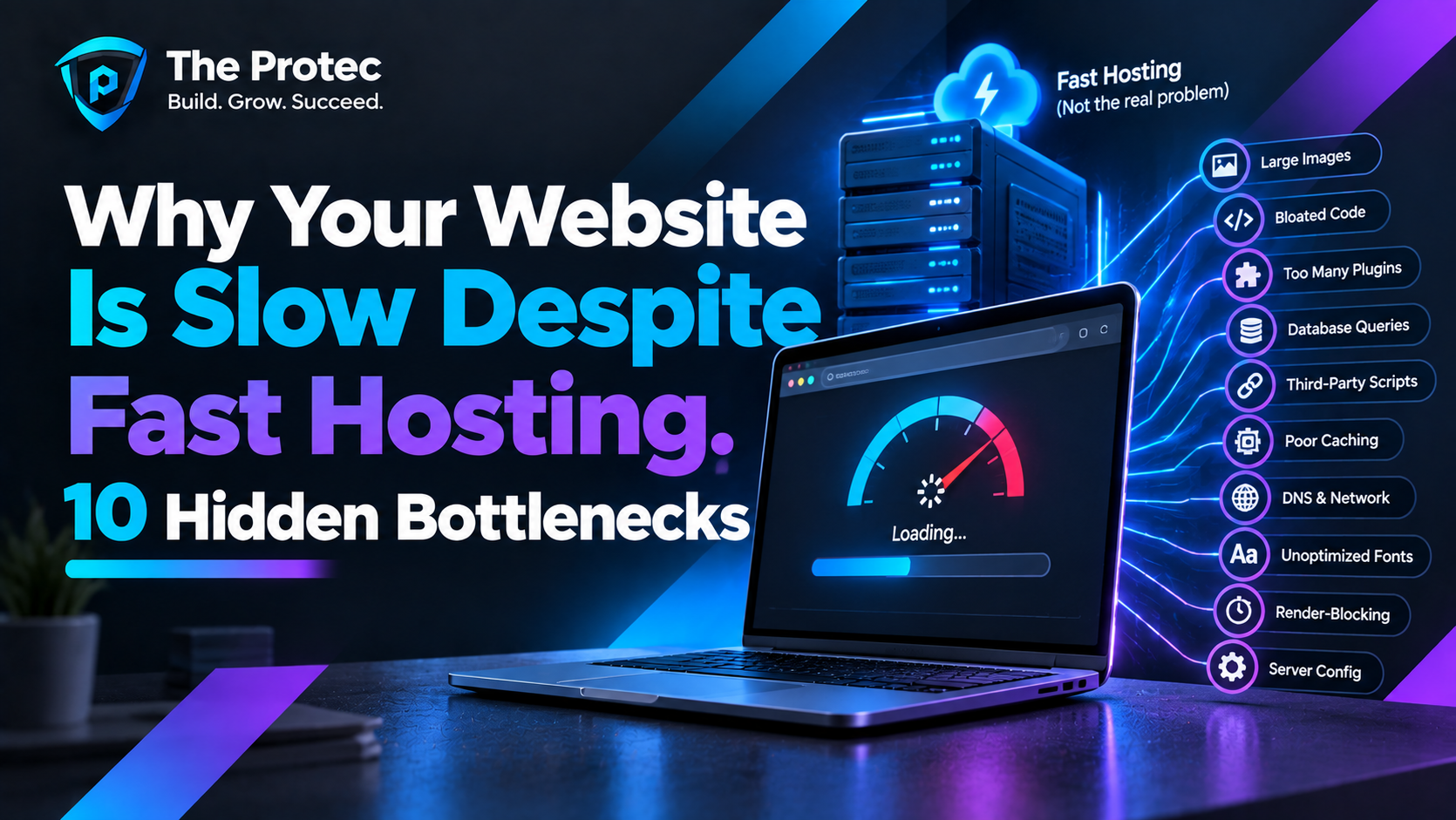
You upgraded to faster hosting, added more CPU and increased memory, yet your website still feels slow. Pages hesitate before appearing, interactions lag and Core Web Vitals remain stubbornly poor. It is a frustrating but common situation: premium infrastructure cannot compensate for inefficient application code, overloaded dependencies or an undisciplined front end.
Effective website speed optimization starts by locating the delay rather than assuming the server is responsible. A page can have an excellent server response time and still take several seconds to render. Conversely, a lightweight page may feel slow because PHP or the database takes too long to generate the first byte. The following slow website troubleshooting process explains how to separate those problems and address ten hidden performance bottlenecks affecting PHP, WordPress and custom websites.
First, Determine Whether the Server or Browser Is Slow
Before changing code or buying another hosting plan, inspect the page in your browser’s developer tools. The Network waterfall separates DNS lookup time, connection setup, waiting for the initial response, downloads and browser-side resource activity. The Performance panel then shows scripting, rendering, layout work and long tasks. Google’s Chrome DevTools performance documentation explains how to record and interpret these traces.
Time to First Byte, or TTFB, indicates how quickly navigation reaches the first response byte. High TTFB can point to application processing, cache misses, network latency, redirects or an overloaded origin. TTFB optimization therefore requires more than checking the hosting provider’s advertised hardware. Test both cached and uncached requests, repeat tests from relevant geographic locations and compare anonymous sessions with logged-in sessions.
If the HTML arrives quickly but Largest Contentful Paint is late, the problem is usually in the browser: images, fonts, CSS, JavaScript or external services may be delaying display. If Interaction to Next Paint is poor, long JavaScript tasks or excessive main-thread work are more likely than hosting. Track LCP, INP and CLS together using the current Core Web Vitals guidance, because a single synthetic speed score rarely tells the whole story.
1. Inefficient Database Queries
Database bottlenecks are among the most common causes of a slow website despite good hosting. One page may trigger hundreds of queries, repeat the same lookup or scan a large table without a useful index. In WordPress, heavy plugins, oversized autoloaded options and complex metadata searches can quietly increase processing time. Custom PHP applications often suffer from N+1 queries, where code requests related records individually instead of loading them in one efficient operation.
Enable slow-query logging, inspect query execution plans and measure query count per request. Add appropriate indexes, select only required columns and replace repeated queries with batching or object caching. Archive unnecessary revisions, expired transients and stale application data carefully. Faster storage helps, but it cannot make structurally inefficient slow database queries scale well.
2. Third-Party Scripts That Control the Critical Path
Analytics, advertising, consent platforms, chat widgets, social embeds and personalization tools execute outside your hosting environment. The third-party scripts impact can include extra DNS lookups, network connections, JavaScript parsing and long main-thread tasks. One unresponsive vendor can delay page initialization even when your origin responds instantly.
Audit every external script by owner and business value. Remove duplicates, load nonessential scripts after consent or interaction and use asynchronous loading where execution order allows it. Server-side tagging may reduce browser work, but it still needs privacy, reliability and data-quality review. Monitor vendors continuously because their payloads can change without a deployment from your team.
3. Oversized or Poorly Delivered Images
A high-resolution hero image displayed in a small container wastes bandwidth and often delays LCP. Good image optimization means more than compressing files: generate responsive sizes, use accurate width and height attributes, and deliver modern formats such as AVIF or WebP when appropriate. Do not lazy-load the primary above-the-fold image, because that can postpone its discovery.
Use responsive image markup so mobile devices do not download desktop-sized assets. Preload only the genuine LCP image, apply a suitable fetch priority and lazy-load images farther down the page. A content delivery network can shorten transfer distance, but it cannot correct a needlessly large source file.
4. Cache Misses at Multiple Layers
Page caches, object caches, browser caches and CDN edge caches solve different problems. Frequent cache misses force PHP and the database to rebuild content for every visitor. Causes include overly broad cookies, random query strings, short expiration times, fragmented cache keys and rules that bypass caching for entire sections.
Inspect response headers and compare cold, warm and authenticated requests. Establish deliberate cache keys, sensible expiration policies and targeted invalidation when content changes. WordPress sites should confirm that anonymous page caching actually works, while custom applications should protect against cache stampedes when popular entries expire simultaneously.
5. Exhausted PHP Workers
PHP workers process dynamic requests concurrently. When every worker is busy with a slow page, checkout request, API call or background task, new requests wait in a queue. Adding CPU will not necessarily help if worker limits stay unchanged or each request remains blocked by external I/O.
For meaningful PHP performance optimization, monitor active workers, queue time, memory consumption and request duration. Move suitable jobs to queues, optimize expensive plugin hooks and terminate unexpectedly long operations safely. Increase PHP workers only after confirming that memory and database capacity can support them; otherwise, higher concurrency may simply move the bottleneck downstream.
6. Slow DNS Resolution
Every new hostname can add DNS lookup time before a connection begins. Pages that contact numerous analytics, font, media and API domains multiply this overhead, particularly on mobile networks. Slow authoritative DNS can also delay the initial visit to your own domain.
Use a reliable DNS provider, remove unused hostnames and consolidate assets where practical. Resource hints can help with a small number of critical external origins, but excessive hints compete for browser resources. Measure first rather than adding them automatically.
7. Server Connection Limits and Upstream Queues
Web servers, reverse proxies, databases and load balancers all impose concurrency and connection limits. Traffic spikes can exhaust database connections, file descriptors or upstream sockets even when average CPU usage appears healthy. The result may be intermittent latency, gateway errors or requests waiting before application code runs.
Correlate slow periods with concurrent requests, open connections, queue depth and error logs. Tune limits as a complete system, use persistent connections appropriately and apply backpressure to expensive endpoints. Rate limiting abusive bots can restore capacity, but limits should not hide memory leaks or slow application paths.
8. Render-Blocking JavaScript and Main-Thread Work
JavaScript performance becomes critical after HTML reaches the browser. Large bundles must be downloaded, parsed, compiled and executed before users can interact smoothly. Render-blocking JavaScript, hydration work and long tasks can produce poor INP even with low TTFB.
Split code by route or feature, remove unused dependencies and defer noncritical execution. Avoid shipping an entire framework for a small interactive component. Break long tasks into smaller units and use web workers for suitable computation. Modern delivery techniques help only when bundle contents are controlled; minification alone does not fix excessive client-side logic.
9. Excessive HTTP Requests
HTTP/2 and HTTP/3 handle concurrency better than older protocols, but requests are not free. Each font variation, tracking pixel, icon file, stylesheet and module still creates scheduling, header and processing overhead. Hundreds of small resources can congest the network and keep the browser busy long after the server returns HTML.
Remove unused assets, subset fonts, reduce unnecessary variants and combine tiny resources when measurement supports it. Avoid indiscriminate bundling, which can make every page download code it never uses. The goal is fewer meaningful bytes and dependencies, not simply the lowest request count.
10. Slow External Services and APIs
A PHP page may wait for payment, search, inventory, geolocation or recommendation services before returning HTML. If those services respond slowly, your server response time rises even though the hosting platform is healthy. Browser-side API calls can create a similar delay after the initial page appears.
Set strict connection and response timeouts, cache safe results and use fallbacks when optional services fail. Move nonessential calls to asynchronous jobs and use circuit breakers to prevent repeated failures from consuming every PHP worker. Record dependency timing separately so external latency is visible rather than buried inside total request time.
How to Prioritize Website Performance Optimization
Start with the largest delay affecting real users, not the easiest optimization on a checklist. A practical order is:
- Measure field Core Web Vitals, TTFB and key conversion journeys by device and geography.
- Use the network waterfall to separate DNS, connection, server waiting and resource downloads.
- Profile PHP execution and slow database queries when the HTML response is delayed.
- Record a browser performance trace when rendering or interaction remains slow after a fast response.
- Fix one major bottleneck, deploy it safely and compare the same metrics before continuing.
For example, a WordPress store with a two-second TTFB should investigate uncached pages, database activity, plugins and PHP workers before resizing below-the-fold images. A custom site with a 150-millisecond TTFB but a four-second LCP should focus on its hero asset, CSS and JavaScript. This evidence-led approach prevents an expensive hosting upgrade from becoming a substitute for diagnosis.
Frequently Asked Questions
Why is my website slow when my hosting benchmarks are fast?
Hosting benchmarks usually test infrastructure under controlled conditions. Your real application may perform slow queries, miss caches, wait for external APIs or queue behind exhausted PHP workers. The browser may then add further delays through large images, JavaScript and third-party scripts. Measure the full request and rendering path before judging the host.
What is a good TTFB?
There is no universal number for every application, location and page type, but lower and consistent is better. Treat roughly 800 milliseconds or less at the 75th percentile as the broad Core Web Vitals guidance for a good TTFB, while aiming substantially lower for cached pages. Diagnose DNS, connections, redirects and application processing separately rather than relying on one total.
Will a CDN fix a slow website?
A CDN can reduce geographic latency and serve cached static assets efficiently. It may also cache complete pages when configuration permits. It will not repair slow database queries, blocking PHP code, excessive browser JavaScript or a third-party service that delays every request. A CDN is one layer of website performance optimization, not a universal cure.
Should I upgrade hosting before optimizing my site?
Upgrade when monitoring shows sustained CPU, memory, disk or concurrency saturation after obvious software problems are addressed. If delays come from application logic or front-end execution, a larger plan may produce little improvement. Identify the limiting resource first, estimate the expected benefit and verify the result after any upgrade.
Find the Bottleneck Before Buying More Capacity
Fast hosting provides a strong foundation, but application efficiency and front-end discipline determine how that capacity reaches users. Measure server and browser delays independently, investigate the ten bottlenecks above and prioritize fixes by real-user impact. The fastest upgrade is often not a larger server—it is removing the work your website never needed to do.