








Why Grok prompts are becoming a small business advantage
Small businesses do not usually lose time in one giant block. They lose it in dozens of small moments: rewriting a post, answering the same customer question, summarizing a spreadsheet, drafting a follow-up email, or trying to turn raw notes into a plan. That is why Grok prompts for business are becoming so valuable. When used well, Grok can act like a fast-thinking assistant that helps your team move from blank page to finished draft in minutes.
The real benefit is not just speed. The best business automation prompts reduce mental friction, create consistency, and help small teams do more without adding headcount. Grok is especially useful for teams that already work across social media, customer communications, sales follow-up, and reporting, because it can quickly turn messy inputs into usable outputs.
As AI tools continue to improve in speed, context handling, and workflow integration, the smartest small businesses are not asking, “Can AI do everything?” They are asking, “Which repetitive tasks should AI handle first?” That is where AI productivity prompts come in. Below are 25 practical prompts you can adapt for marketing, operations, support, and reporting.
Before you use any prompt, give Grok clear context: your business type, audience, tone, offer, and the outcome you want. The better the input, the better the output. For general best practices on prompting, OpenAI’s guidance on writing effective prompts is a useful reference: OpenAI Prompt Engineering Guide. For small business owners thinking about practical AI adoption, the U.S. Small Business Administration also has helpful resources: SBA AI resources.
How to get better results from Grok prompts for business
Grok is strongest when you treat it like a skilled junior operator, not a magic wand. If you want high-quality output, be specific about:
- Goal: What should the prompt produce?
- Audience: Who is it for?
- Tone: Friendly, professional, direct, playful, premium, and so on.
- Format: Bullet list, email draft, table, checklist, summary, or script.
- Constraints: Word count, brand voice, compliance rules, or platform limits.
The prompts below are written as templates. Replace bracketed sections with your own details, and refine them after your first output. The more you iterate, the more these business automation prompts will feel like an extension of your team.
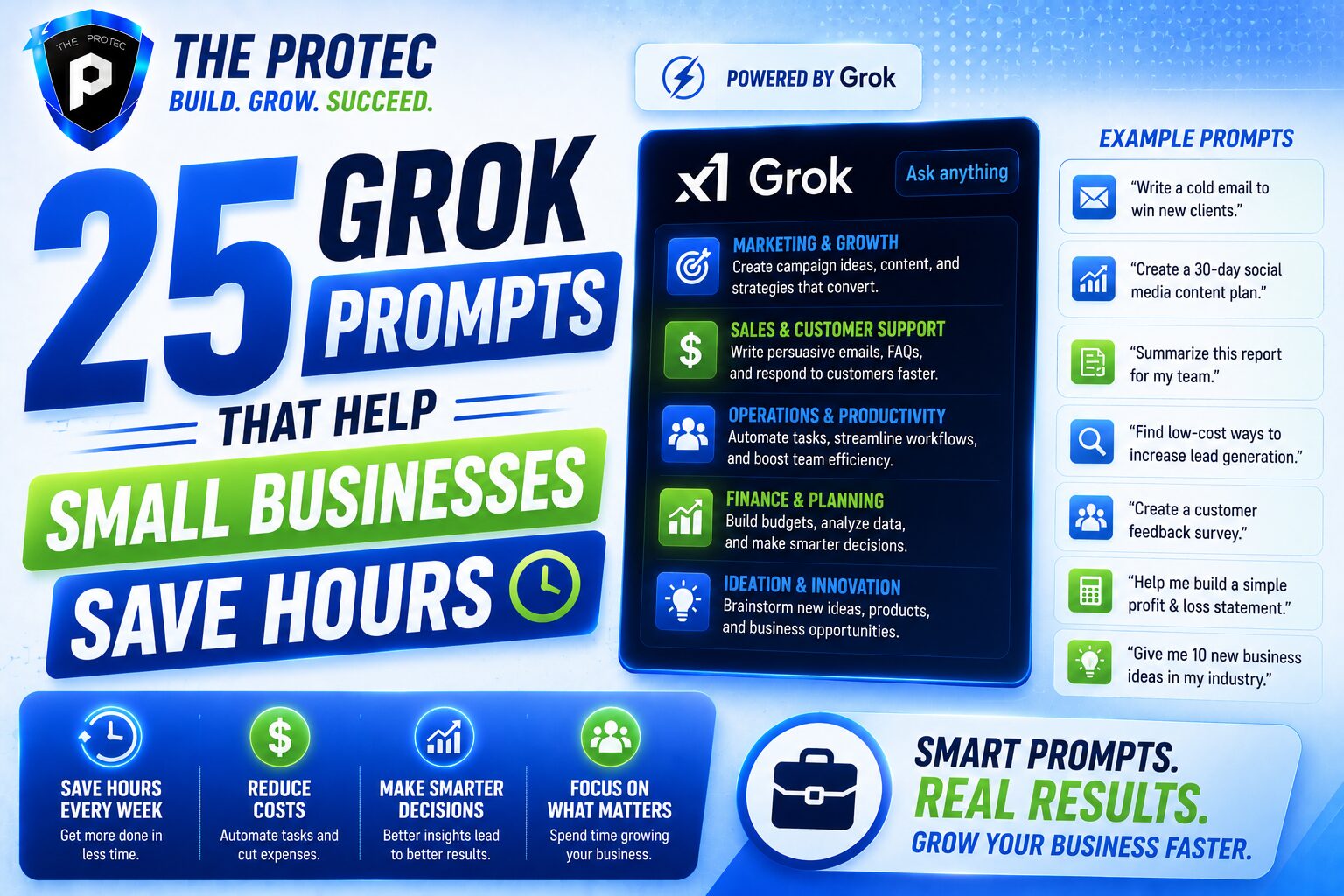
25 Grok prompts that help small businesses save hours every week
Marketing prompts
1. Turn one idea into a week of social content
Prompt: “Act as a small business social media strategist. Turn this topic: [topic] into 7 social posts for [platform], each with a different angle, hook, and CTA. Keep the tone [tone] and the audience [audience] in mind.”
This is one of the most practical Grok prompts for business because it eliminates the slowest part of content work: starting from scratch. You get a usable content batch instead of a single post.
2. Repurpose a blog post into platform-specific snippets
Prompt: “Convert this blog post into: 1 LinkedIn post, 1 X thread, 3 Instagram captions, and 5 short quote graphics ideas. Preserve the main message but tailor each version to the platform.”
Use this to extract more value from long-form content without duplicating effort.
3. Generate ad headlines and body copy
Prompt: “Write 15 ad headlines and 5 short body copy variations for this offer: [offer]. Target audience: [audience]. Emphasize [benefit], [benefit], and [benefit].”
This can speed up campaign testing and help you produce more creative variations quickly.
4. Create a content calendar for the month
Prompt: “Build a 30-day content calendar for a small business in [industry]. Include themes, post ideas, and suggested calls to action for each week.”
A content calendar prompt helps reduce planning time and keeps your marketing consistent.
5. Rewrite marketing copy to match your brand voice
Prompt: “Rewrite this copy in a [friendly/professional/premium] voice for [audience]. Keep it clear, persuasive, and concise: [paste copy].”
This is especially useful when different team members contribute drafts and the final copy needs to sound unified.
6. Brainstorm campaign angles for a product or service launch
Prompt: “Give me 10 campaign angles for launching [product/service]. Include emotional, practical, and urgency-based angles, plus a short explanation of each.”
Campaign planning becomes faster when you can compare multiple angles before committing to one.
Operations prompts
7. Turn meeting notes into action items
Prompt: “Summarize these meeting notes into action items, owners, deadlines, and key decisions. Format as a table.”
For small teams, this alone can save a surprising amount of time after recurring meetings.
8. Convert a messy process into a simple SOP
Prompt: “Turn this workflow description into a step-by-step SOP for a small business team member. Use clear headings, action steps, and a short checklist at the end.”
Strong SOPs reduce training time and make delegation easier. They also improve consistency across roles.
9. Build a task checklist for recurring work
Prompt: “Create a recurring weekly checklist for [task]. Include prep, execution, review, and follow-up steps.”
This is one of the simplest business automation prompts, but it helps teams avoid missed steps and duplicated work.
10. Draft a handoff note between departments
Prompt: “Write a clear handoff note from [department] to [department] for [project]. Include background, status, blockers, next steps, and due dates.”
Better handoffs mean fewer back-and-forth messages and less confusion.
11. Create a decision matrix for choosing between options
Prompt: “Build a simple decision matrix comparing these options: [option A], [option B], [option C]. Score them by cost, time, risk, and expected impact.”
This helps owners and managers make faster, more structured decisions.
12. Summarize a long document into an executive brief
Prompt: “Summarize this document into a one-page executive brief with the main objective, risks, key facts, and recommended next step.”
Use this for vendor proposals, policy drafts, internal updates, or project plans.
Customer support prompts
13. Draft friendly replies to common customer questions
Prompt: “Write 10 friendly customer support replies for these FAQs: [paste FAQs]. Keep the tone helpful, concise, and brand-appropriate.”
This is ideal for businesses with repeat questions about pricing, shipping, booking, returns, or service details.
14. Turn one support answer into multiple channels
Prompt: “Take this support answer and rewrite it as: a short email reply, a chat message, and a public FAQ entry.”
This reduces the time spent rewriting the same information for different channels.
15. Triage incoming support requests
Prompt: “Categorize these customer messages into billing, technical issue, order status, complaint, or sales inquiry. Prioritize urgent issues and suggest the best next action.”
When support volume rises, this kind of prompt helps small teams sort issues more quickly and respond in the right order.
16. Write empathetic responses to frustrated customers
Prompt: “Draft a calm, empathetic response to this customer complaint. Acknowledge the issue, avoid defensiveness, and offer a clear next step: [paste message].”
Empathy matters, and AI can help staff respond consistently when situations are tense.
17. Create a better FAQ page structure
Prompt: “Organize these questions into a clear FAQ structure for a small business website. Group them by topic and suggest concise answer outlines.”
Well-structured FAQs reduce repetitive support work and improve customer self-service.
Sales and follow-up prompts
18. Write personalized follow-up emails
Prompt: “Write a personalized follow-up email to a lead who showed interest in [product/service]. Include a relevant benefit, a soft CTA, and a natural tone.”
Follow-up often gets delayed because it takes time to tailor the message. This prompt speeds that up without making the email feel generic.
19. Turn discovery call notes into next steps
Prompt: “Turn these discovery call notes into a recap email with pain points, goals, objections, proposed solution, and next steps.”
This helps sales teams respond quickly while the conversation is still fresh.
20. Draft objection-handling responses
Prompt: “Create 10 concise responses to common sales objections for [product/service], focusing on value, trust, and clarity.”
Sales conversations become easier when your team has a consistent response framework.
21. Create a lead qualification checklist
Prompt: “Build a lead qualification checklist for [business type]. Include budget, authority, need, timeline, and fit.”
This helps small businesses focus time on the leads most likely to convert.
Reporting and analysis prompts
22. Summarize weekly performance metrics
Prompt: “Summarize these weekly metrics into plain English. Highlight wins, drops, likely causes, and what we should pay attention to next week.”
This is one of the most useful AI productivity prompts for owners who want insight without digging through raw numbers.
23. Explain trends in simple language
Prompt: “Explain what changed in this dataset and why it may matter for a small business owner. Keep the explanation simple and practical.”
Great analysis is not just about numbers. It is about turning those numbers into decisions.
24. Create an executive summary from a report
Prompt: “Turn this report into a short executive summary with the most important outcomes, risks, and recommended actions.”
This helps busy decision-makers absorb information faster and act sooner.
25. Identify process bottlenecks from a workflow description
Prompt: “Review this workflow and identify possible bottlenecks, redundant steps, and automation opportunities. Suggest improvements ranked by impact and effort.”
For small businesses trying to scale, this can reveal where time is leaking every week.
How to turn these prompts into repeatable systems
The biggest time savings come when you do not treat prompts as one-off experiments. Instead, build a prompt library for your business. Group prompts by function: marketing, operations, support, sales, and reporting. Then save your highest-performing versions in a shared document so your team can reuse them.
You can also improve results by adding standard instructions to each prompt, such as:
- Your brand voice
- Your preferred formatting style
- Your product or service details
- Words or claims to avoid
- The level of detail you want
When possible, pair Grok with human review. The goal is not to automate judgment. The goal is to remove low-value work so people can spend more time on strategy, relationships, and growth.
Common mistakes to avoid when using Grok prompts
Even the best Grok prompts for business can underperform if the instructions are vague. Avoid these common mistakes:
- Too much ambiguity: If Grok does not know the audience or goal, the output will be generic.
- No format guidance: Always say whether you want bullets, a table, a draft, or a checklist.
- Using the first draft without editing: AI can accelerate work, but human refinement still matters.
- Overloading one prompt: Break complex tasks into smaller steps for better results.
- Ignoring brand and compliance needs: Add boundaries for legal, safety, and tone requirements.
Used thoughtfully, these prompts do not replace your team. They make your team faster, more focused, and less likely to get stuck on repetitive work.
FAQ: Grok prompts for small business productivity
What are the best Grok prompts for business owners?
The best prompts are the ones that remove repetitive work. For most small businesses, that includes social media drafts, support replies, meeting summaries, SOPs, follow-up emails, and performance summaries.
Can Grok help automate small business workflows?
Yes. Grok can assist with workflow automation by turning notes, messages, and data into structured outputs such as checklists, summaries, and handoff notes. It is most effective when paired with existing tools and human review.
How do I make AI productivity prompts more accurate?
Add context, define the output format, specify the audience, and include examples when possible. The more precise your prompt, the more useful the result will be.
Are Grok prompts useful for customer support?
Absolutely. Grok can draft FAQ answers, triage messages, create empathetic responses, and help teams respond faster without sacrificing tone.
Final thoughts
Small businesses do not need more busywork. They need leverage. The right Grok prompts for business can turn scattered tasks into repeatable systems, reduce back-and-forth, and save hours every week across marketing, operations, support, and reporting. Start with a handful of prompts that match your biggest time drains, then refine them as your business grows.
If you want to get more from AI, focus on practical use cases first. The fastest wins usually come from simple, high-frequency tasks—the kind that happen every day and quietly consume your team’s time. That is where business automation prompts and AI productivity prompts create real operational value.