








Wi-Fi 8 vs Wi-Fi 7: What’s New and Should You Upgrade When It Arrives?
Wi-Fi has become one of those technologies people only notice when it fails. When it works, it quietly powers work calls, streaming, gaming, backups, smart homes, and entire business networks. That is why every new wireless generation draws so much attention. With Wi-Fi 7 now rolling out in premium routers, laptops, phones, and enterprise gear, the conversation is already shifting to Wi-Fi 8, the next generation Wi-Fi standard expected to focus less on headline-grabbing speed and more on consistency, responsiveness, and reliability.
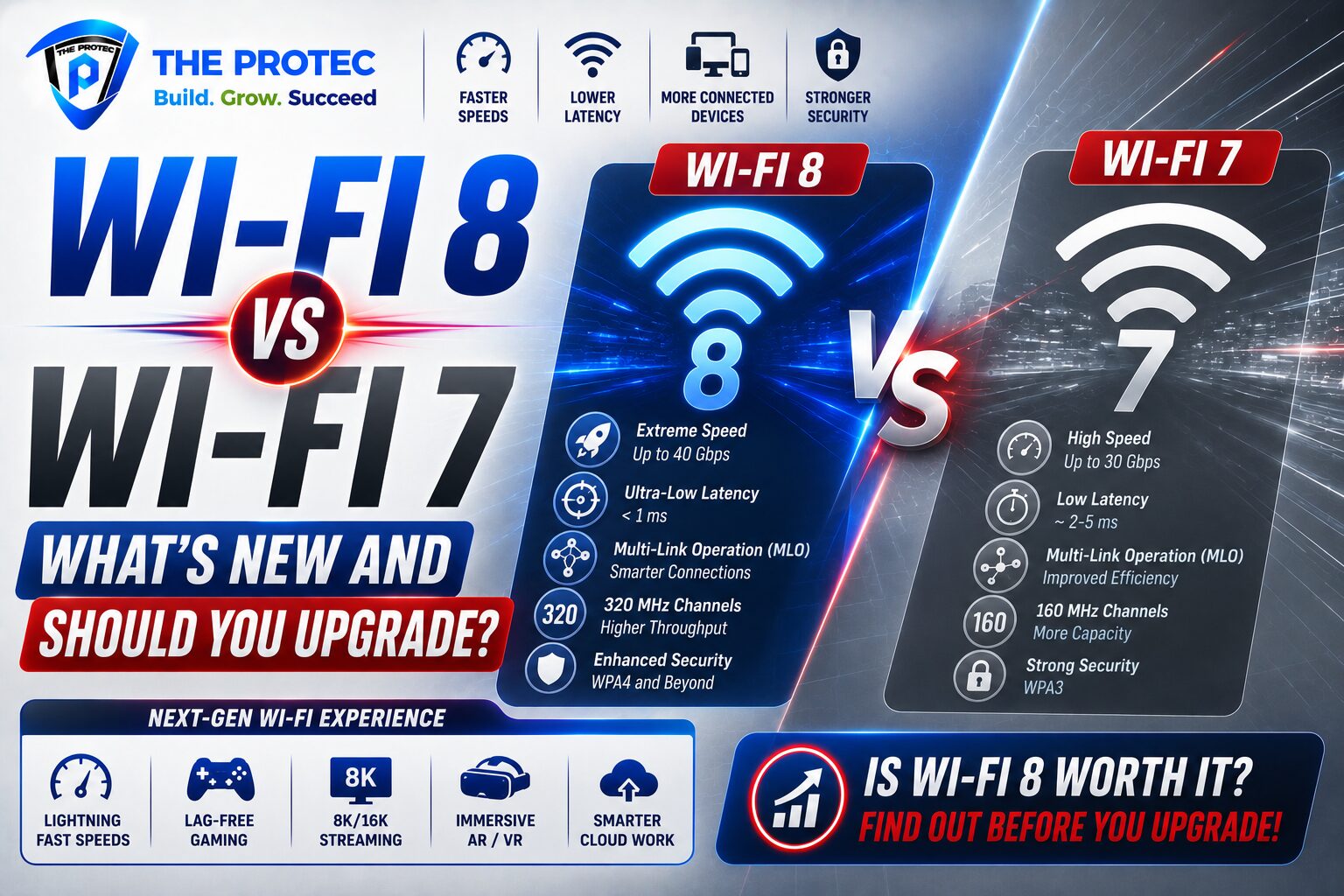
If you are wondering how Wi-Fi 8 vs Wi-Fi 7 will actually compare, the short answer is this: Wi-Fi 8 is expected to be an evolution, not a revolution. Wi-Fi 7 brought major gains in throughput and latency with wider channels, multi-link operation, and more efficient use of spectrum. Wi-Fi 8 is expected to build on that foundation by making wireless performance more stable in crowded environments and more dependable across many devices and applications. That matters a lot for homes with dozens of devices, offices with hybrid teams, warehouses with wireless endpoints, and public spaces where networks must stay usable even under heavy load.
For most people, the right question is not whether Wi-Fi 8 will be faster on a speed test. It is whether the next generation Wi-Fi will solve the real problems users still face today: congestion, jitter, roaming issues, and inconsistent performance when many devices are active at once. Let’s break down what is likely changing, what hardware will be required, and whether upgrading when Wi-Fi 8 arrives will be worth it.
What Wi-Fi 7 Already Delivers
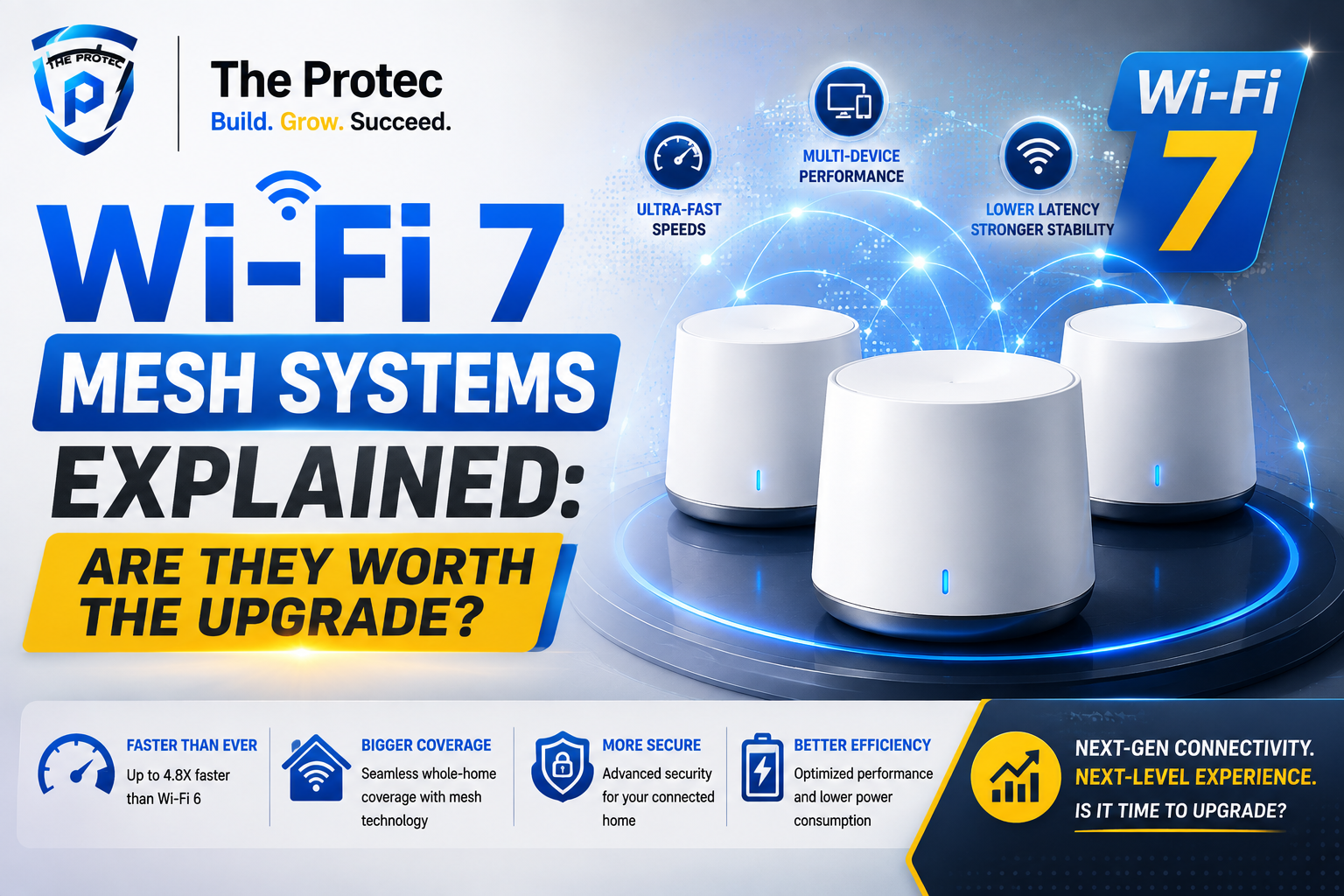
To understand Wi-Fi 8, it helps to start with Wi-Fi 7. Also known as IEEE 802.11be, Wi-Fi 7 is the current high-end standard designed to push wireless LAN performance well beyond Wi-Fi 6 and Wi-Fi 6E. Its biggest improvements include much wider 320 MHz channels in the 6 GHz band, 4K-QAM for higher data density, and multi-link operation, which allows compatible devices to use multiple bands or links more intelligently.
In practical terms, Wi-Fi 7 can deliver extremely high peak speeds, lower latency for gaming and real-time collaboration, and better handling of multiple simultaneous streams. For a home user, that means smoother 4K or 8K streaming, faster large-file transfers, and less lag when several devices are active. For businesses, it can support denser deployments and more demanding applications such as AR/VR, edge computing, and cloud-based workflows.
Still, Wi-Fi 7 does not eliminate every pain point. Real-world performance still depends on congestion, interference, router placement, client support, and whether devices can actually use the newest features. That is where Wi-Fi 8 is expected to make the next jump.
What Is Wi-Fi 8 Expected to Improve?
Wi-Fi 8, based on the upcoming IEEE 802.11bn direction, is widely expected to prioritize what engineers are calling more reliable or more predictable wireless performance. Rather than chasing the biggest possible peak throughput, the goal appears to be improving the user experience when conditions are imperfect. That includes reducing latency spikes, minimizing packet loss, improving roaming, and keeping performance steady when many clients compete for airtime.
1. Better reliability in dense environments
One of the most important promises of Wi-Fi 8 is improved performance in crowded settings. Homes increasingly have smart TVs, cameras, speakers, tablets, laptops, wearables, and appliances all connected at once. Offices have far more wireless devices than they did just a few years ago. Wi-Fi 8 is expected to improve coordination in these environments so that devices are less likely to step on each other.
2. More stable latency
Wi-Fi 7 already reduced delay significantly for many applications, but latency consistency remains a challenge. A network can be fast on average and still feel sluggish if latency jumps around. Wi-Fi 8 is expected to target those spikes, which matters for video calls, cloud gaming, industrial automation, telemedicine, and collaboration tools. In other words, it is about making wireless feel wired-like in the moments that matter.
3. Smarter use of spectrum
Spectrum is a limited resource, and the more devices share it, the harder it is to maintain clean performance. Wi-Fi 8 is expected to improve spectrum efficiency through smarter scheduling and coordination features. That could help networks deliver steadier performance without needing users to constantly fiddle with settings or add more access points.
4. Improved roaming and mobility
In larger spaces, movement between access points can create brief interruptions. Wi-Fi 8 is likely to improve transitions so devices can move from one coverage area to another with less disruption. That is useful in enterprise environments, but it also matters in modern homes and apartments that rely on mesh systems.
Wi-Fi 8 vs Wi-Fi 7: The Real Difference
When people compare Wi-Fi 8 vs Wi-Fi 7, they often expect Wi-Fi 8 to simply be “Wi-Fi 7, but faster.” That is not the likely story. Wi-Fi 7 was the performance leap. Wi-Fi 8 is expected to be the refinement layer that makes wireless more dependable under stress.
Think of it this way:
- Wi-Fi 7 is about higher ceiling performance: more bandwidth, wider channels, and lower latency potential.
- Wi-Fi 8 is about better floor performance: fewer drops, more consistency, and smoother behavior when the network is busy.
That distinction matters because most users do not live in lab conditions. A theoretical top speed is nice, but a network that holds up during a video call while backups run in the background is more valuable day to day.
Wi-Fi 7 will likely remain excellent for people who want top-end wireless throughput and own devices that can take advantage of it. Wi-Fi 8, by contrast, may be the better choice where reliability, density, and predictability are the main priorities. That makes it especially interesting for businesses, campuses, retail spaces, healthcare, and high-end smart homes.
What Hardware Support Will Wi-Fi 8 Require?
As with every new wireless standard, hardware support will be the gatekeeper. A Wi-Fi 8 router alone will not magically upgrade older phones or laptops. You will need compatible access points, client devices, and likely updated network infrastructure to unlock the standard’s benefits.
Based on how wireless transitions usually happen, early Wi-Fi 8 support will likely appear first in premium enterprise access points and flagship consumer routers, followed by laptops, smartphones, and mesh systems. The first wave of compatible client devices may arrive before the standard is fully mainstream, but broad ecosystem adoption will take time.
There are also practical considerations beyond the router itself:
- Client support: Your phone, laptop, tablet, and IoT devices need Wi-Fi 8 radios to benefit fully.
- Backhaul and switching: Businesses may need faster wired infrastructure to keep wireless gains from being bottlenecked upstream.
- Mesh compatibility: Home and small-business mesh systems may need whole-system upgrades rather than a single-device swap.
- Power and thermal design: Newer radios and advanced coordination features can raise hardware complexity, especially in compact devices.
For a concise standards overview, the IEEE 802.11 working group tracks wireless LAN development here: IEEE 802.11 Working Group. For a practical look at the current generation, the Wi-Fi Alliance’s Wi-Fi CERTIFIED 7 information is also useful: Wi-Fi Alliance Wi-Fi CERTIFIED 7.
Expected Real-World Performance: What Users Will Notice
Most people will not measure Wi-Fi 8 by looking at raw numbers. They will notice it in everyday behavior. The best wireless upgrade is the one that disappears into the background.
Home users
In a typical home, Wi-Fi 8 may make network performance feel more even across the house. That means fewer slowdowns when several people are streaming, gaming, working, and backing up photos at the same time. Homes with many smart devices should also benefit from better airtime coordination and lower contention.
Gamers and streamers
Gamers care about jitter almost as much as latency. A network can have good average latency and still produce frustrating spikes. Wi-Fi 8’s emphasis on consistency could matter more than its peak throughput here. Streamers may also appreciate steadier upstream performance when multiple devices are active.
Small businesses
For small offices, the biggest gain may be fewer complaints. Video calls, cloud apps, wireless printers, and collaboration tools all compete for bandwidth. If Wi-Fi 8 can smooth those interactions, it will reduce the need for constant troubleshooting and support tickets.
Enterprise and industrial settings
This is where Wi-Fi 8 could shine the most. Warehouses, hospitals, campuses, event venues, and manufacturing environments all need predictable wireless. A standard that improves reliability under load may deliver more value than one focused purely on peak speed.
Should You Upgrade to Wi-Fi 8 When It Arrives?
The answer depends on what you use Wi-Fi for and how painful your current network problems are. In many cases, upgrading immediately will not be necessary. Wi-Fi 7 is already extremely capable, and for users with a stable network, the jump to Wi-Fi 8 may not feel urgent.
Upgrade early if you are in one of these groups:
- Businesses running dense wireless environments
- Organizations that need low-jitter, mission-critical connectivity
- Users building a new network from scratch
- Homes with many devices and frequent congestion
- IT teams standardizing on the latest infrastructure cycle
Wait if you fall into these groups:
- Your current Wi-Fi 7 or Wi-Fi 6E network is already stable
- Your internet service speed is the main bottleneck, not your LAN
- Your devices do not yet support newer standards
- You recently invested in a quality mesh or access point system
One of the biggest mistakes buyers make is upgrading wireless hardware too early without a clear use case. If your broadband connection maxes out at a modest speed, a flagship Wi-Fi 8 router will not suddenly make everything faster. Likewise, if your devices are old, the gains may be limited. The best upgrade decisions come from matching the network to real workloads.
Wi-Fi 8 Adoption Timeline: What to Expect
As of now, Wi-Fi 8 is best viewed as an emerging standard with early engineering momentum rather than a mass-market product category. That means adoption will likely happen in stages. First, you will see announcements and prototype demonstrations. Then enterprise and premium consumer hardware. After that, broader support across laptops, phones, and mesh systems. Mainstream adoption usually takes longer than the marketing cycle suggests.
That timeline matters because network technology only becomes truly useful when the ecosystem catches up. If just one device in your environment supports Wi-Fi 8, you will not experience the full benefit. The standard’s value grows as more endpoints, access points, and network management tools support the same features.
The Bottom Line on Wi-Fi 8 vs Wi-Fi 7
Wi-Fi 8 vs Wi-Fi 7 is not a simple speed contest. Wi-Fi 7 is the standard that delivered a major performance leap. Wi-Fi 8 is shaping up to be the standard that makes wireless more dependable, especially in busy, complex, and high-stakes environments. That is a meaningful upgrade, but not necessarily one that every consumer needs immediately.
If you are a home user with a solid Wi-Fi 7 setup, there is no reason to rush. If you are a business owner, IT leader, or power user facing congestion, roaming issues, or latency-sensitive workloads, Wi-Fi 8 could become a very compelling next generation Wi-Fi investment once hardware becomes widely available and interoperable.
The smartest approach is to watch how the ecosystem develops, evaluate your actual network pain points, and upgrade when the new standard solves a problem you already have. That is usually the best reason to adopt any new wireless generation.
FAQ
Is Wi-Fi 8 faster than Wi-Fi 7?
Wi-Fi 8 may improve peak performance in some scenarios, but its biggest value is expected to be better reliability, lower latency spikes, and more consistent behavior under load. Wi-Fi 7 is already the stronger standard for headline speed gains.
Will Wi-Fi 8 work with older devices?
Yes, Wi-Fi 8 routers and access points will still support older Wi-Fi devices through backward compatibility. However, older devices will not benefit from Wi-Fi 8-specific features unless they also have compatible radios and software support.
Should businesses wait for Wi-Fi 8 instead of buying Wi-Fi 7?
Usually no, unless the business is planning a major deployment and can wait for the new ecosystem to mature. Wi-Fi 7 is already excellent for most enterprise use cases. Businesses with dense, latency-sensitive, or mission-critical wireless needs may evaluate Wi-Fi 8 later, once hardware and management tools are proven.
Will Wi-Fi 8 replace Wi-Fi 7 quickly?
No. Wi-Fi standards typically coexist for many years. Wi-Fi 7 will remain relevant well after Wi-Fi 8 arrives, especially because device replacement cycles are gradual and many networks will not need immediate upgrades.
What is the biggest reason to upgrade to Wi-Fi 8?
The biggest reason will likely be improved consistency in challenging environments. If your network suffers from congestion, jitter, roaming problems, or unstable performance when many devices are active, Wi-Fi 8 may offer a meaningful improvement.