






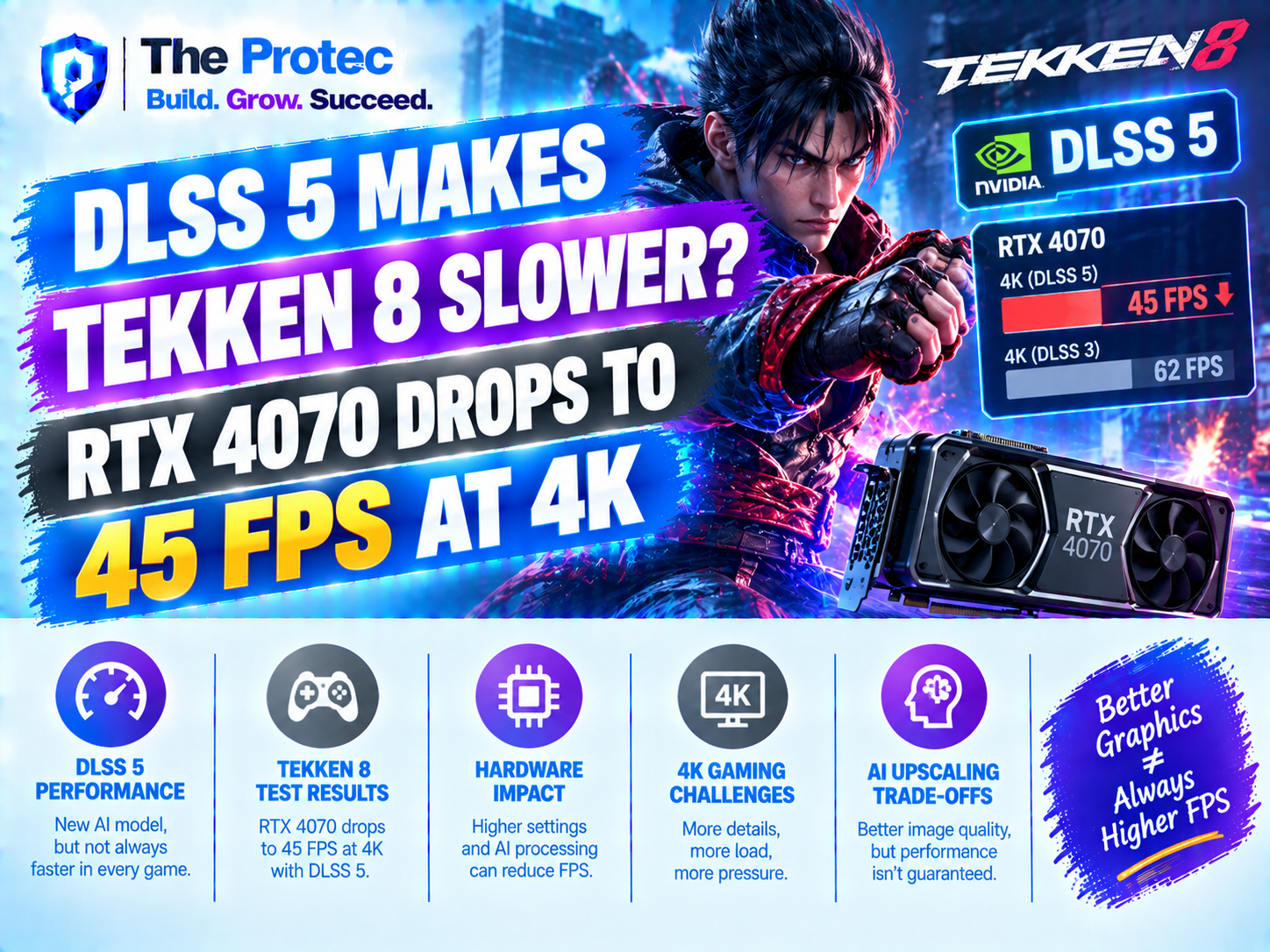
DLSS 5 is normally associated with higher frame rates, but an experimental Tekken 8 test has produced the opposite result. With the game running at 4K on an RTX 4070, performance reportedly fell from a locked 60 frames per second to approximately 44–47 FPS after an unofficial DLSS 5 neural rendering mode was enabled through the OptiScaler add-on. The average hovered near 45 FPS—a substantial loss for any game and a particularly serious one for a fighting game built around a 60-FPS target.
The result has understandably raised questions about DLSS 5 performance. If NVIDIA’s latest AI graphics technology is supposed to improve rendering, why would it make Tekken 8 slower? The short answer is that this test is not a conventional DLSS upscaling benchmark. It uses an experimental, unofficial path that adds AI-generated lighting, material and character enhancements to an already demanding game. Those improvements require additional GPU work rather than simply reconstructing a lower-resolution image.
There is also an essential distinction: this is not an official NVIDIA DLSS 5 benchmark on supported RTX 4070 hardware. NVIDIA describes DLSS 5 as 3D-Guided Neural Rendering, initially targeting RTX 50-series GPUs. RTX 40-series support is planned after further optimization. The OptiScaler result is useful as an early technical experiment, but it cannot represent the final performance, image quality or compatibility of NVIDIA’s official implementation.
What Happened in the DLSS 5 Tekken 8 Test?
The reported Tekken 8 DLSS 5 test used an RTX 4070 at 4K. Before the experimental neural rendering option was activated, Tekken 8 held its expected 60-FPS ceiling. After activation through OptiScaler, the frame rate moved between roughly 44 and 47 FPS, with an average close to 45 FPS.
That is a reduction of about 25 percent from the 60-FPS baseline. Frame time provides an even clearer view of the change. At 60 FPS, the GPU has approximately 16.67 milliseconds to produce each frame. At 45 FPS, that rises to 22.22 milliseconds. The system therefore needed about 5.55 milliseconds more per frame after the experimental effects were introduced.
- Baseline performance: locked 60 FPS
- Experimental DLSS 5 performance: approximately 44–47 FPS
- Average observed performance: around 45 FPS
- Approximate performance reduction: 25 percent
- Resolution: 4K on an RTX 4070
Those numbers make the DLSS 5 FPS drop easy to quantify, but they do not reveal the complete cause. A trustworthy DLSS 5 performance test would also document the game’s graphics settings, internal rendering resolution, GPU power behavior, driver version, OptiScaler build, neural model, system specifications and repeatability across several stages and characters. Without that information, the result should be treated as an early demonstration rather than a definitive product review.
Why Neural Rendering Can Make a Game Slower
Traditional DLSS Super Resolution improves performance by rendering a game below the output resolution and using a neural network to reconstruct a sharper image. Because fewer pixels are rendered conventionally, the saved GPU time can exceed the cost of the reconstruction pass. That familiar model is why many players expect every feature carrying the DLSS name to increase FPS.
DLSS 5 neural rendering has a broader objective. Instead of focusing only on image reconstruction, 3D-guided neural techniques can use game data such as depth, motion vectors, surface properties and scene geometry to synthesize or refine parts of the final presentation. The experimental Tekken 8 implementation reportedly applies AI-generated improvements to lighting, materials and character detail.
Each enhancement has a computational price. Neural inference consumes Tensor Core resources, memory bandwidth and frame time. Preparing the input buffers, executing the model and integrating its output into the final frame can also create overhead. If the neural workload costs more than the rendering work it replaces—or if it is added on top of the existing rendering pipeline—performance falls.
This explains why AI rendering in gaming is not automatically a speed boost. Neural rendering can prioritize image quality, realism or asset enhancement instead of raw throughput. In the OptiScaler test, the RTX 4070 appears to be processing an additional visual workload at 4K rather than receiving the full benefit of a deeply integrated rendering replacement.
Why 4K Is Especially Demanding for the RTX 4070
RTX 4070 4K gaming frequently depends on optimized settings and reconstruction because 4K contains more than 8.2 million output pixels. Neural effects operating at or near the output resolution may require larger buffers and more processing than they do at 1440p. Tekken 8 also has detailed fighters, animated clothing, complex materials, effects and dynamic stages competing for GPU resources.
The RTX 4070 includes Tensor Cores for AI workloads, but an experimental model may not be optimized for its architecture, memory subsystem or available compute budget. A neural rendering pipeline tuned first for RTX 50-series hardware could therefore impose a disproportionate cost on an RTX 40-series card.
Why a 45-FPS Result Is Different in Tekken 8
A decline from 60 to 45 FPS is noticeable in most games. In Tekken 8, it can directly conflict with the game’s design. Competitive fighting games operate around a fixed 60-FPS update cadence. Move startup, recovery, hit confirmation, animation timing and player inputs are all presented within that rhythm.
When Tekken 8 cannot sustain its target, the issue is not merely that motion looks less fluid. Depending on how the game handles missed frame budgets, players may experience visible slowdown, uneven frame pacing or delayed visual feedback. Inputs can feel less responsive because a 45-FPS frame lasts about 22.22 milliseconds instead of 16.67 milliseconds. Even if the underlying input system attempts to preserve consistency, unstable presentation makes precise reactions and timing more difficult.
This is why the Tekken 8 RTX 4070 result cannot be evaluated like a cinematic single-player game where 45 FPS might remain acceptable. A stable 60 FPS should take priority over optional visual improvements in competitive play. Better skin shading, clothing materials or arena lighting cannot compensate for inconsistent match speed and responsiveness.
Frame Generation Would Not Fix the Core Problem
Frame generation can create additional displayed frames between conventionally rendered ones, but it does not raise the underlying game simulation rate. It can improve perceived smoothness while adding processing overhead and potentially increasing latency. If Tekken 8 is internally rendering at about 45 FPS, generated frames do not turn that base performance into the same experience as a native, stable 60 FPS.
DLSS 5 latency is therefore an important concern. A useful implementation must fit inside Tekken 8’s frame-time budget without compromising the responsiveness expected from a competitive fighter. NVIDIA Reflex or other latency controls may reduce parts of the pipeline delay, but they cannot erase an excessively expensive neural rendering pass.
OptiScaler Is Not NVIDIA’s Official DLSS 5 Implementation
OptiScaler is a community-developed compatibility and experimentation tool that can redirect or substitute upscaling technologies in supported games. More information about the project is available through the OptiScaler GitHub repository. It gives enthusiasts a way to test features outside a game’s original integration, but that flexibility should not be confused with native developer support.
A mod or add-on does not have the same access, validation or optimization opportunities as a rendering feature integrated into the engine by the game developer and NVIDIA. It may rely on incomplete buffers, generalized hooks, extra conversion steps or settings that do not match the intended model. Any one of those factors could increase overhead or reduce image stability.
As of September 2026, NVIDIA’s official positioning describes DLSS 5 as 3D-Guided Neural Rendering, with initial deployment aimed at RTX 50-series hardware. Support for RTX 40-series GPUs is planned after optimization. NVIDIA’s broader explanation of the DLSS platform can be found on its official DLSS technology page.
Consequently, the headline “RTX 4070 DLSS 5 performance drops to 45 FPS” needs a qualifier: it describes an unofficial OptiScaler experiment, not a finalized NVIDIA feature running through a native Tekken 8 update. It does not prove that official DLSS 5 gaming performance will produce the same reduction on an RTX 4070.
What a Proper DLSS 5 Benchmark Should Measure
A complete DLSS 5 benchmark for the RTX 4070 should compare more than a single FPS counter. It should capture average frame rate, 1% lows, frame-time consistency, input latency, GPU utilization, VRAM allocation, power consumption and image quality. Testing should also cover multiple arenas, character combinations and particle-heavy situations.
Useful comparisons would include native 4K, standard DLSS Super Resolution, the neural rendering mode by itself and combinations with supported latency features. Each run should use the same camera sequence or replay to reduce variation. Image comparisons should examine hair, facial detail, fabric, reflective surfaces, shadows and temporal stability during rapid movement.
Most importantly, the test should separate upscaling from neural enhancement. If DLSS Super Resolution saves four milliseconds but enhanced lighting and materials consume nine milliseconds, grouping everything under one “DLSS 5” label hides what is actually happening. Feature-level measurements would show whether the quality gain justifies the cost and which component needs optimization.
What This Means for RTX 4070 Owners
The experimental result is interesting because it demonstrates the changing role of NVIDIA AI graphics. DLSS is expanding beyond resolution reconstruction toward neural rendering that can alter how lighting, materials and detailed assets are produced. That transition may deliver major visual gains, but early implementations will not always be faster.
RTX 4070 owners should not interpret the Tekken 8 test as evidence that their card is losing ordinary DLSS functionality. Existing, officially supported DLSS modes remain separate from this experiment. Nor should users install an unofficial add-on expecting a competitive advantage. For Tekken 8 4K performance, maintaining a locked 60 FPS remains the practical priority.
The more meaningful test will come when NVIDIA and game developers release an optimized RTX 40-series implementation. Native engine access, architecture-specific tuning and adjustable quality levels could significantly change the performance equation. Until then, the 45-FPS result is best viewed as a preview of neural rendering’s computational demands—not a final verdict on DLSS 5.
Frequently Asked Questions
Does DLSS 5 make Tekken 8 slower on every GPU?
No. The reported slowdown comes from an unofficial OptiScaler test on an RTX 4070 at 4K. It does not establish performance on every GPU, resolution or quality setting, and it does not represent a native NVIDIA or Tekken 8 implementation.
Why did the RTX 4070 drop from 60 to about 45 FPS?
The experimental mode added neural rendering work involving lighting, materials and character detail. That extra AI workload appears to have exceeded any rendering time saved, increasing average frame time from about 16.67 milliseconds to roughly 22.22 milliseconds.
Is DLSS 5 officially supported on the RTX 4070?
NVIDIA’s official 3D-Guided Neural Rendering rollout initially targets RTX 50-series hardware. RTX 40-series support is planned after optimization, so the OptiScaler demonstration should not be treated as official RTX 4070 support.
Is 45 FPS playable in Tekken 8?
It may remain visually playable for casual experimentation, but it is below Tekken 8’s required 60-FPS target. The lower and potentially unstable frame rate can affect visual timing, responsiveness and the consistency needed for competitive matches.
Will the final RTX 4070 implementation perform better?
It could, but performance cannot be guaranteed before release and testing. Native game integration, optimized neural models and RTX 40-specific tuning may reduce the overhead considerably. Controlled benchmarks will be necessary to determine whether the final balance of visual quality, latency and FPS is worthwhile.