






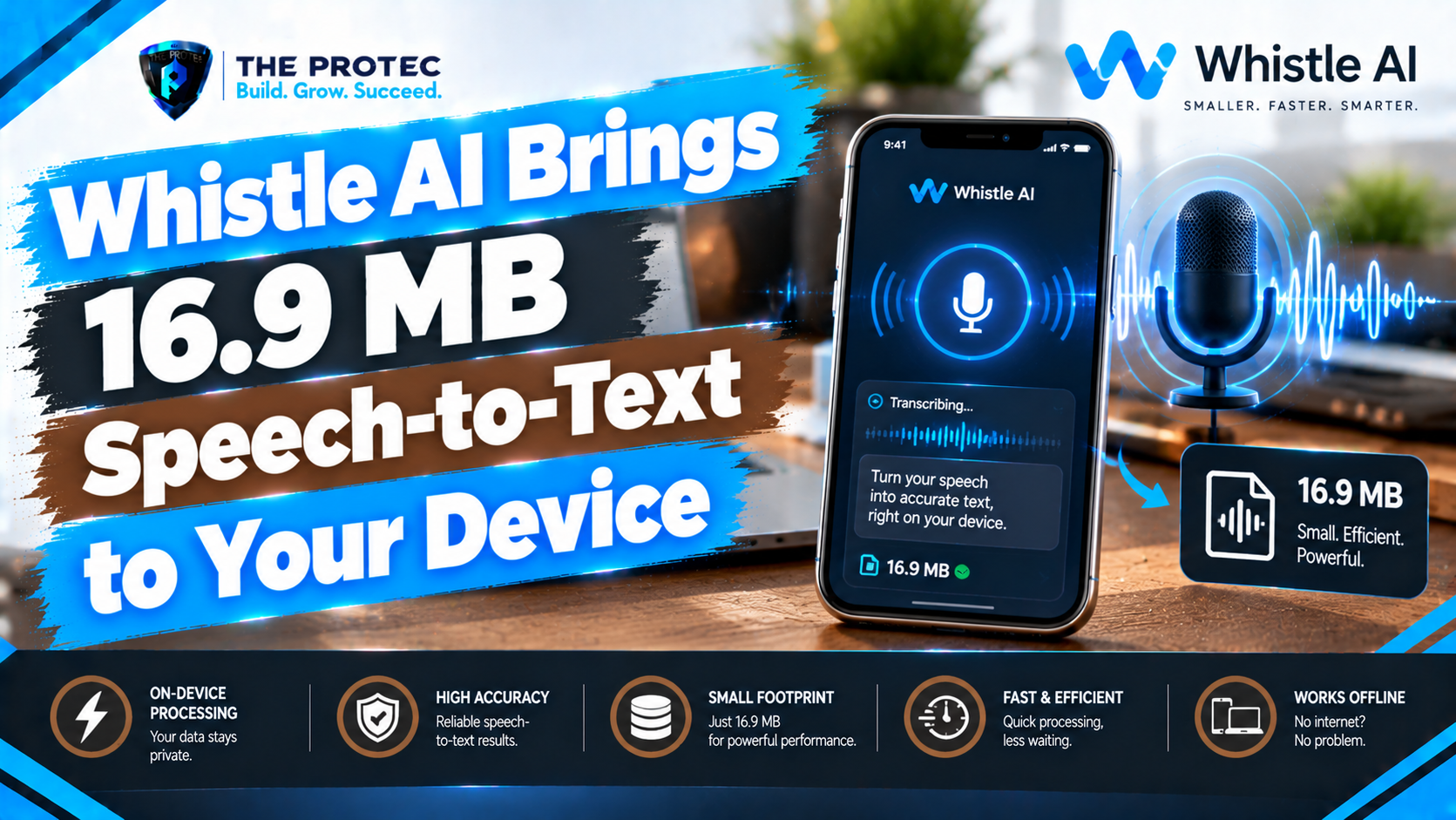
Cloud transcription is convenient, but it comes with trade-offs. Audio must leave the device, an internet connection is usually required, network delays can interrupt the experience, and recurring API charges can add up. Cactus Compute is challenging that model with Whistle AI, a remarkably compact speech-recognition system designed to turn audio into text directly on everyday hardware.
The reported size of the Whistle AI model is just 16.9 MB. That makes it small enough for browsers, mobile applications, desktop utilities and edge AI devices where a conventional speech model might be impractical. Despite its size, Whistle supports seven languages and is being positioned against better-known systems such as Whisper base and Moonshine tiny v2.
Whistle does not make cloud transcription obsolete, and a small local model cannot match every capability of a large hosted platform. Its significance is more practical: useful speech recognition no longer has to require a data-center GPU, a permanent connection or sending every recording to a third party. As AI development increasingly moves from centralized servers to laptops, phones and embedded devices, Whistle is an important example of how small models could broaden access to transcription technology.
What Is Cactus Compute Whistle?
Whistle is an open-source speech-to-text model from Cactus Compute, a company focused on running AI locally across consumer and edge hardware. The model converts spoken audio into written text while keeping inference on the device rather than relying on a remote transcription API.
At 16.9 MB, Whistle is much smaller than most general-purpose automatic speech recognition systems. Its compact footprint can shorten downloads, reduce storage requirements and make deployment more realistic in applications that cannot reserve hundreds of megabytes for one AI feature.
The Whistle speech-to-text model currently covers seven languages:
- English
- Spanish
- French
- German
- Italian
- Portuguese
- Dutch
This is not the extensive language catalog available from some cloud platforms or larger multilingual models. It is nevertheless a practical selection for a lightweight speech recognition model, particularly for developers building products for European and American markets. Language support should also be interpreted narrowly: recognizing a language does not mean every accent, dialect or specialized vocabulary will perform equally well.
Why a 16.9 MB Speech-to-Text Model Matters
Model size directly affects where AI can run. Large speech systems may require substantial memory, long downloads, specialized acceleration or server infrastructure. A small AI speech model can be shipped with an application, cached by a browser or installed on a low-power device without dominating its storage budget.
Whistle’s 16.9 MB file size does not mean it uses only 16.9 MB of memory while operating. An inference runtime also needs memory for audio buffers, intermediate calculations, token processing and application logic. Even so, the model’s compact weights make it considerably easier to deploy than systems whose files run into hundreds of megabytes or more.
The practical advantages of on-device speech-to-text include:
- Less network dependence: Once the model and required runtime are available locally, transcription can continue without a stable internet connection.
- Lower latency: Applications can avoid uploading an audio file and waiting for a remote service to respond.
- Predictable costs: Local inference avoids per-minute transcription fees, although development, device and maintenance costs still apply.
- Data control: Raw recordings can remain on the user’s device when the application is correctly designed.
- Broader deployment: Compact models can fit into mobile apps, browser tools and edge AI products with limited resources.
These benefits align with a broader technology trend toward local AI. Phones and personal computers increasingly include neural processing hardware, browsers offer more capable execution environments, and developers are looking for alternatives to sending every prompt, image and recording to the cloud.
Whistle vs Whisper Base and Moonshine Tiny v2
Cactus Compute’s published Whistle AI benchmark compares the model with Whisper base and Moonshine tiny v2. The company’s results position Whistle as competitive on its selected evaluation data while using a significantly smaller model package. In the published comparison, Whistle records a lower aggregate word error rate than the two comparison models across the chosen multilingual test material.
Word error rate, or WER, measures substitutions, deletions and insertions relative to a reference transcript. Lower is better, but a single WER result should not be treated as a universal ranking. Results can change materially with the dataset, language mix, punctuation rules, audio normalization and decoding settings.
Whisper base has approximately 74 million parameters and benefits from the broader Whisper ecosystem. It supports many languages, has been tested across a wide variety of conditions and offers mature integrations. Its conventional weight files are also far larger than Whistle’s 16.9 MB package. For developers who need broad language coverage or established tooling, that additional size may be justified.
Moonshine tiny v2 is another efficiency-oriented speech model designed for resource-conscious and streaming scenarios. It offers a relevant comparison because it also targets applications where speed and local execution matter. Whistle’s published results suggest that a still smaller multilingual model can be useful, but artifact sizes, quantization formats and runtime configurations should be checked before making direct storage comparisons.
Developers evaluating Whistle vs Whisper base or Whistle vs Moonshine tiny v2 should run their own representative tests. A benchmark based on clean, short recordings may not predict performance in a moving vehicle, a crowded meeting room or a call with compressed audio. Accuracy can vary according to:
- Speaker accent, pace and pronunciation
- Background noise, echo and microphone distance
- Language and code-switching between languages
- Domain-specific names, acronyms and technical terms
- Audio sample rate, compression and channel layout
- Clip duration and segmentation method
- Text normalization and benchmark scoring rules
Cactus Compute’s numbers are promising evidence, not a guarantee that Whistle will beat larger systems in every application. Independent evaluation on real product data remains essential.
Hardware Requirements and Short-Clip Limitations
Whistle is intended to run on ordinary CPUs and compatible local AI runtimes rather than requiring a dedicated cloud GPU. A modern laptop or desktop should be the easiest testing environment, while current mobile and edge processors may also be suitable when supported by the surrounding application stack.
Performance depends on more than the model file. Processor architecture, available memory, browser engine, runtime optimization and audio length all influence transcription speed. A lightweight model can run locally without necessarily running at the same speed on every device.
Whistle is currently best understood as a short-form transcription model. Its demos and workflow emphasize bounded audio clips rather than uninterrupted, hour-long recordings. Long meetings, lectures and interviews may need to be divided into shorter segments before transcription. Applications must then handle overlap, timestamps, sentence boundaries and context between chunks.
This is an important trade-off. A full cloud transcription platform may provide speaker separation, long-file processing, searchable timestamps, custom vocabulary and automatic summaries. Whistle supplies a compact recognition engine, not an entire meeting-intelligence service. Developers must build any additional recording, segmentation, storage and editing experience around it.
How to Test Whistle in a Browser
The fastest way to explore Whistle is through the project’s interactive browser demo. Depending on browser permissions and the current demo interface, users can record a short sample or provide supported audio for transcription.
A useful hands-on test should go beyond reading one sentence in a quiet room. Try several speakers, natural pauses, numbers, proper names and moderate background noise. If multilingual speech recognition matters, record native speakers in every language the intended product will support.
When reviewing results, look for more than obvious spelling errors. Check whether short function words disappear, repeated phrases are duplicated, numbers are rendered correctly and sentence endings survive pauses. Browser-based speech recognition performance can also differ between a powerful desktop and a low-memory phone, so the final target device should be part of the test.
Users should confirm that inference is actually local by consulting the demo documentation and inspecting network activity where appropriate. A web interface can run a model in the browser, but the presence of a browser alone does not prove that no audio is transmitted.
Using Whistle for Python Speech-to-Text
Developers can use the project’s official Whistle repository to review setup instructions, dependencies, model artifacts and the current Python interface. Because open-source APIs can change, the repository’s documented installation process should take priority over copied commands from older articles.
A typical Python speech-to-text workflow involves five steps:
- Create an isolated Python environment and install the dependencies specified by the project.
- Download or load the official Whistle AI model artifact.
- Capture audio or read a supported file into the application.
- Convert the recording to the sample rate, channel format and data type required by the model.
- Run transcription locally and pass the returned text to the application interface or storage layer.
Production integrations need additional engineering. Audio should be segmented safely, malformed files must be rejected, and the interface should indicate when recognition confidence may be low. Developers should also measure startup time, peak memory, real-time factor and battery consumption rather than evaluating only transcript accuracy.
For offline AI transcription software, model packaging deserves particular attention. An app can bundle the model for immediate offline use or download it after installation. Bundling improves availability but increases application size; downloading keeps the initial package smaller but means the first setup still requires connectivity.
Where Local AI Transcription Could Be Useful
Private meeting notes
A local speech recognition model can create rough meeting notes without uploading the original recording. This is attractive for internal discussions, early product ideas and conversations subject to organizational data policies. Whistle’s short-clip design means a meeting recorder would need robust chunking and possibly a separate system for speaker labels.
Mobile voice interfaces
Mobile apps can use on-device speech-to-text for search boxes, form entry, commands and short messages. Local processing can make the interface responsive in areas with unreliable connectivity while avoiding a round trip to a transcription server.
Accessibility features
Whistle could support captions, dictation and communication aids on compatible hardware. Accessibility products require extensive testing, however, because recognition errors can have a greater impact on users who depend on the output. Supported languages and accents must be evaluated directly.
Edge AI devices
Kiosks, appliances, wearables and industrial devices often have limited storage and intermittent internet access. A 16.9 MB speech-to-text model can enable simple voice control or local event transcription without maintaining a continuous cloud connection.
Developer prototypes
Teams can add a transcription proof of concept without first configuring API keys, usage limits and backend audio uploads. An open-source speech-to-text model also makes it easier to inspect the processing pipeline and test it under controlled conditions.
Local Processing Is Not a Blanket Privacy Guarantee
Whistle is relevant to privacy-focused speech recognition because local inference can keep raw audio away from cloud transcription providers. That removes one important avenue of data exposure, but “runs on device” is not equivalent to “automatically private and secure.”
An application might still upload analytics, synchronize transcripts, retain recordings indefinitely or expose files through weak device security. Browser extensions, malware, operating-system backups and third-party software development kits can also affect confidentiality. If sensitive speech is involved, developers should verify the complete data flow, encrypt stored content, minimize retention and provide clear deletion controls.
The model’s open-source availability improves inspectability, but users must still assess the runtime, dependencies, application code and model distribution channel. Privacy is a property of the entire system, not merely the location where inference occurs.
Can Tiny Speech Models Replace Cloud Transcription?
For short commands, notes and structured voice interactions, Whistle shows why AI transcription without cloud services is becoming practical. Its small download, local operation and multilingual coverage can lower the barrier to adding speech recognition to ordinary devices.
Cloud systems retain advantages for long recordings, large language catalogs, speaker diarization, centralized management and consistently heavy workloads. They can allocate powerful hardware on demand and combine recognition with summarization, translation and collaboration tools. Local systems instead prioritize control, availability and marginal cost.
The likely future is not purely local or purely cloud-based. Hybrid applications can transcribe routine audio on the device and request server processing only when users opt in or when a task exceeds local capability. Whistle makes that design more accessible by placing a useful recognition layer inside a package measured in megabytes rather than gigabytes.
Frequently Asked Questions
What is Whistle AI?
Whistle AI is a compact, open-source speech recognition model from Cactus Compute. It is designed to convert speech into text locally and has a reported model size of 16.9 MB.
Can Whistle transcribe speech without internet access?
Yes, the model can perform speech recognition without internet access after the required model files and runtime are installed locally. A browser demo or application may still need connectivity for its initial download.
Is Whistle more accurate than Whisper base?
Cactus Compute’s published benchmark positions Whistle ahead of Whisper base on the company’s selected evaluation setup. That does not establish universal superiority. Accuracy depends on language, dataset, noise, clip length, decoding settings and the way errors are scored.
Does Whistle guarantee private transcription?
No. Local processing can prevent audio from being sent to a cloud transcription service, but privacy also depends on application telemetry, file storage, permissions, backups and device security.
Is Whistle suitable for long meetings?
Whistle is better suited to short clips. Long recordings generally need to be split into segments, and developers must manage context, overlap, timestamps and speaker changes.
Why is the Whistle AI model significant?
Its 16.9 MB footprint demonstrates that multilingual, on-device speech-to-text can be delivered on everyday hardware. That could make transcription more accessible in offline, privacy-sensitive and resource-constrained applications while reducing reliance on paid cloud APIs.