







AI PCs Are Here: What Actually Makes Them Different?
AI PCs are no longer a niche concept or a spec-sheet buzzword. They are the newest class of personal computers built around dedicated AI hardware, on-device intelligence, and software features that can speed up everyday work. If you have seen terms like AI laptops or Copilot Plus PC, you have already seen how quickly the category is moving into the mainstream.
But what is an AI PC, really? At a basic level, it is a laptop or desktop designed to run AI tasks locally with the help of a neural processing unit, or NPU. That hardware shift changes how the machine handles voice commands, image generation, background effects, search, summarization, and productivity tools. It also changes expectations. People are no longer just asking whether a laptop is fast enough to browse, stream, and edit documents. They are asking whether it can help them work smarter, create faster, and keep more data on the device instead of sending everything to the cloud.
That sounds impressive, but the reality is more nuanced. AI PCs can be genuinely useful, yet they are not magic. Some features are polished and practical today; others are still limited by app support, battery tradeoffs, or the quality of the model behind the feature. Understanding the difference matters if you are deciding whether to buy one.
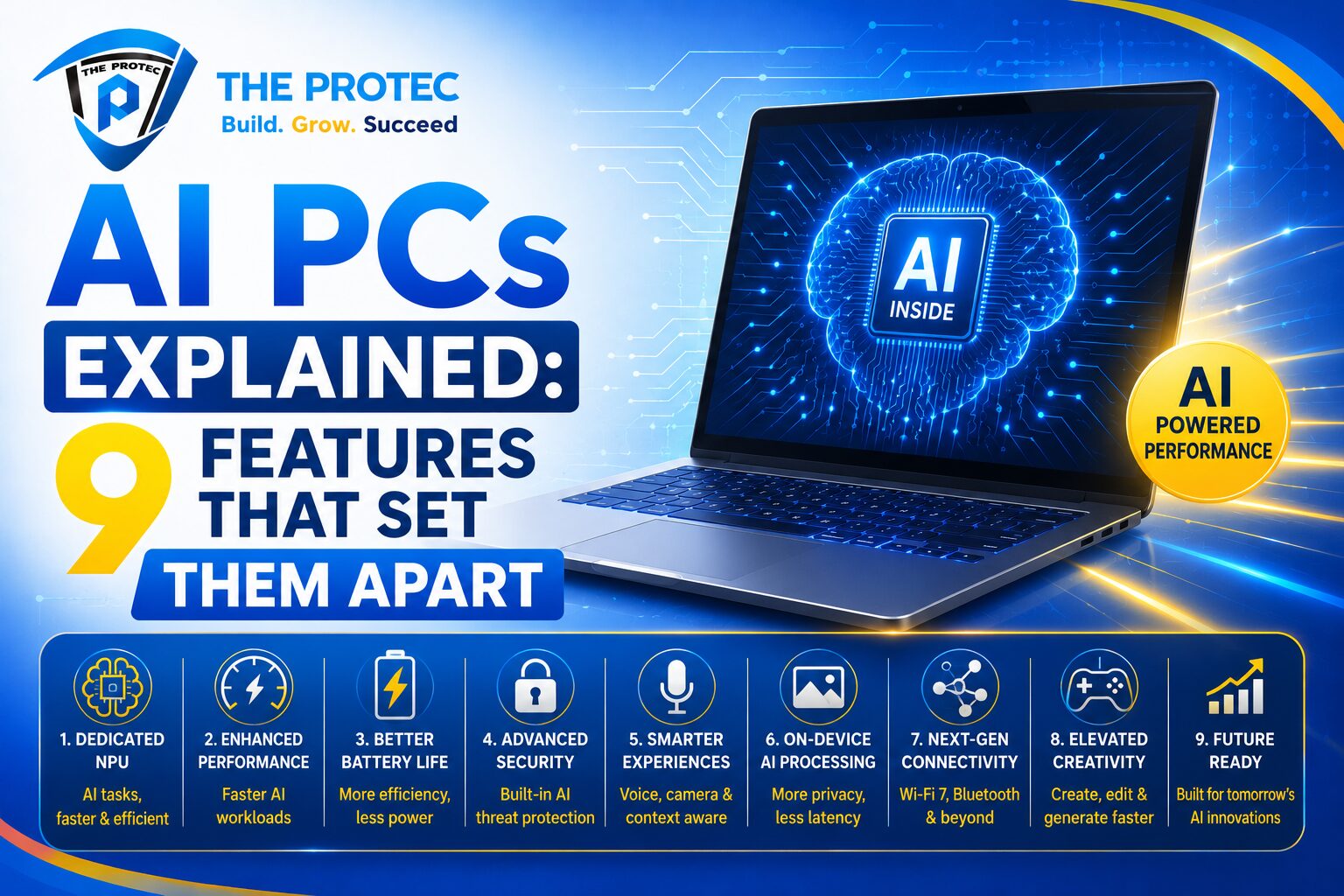
Below are the nine features that truly separate AI PCs from traditional laptops, along with the real-world benefits and limits of each.
1. A Dedicated NPU for AI Workloads
The most important difference between AI PCs and traditional laptops is the presence of an NPU. A traditional laptop depends mainly on the CPU and GPU. An AI PC adds a third processor designed specifically for machine learning and AI inference. That means tasks like background blur, noise removal, real-time transcription, image enhancement, and certain assistant functions can run more efficiently.
This matters because not every AI task needs a powerful graphics chip. NPUs are optimized for sustained low-power AI processing, which helps reduce battery drain and frees up the CPU and GPU for other work. In practice, that can improve responsiveness during video calls, creative tasks, and multitasking.
The limitation is that an NPU does not automatically make every laptop smarter. The experience depends on whether the software is built to use it. A machine can have strong AI hardware and still feel ordinary if the apps do not take advantage of it.
2. On-Device AI Processing
Traditional laptops usually rely on cloud services for advanced AI features. AI PCs are increasingly built to run many of those tasks locally. This on-device processing is one of the biggest practical benefits of the category.
Why does that matter? First, it can improve privacy. Sensitive content such as meeting notes, personal photos, or business documents may never need to leave the device. Second, it can reduce latency. Local AI often responds faster because it does not need to send data to a distant server and wait for a response. Third, it can make features more reliable in places with weak connectivity.
That said, local AI is not always better. Cloud models can be larger and more powerful, so some complex tasks still work better online. Many AI PCs use a hybrid approach, switching between on-device and cloud processing depending on the workload. This balance is where the category is heading, and it is one of the reasons AI laptops feel more practical than earlier “smart” laptop features.
3. Smarter Video Calls and Audio Cleanup
One of the clearest benefits of AI PCs shows up in meetings. Features such as background blur, eye contact correction, automatic framing, noise suppression, and voice enhancement are becoming more common and more refined. On a traditional laptop, these features can consume noticeable CPU resources. On an AI PC, they can be handled more efficiently by the NPU.
In real-world terms, this means fewer dropped frames, less fan noise, and better battery life during long calls. It also makes a difference for remote workers, students, and hybrid teams who spend hours on video platforms each week. Some AI laptops can even improve low-light video or reduce echo in a room without requiring extra hardware.
The limitation is that results vary a lot by platform and app. A polished video enhancement feature in one ecosystem may not work as well in another. Also, while AI can help make you look and sound better, it cannot fix a poor microphone, an underpowered camera, or a noisy environment completely.
4. Built-In Copilot and AI Assistants
Many AI PCs now ship with deeper assistant integration, and the Copilot Plus PC category has pushed this further. Instead of opening a browser and searching manually, users can ask the system to summarize content, draft messages, find files, or generate ideas from natural language prompts.
This is where AI PCs start to feel different in daily use. A good assistant can reduce app switching and save time on repetitive work. For example, you might ask it to summarize a long email thread, turn a rough note into a polished outline, or help locate a document you vaguely remember reading last week.
However, AI assistants are only as useful as their integration. A basic chatbot feels impressive the first few times, then becomes a novelty. A truly useful assistant is embedded into the operating system and understands context. Even then, it can make mistakes, misread intent, or produce generic output. Users still need to verify facts and review anything important before sending or publishing it.
5. Faster Content Creation Tools
AI PCs are increasingly tuned for creators, not just office users. That includes local image generation, background removal, object cleanup, upscaling, style enhancement, and automated captioning. For writers, designers, marketers, and social media teams, these tools can shorten the time between idea and finished draft.
Compared with a traditional laptop, an AI PC can often perform creative assistance more fluidly. You may be able to edit a photo, summarize a transcript, or generate a quick visual concept without waiting on a cloud service. This is especially useful when working on multiple small tasks throughout the day rather than one huge project.
The limitation is quality control. AI can accelerate the first pass, but it does not replace creative judgment. Generated images may have awkward details, summaries may miss nuance, and automated edits can oversimplify the final result. The best use of AI laptops is as an assistant, not a substitute for the creator.
6. Better Battery Efficiency for AI Tasks
Battery life is one of the biggest promises of AI PCs. Because the NPU handles many AI workloads more efficiently than the CPU or GPU, the system can often complete tasks with less power. That matters when you are on the move and need a laptop that can last through a full workday.
It is important, though, to understand what this means in practice. AI features do not magically extend battery life across the board. If you are gaming, rendering video, or streaming at high brightness, the usual battery rules still apply. The real advantage appears when an AI PC is frequently handling small but constant tasks like background effects, transcription, or intelligent search.
For mobile professionals, this efficiency can make a meaningful difference. It can keep the machine cooler, quieter, and more responsive under light-to-moderate AI use. That said, battery life is still shaped by display quality, battery size, CPU choice, and software optimization. A poorly tuned AI laptop can still drain quickly despite having an NPU.
7. More Responsive Multitasking
AI PCs are built for a new kind of multitasking. Instead of only juggling browser tabs and apps, they can run background AI features while you work. On a traditional laptop, that extra workload may compete with your active apps. On an AI PC, the NPU can take on a portion of the load.
This can make the device feel more responsive during real work. You might have a video call running, a document open, a file search in progress, and a transcription tool working in the background without the system feeling as strained. For people who keep dozens of apps and tabs open, that improved balance matters.
Still, multitasking gains depend on the full system, not just the AI branding. RAM, storage speed, CPU design, and thermal management all matter. An AI PC with weak memory or poor cooling may still struggle under pressure. The NPU helps, but it is not a replacement for solid overall hardware.
8. Local Privacy and Data Control
One of the strongest arguments for AI PCs is privacy. When more AI tasks happen on-device, less data has to be transmitted to cloud services. That can be appealing for consumers who care about personal privacy and for businesses that handle sensitive information.
This is especially relevant for note-taking, document summarization, and meeting assistance. A laptop that can process parts of those workflows locally gives users more control over what stays private. It also helps organizations reduce exposure to third-party data handling risks.
Of course, privacy is not automatic. Users still need to read app permissions, understand what data is stored, and know when a feature uses cloud processing. AI PCs improve the foundation, but they do not eliminate the need for good security practices. If privacy is a priority, it is worth checking whether a feature runs locally, remotely, or in a hybrid mode.
9. New Software Experiences Built Around AI
The final difference is broader than hardware: AI PCs are spawning new software experiences. These include semantic search, intelligent file organization, live captions, context-aware suggestions, and workflow automation that feels more conversational than command-based. Traditional laptops can run some of these tools too, but AI PCs are being designed to support them from the start.
This trend is important because it changes how users interact with their devices. Instead of searching by exact filename, you may be able to describe what you remember and let the system find it. Instead of manually cleaning up a transcript, you may be able to ask for a concise summary. Instead of opening several apps to complete a task, you may be able to ask one assistant to orchestrate the workflow.
The challenge is consistency. Not every vendor implements AI features the same way, and not every app supports the same capabilities. Some experiences are impressive and time-saving; others feel like experimental extras. Buyers should focus on the features they will actually use, not the marketing around them.
Should You Buy an AI PC Now?
If you use your laptop for meetings, content creation, note-taking, search, or general productivity, an AI PC can be worth considering. The biggest gains come from better video call performance, faster local assistance, improved battery efficiency for AI tasks, and a smoother experience when working across multiple apps.
If you mostly use your laptop for web browsing, email, and streaming, the benefits may be smaller. In that case, a well-built traditional laptop may still be the smarter purchase, especially if it offers better value. AI hardware is useful, but it should not be the only reason to upgrade.
As the category matures, expect AI laptops and Copilot Plus PC devices to become more common, more capable, and more varied. The best models will combine strong CPUs, efficient NPUs, good battery life, and software that genuinely saves time.
What to Look for When Comparing AI Laptops
If you are shopping for an AI PC, focus on a few practical questions:
- Does the device have a capable NPU, and is it actually used by the software you care about?
- Which AI features run locally, and which depend on the cloud?
- How good is the battery life during real workloads, not just manufacturer claims?
- Does the laptop have enough RAM and storage for multitasking and future software updates?
- Are the AI features useful in your daily workflow, or just impressive in demos?
Those questions will tell you far more than a spec badge alone. A good AI laptop should make your work easier, not just sound advanced on paper.
Conclusion
AI PCs are not just traditional laptops with a new label. They represent a real shift in how personal computers are designed, powered, and used. The addition of an NPU, local AI processing, smarter assistants, better meeting tools, and more efficient multitasking creates genuine advantages for many users. At the same time, the category still has limitations, especially around app support, feature consistency, and the gap between marketing promises and everyday usefulness.
The bottom line is simple: AI PCs are most valuable when they solve practical problems. If they save time, improve privacy, and make your workflow smoother, they are worth serious attention. If not, a traditional laptop may still be the better fit. The best choice depends on how you work, not just how advanced the logo sounds.
FAQ
What is an AI PC?
An AI PC is a computer built with dedicated AI hardware, usually an NPU, to run machine learning tasks more efficiently. It can support local AI features such as transcription, image enhancement, and smarter assistants.
Are AI laptops better than traditional laptops?
They can be better for users who rely on AI-assisted workflows, video calls, and privacy-focused local processing. For simple everyday use, the advantage may be smaller and not worth paying extra for.
What is a Copilot Plus PC?
A Copilot Plus PC is a category of AI PC designed to support advanced AI features and deeper operating system integration. It focuses on local AI performance, long battery life, and modern assistant experiences.
Do AI PCs need internet access?
Not always. Many AI features can run on-device, but some advanced functions still use cloud services. The best experience often combines both local and online processing.
Are AI PCs worth buying now?
They are worth considering if you use productivity tools, meetings, search, or creative apps that benefit from AI features. If your needs are basic, a high-quality traditional laptop may still be the better value.