







Why AI Developer Tools Are Replacing Traditional Workflows
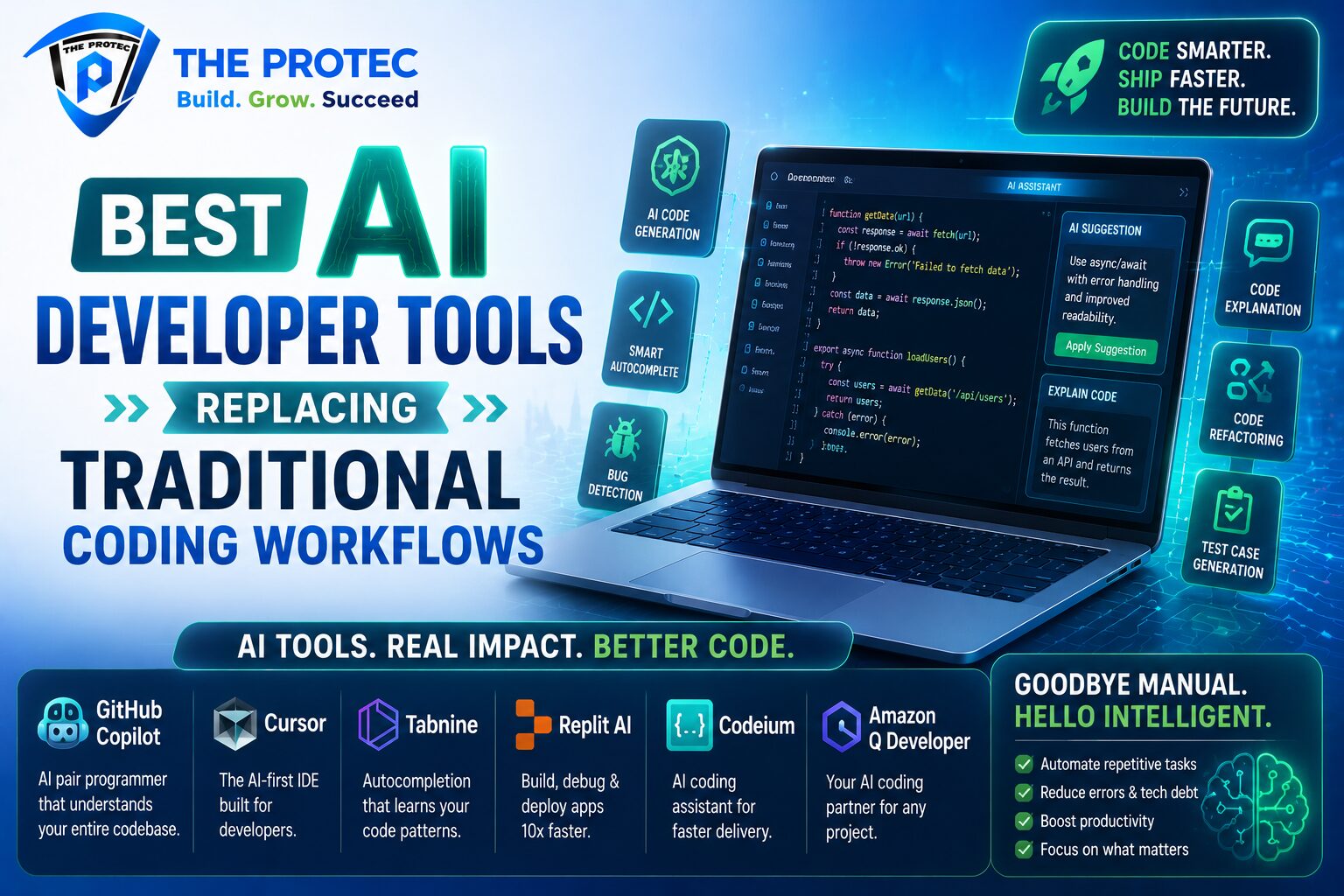
Software development has always evolved alongside better tools, but the current shift is different. AI developer tools are not just speeding up a single task; they are changing the shape of the entire workflow. From writing first drafts of code to generating test cases, explaining bugs, and drafting documentation, AI programming tools are now embedded in daily development work.
What makes this moment important is the scale of adoption. Teams no longer view AI assistance as a novelty. They expect it to improve developer productivity, reduce repetitive effort, and help engineers focus on architecture, product logic, and quality. The best tools do not replace developers; they remove friction from the parts of development that consume time without adding much strategic value.
This article reviews the most useful AI developer tools across coding, testing, debugging, and documentation. It also explains where they fit, what they do well, and why they are increasingly replacing traditional workflows.
What Makes a Great AI Programming Tool
Not every tool with a chatbot interface deserves a place in a modern engineering stack. The strongest AI programming tools share a few traits:
- Context awareness: They understand repository structure, coding style, and project dependencies.
- Reliable output: They produce code or suggestions that are close enough to use, not just impressive in demos.
- Workflow integration: They live inside editors, terminals, pull requests, issue trackers, or documentation systems.
- Security controls: They support privacy, policy enforcement, and enterprise governance.
- Measurable productivity gains: They help teams move faster without increasing technical debt.
In practice, the best tools are not necessarily the most advanced models. They are the ones that fit naturally into developer habits and shorten the distance between an idea and a working result.
AI Coding Assistants That Are Changing Everyday Development
GitHub Copilot
GitHub Copilot remains one of the most widely used AI developer tools because it is deeply embedded in the places developers already work. It helps with code completion, function generation, boilerplate, refactoring suggestions, and even natural-language prompts in supported environments. Its biggest advantage is speed: developers can move from intent to implementation far faster than with manual lookup and repetitive typing.
What makes Copilot especially useful today is its broader workflow support. It is no longer just autocomplete. It can assist with multi-step edits, explain code, and help developers navigate unfamiliar parts of a repository. That makes it valuable for both senior engineers and new team members trying to get productive quickly.
Cursor
Cursor has become a favorite among developers who want an AI-first editor experience. Unlike tools that simply add AI features on top of a traditional IDE, Cursor centers the workflow around conversational code changes, repository-aware assistance, and rapid iteration. Developers can ask it to implement features, update files across a project, or explain how code works in context.
Its appeal lies in how much it reduces switching between tabs, docs, and search results. Instead of piecing together changes manually, developers can guide the editor through the work. For many teams, that has transformed the early stages of implementation and debugging.
Amazon Q Developer
Amazon Q Developer is particularly strong for teams building in AWS environments. It can help generate code, explain cloud-related behavior, recommend fixes, and support infrastructure-aware development. For organizations already using AWS heavily, it can reduce the time spent moving between code, cloud consoles, and documentation.
Its value goes beyond code generation. It supports a broader cloud-native workflow, which is useful when application logic and infrastructure are tightly connected. That makes it a strong option for backend teams, platform engineers, and DevOps-heavy organizations.
Tabnine
Tabnine continues to appeal to teams that want AI assistance with more control over code privacy and deployment options. It focuses on code completion and intelligent suggestions while giving organizations more flexibility around model and environment choices. For enterprises with strict governance requirements, that control can matter as much as raw capability.
Tabnine is a good example of how AI developer tools are maturing. The conversation is no longer just about who can generate the most code. It is about who can do it safely, consistently, and in line with engineering policy.
AI Tools for Testing and Quality Assurance
Testing has historically been one of the most repetitive parts of software development, which makes it a natural fit for AI programming tools. Modern tools are now helping teams create test cases, expand coverage, and identify gaps faster than traditional manual methods.
CodiumAI / Qodo
Qodo, formerly associated with CodiumAI, is designed to generate meaningful tests and help developers reason about code quality. Instead of only creating shallow unit tests, it aims to understand intent and suggest tests that cover important paths, edge cases, and behavior changes.
This is a major shift from traditional test writing. Developers often delay test creation because it takes time to think through scenarios and assertions. AI-assisted testing reduces that burden, making it easier to start with test coverage earlier in the development cycle.
Testim
Testim is widely used for test automation, especially for teams that need stable end-to-end testing with less maintenance overhead. AI helps with element selection, test resilience, and adaptation when interfaces change. That matters because brittle UI tests are one of the biggest frustrations in QA workflows.
Instead of constantly rewriting tests after minor UI updates, teams can rely on smarter automation that adapts more gracefully. That leads to better coverage and less time spent on maintenance.
mabl
mabl brings AI into functional and regression testing with a focus on continuous quality. It helps teams build and run tests across applications while identifying patterns that can improve reliability. For product teams that deploy frequently, this kind of automation is essential.
The broader trend is clear: QA is becoming more predictive and less manual. AI tools are helping teams catch issues earlier and create test suites that evolve with the product instead of lagging behind it.
AI Debugging Tools That Shorten Time to Fix
Debugging is one of the clearest areas where AI can improve developer productivity. Traditional debugging often involves reading logs, searching documentation, reproducing issues, and tracing code paths across several files. AI tools reduce that work by summarizing patterns, explaining likely causes, and suggesting corrective changes.
Sentry AI features
Sentry has expanded beyond error tracking into AI-assisted issue analysis. Instead of only showing stack traces, it helps developers interpret error patterns, connect incidents, and understand what changed. This is especially useful when debugging production issues under time pressure.
By summarizing likely causes and surfacing relevant context faster, Sentry helps teams move from detection to resolution with less guesswork. That has a real impact when outages or customer-facing bugs need fast answers.
Sourcegraph Cody
Sourcegraph Cody is built for codebase understanding at scale. It can answer questions about a repository, locate relevant code, explain dependencies, and help developers trace behavior across large systems. For teams working in complex monorepos or legacy environments, that capability is extremely valuable.
Traditional debugging in large codebases often depends on senior engineers who know where everything lives. Cody helps distribute that knowledge more evenly, reducing bottlenecks and improving team autonomy.
Replit Agent
Replit Agent is useful for rapid prototyping, experimentation, and fixing issues in a live coding environment. It can help generate code, respond to prompts, and iterate quickly inside a browser-based workspace. That makes it appealing for smaller teams, indie builders, and internal tools development.
Its strength is speed of iteration. When the goal is to test an idea, reproduce a bug, or build a proof of concept quickly, the AI workflow can be much faster than setting up a traditional local environment.
AI Documentation Tools That Save Hours of Writing
Documentation has always been necessary and often neglected. AI developer tools are changing that by making it easier to keep docs current, create readable explanations, and generate summaries from code or project activity.
Mintlify
Mintlify is a strong option for teams that want polished developer documentation with AI assistance. It can help generate docs from code, structure content clearly, and keep documentation aligned with product changes. This is especially useful for APIs, SDKs, and technical products where documentation quality directly affects adoption.
In traditional workflows, documentation often gets written after the code ships, which leads to gaps and stale pages. AI-assisted documentation helps close that gap by lowering the effort required to create and maintain useful docs.
Swimm
Swimm focuses on living documentation that stays connected to the codebase. That approach is valuable because static docs tend to drift out of date. By tying explanations to code and development workflows, Swimm helps teams maintain knowledge over time instead of rebuilding it from scratch.
This is particularly useful for onboarding, internal engineering training, and complex systems where tribal knowledge can become a risk.
ReadMe with AI support
ReadMe has become a popular platform for API documentation, and its AI capabilities make it easier to generate, improve, and organize technical content. For API-first companies, this matters because developer experience can influence adoption as much as feature quality.
Well-structured docs reduce support tickets, improve integration speed, and make external developers more successful with less friction.
How AI Developer Tools Improve Productivity Without Replacing Engineers
The best way to think about AI programming tools is not as replacements for developers, but as force multipliers. They help with repetitive and context-heavy tasks that slow teams down. That includes drafting functions, generating tests, summarizing errors, documenting APIs, and searching large codebases.
There are several ways they improve developer productivity:
- Less context switching: Developers spend less time jumping between browser tabs, docs, and issue trackers.
- Faster iteration: Prototypes, fixes, and test cases can be generated in minutes instead of hours.
- Better onboarding: New team members can understand unfamiliar systems more quickly.
- Improved quality: Automated test suggestions and debugging support catch issues earlier.
- More focus on design: Engineers can spend more time on architecture, performance, and user experience.
At the same time, teams should keep expectations realistic. AI-generated code still needs review. AI-generated tests still need validation. And AI-written documentation still needs editorial judgment. The goal is not automation without oversight; it is faster, better-informed engineering work.
What to Look for When Choosing AI Developer Tools
With so many options available, choosing the right AI developer tools depends on team size, workflow, and security requirements. A few practical questions can help narrow the field:
- Does the tool understand your repository and coding conventions?
- Can it integrate with your IDE, CI pipeline, or documentation system?
- How does it handle sensitive code and enterprise data?
- Does it improve measurable outcomes like cycle time or test coverage?
- Does it fit the way your team already works, or force a new process?
The best tool is rarely the one with the flashiest interface. It is the one that removes repeated effort without creating new complexity.
The Future of AI Programming Tools
The next wave of AI developer tools is moving toward deeper context, more autonomous multi-step actions, and stronger integration with the full software lifecycle. Instead of helping only with snippets of code, tools are increasingly able to understand requirements, edit multiple files, update tests, write release notes, and explain changes in plain language.
We are also seeing better support for enterprise needs such as policy enforcement, private deployments, and governance. That matters because adoption is no longer limited to individual developers experimenting with personal productivity. It is becoming a standard part of engineering operations.
As these tools mature, the most effective teams will be the ones that use them deliberately. They will combine human review with AI acceleration, selecting tools that enhance software quality while reducing unnecessary manual work.
FAQ: Best AI Developer Tools and Modern Workflows
Are AI developer tools actually replacing traditional workflows?
Yes, in many areas they are replacing the manual parts of development such as boilerplate coding, first-pass testing, error summarization, and documentation drafting. However, they are not replacing engineering judgment, architecture, or review. They are changing workflows by removing repetitive steps.
Which AI programming tools are best for coding?
Popular options include GitHub Copilot, Cursor, Amazon Q Developer, and Tabnine. The best choice depends on whether you want editor-native completion, repository-aware coding help, cloud-specific assistance, or enterprise privacy controls.
How do AI tools improve developer productivity?
They reduce time spent on repetitive tasks, shorten debugging cycles, improve test creation, and make it easier to understand unfamiliar code. That gives developers more time for design, optimization, and problem-solving.
Can AI tools help with documentation too?
Yes. Tools like Mintlify, Swimm, and ReadMe’s AI features can generate and maintain documentation more efficiently. They are especially useful for API docs, onboarding materials, and internal knowledge systems.
Should teams trust AI-generated code and tests?
They should trust them only with review. AI-generated output can be a strong starting point, but it still needs human validation for correctness, security, maintainability, and alignment with product requirements.
Conclusion
AI developer tools are no longer experimental add-ons. They are becoming core parts of how modern software teams code, test, debug, and document. The strongest tools do not simply automate keystrokes; they improve developer productivity by understanding context and reducing friction across the workflow.
For teams looking to work faster without sacrificing quality, the shift is already underway. Coding assistants are speeding up implementation, testing tools are improving coverage, debugging platforms are cutting resolution time, and documentation tools are keeping knowledge current. The developers who benefit most will be the ones who learn how to combine these tools with strong engineering judgment.
That is the real story of this shift: not fewer developers, but better-supported developers using AI programming tools to replace the old, slow parts of software work with something far more efficient.