




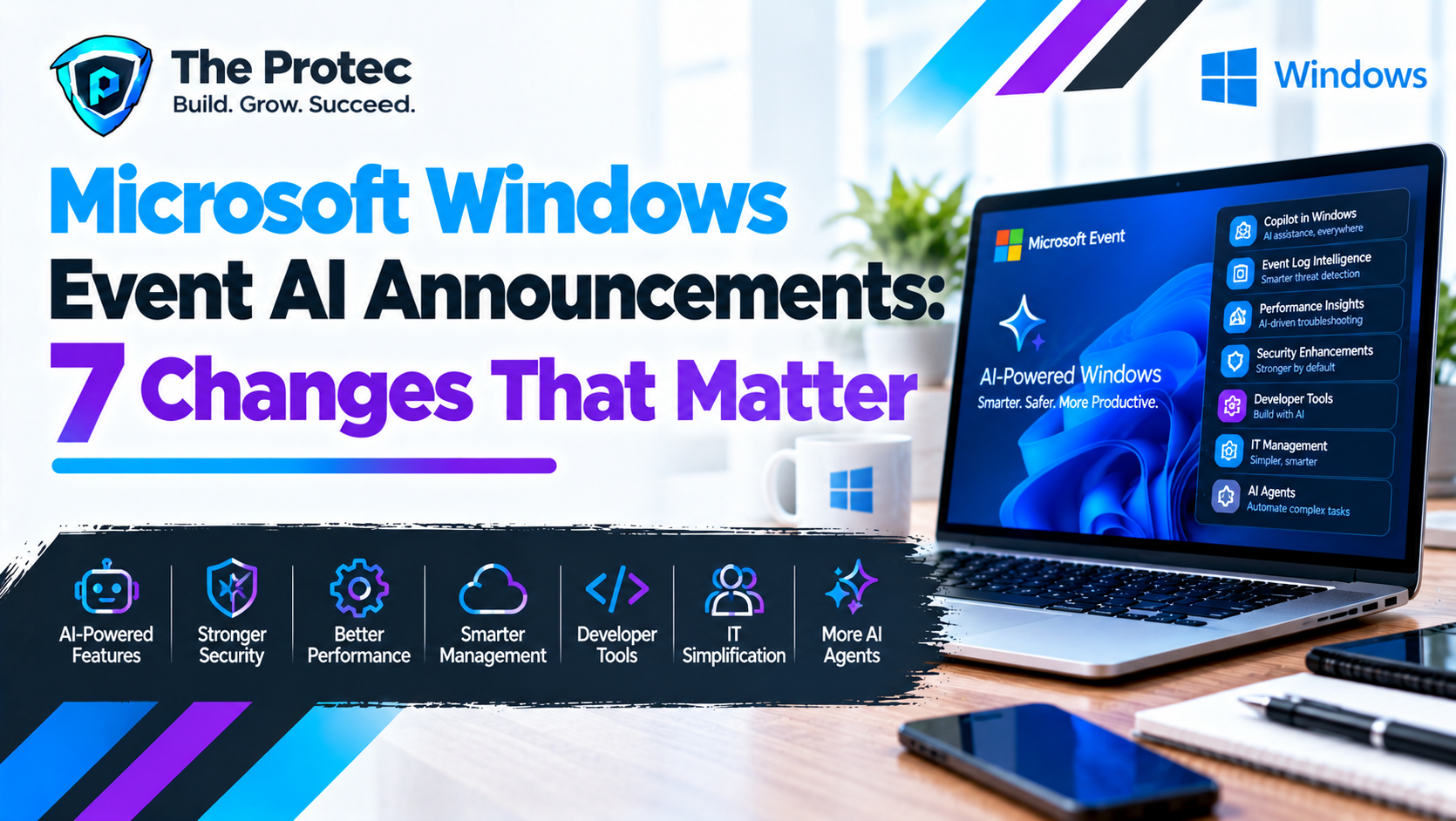
The Microsoft Windows event AI announcements revealed on October 7 represent something more substantial than another round of Copilot features. At its Windows and Surface event, Microsoft outlined how it is rebuilding Windows around hybrid intelligence: a combination of AI processing performed locally on a PC and more powerful models delivered through the cloud.
That distinction matters. Local models can offer lower latency, offline operation, and stronger data control, while cloud models remain useful for complex reasoning and tasks requiring greater computing capacity. Microsoft’s goal is to let Windows, applications, and users choose the appropriate option without treating every AI request the same way.
The event was not a Windows 12 launch, and not every demonstrated capability is generally available. Some features are rolling out to supported Windows 11 systems, several are limited to Copilot+ PCs, and others remain experimental or in preview. Here are the seven Microsoft AI event highlights that matter most.
1. Windows Is Becoming a Hybrid Intelligence Platform
The central announcement was Microsoft’s hybrid intelligence strategy. Rather than routing every prompt to a remote server, Windows can use device capabilities, model requirements, organizational policies, connectivity, and privacy settings to help determine whether a workload should run locally or in the cloud.
Local execution is best suited to tasks such as summarizing an on-device document, analyzing images, or providing quick assistance without uploading all source material. Cloud models can handle heavier reasoning, broader research, and workloads that exceed a PC’s available memory or processing power.
- Who benefits: Everyday users gain faster and potentially more private features. Businesses receive more control over data movement, while developers can target local and cloud resources.
- Requirements: Cloud functions need connectivity and an eligible Microsoft service. More demanding Windows on-device AI features require compatible NPUs, GPUs, memory, and supported Windows 11 hardware.
- Availability: Hybrid intelligence is a platform strategy rather than one feature with a single release date. Its components will arrive through Windows, Copilot, developer APIs, and partner applications at different times.
The practical lesson is that a label such as “AI-powered” does not explain where processing occurs. Users and administrators should check whether a feature relies on a local model, a cloud service, or both.
2. Copilot Can Use Permitted Local Context and Take Actions
One of the biggest Microsoft Copilot announcements was an expanded role for Copilot on Copilot+ PCs. With permission, Copilot can use relevant local context to provide more useful answers and assist with actions instead of merely returning instructions.
For example, an agent could help locate a document, understand its contents, and begin an associated task. This moves Copilot closer to an operating-system assistant that can coordinate work across files, settings, and supported applications. Microsoft emphasized user authorization rather than unrestricted access.
- Who benefits: Users handling repetitive workflows, accessibility needs, or information spread across multiple applications.
- Requirements: The fullest local-context experience is aimed at Copilot+ PCs and supported applications. A Microsoft account, internet access, or a commercial subscription may still be required for cloud-backed functions.
- Availability: Expanded agentic functions are being introduced in stages. Some were demonstrations or previews at the October event and should not be interpreted as available on every Windows 11 PC.
Copilot hybrid intelligence could reduce tedious navigation, but its value will depend on transparent permissions, reliable action previews, and the ability to cancel or reverse changes.
3. Microsoft Execution Containers Add Guardrails for AI Agents
Giving AI agents the ability to open files or perform actions creates a larger security risk than a conventional chatbot. Microsoft Execution Containers are intended to address that issue through policy-driven containment. An agent can operate within an isolated environment with defined access to files, applications, network resources, and system capabilities.
This approach can limit the damage caused by a mistaken instruction, compromised model, malicious document, or prompt-injection attack. Administrators may also be able to apply organizational controls and monitor what an agent attempted to do.
- Who benefits: Security teams, IT administrators, regulated businesses, developers, and anyone allowing agents to act on sensitive information.
- Requirements: Supported Windows security architecture, compatible agent software, and policies configured by Microsoft, an application developer, or an organization.
- Availability: Microsoft presented Execution Containers as an emerging Windows security capability, with preview and developer adoption preceding broad deployment.
Containment reduces risk but does not eliminate it. Organizations still need least-privilege access, audit logs, data classification, human approval for consequential actions, and a clear incident-response process.
4. Windows Search Is Being Redesigned Around Actions
The Windows Search AI update aims to make the taskbar search box more useful than a list of filenames and web results. Microsoft showed a redesigned experience that can understand natural-language requests, surface relevant local content, and connect results to Copilot-supported actions.
A user might describe a file by its subject rather than exact name, then move from finding it to summarizing or working with it. The key change is that Search becomes an entry point for completing tasks, not merely locating items.
- Who benefits: Users with large document libraries and people who prefer natural-language queries.
- Requirements: Capabilities vary by Windows build, language, region, indexing settings, and hardware. Advanced semantic features may require a Copilot+ PC.
- Availability: The redesigned Search experience and Copilot integrations are rolling out through previews and staged Windows updates, not one universal release.
Users should review indexing and cloud-search settings because the privacy implications differ depending on whether a query is processed locally or sent to an online service.
5. Windows ML Adds Better Support for Local AI Development
Microsoft also expanded its pitch to developers who want to run AI models locally on Windows. The announcements included experimental llama.cpp support in Windows ML and a preview of a Windows-native Runtime API.
llama.cpp is widely used for running compressed language models across consumer CPUs and GPUs. Windows ML support could give developers a more consistent way to take advantage of available hardware. The Runtime API is designed to reduce fragmentation by helping applications discover and use appropriate local AI resources through Windows-native interfaces.
- Who benefits: Application developers, enterprises building private assistants, independent software vendors, and researchers prototyping local models.
- Requirements: Compatible Windows builds, developer tools, supported model formats, and sufficient CPU, GPU, NPU, memory, and storage resources.
- Availability: llama.cpp support is experimental, while the Windows-native Runtime API is in preview. Developers should expect interface changes before production release.
These Microsoft AI developer tools could make local deployment easier, but model licensing, quality testing, power consumption, and hardware compatibility remain the developer’s responsibility.
6. Surface Laptop Ultra and RTX Spark Target AI Workloads
The hardware portion of the Windows and Surface event focused on systems built for local inference. Surface Laptop Ultra was presented as a premium AI-capable PC designed to pair Windows, Copilot, and accelerated on-device processing. Microsoft also highlighted the Surface RTX Spark Dev Box, a compact development system aimed at more demanding AI experimentation.
The RTX Spark concept uses NVIDIA acceleration for developers who need more model capacity than a typical thin laptop provides. It is better viewed as specialized development hardware than a necessary upgrade for ordinary Copilot use.
- Who benefits: Surface Laptop Ultra targets mobile professionals and power users. The RTX Spark Dev Box is intended for developers, data teams, and organizations testing local models.
- Requirements: Hardware-specific AI features depend on the configurations, drivers, memory, and Windows editions supported by each device.
- Availability: Availability varies by product, configuration, and market. Buyers should distinguish announced hardware and demonstrations from models that are shipping broadly.
The event did not make existing PCs obsolete. Cloud Copilot and many Windows features will continue to work on conventional hardware, while advanced local workloads will benefit most from newer NPUs and GPUs.
7. Microsoft Is Building a Broader Windows Agent Ecosystem
The final development was broader than any single product. Microsoft wants Windows to become the foundation for AI agents built by Microsoft, software vendors, enterprises, and hardware partners. That includes model runtimes, agent permissions, security containers, application connections, development frameworks, and optimized silicon.
Third-party integrations are important, but they are not automatically Windows features. A partner demonstration may require separate software, an account, a subscription, or hardware from a specific vendor. It may also follow a release schedule controlled by that partner rather than Microsoft.
- Who benefits: Developers gain common Windows infrastructure, businesses can create specialized agents, and users may see better coordination between applications.
- Requirements: These vary widely by agent, model, service, and PC hardware.
- Availability: The ecosystem includes generally available tools, previews, planned Microsoft features, and independent third-party products. Each should be evaluated separately.
Microsoft’s official Windows Experience Blog remains the best source for build requirements and rollout changes. Independent technology reporting, such as The Verge’s Microsoft coverage, can provide additional context on demonstrations and real-world limitations.
Microsoft AI Features Release Timeline
- October 7: Microsoft announced the hybrid intelligence direction, expanded Copilot concepts, agent security controls, Search changes, developer tools, and AI-focused Surface hardware.
- Immediate and staged rollouts: Existing Windows 11 and Copilot updates continue reaching eligible devices by build, region, language, and account type.
- Preview period: Execution Containers, agentic Copilot functions, the Runtime API, and portions of redesigned Search require testing before broad deployment.
- Experimental stage: Windows ML llama.cpp support is intended for evaluation rather than production assumptions.
- Hardware availability: Surface configurations and regional sales dates vary. The RTX Spark system targets a narrower developer audience.
There is no single date when all Windows AI announcements become available. Windows Insider status also does not guarantee that a feature is enabled, because Microsoft frequently uses controlled rollouts.
What the Changes Mean for Users, Developers, and IT Teams
For everyday users, the most noticeable improvements should be better Search and a more context-aware Copilot. Existing PC owners do not need to upgrade merely to access basic cloud AI, but a Copilot+ PC becomes more compelling for faster local processing, supported semantic search, and features designed around an NPU.
Developers gain a clearer path to running local models on Windows without designing a separate hardware layer for every processor. Businesses can keep selected data closer to the device while reserving cloud models for more complex tasks. IT administrators, however, must manage a new class of software that can act rather than simply display information.
Before enabling AI agents broadly, organizations should answer four questions: What data can the agent access? Which processing happens locally? What is sent to the cloud? Which actions require human approval? Microsoft Execution Containers can provide technical boundaries, but good policy and employee training remain essential.
Which Announcements Matter Most?
For most current PC owners, redesigned Windows Search and clearer local-versus-cloud controls are the announcements to watch. For businesses, Execution Containers may be the most consequential because agent adoption depends on enforceable security boundaries. Developers should pay closest attention to Windows ML, llama.cpp support, and the Runtime API.
An upgrade makes the most sense for users who regularly process large files, work offline, need lower-latency AI, or build local models. Anyone mainly using cloud-based Copilot, web applications, and conventional productivity software can wait for features and hardware requirements to stabilize.
Frequently Asked Questions
Was the October Microsoft event a Windows 12 launch?
No. The Microsoft Windows event focused on Windows 11 AI updates, Surface hardware, Copilot, developer infrastructure, and hybrid intelligence. Microsoft did not present it as a Windows 12 launch.
Will all Windows 11 PCs receive these AI features?
No. Some cloud features can run on a broad range of PCs, but advanced on-device functions may require a Copilot+ PC, compatible NPU or GPU, specific Windows build, supported language, or eligible region.
Can Windows AI models run without an internet connection?
Some supported local models and applications can operate offline. Cloud reasoning, online search, account-based Copilot services, and certain agent integrations still require connectivity.
Are Windows AI agents safe to use with sensitive files?
They can be used more safely with explicit permissions, least-privilege access, Execution Containers, audit logs, and human approval. Users should still verify what data leaves the device and avoid granting an agent broader access than it needs.
Should existing PC owners upgrade now?
Not automatically. Upgrade if local AI performance, specialized developer workloads, or Copilot+ features provide immediate value. Otherwise, waiting for final availability, independent testing, and clearer hardware support may be the better choice.