








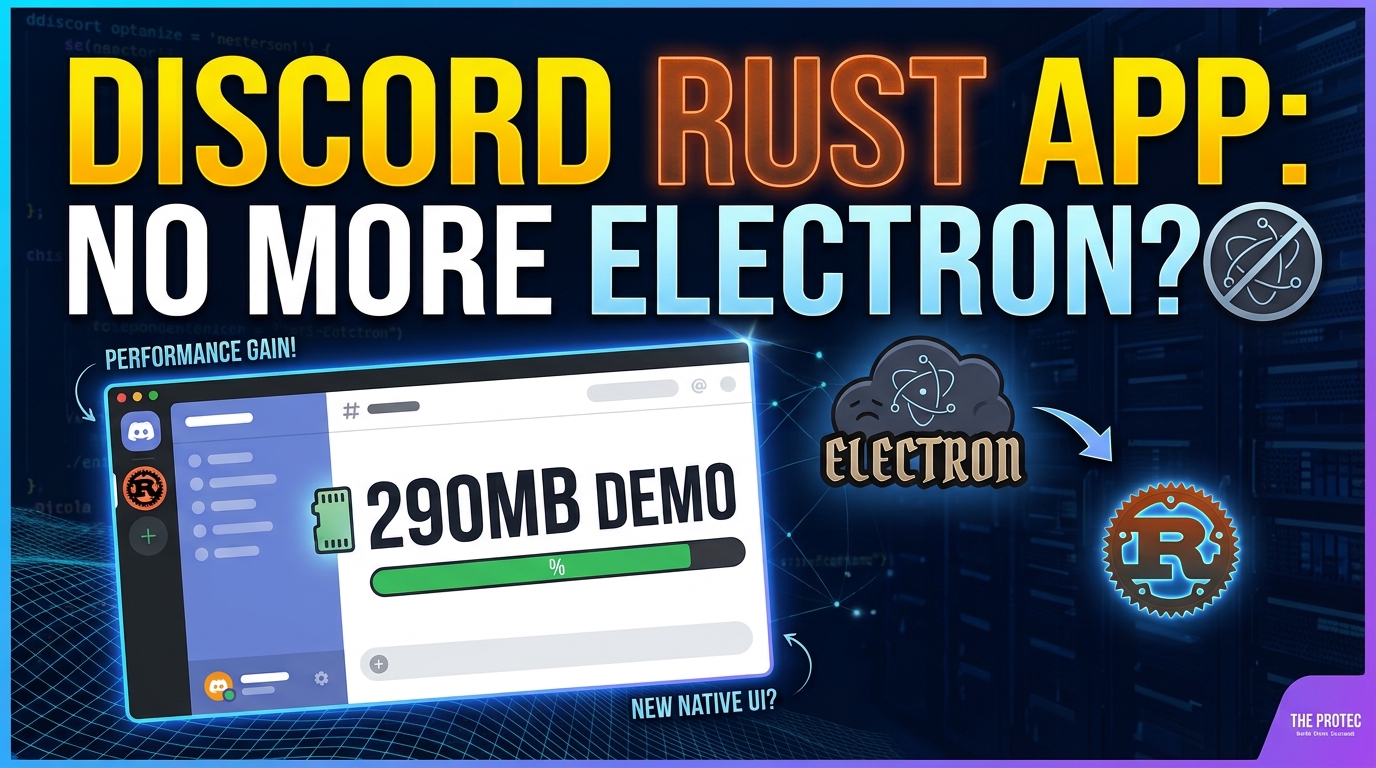
Discord is preparing one of its most consequential technical changes since the platform launched: rebuilding its desktop client around Rust rather than continuing with its established Electron foundation. The upcoming Discord Rust app is intended to reduce overhead, improve responsiveness, and let the company share more application logic across platforms. An early demonstration showing approximately 290MB of RAM usage has attracted attention, but it is a development snapshot—not proof that every user will see that figure when the finished client arrives.
The project matters beyond Discord. Electron powers many popular desktop applications, while Rust is increasingly used for performance-sensitive software. Discord’s decision offers a practical case study in Electron vs Rust, including the architectural trade-offs that matter more than programming-language reputation alone.
What Discord has confirmed about its desktop rebuild
Discord co-founder and CTO Stanislav Vishnevskiy has demonstrated a new desktop client built with Rust and GPUI, the GPU-accelerated interface framework created by the team behind the Zed code editor. The demonstration showed the application consuming roughly 290MB of memory while running.
Discord’s broader plan is to move away from an architecture centered on Electron for desktop and React Native for mobile. Instead, the company wants to place reusable application logic in Rust while presenting interfaces suited to each platform. GPUI will power the desktop interface, while mobile applications will retain native mobile user interfaces rather than trying to run the same desktop UI everywhere.
That distinction is important. Discord is not simply translating its current JavaScript code line by line, nor is it building one universal interface and stretching it across desktop computers and phones. The strategy separates shared behavior—such as data handling and application state—from the platform-specific presentation layer.
Public testing is planned, according to Discord’s statements and reporting from The Verge. However, Discord has not announced a full public release date. The existing client therefore remains the relevant baseline until users can test representative builds on different hardware and operating systems.
Why Discord’s Electron client can use substantial memory
Electron allows developers to create cross-platform desktop software with familiar web technologies. Each application bundles Chromium for rendering its interface and Node.js for access to desktop capabilities. Electron also uses multiple processes for tasks such as rendering, graphics, networking, and application control, as outlined in the official Electron process model documentation.
This design has valuable benefits. Teams can reuse web expertise, ship features quickly, maintain a largely consistent interface across operating systems, and rely on Chromium’s mature rendering engine. Discord used those advantages to develop a sophisticated communication client that works across Windows, macOS, and Linux.
The trade-off is a relatively high baseline resource cost. Bundling a browser engine and JavaScript runtime requires memory before the application’s own features, caches, media, and interface state are considered. A busy Discord session may also include numerous servers, channels, images, animated elements, message histories, voice features, and background updates.
That does not mean Electron is inherently inefficient. Discord RAM usage depends on implementation choices, active features, window state, extensions, cached data, operating-system behavior, and the Electron and Chromium versions involved. A carefully optimized Electron application can perform well, while a poorly designed native application can consume excessive resources. Discord is changing architecture because its particular requirements and scale make greater control attractive—not because Electron is universally unsuitable.
What Rust brings to Discord performance
Rust is a compiled systems programming language designed to provide low-level control without sacrificing memory safety. Its ownership and borrowing rules prevent broad classes of errors, including many use-after-free and data-race bugs, before code reaches production. Rust applications also avoid a garbage collector that periodically pauses execution to reclaim memory.
For Discord, those properties can provide several practical advantages:
- More predictable memory management: Engineers can control when objects are allocated and released instead of relying primarily on a managed JavaScript heap.
- Efficient shared logic: Performance-sensitive code can run natively across desktop and mobile platforms.
- Stronger concurrency guarantees: Rust’s type system can help teams safely coordinate background work, networking, state updates, and media-related tasks.
- Smaller runtime overhead: A purpose-built native client does not need to bundle an entire Chromium environment solely to render its interface.
Rust does not automatically produce fast or memory-efficient software. Data structures, caching policies, dependencies, rendering techniques, and engineering discipline still determine real-world performance. The opportunity comes from the control Rust provides and the architectural decisions Discord is making with it.
Why Discord chose GPUI instead of Tauri
Tauri is often the first framework mentioned when developers discuss replacing Electron. It combines a Rust backend with a web-based frontend displayed through the operating system’s webview. Tauri applications can have smaller installation sizes and lower baseline overhead than Electron because they generally do not bundle a complete Chromium runtime.
Discord chose a different path. GPUI renders a native, GPU-accelerated interface rather than treating HTML, CSS, and a browser-style document model as the primary UI layer. Created for Zed, GPUI is designed for applications that need rapid rendering, responsive interaction, and close control over visual state. Its source code and development are available through the Zed project repository.
Choosing GPUI suggests Discord wanted more than a smaller webview wrapper. Tauri would still preserve much of the web frontend model, including JavaScript or TypeScript interface code and platform webview differences. GPUI lets Discord build its desktop presentation layer in Rust and exercise tighter control over rendering, input, memory, and update behavior.
That choice also creates challenges. GPUI has a younger ecosystem than Electron’s extensive collection of libraries and developer tools. Discord must recreate mature interface behavior, accessibility support, keyboard navigation, text handling, window management, and platform integrations. A native rewrite can eliminate old constraints, but it also requires years of accumulated product details to be implemented again without regressions.
Discord’s plan is not to use GPUI for every platform. The desktop client will use GPUI, while the mobile applications will keep interfaces designed for their respective operating systems. Underneath those interfaces, Rust can provide shared application logic.
This approach may reduce duplicated work without forcing phones and desktop computers into the same interaction model. Message processing, synchronization, state management, permissions, and other nonvisual behavior can potentially be implemented once and exposed to each platform through defined interfaces. Desktop users still receive a keyboard-and-mouse-oriented UI, while mobile users retain touch-focused native experiences.
It also marks a shift away from Discord’s previous reliance on React Native as the central cross-platform mobile layer. The goal is not necessarily to share every line of code. It is to share the parts where consistency and correctness are most valuable while allowing platform teams to deliver appropriate interfaces.
What the 290MB Discord RAM usage figure really means
The headline number comes from Vishnevskiy’s demonstration, where the developing client appeared to use approximately 290MB of RAM. It is an encouraging early snapshot because it indicates that the new architecture may establish a substantially leaner baseline.
It is not a standardized benchmark. Discord has not published a repeatable test methodology defining the operating system, account size, active servers, open channels, voice state, cache condition, uptime, or comparable workload in the current Electron client. Operating-system memory tools can also report private, shared, compressed, and resident memory differently.
Consequently, the demonstration should not be interpreted as a guarantee that typical Discord Rust app sessions will remain at 290MB. Nor does it prove a specific percentage improvement over Electron. Independent tests will need to compare equivalent workloads over time, including large accounts, calls, screen sharing, media-heavy channels, multiple windows, and extended periods of use.
Potential benefits for gamers and everyday users
If Discord’s implementation performs as intended, lower baseline memory use could leave more RAM available for games, browsers, streaming tools, and creative applications. That may be especially noticeable on systems with limited memory or when playing games that already operate close to available capacity.
A native client could also improve several aspects of the daily experience:
- Startup time: Less runtime initialization and a purpose-built interface may help the application open more quickly.
- Responsiveness: GPU-driven rendering could make channel switching, scrolling, resizing, and large interface updates feel smoother.
- Background efficiency: Better control over application state may reduce unnecessary work when Discord is minimized or idle.
- Performance consistency: Shared Rust logic could reduce behavioral differences among desktop and mobile clients.
- Gaming headroom: Lower memory and CPU overhead could reduce competition for system resources during demanding sessions.
These are potential outcomes, not confirmed results. Voice processing, video calls, screen sharing, overlays, notifications, and hardware acceleration can all affect Discord performance independently of the core UI architecture. A lighter main window will not make every feature inexpensive.
What to watch when public testing begins
The most useful evaluation will go beyond a single Task Manager screenshot. Testers should compare cold and warm startup times, idle memory, memory after hours of use, CPU activity, scrolling latency, battery consumption, voice-call behavior, accessibility, and stability. Comparisons should use the same account, device, operating system, and workload.
Feature completeness will matter as much as speed. Discord must preserve moderation tools, rich media, streaming, accessibility, notifications, global shortcuts, updates, and integrations. Until public builds face normal workloads, broad claims that Rust has solved Discord’s resource consumption would be premature.
Frequently asked questions
Is Discord replacing Electron with Rust?
Discord has confirmed that it is rebuilding its desktop client with Rust and GPUI, moving away from the existing Electron-based architecture. Public testing is planned, but the company has not announced a full release date.
Will the new Discord app always use 290MB of RAM?
No such guarantee has been made. The approximately 290MB figure came from an early CTO demonstration and represents one development snapshot. Typical memory use will vary by workload, platform, features, session length, and the final implementation.
Why did Discord select GPUI rather than Tauri?
GPUI provides a GPU-accelerated Rust interface instead of placing a web frontend inside a system webview. That gives Discord greater control over desktop rendering and memory behavior. Tauri remains a valid option for many projects, but it retains more of the traditional web UI model Discord is moving beyond.
Does this decision prove Electron is bad?
No. Electron offers fast cross-platform development, a mature ecosystem, and consistent rendering. Its Chromium and Node.js foundations can create a higher resource baseline, but actual efficiency depends heavily on implementation. Discord’s choice reflects its own scale, goals, and engineering priorities.
When can users download the new client?
Discord has said public testing is planned, but no full release date has been announced. Users should wait for official testing instructions and avoid unofficial downloads claiming to provide the new client.
A promising rebuild that still needs real-world evidence
Discord’s move to Rust, GPUI, shared cross-platform logic, and native mobile interfaces is an ambitious rethinking of how its applications are built. The early 290MB demonstration makes the project particularly interesting for users concerned about memory consumption and gaming performance.
Still, architecture alone does not guarantee results. The strongest conclusions must wait for public builds, controlled comparisons, and independent testing. For now, the Discord Rust app is best understood as a promising engineering direction—not yet a completed verdict on Electron or a universal demonstration of what every Rust desktop app will achieve.