








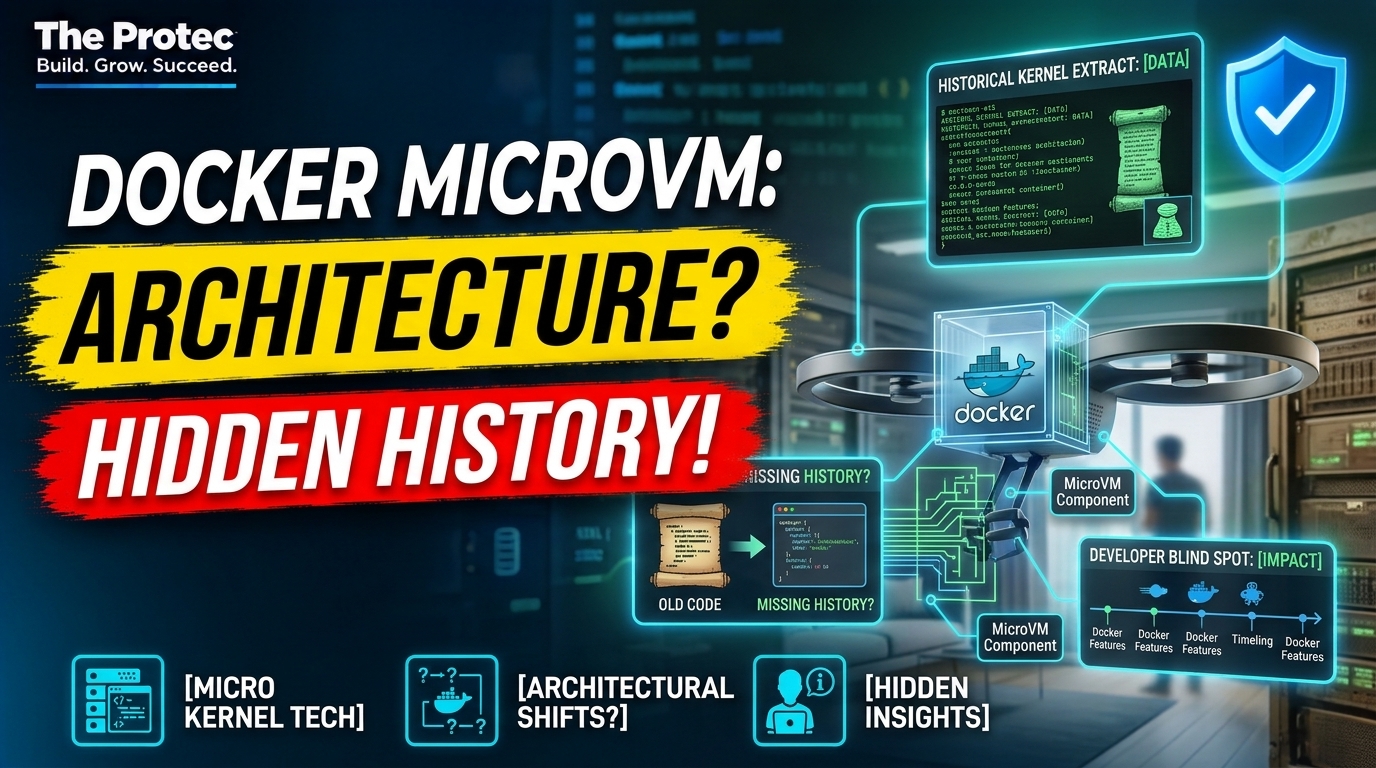
Most developers learn one foundational Docker lesson: containers are not virtual machines. That remains true, but it leaves out a fascinating part of the story. The Docker microVM architecture used on Macs has roots stretching back to Docker for Mac in 2016, when Docker combined Linux containers with a compact Linux virtual machine. That design did not put every container in a separate microVM. Instead, it created the Linux environment that containers need on a non-Linux host.
This distinction is newly important. Docker is applying dedicated microVM isolation to Docker Sandboxes, a product designed for AI coding agents that can execute commands, install software, change files, and start containers. An architectural decision once focused on making Docker feel native on macOS now helps explain how developers can contain increasingly autonomous tools.
The short answer: has Docker really used microVMs since 2016?
Yes, within an important scope. Docker for Mac, released in 2016 and later incorporated into Docker Desktop, ran a minimal Linux environment in a lightweight virtual machine. Docker containers ran inside that Linux environment because macOS could not directly provide the Linux kernel facilities they required.
The historical claim comes from Dave Scott’s retrospective. Scott worked on the original Docker for Mac technology and describes its lightweight VM as an early microVM architecture. His account provides valuable engineering history, but it should not be confused with a statement that every Docker deployment has always used one microVM per container.
Native Docker Engine on Linux normally runs containers directly against the host’s Linux kernel. Docker Desktop on a Mac uses a VM to supply a Linux kernel, with multiple containers typically sharing that guest kernel. Docker Sandboxes take a different approach: each sandbox receives a dedicated microVM and Docker daemon.
Why a Mac needs Linux to run Linux containers
A container image may package an application, libraries, command-line tools, and a filesystem, but it does not contain a complete Linux kernel. The container depends on the host kernel for system calls and isolation mechanisms such as namespaces, control groups, capabilities, and seccomp filtering.
That model works directly when Docker Engine runs on Linux. It does not work in the same way on macOS, whose XNU kernel does not implement the Linux kernel interface expected by Linux binaries and container runtimes. A compatibility layer or Linux guest is therefore required.
Docker Desktop solves the problem by placing a Linux environment between macOS and the container engine. The high-level path looks like this:
- A developer uses Docker commands and tools from macOS.
- Docker Desktop forwards requests into its managed Linux environment.
- A Docker daemon and container runtime inside that environment create Linux containers.
- File sharing, networking, ports, and resource controls connect the guest environment to the Mac.
The polished developer experience can make this boundary nearly invisible. That invisibility is one reason the virtualization layer went unnoticed by many users.
The Unikernel Systems acquisition and Docker for Mac
Docker acquired Unikernel Systems in early 2016. The acquired team brought deep experience in unikernel technology, MirageOS, networking, and small virtualized systems. A unikernel is generally a specialized machine image that combines an application with only the operating-system components it needs, rather than booting a conventional general-purpose OS.
Docker for Mac was not simply a MirageOS unikernel, and Docker did not invent microVMs. The influence was architectural: keep the virtualization layer small, modular, purpose-built, and tightly integrated with the host application.
HyperKit became a key part of this design on Intel Macs. Derived from the xhyve and bhyve virtualization lineage, HyperKit provided a lightweight hypervisor component that could be embedded into a macOS application. Related components influenced by the MirageOS ecosystem handled host-to-guest networking and filesystem integration.
The result differed from the usual desktop VM experience. Developers did not manually create a machine, install Linux, configure an IP address, and maintain the guest. Docker managed the Linux environment as an implementation detail behind familiar commands such as docker build and docker run.
Docker later introduced LinuxKit as a toolkit for building minimal, immutable Linux systems from containerized components. It provided a disciplined way to construct the small Linux guest used for container workloads without treating that guest as a conventional server distribution.
This separation was useful. HyperKit supplied virtualization on supported Macs, while LinuxKit supplied a compact Linux operating environment. Docker Engine and its containers then ran within that environment. Host integration components connected the guest to macOS networking, storage, and user-facing controls.
LinuxKit also illustrates why the term microVM can cause confusion. A microVM is still a virtual machine with a guest kernel and virtualized hardware boundary, even if its operating system is minimal and its boot path is optimized. The containers hosted inside it remain containers; they do not become VMs merely because a VM exists below them.
From HyperKit to the modern Docker VMM
Docker Desktop’s virtualization layer has evolved alongside Mac hardware and operating-system frameworks. HyperKit was central to the original Intel Mac implementation. On newer systems, Docker Desktop has also used Apple’s virtualization capabilities and developed Docker VMM, a purpose-built virtual machine monitor for supported Mac configurations.
Docker VMM continues the broader architectural direction rather than changing the basic container model. Docker still needs a Linux guest to run Linux containers on macOS. The VMM controls that guest and aims to improve characteristics such as performance, resource management, file operations, and integration with Docker Desktop.
Windows follows a related but platform-specific pattern. Docker Desktop can use WSL 2 or Hyper-V-based technology to provide a Linux environment. The exact virtualization backend differs, but the principle is similar: Linux containers require access to a Linux kernel somewhere in the architecture.
Current Docker VMM behavior should be distinguished from Scott’s historical account. His retrospective explains the thinking behind the 2016 system; it is not a complete specification of today’s Docker Desktop implementation. Backends, supported hardware, settings, and performance characteristics continue to evolve.
MicroVM vs container: the critical distinction
Containers and microVMs isolate workloads at different layers.
- Containers isolate processes with kernel features. Containers on the same Linux host generally share one kernel, which makes them fast to create and resource-efficient.
- MicroVMs provide a separate guest kernel and virtualized machine boundary. They are designed to retain stronger VM-style separation while reducing the size and startup cost associated with conventional VMs.
In standard Docker Desktop operation, the Linux VM is commonly a host for multiple containers. It is a boundary between the macOS host and the Linux container environment, not automatically a unique boundary around each container.
On a native Linux server, Docker Engine does not inherently need a VM at all. Administrators can add VM boundaries for tenancy or security, but those are deployment choices rather than universal properties of Docker container architecture.
Containers, VMs, microVMs, and sandboxes compared
Containers
Containers usually offer the lowest startup overhead and efficient resource sharing. They fit builds, services, local development, and scalable application deployment. Their process isolation is valuable, but workloads share a kernel, so security depends heavily on kernel hardening, runtime configuration, privileges, and the container’s access to host resources.
Traditional virtual machines
A traditional VM runs a guest kernel and often a full operating-system distribution. It generally provides a stronger isolation boundary than a container, but it may consume more memory, require more maintenance, and take longer to initialize. Traditional VMs remain useful for complete operating systems, legacy software, and strongly separated environments.
MicroVMs
MicroVMs preserve a separate guest kernel while minimizing devices, background services, and operating-system components. They occupy the middle ground: typically more isolation than a shared-kernel container, with less overhead than a general-purpose VM. Actual performance depends on the VMM, guest image, storage, networking, and workload.
Lightweight developer sandboxes
A sandbox is a product-level environment rather than one fixed virtualization primitive. It may use containers, namespaces, microVMs, policy controls, or a combination. Its practical value comes from limiting what a workload can see and change while preserving a convenient workflow.
Docker Sandboxes bring per-session microVMs to AI agents
Docker Sandboxes apply this history to a different risk model. According to Docker’s explanation of the architecture behind Docker Sandboxes, each sandbox runs in a dedicated microVM with its own Docker daemon. The isolation boundary surrounds the agent session rather than merely placing another container beside trusted development workloads.
This matters because an AI coding agent may need broad capabilities to be useful. It might inspect a repository, run tests, execute shell scripts, download dependencies, invoke build systems, modify source files, or launch containers. Those actions expose developers to risks including malicious dependencies, unsafe generated commands, compromised repositories, prompt injection, and simple agent mistakes.
A dedicated microVM limits the consequences of those actions more effectively than relying only on a process-level container boundary. The sandbox can provide a controlled workspace and container engine without giving the agent unrestricted access to the developer’s main Docker daemon or entire host environment.
MicroVM isolation is not a guarantee of perfect safety. Developers must still control mounted files, credentials, network access, secrets, and permissions. However, a separate guest kernel and daemon create a clearer security boundary for an untrusted or semi-trusted autonomous process.
The familiar slogan that containers are not VMs was intended to clarify how containers work. Taken too literally, however, it can hide the layered systems used to deliver containers across different operating systems.
Docker’s history shows that containers and virtual machines are complementary. Containers provide packaging and efficient process isolation. A microVM can provide the kernel, portability, or additional Docker security isolation needed around those containers. The right design depends on where the software runs and how much the workload is trusted.
For ordinary application development, shared container infrastructure may remain the most practical choice. For AI coding-agent sandboxes with permission to execute unpredictable operations, the extra boundary can justify its overhead. An approach developed to make Linux containers seamless on a Mac is therefore becoming relevant to one of software development’s newest security challenges.
Frequently asked questions
Does every Docker container run inside a microVM?
No. Native Docker Engine on Linux generally runs containers directly on the host kernel. Docker Desktop uses a Linux VM on platforms such as macOS, but multiple containers can share that guest. Docker Sandboxes use a dedicated microVM for each sandbox session, not necessarily one microVM for every individual container inside it.
Is HyperKit the same as Docker VMM?
No. HyperKit powered the original Docker for Mac virtualization design on Intel hardware. Docker VMM is a newer, Docker-built virtualization backend for supported modern Mac environments. Both belong to Docker Desktop’s virtualization history, but they are separate implementations.
Did Docker invent microVMs or unikernels?
No. Lightweight VMs, unikernels, and minimized guest systems have broader research and industry histories. Docker acquired Unikernel Systems and used expertise from that ecosystem to help build its Mac architecture, but it did not invent the underlying concepts.
Why not run an AI coding agent in an ordinary container?
A container can be appropriate for many tools, but it shares a kernel with its host environment and may need privileged access to run nested container workflows. A dedicated microVM adds a guest-kernel boundary and can give the agent an isolated Docker daemon, reducing exposure to the host and other workloads.