








Family life generates a surprising amount of administrative work. School calendars overlap with appointments, shopping lists live in different apps, important requests disappear inside email threads, and no one remembers whether a form was completed. Google believes an AI agent (Google CC) could coordinate much of that work.
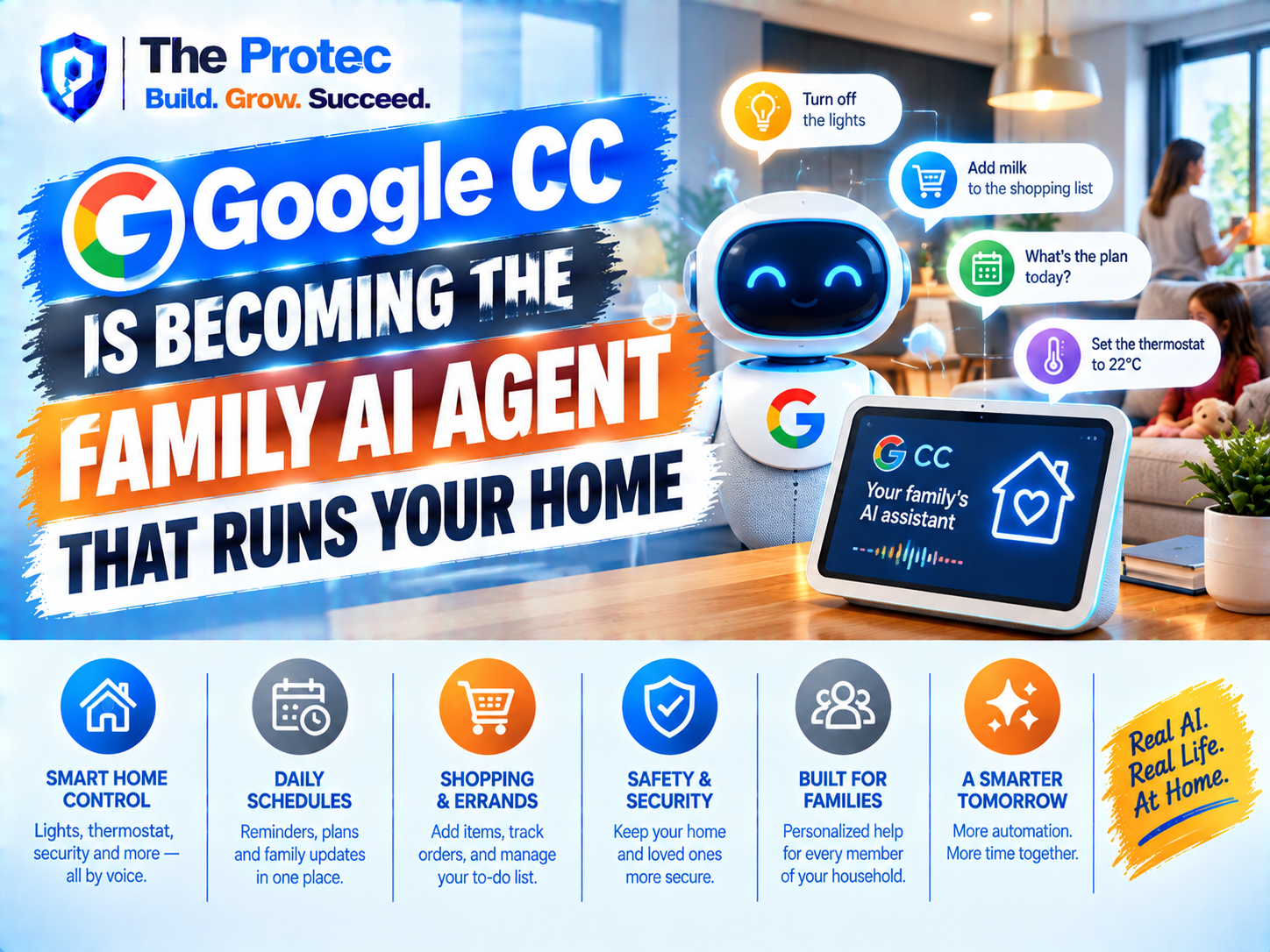
Google’s experimental CC AI agent is expanding beyond personal productivity to become a shared assistant for families and households. Up to six household members can selectively give CC access to calendars, emails, tasks, Drive files and other useful information. The Google AI agent can then turn that scattered context into daily briefs, schedule recommendations, reminders, meal plans, shopping lists and help with routine forms.
This is more significant than adding another family organizer to Google’s product portfolio. Google CC represents the industry’s broader move from chatbots that wait for questions to AI agents that maintain context, anticipate needs and perform multistep work. That convenience could change household management, but it also raises difficult questions about privacy, consent and how much authority families should give an automated system.
What Is the Google CC AI Agent?
Google CC is an experimental agent being developed through Google Labs. Unlike a conventional chatbot, which usually responds to one prompt at a time, the CC AI agent is designed to understand ongoing responsibilities and organize information across multiple Google services.
Its original role centered on personal productivity. A user could allow CC to examine relevant messages, calendar events, tasks and documents, then produce a concise daily briefing. The agent could highlight an upcoming deadline, identify an email requiring a response or connect a calendar appointment with supporting information stored in Drive.
The Google CC family model expands that idea. Instead of building context around one person, the agent can work with selected information from as many as six household members. That makes CC a shared coordination layer rather than another isolated personal assistant.
As of September 2026, Google CC remains experimental and is currently available in the United States rather than as a broadly released global product. Features, enrollment requirements and supported integrations may change while Google evaluates how families use the service.
How Google CC Household Sharing Works
The Google household AI agent does not simply merge everyone’s digital life into one unrestricted account. Each participating person chooses what to share with CC. One adult might share a work calendar but not work email, while another could provide access to a school-related Gmail label, a household task list and a Drive folder containing travel documents.
CC also has a dedicated Google account. This gives the agent a recognizable identity within the household’s digital environment rather than making it silently operate as one family member. A dedicated account can help people share files, events or messages directly with the agent and distinguish CC’s actions from those taken by a human.
The permission model is central to the product. Access can be scoped to selected emails, calendars, tasks, files and other information instead of requiring every participant to expose an entire account. This matters in mixed households where adults, teenagers, children or extended family members may have different privacy expectations.
With permission, CC creates shared memory from the information it receives. That memory could include recurring routines, food preferences, important dates, unfinished tasks and logistical constraints. The benefit is continuity: family members do not need to explain the same context every time they ask for help. The risk is that a growing household memory can become unusually revealing, even when each individual data point appears harmless.
What a Google AI Family Assistant Can Do
The value of Google CC comes from combining information that families already generate. Rather than replacing calendars, email or Drive, it interprets those sources and coordinates work across them.
CC can assemble a daily brief showing what matters to the household. It might note an early appointment, a school deadline, a package delivery and a grocery stop that fits between two events. Individual members can receive relevant details without being overwhelmed by every activity on the family calendar.
A useful brief does more than list events. The Google Gemini AI agent can connect related context, such as a calendar invitation, an address in an email and a form stored in Drive. It can then surface the information when someone is likely to need it.
Manage Schedules and Identify Conflicts
Shared calendars often reveal conflicts only after plans have been made. A Google AI assistant for the family can compare the calendars members choose to share, flag overlapping commitments and suggest practical alternatives.
For example, CC could recognize that one parent has an appointment during school pickup, another household member is available, and the car needs to be used elsewhere later that evening. It can organize the issue into an actionable recommendation instead of leaving family members to reconstruct the situation across several apps.
Track Tasks and Household Responsibilities
Household jobs rarely belong neatly to one person. CC can track open tasks, connect them with deadlines and remind the relevant household member. That could include renewing a document, booking a repair, returning an item or preparing something for a school event.
The shared context is especially helpful for handoffs. If one person cannot complete a task, the AI household assistant can preserve the details needed for someone else to take over. Families should still avoid turning the agent into an automated source of constant reminders, particularly when children are involved.
Plan Meals and Build Shopping Lists
Meal planning is a natural use case for the Google CC household system because it combines schedules, preferences and inventory-related information. CC can propose meals based on busy evenings, dietary requirements or previously shared preferences. It can then turn the plan into a categorized shopping list and update that list when plans change.
A family could ask CC to avoid complex meals on activity nights, use ingredients already mentioned in a household list and account for a guest’s allergy. This illustrates why shared memory matters: the agent becomes more useful when it understands constraints that persist from week to week.
Help Complete Forms and Routine Administration
Families repeatedly enter the same information into school, travel, medical and service forms. With access to approved files and details, the CC AI agent can retrieve relevant information and help populate routine fields. It may also identify missing documents or deadlines.
Form assistance is convenient but sensitive. Medical details, government identifiers and financial information require stronger safeguards than a grocery list. Families should review every form before submission and avoid giving an experimental AI agent authority to finalize high-impact applications or legal declarations.
Gemini and Antigravity Power the Agent Experience
Google CC draws on Gemini for language understanding, reasoning and multimodal interpretation. Gemini allows the agent to summarize messages, understand documents, extract tasks and produce plans using information from several sources. This is the intelligence layer behind the conversational experience.
Antigravity provides infrastructure for agentic work: coordinating tools, maintaining task state and carrying out multistep processes rather than producing only a text response. Together, Gemini and Antigravity support the transition from answering a request to planning and managing the actions needed to address it.
Consider the difference between asking a chatbot for dinner ideas and asking CC to plan household meals. The first request produces recipes. The second may require reviewing calendars, remembering dietary preferences, selecting realistic meals, generating a shopping list and updating tasks. Agent infrastructure is what connects those steps.
That distinction is also why reliability matters more for agents than for ordinary chatbots. An inaccurate answer is frustrating; an incorrect schedule update, missing form field or unwanted action can affect several people.
A Google AI family assistant can infer far more than any single calendar or document reveals. Combined household data may show when a home is empty, where children go to school, which family member has a medical appointment, what products people buy and how responsibilities are divided.
Permission controls reduce exposure, but permission alone is not the same as informed consent. One member’s email can contain information about another person who never agreed to share it. A parent may also have legal authority to connect a child’s account while the child still has a reasonable expectation that every message will not become part of a family AI memory.
Households considering Google CC should follow a minimum-access approach:
- Share only the calendars, folders, messages and task lists needed for a defined purpose.
- Keep financial credentials, medical records and identity documents outside the agent unless a feature clearly requires them.
- Review which household members can see shared briefs and agent-generated summaries.
- Require human approval for purchases, form submissions and consequential schedule changes.
- Revisit permissions when someone moves out, changes roles or no longer wants to participate.
- Delete outdated shared information when it no longer provides useful context.
Families should also understand Google’s data handling, retention and deletion controls before connecting accounts. The company’s privacy policy provides a starting point, although experimental product terms and CC-specific controls deserve separate attention.
Security extends beyond account access. AI agents can encounter malicious instructions hidden in emails, documents or web content, a threat known as prompt injection. A household agent should treat outside content as untrusted, restrict sensitive actions and make important changes visible to the people affected.
From AI Chatbots to AI Household Management
Google CC reflects a fundamental change in consumer AI. Chatbots are mainly reactive: a person asks, and the system answers. AI agents maintain context over time, use tools and work toward goals. In the household, that means the assistant does not merely explain how to organize a week; it can monitor the moving pieces of that week.
This shift could make AI especially valuable to caregivers and busy families carrying a heavy administrative load. Household management consists of hundreds of small tasks that are individually simple but collectively exhausting. A capable AI agent for families can reduce the effort required to notice, remember and coordinate them.
It may also create dependence. If one platform becomes the household’s memory, planner and operational hub, leaving that ecosystem becomes harder. Families need ways to inspect, correct, export and delete the shared memory an agent builds. They also need clear records showing whether an action came from CC or a person.
Google CC Is Promising, but It Still Needs Human Oversight
CC’s most useful role is likely to be coordinator, not household decision-maker. It can collect information, reveal conflicts, prepare options and handle low-risk administrative steps. People should retain control over decisions involving money, health, children, legal commitments and personal relationships.
Because Google Labs CC is experimental, users should also expect mistakes. The agent may misunderstand an email, overlook a calendar exception or make a recommendation based on incomplete context. Shared memory can improve performance, but it does not guarantee that the system understands a family’s priorities.
The strongest version of Google CC family assistance will combine automation with transparency: scoped permissions, understandable recommendations, visible actions and easy correction. If Google can deliver those safeguards, CC could become one of the clearest examples of AI moving out of the chat window and into everyday life.
Frequently Asked Questions
What is the Google CC AI agent?
Google CC is an experimental Google Labs AI agent that uses Gemini and agent infrastructure to organize information, create briefs and assist with multistep personal or household tasks. It is designed to work with selected data from Google services rather than operate only as a question-and-answer chatbot.
How many people can use Google CC as a family assistant?
Up to six household members can share selected information with the Google CC AI agent. Each participant can choose which supported emails, calendars, tasks, Drive files or other sources to make available.
Can Google CC manage meals and shopping lists?
Yes. With appropriate context, CC can suggest meal plans based on schedules and preferences, then create or update shopping lists. Its recommendations remain dependent on the accuracy and completeness of the information shared with it.
Is Google CC available outside the United States?
As of September 2026, the experimental Google CC experience is available in the United States. Google has not made it a universally available household product, and access details may change during testing.
No AI service is risk-free. Families should limit access, avoid unnecessary sensitive data, review shared memory and require approval for consequential actions. They should also consider whether every household member understands and accepts what information is being shared.