








The Shift From Complex Editing to Instant Results
For years, Photoshop was the default answer whenever someone needed to remove image background from a photo. It was powerful, respected, and incredibly flexible. But for everyday users, it also came with a steep learning curve, time-consuming workflows, and a subscription model that felt unnecessary for a single task. Today, that balance has changed. AI background remover tools are quickly becoming the preferred choice for people who want clean, professional-looking cutouts without spending half an hour learning masks, layers, and selection brushes.
This shift is not just about convenience. It reflects a bigger change in how people create content. Social media sellers, freelancers, marketers, job seekers, and small business owners all need fast visuals that look polished. They do not need a full-scale image editor every time they want a product on a white background, a profile photo cleaned up, or a transparent PNG for a presentation. They need speed, simplicity, and results that look good enough to use immediately.
That is where modern AI background remover tools stand out. They detect the subject, separate it from the background, and deliver a finished cutout in seconds. For many people, that makes them one of the most practical Photoshop alternatives available right now.
Why Background Removal Became a Popular Everyday Task
Background removal used to be a specialist task. Designers handled it for ads, product catalogs, or retouching projects. Now it is something almost anyone may need. Online selling has exploded across marketplaces and social platforms, and nearly every listing looks better with a clean product image. Job seekers want crisp headshots. Content creators want thumbnails and graphics that stand out. Teams need visuals for slides, pitch decks, and internal docs. Even casual users want to isolate a person, pet, or object from a photo for fun projects.
That demand created a perfect use case for AI. If a task is common, repetitive, and time-sensitive, automation usually wins. Background removal is exactly that kind of task. Most people do not want to manually trace hair strands, refine edges around clothing, or fight with layer masks. They want to upload, click, and download.
In 2025 and into 2026, the best AI tools have become more accurate at edge detection, especially around tricky subjects like curly hair, transparent objects, and soft shadows. That progress has made them far more reliable for everyday use than they were in earlier years.
How an AI Background Remover Works
An AI background remover uses machine learning models trained to recognize the difference between foreground subjects and the surrounding environment. Instead of relying only on manual selection tools, it analyzes shapes, contrast, texture, and context to identify what should stay and what should disappear.
In practice, the process is simple:
- You upload an image.
- The AI detects the main subject automatically.
- The background is removed or replaced.
- You download a transparent image or a new version with a different background.
Some tools go further by offering one-click background replacement, batch processing, object cleanup, and export formats optimized for ecommerce or social media. A few newer tools also support higher-resolution outputs, better preservation of fine details, and improved handling of mixed lighting or busy scenes.
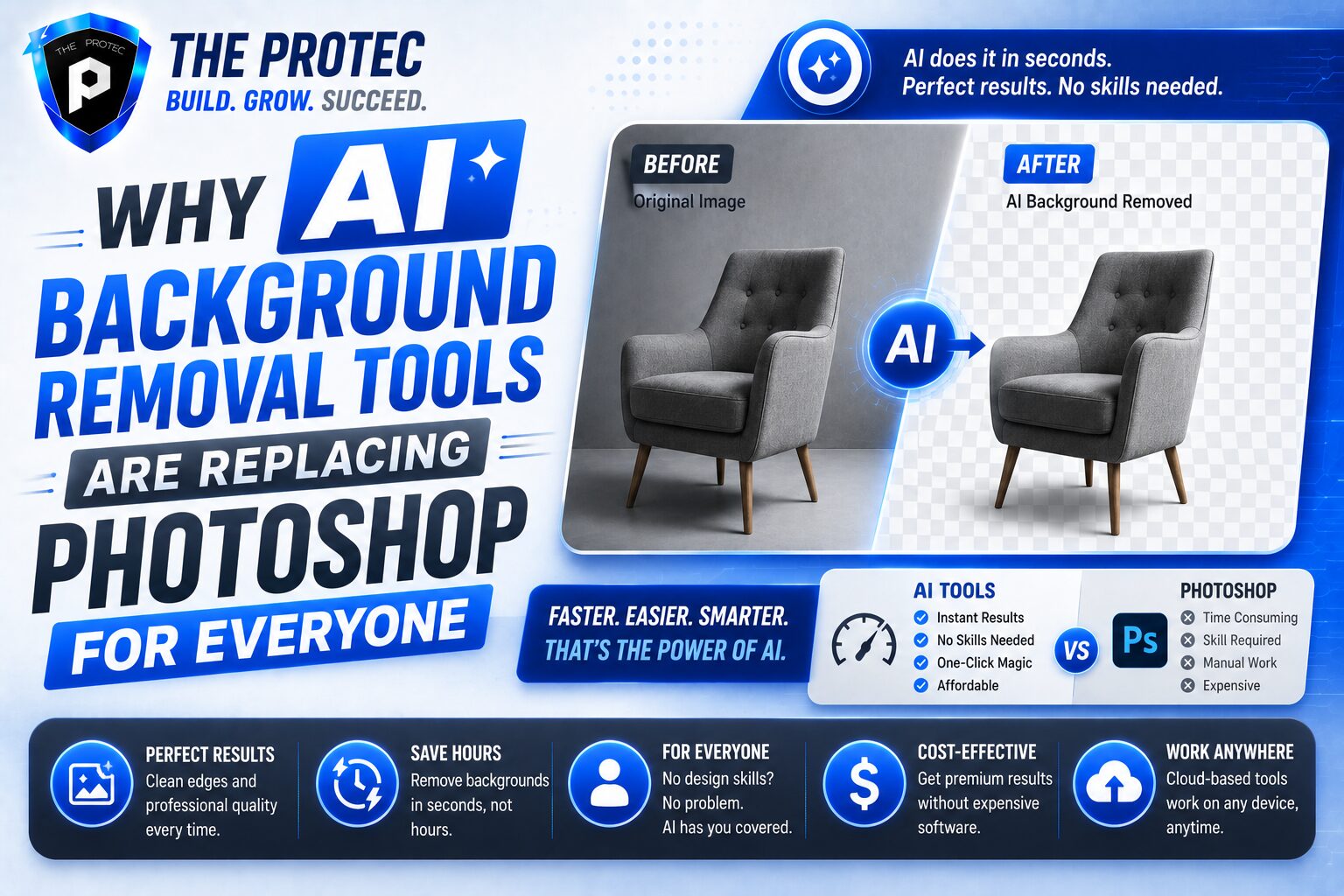
This is a major reason AI tools are replacing Photoshop for everyday users. They eliminate the need to understand editing theory just to complete a single task.
Photoshop Is Powerful, But Most People Only Need One Feature
Photoshop remains an industry-standard application for complex image work. Professional designers still rely on it for compositing, retouching, illustration, and advanced photo manipulation. But for the average user who simply wants to remove image background, Photoshop can feel like using a power drill to hang a picture frame.
The problem is not quality. The problem is efficiency. To remove a background in Photoshop, a user may need to open the image, choose the right selection tool, refine the edges, mask the subject, check for imperfections, and export the file in the correct format. That may take only a few minutes for an expert, but it can take much longer for a beginner.
AI background remover tools compress that entire workflow into seconds. For a lot of people, the difference is dramatic. Instead of opening a professional editor, they open a browser tab, upload the file, and move on with their day. That simplicity is one of the biggest reasons Photoshop alternatives are gaining traction.
The Main Reasons AI Background Removal Tools Are Winning
1. Speed matters more than ever
People create more content now than at any point in the past. Product listings, ad creatives, social posts, banners, thumbnails, and profile images all need to be produced quickly. AI background remover tools respond to that demand with near-instant results. There is no steep setup, no tool hunting, and no learning curve.
2. They are easier for non-designers
Most users are not trying to become photo editors. They just want a clean image. AI tools make editing accessible to everyone, including small business owners, students, teachers, recruiters, and creators who have no design background. This accessibility has been one of the biggest drivers of adoption.
3. The quality has improved a lot
Early background removal tools often left jagged edges, missing fingers, or awkward halos. Newer AI models are much better. They preserve hair detail, handle partial transparency more effectively, and produce cleaner cutouts with fewer manual corrections. While they are not perfect in every case, they are good enough for a huge percentage of everyday use cases.
4. They work across devices and platforms
Many AI background remover tools run in a browser, which means users do not need a high-powered computer or a desktop license. This flexibility matters to people working from phones, tablets, Chromebooks, or lightweight laptops. It also suits modern workflows where people jump between devices throughout the day.
5. They fit current content workflows
Modern workflows are built around speed, templates, and repurposing. A seller may need a product on a white background for a marketplace, a lifestyle version for social media, and a transparent version for a flyer. AI tools make that easy. The same image can be processed and reused in multiple ways without opening a full editing suite.
Where Photoshop Still Has the Advantage
Even though AI background remover tools are replacing Photoshop for everyday users, Photoshop is not obsolete. It still has clear advantages for advanced users and specialized work.
- Precision editing: Complex composites, detailed masking, and pixel-level corrections still favor Photoshop.
- Advanced control: Designers can fine-tune every stage of the cutout process.
- Integrated workflow: Photoshop combines retouching, typography, effects, and composition in one environment.
- Custom creative work: If the goal is art direction or deep manipulation, manual editing offers more control.
So the real story is not that AI has replaced Photoshop entirely. It has replaced Photoshop for the everyday background-removal task. That distinction matters. The average user does not need a full creative suite when a specialized tool is faster and easier.
Best Use Cases for an AI Background Remover
AI background remover tools are especially effective when the task is straightforward and the subject is clearly separated from the background. Common use cases include:
- Product photos for ecommerce listings
- Profile photos and headshots
- Social media posts and thumbnails
- Marketing graphics and ad creatives
- Presentation slides and pitch decks
- Transparent PNG exports for web design
- Photo collages and personal projects
These are exactly the kinds of tasks that used to send people into Photoshop, even when they only needed one small edit. Now they can use an AI background remover and finish the job in moments.
Why Everyday Users Prefer Simplicity Over Control
One of the biggest reasons AI tools are gaining ground is psychological. Most users do not want more options. They want fewer decisions. Traditional software often creates friction because it gives people too many paths to the same result. That can be empowering for professionals, but overwhelming for casual users.
An AI background remover solves that problem by making the default path the best path. The user does not have to choose between selection tools or learn how to refine a mask. The software handles the hard part automatically. This lowers frustration and makes editing feel approachable.
That simplicity also reduces abandoned tasks. Many people start editing in Photoshop, get stuck, and give up. With AI, the process is short enough that users actually finish. In practical terms, that is a huge advantage.
How AI Tools Are Changing Ecommerce and Social Content
Ecommerce has been one of the biggest beneficiaries of AI background removal. Product photography is no longer limited to companies with in-house design teams. A small seller can photograph an item on a kitchen table, remove the background instantly, and create a listing image that looks polished and professional.
Social media content has changed too. Clean cutouts help creators build more dynamic thumbnails, promo graphics, and story posts. Instead of using one static image, they can quickly isolate a subject and place it into a branded template. This is especially useful for short-form content, where speed and consistency matter.
For marketers, AI background remover tools reduce production bottlenecks. Campaign assets that used to require back-and-forth with design teams can now be produced in-house by non-designers. That makes it easier to test ideas, update visuals, and respond to trends quickly.
What to Look for in the Best Photoshop Alternatives
Not all AI tools are equal. If you are choosing a Photoshop alternative for background removal, look for more than just a one-click promise.
- Accuracy around edges: Fine details like hair, fur, and accessories should stay intact.
- High-resolution exports: The final file should be usable for print and web.
- Transparent background support: PNG output is essential for many workflows.
- Batch processing: Useful if you need to edit multiple images at once.
- Background replacement options: Helpful for product and promotional images.
- Privacy and file handling: Important when uploading customer photos or branded assets.
Choosing the right tool comes down to workflow. A casual user may only need fast single-image edits, while a seller or marketer may need batch processing and consistent output quality.
Are AI Background Removal Tools Good Enough for Professional Use?
For many professional use cases, yes. The standard for “good enough” has moved significantly. A few years ago, AI cutouts were often acceptable only for rough drafts. Today, many outputs are strong enough for client-facing work, especially when the image is clean and the subject is well defined.
That said, the professional threshold depends on the project. A marketplace product image or a social post can usually rely on AI alone. A high-end campaign visual or a composite with difficult edges may still need human refinement. The smartest workflow is often hybrid: let AI do the heavy lifting, then polish the few assets that need extra care.
This hybrid approach is another reason the technology is winning. It does not force an either-or choice. It reduces the amount of manual editing required, which saves time without eliminating creative control when it matters.
The Future of Background Removal Is More Automated
The direction of the market is clear. Users want editing tools that are fast, intuitive, and accessible. AI models are continuing to improve at subject detection, detail preservation, and context-aware editing. As a result, background removal is becoming less of a manual design task and more of an automatic utility.
We are also seeing broader integration of AI into content platforms, ecommerce tools, and creative suites. That means background removal is no longer a standalone feature. It is becoming part of a larger workflow where images are cleaned, resized, enhanced, and repurposed in one place. This is exactly the kind of change that makes older tools feel slower by comparison.
For everyday users, the future is not about learning Photoshop. It is about getting the result they need with the least amount of effort.
Conclusion: Why AI Background Removal Tools Are Taking Over
AI background remover tools are replacing Photoshop for everyday users because they solve a real problem better: they save time, reduce complexity, and produce results that are good enough for most common tasks. Whether you need to remove image background for an online store, a presentation, a social post, or a personal project, modern AI tools make the process simple.
Photoshop still matters for advanced editing, but the average user is no longer looking for a full creative suite. They want one reliable job done quickly. That is why AI background remover tools have become some of the most practical Photoshop alternatives available today. They fit the way people work now: fast, mobile, visual, and on demand.
FAQ
What is an AI background remover?
An AI background remover is a tool that automatically detects the main subject in an image and removes the surrounding background. It is commonly used to create transparent images, product cutouts, and clean visual assets.
Can an AI background remover replace Photoshop?
For everyday background removal, yes, in many cases. Photoshop still offers more advanced control, but AI tools are faster and easier for users who only need to remove image background without complex editing.
Are AI background remover tools accurate?
Modern tools are much more accurate than earlier versions, especially for common subjects like people, products, and pets. Fine details can still vary, but quality has improved enough for many real-world uses.
What file types work best after removing a background?
PNG is usually the best format if you want a transparent background. It preserves the cutout cleanly and works well for web, presentations, and design projects.
Do I need design experience to use an AI background remover?
No. That is one of the biggest advantages. Most tools are built for non-designers and can remove backgrounds with just a few clicks.