








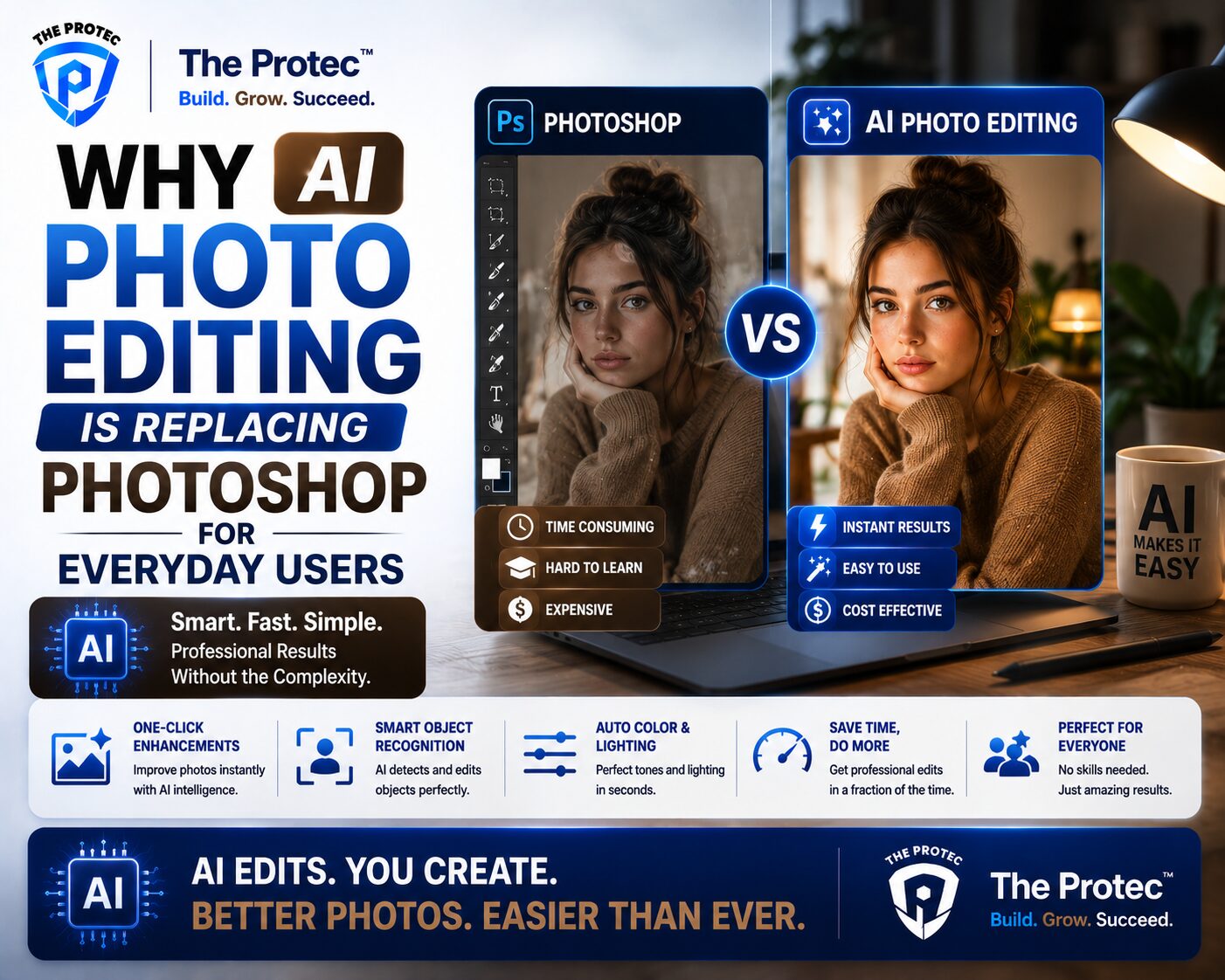
Why AI Photo Editing Is Replacing Photoshop for Everyday Users
For years, Photoshop was the default answer whenever someone needed to fix a photo, remove an object, sharpen a portrait, or create something visually polished. It was powerful, respected, and widely used by professionals. But for everyday users, it was also expensive, time-consuming, and far more complex than most people needed. That gap has finally become big enough for AI photo editing tools to step in.
Today, casual creators, small business owners, social media managers, students, and even hobbyists are turning to AI image editing tools instead of traditional desktop software. The reason is simple: these tools do the most common editing tasks faster, with less skill, and often with surprisingly good results. What used to take layers, masks, adjustment panels, and a fair amount of patience can now happen with a text prompt, one click, or a quick selection.
This shift is not just about convenience. It reflects a broader change in how people expect software to work. The rise of conversational AI from ChatGPT, multimodal assistants like Gemini, and creative tools from Grok and other AI platforms has made users expect editing to feel more natural. Instead of learning software first and creating later, users now want to describe the result and let the tool handle the details. That expectation is reshaping the future of Photoshop alternatives.
What AI Photo Editing Actually Does Better
Modern AI photo editing tools are not trying to copy Photoshop feature for feature. They are focused on the tasks everyday users perform most often. That difference is exactly why they are taking off.
Some of the most common jobs handled well by AI image editing tools include:
- Removing unwanted people, objects, or background clutter
- Cleaning up portraits and smoothing skin naturally
- Replacing or expanding backgrounds
- Upscaling low-resolution images
- Adjusting lighting, color, and tone automatically
- Generating alternate versions of the same image
- Creating product photos and social media visuals quickly
Instead of manually selecting every area to edit, AI can detect edges, subjects, shadows, and surrounding patterns. That means fewer mistakes and much faster turnaround. For everyday users, that speed matters more than having access to every professional tool in the industry.
Why Everyday Users Are Choosing AI Over Photoshop
The biggest reason AI photo editing is replacing Photoshop for everyday users is not that Photoshop became worse. It is that most people do not need that level of complexity anymore.
1. The learning curve is much lower
Photoshop is incredibly capable, but it can be intimidating. Even basic edits often require understanding tools like layers, masks, brushes, selection tools, and blend modes. AI image editing tools remove much of that friction. Many of them let users upload a photo, type a request, and get a polished result in seconds.
2. Speed is now a major advantage
AI tools are built for rapid editing. Need to remove a tourist from a vacation photo? Replace a messy background? Fix the lighting on a selfie? These tasks now happen almost instantly. For users posting to social media or updating product listings, that speed is often more valuable than manual precision.
3. Accessibility matters
Not everyone has the time, money, or interest to learn professional-grade software. AI photo editing makes high-quality results available to more people. This is especially important for small businesses, freelancers, and creators who need good visuals but cannot hire a designer for every task.
4. Mobile and web-first workflows fit real life
Many AI image editing tools work directly in a browser or on a phone. That matters because everyday users are often editing on the go. They do not want to sit down at a desktop workstation for a task that should take 30 seconds. Web-based tools and app-based workflows are a natural fit for modern content creation.
How Grok, ChatGPT, and Gemini Changed User Expectations
The rise of conversational AI has changed what people believe software should be able to do. Users no longer want to hunt through menus if they can simply describe what they want.
ChatGPT popularized the idea of asking a system to help create, rewrite, summarize, or transform content in plain language. Gemini pushed the idea further by making multimodal interactions feel more seamless across text and images. Grok and other AI platforms have helped normalize the expectation that AI should feel fast, responsive, and useful in everyday creative workflows.
That mindset has now spilled into image editing. Instead of asking, “Which tool do I use?” users ask, “Can I just tell it what I want?” This is the core reason AI photo editing is growing so quickly. It matches the way people already interact with modern AI assistants.
For example, a user might upload a photo and ask an AI image editing tool to:
- Make the sky look more dramatic
- Remove the trash can in the background
- Brighten the subject without overexposing the image
- Turn a casual photo into a clean profile picture
- Create a more polished version for a listing or advertisement
That kind of prompt-driven editing feels intuitive, especially to people already using AI for writing, brainstorming, and planning.
The Best Photoshop Alternatives Are Becoming AI-First
Traditionally, Photoshop alternatives were judged by how closely they matched Adobe’s toolset. That is changing. The best alternatives now compete by offering simpler workflows, faster results, and stronger automation.
AI-first editors are standing out because they focus on the result rather than the process. They often include features like object removal, background replacement, portrait enhancement, generative fill, and one-click retouching. Some also combine editing with image generation, allowing users to extend scenes or create new visual elements without switching tools.
This is where the market is moving: from manual software suites to intelligent creative assistants. The value is no longer just editing power. It is editing power with less effort.
A strong Photoshop alternative today may not replicate every professional feature, but it often delivers what most users actually need faster and with less frustration. That is why many people who once installed Photoshop for a single task now prefer AI image editing tools instead.
Common Tasks AI Photo Editing Handles Well
AI photo editing tools shine when the task is repetitive, predictable, or based on visual pattern recognition. These are the jobs that typically frustrate casual users in traditional software.
Background removal and replacement
One of the most popular uses of AI photo editing is background cleanup. Tools can isolate subjects automatically and remove cluttered backgrounds without complex masking. This is especially useful for e-commerce, profile photos, presentations, and marketing images.
Object removal
Unwanted objects are easy to spot but not always easy to remove manually. AI image editing tools can fill in the missing area using surrounding pixels and context, often producing a natural-looking result.
Portrait enhancement
AI can improve portraits by adjusting skin texture, reducing blemishes, balancing light, and subtly enhancing facial features. The best tools aim for realism rather than the overly polished look that used to give retouching away.
Image upscaling
Low-resolution photos can now be enlarged with much better results than older interpolation methods. AI upscalers reconstruct detail in a way that often makes images usable for print, web, or crop-heavy layouts.
Generative expansion
Need to change a vertical image into a wider banner? AI can extend the scene beyond the original frame. This is one of the most practical features for social graphics, ads, and website headers.
Automatic enhancements
Many users do not want to manually adjust brightness, contrast, shadows, highlights, and color balance. AI can analyze the image and make these changes in one pass, saving time while producing a cleaner result.
Why AI Photo Editing Feels More Natural Than Traditional Software
One reason AI photo editing is becoming the preferred choice is that it mirrors how people think about outcomes. Users usually do not think, “I need to use a healing brush on a separate layer with a precise feathered selection.” They think, “I want this person removed from the photo.”
That difference matters. AI image editing tools translate plain language or simple gestures into technical edits behind the scenes. This reduces cognitive load and allows users to focus on the creative goal instead of the mechanics.
For many people, that is the real replacement happening here. AI is not replacing creativity; it is replacing the friction between intent and execution.
Where Photoshop Still Wins
Even with the growth of AI photo editing, Photoshop is not disappearing. It still has major advantages in professional environments where precision, control, and advanced compositing matter.
Photoshop remains strong for:
- Complex layered compositions
- Highly controlled retouching
- Advanced design and illustration workflows
- Detailed masking and channel work
- Print production and pro-level asset preparation
For graphic designers, photographers, and art directors, Photoshop remains an essential tool. But that is not the same as saying it is the best tool for everyone. Everyday users often want quick, good-looking outcomes rather than complete manual control.
In other words, Photoshop is still the heavyweight champion of precision editing, but AI photo editing is winning the everyday convenience battle.
The Role of AI Image Editing Tools in Business and Content Creation
The rise of AI photo editing is not limited to casual users. It is also changing how small businesses and content creators work.
Social media managers need a steady stream of visuals. E-commerce sellers need clean product images. Real estate agents need polished property photos. Coaches, consultants, and creators need professional-looking graphics without hiring a full design team.
AI image editing tools help these users produce content faster and at lower cost. They also make it easier to test multiple versions of the same visual. That is especially useful for ad creatives, thumbnails, landing pages, and product listings.
Speed, consistency, and affordability are the big advantages here. When a tool can generate a clean result in minutes, the value proposition becomes hard to ignore.
How to Choose the Right AI Photo Editing Tool
Not all AI photo editing tools are equal. Some are built for casual cleanup, while others are closer to full creative suites. If you are choosing a Photoshop alternative, it helps to focus on practical needs rather than feature lists.
- Ease of use: Can you get results without a steep learning curve?
- Editing quality: Do object removal and enhancements look natural?
- Speed: Does the tool process images quickly?
- Platform support: Does it work on web, mobile, or desktop?
- Prompt flexibility: Can you describe edits in plain language?
- Export options: Can you save in the format and resolution you need?
If your workflow is mostly about fixing photos, removing distractions, or improving content for social and business use, an AI-first editor may be the better fit. If you need deep control over every pixel, Photoshop may still be worth keeping in your toolkit.
The Future of Photoshop Alternatives
The next generation of Photoshop alternatives will likely be even more conversational, more context-aware, and more integrated with other AI tools. Instead of opening a separate app for each task, users may soon edit, generate, resize, caption, and publish from one connected workflow.
That future is already taking shape. The strongest AI image editing tools are becoming less like software and more like creative partners. They understand what users want, reduce repetitive work, and make high-quality editing accessible to a much wider audience.
This does not mean professional tools will vanish. It means the center of gravity is moving. For everyday users, the question is no longer whether they can learn Photoshop. It is whether they need to.
Conclusion
AI photo editing is replacing Photoshop for everyday users because it solves the problems most people actually have: speed, simplicity, and decent results without a steep learning curve. With tools inspired by the conversational ease of ChatGPT, the multimodal direction of Gemini, and the fast-moving AI ecosystem around Grok and other platforms, image editing is becoming more accessible than ever.
For casual creators, small businesses, and anyone who just wants better photos without the complexity of traditional software, AI image editing tools are quickly becoming the smarter choice. Photoshop still matters, especially for professional work, but the everyday editing market has clearly shifted. The future of visual editing is faster, smarter, and far more approachable.
FAQ
Is AI photo editing better than Photoshop?
For everyday tasks, AI photo editing is often better because it is faster, easier, and more accessible. Photoshop is still better for advanced professional control.
Can AI image editing tools replace Photoshop completely?
Not completely. AI image editing tools cover many common tasks, but Photoshop still leads in detailed design, compositing, and precision workflows.
What are the best uses for AI photo editing?
The best uses include background removal, object removal, portrait enhancement, image upscaling, and quick visual cleanup for social media or business content.
Are AI photo editing tools good for beginners?
Yes. They are often designed specifically for beginners and non-designers who want quality results without learning complex software.
Why are ChatGPT, Gemini, and Grok relevant to photo editing?
They helped popularize conversational AI, which changed user expectations. People now want to describe edits naturally instead of learning complicated tool-based workflows.